Shopify prints shipping labels. What it does not do is decide which carrier and service each order should use, generate that label in a second carrier's own format, buy two hundred labels in one action, or leave a clean trail after somebody voids one and buys a replacement. That work is what shipping management software is for.
This page covers the carrier and label half of running a Shopify operation, and only that half. Routing rules, splitting one order across two locations, and what writes back to Shopify are on the Shopify order management guide. Keeping stock accurate across several warehouses is on multi-location inventory management on Shopify. Rate shopping as a cost strategy, including carrier relationships and outages, is on shipping rate shopping.
Every capability below is checked against the SkuNexus product documentation. Where the documentation is silent, this page says so instead of filling the gap.
Where Shopify's own shipping stops
Shopify Shipping quotes rates at checkout, buys a label against an order, and prints it. For a store shipping from one place with one or two carriers, that is the entire job, and nothing here improves on it. Do not buy Shopify shipping management software to solve a problem you do not have yet.
The job changes shape when any of these four become true.
- You ship with carriers Shopify will not buy labels for. Usually regional or international carriers your customers ask for by name, and usually the ones that matter most in your largest market.
- The correct service depends on the order, not on the store. Somebody is now making a per-order decision a few hundred times a day, and getting it wrong quietly.
- Packers buy labels one at a time from a screen that was never designed for a pack bench with a scanner on it.
- Labels get voided often enough to matter. The tracking number the customer received and the tracking number on the box start to drift apart, and nobody can prove which one is right.
Those four are the shape of the problem. The rest of this page is the mechanics of each one, in the order you would actually configure them.
What buyers say when labels come up
SkuNexus records its demo calls. Across the 78 buyer-eligible recordings in the corpus, the buyer rather than the vendor used the word "label" in at least 30 of them, and raised rate shopping or the word "cheapest" in at least 8. Both figures are lower bounds from a literal word match on buyer turns only, so the real numbers are higher. These calls span several storefront platforms, not all of them Shopify, which is itself the finding: the label questions barely change by storefront.
Three of them are worth quoting, because each is more specific than any feature list.
A Shopify merchant described the void problem as a physical one rather than a software one: "we accumulate like a box full of [...] parcels going to UPS and then there'll be an action that we need to take on pulling one of them back." A minute later, the version everyone recognises: "I printed using UPS and I'm like oh well actually [...] I wanted to use USPS instead." He would not move on until he had watched a label get voided and a different one bought, on screen.
A distributor fulfilling about 10,000 orders a month, on a storefront that is not Shopify, named the parcel problem exactly: "whenever we're assembling a multiple part order, we don't always know exactly what the dimensions are going to be until just in time. So I just wanted to confirm that there's an easy way to do a carton or a box size override and then re-rate shop." Earlier in the same call he had reduced his entire dropship requirement to one sentence: "all that would really require is the ability to rate shop and create shipping labels with the API."
An operator taking orders from a separate Shopify channel for each of her vendors asked whether the bench could run without a mouse at all: "while you're packing an order, is it possible to scan everything, like even set up command barcodes to initiate certain prompts, such as what carrier you're going to use, like cheapest option, or supplies you use, like a box?"
Not one of them asked how many carriers are supported. They asked about a void, a box size, and a barcode.
The objects you configure before the first label
The documentation orders these deliberately: carriers, then parcels, then labels, then tracking, then the class codes and mappers that automate the choice. Configuring them out of order is the most common way a first week goes badly.
Connecting the Shopify store
There is no public Shopify App Store listing for SkuNexus. The OAuth install starts from inside SkuNexus, or you connect a custom app, and you grant the connector permissions for order details, customer information and inventory levels. Anyone who tells you to search the App Store for it has not done this.
Carriers
Carriers are configured on the Carriers tab under Shipping, Shipments. Each carrier record holds a display name, a provider, an account number, and an API key. The provider is either EasyPost or Manual. Sync Carriers pulls the list from your EasyPost account and populates the records for you.
That two-provider design is the whole truth about carrier coverage. Anything reachable through EasyPost arrives through that layer with your own account number behind it, so your negotiated rates stay yours. Anything else is created as a manual carrier record and driven directly.
This page publishes no carrier count. SkuNexus pages have carried several different carrier numbers over the years, those numbers did not agree with each other, and rather than pick the most flattering one we stopped publishing any of them. If coverage decides your purchase, ask for current EasyPost support for the two or three carriers you actually use, and check those names yourself.
Parcels
Parcel templates are created on the Parcels tab under Shipments. A template carries a name, length, width and height in centimetres, a weight, and a cost. Packers choose a template instead of typing dimensions, which is the thing that makes bulk buying possible at all.
The distributor quoted above was asking about the exception: an assembled multi-part order whose real dimensions are only known at the bench. A template is a default rather than a cage, and custom dimensions sit on the same screen. On that recorded call the demo environment refused to re-rate on the second attempt, which is a fair reminder to test this one against your own order shapes rather than accept a yes.
Class codes
Shipping class codes are your own names for service levels: Standard, Express, Overnight. Each code maps to the carrier-specific service levels that qualify for it, and one code can span several carriers. That matches what a customer actually chose. Somebody who picked next-day picked a promise, not a carrier, and any service that keeps the promise is a candidate.
Option mappers
Shipping option mappers translate the shipping option that arrived on the order into a carrier service. When several mappers match the same order, priorities decide which one wins.
Those two objects are what any cheapest-of-a-group behaviour runs on. The class code defines the set of services you are willing to accept, and the mapper decides which rule reads the order. The documentation names the objects and the priority behaviour. It does not name a "pick the cheapest" toggle, and this page will not invent one. What it will say is that the acceptable set is yours to define, and that you should watch the selection happen on your own orders before you trust it.
Buying the label
Three purchase paths are documented, and at volume the difference between them is real money.
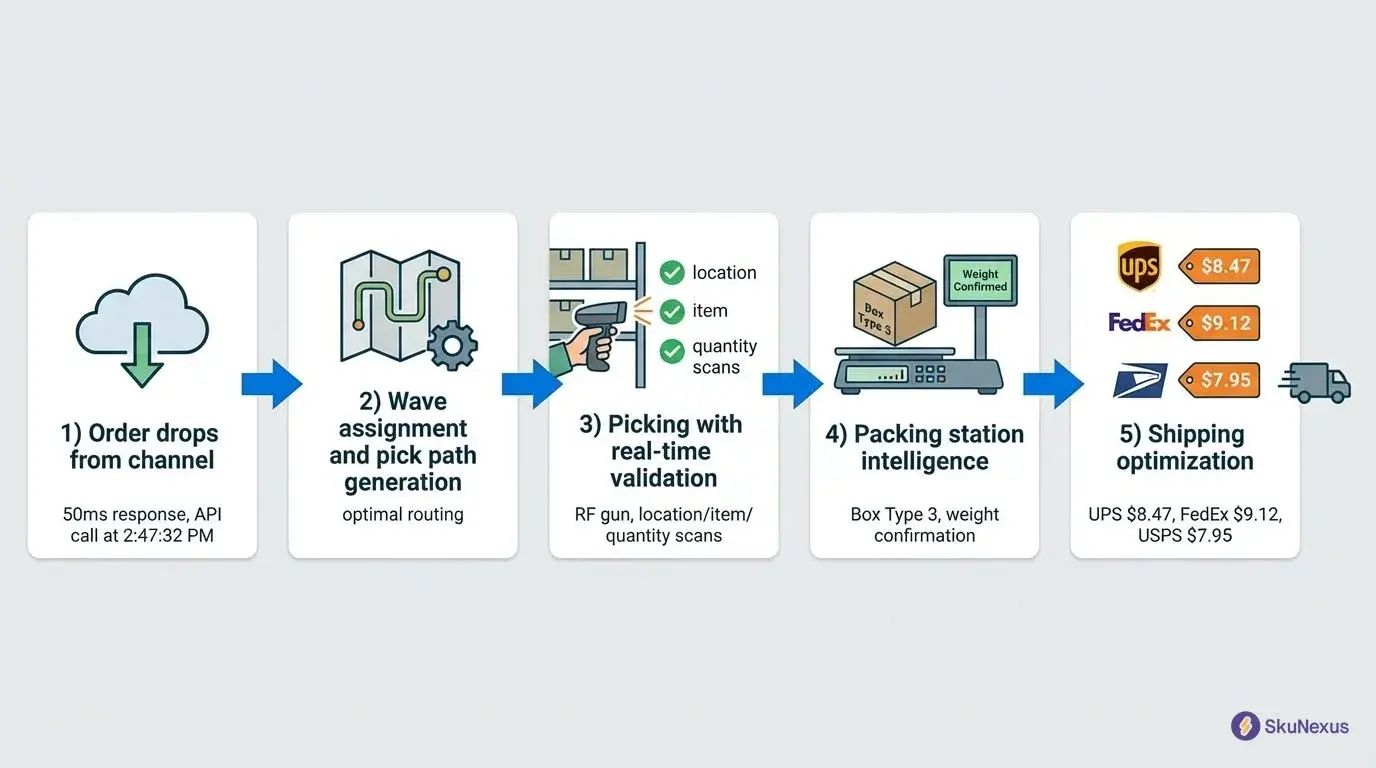
Single purchase. From a packed fulfillment, select a carrier and a service and buy. Or auto-purchase through EasyPost and skip the selection entirely.
Bulk purchase. Select several packed fulfillments and buy labels for all of them in one action.
Find and Buy. Scan the barcode on a fulfillment to find it and buy its label in one step. The documentation calls this the fastest workflow for high-volume operations, and it is the direct answer to the barcode question quoted earlier: the packer's hands never leave the scanner.
Which one you use is an operational decision, not a licensing tier. A single operator working a December peak and a bench with four packers want different answers, and the same install supports both. The pick, pack and ship sequence around those three paths is where the rest of that decision lives.
After the label is on the box
Shipments have their own list, searchable by tracking number and filterable by status, which runs Label Purchased, In Transit, Delivered, Returned, Cancelled, and by direction, inbound or outbound. Open one shipment and the detail carries the tracking number, the carrier, the status, the dates, the dimensions, the weight, the fulfillment it belongs to, and an event timeline.
Status updates arrive from carrier webhooks through EasyPost, or are set manually where a carrier has no feed. The inbound direction exists because returns and inbound freight are shipments too, and they belong in the same list as the outbound ones rather than in somebody's inbox.
This is also where a void becomes traceable. The Shopify merchant quoted earlier wanted the voided label and its replacement to end up in one place instead of three. What writes back to Shopify, and how quickly, is covered on the order management guide. What this page can tell you is that the shipment record and its event timeline, not the packer's memory, is the thing holding that history.
What "real time" means here
Inventory does not move between systems instantly, and any vendor who says it does is describing a poll they have not told you about. SkuNexus polls Shopify every 5 minutes by default and the other supported platforms every 60. Webhooks on Shopify, BigCommerce, WooCommerce and Shopware supplement that poll rather than replace it. On a 5-minute cycle no channel is ever more than one cycle behind, even in a Black Friday hour. That is a good answer. It is also a different answer from instant, and the difference is the one worth asking every vendor to name out loud.
Carrier and label work at two Shopify operations
Two SkuNexus customers run their storefronts on Shopify and have published what changed in the shipping half of the job. Everything below is restated from their own customer pages.
French domestic carriers without the workaround steps
The French artisan knife company makes and sells handcrafted kitchen knives from one warehouse in France, with roughly 140 SKUs including about 40 bundle configurations. Steady season runs 800 orders a month and one operator handles it, spending about an hour a day picking. November and December take that to 5,000 orders.
ShipStation was the previous shipping tool. It generated labels, but this company reported that it had no native support for GLS and Relaiscolis, the two carriers their French customers expect, so domestic shipments ran through workarounds that added handling time to every label. GLS and Relaiscolis are now integrated directly into the shipping workflow. Label selection follows the shipment destination and service type, and each label generates in the correct carrier format without manual data entry or extra steps.
The picking side changed with it. Individual order picking, one order start to finish, became wave picking that batches orders by product location, which is what makes the December surge workable for a single operator. Bundles are tracked at the component level, so the quantity Shopify shows reflects real component stock instead of a bundle count somebody maintains by hand.
One shipping queue across several Shopify storefronts
The entertainment merchandise agency runs a separate Shopify storefront for each brand it manages and fulfills through several outsourced warehouse partners plus dropship vendors in more than one country. Every storefront connects to a single SkuNexus instance, and orders from all of them land in one fulfillment queue that can be filtered by brand.
Routing picks the fulfillment source per order: which partner location holds the inventory, which vendor sits closest to the customer, which method meets that brand's delivery promise. Shipping compliance, carrier selection and customs documentation are handled at the fulfillment level rather than bolted on after the fact. Each dropship and consignment partner gets a vendor portal scoped to its own inventory and orders, with no view of anyone else's. Onboarding a new brand is a configuration task: connect the Shopify store, define the vendor relationships, set the fulfillment rules.
Neither operation replaced its storefront. Shopify stayed where it was in both, and the pick, pack and ship work moved behind it.
What this page does not claim
Four things get promised on pages like this one and are not true here. Printing them is cheaper for both of us than letting you find out on a call.
- No demand prediction and no predictive routing. Demand forecasting and dynamic stock cover are not built. When a buyer asked for predictive reordering on a recorded call, the answer was "It's doable. It's a customization. We don't have that built out yet." What the platform does instead is act on rules you wrote and can read back.
- No shipping zone object. There is nothing called a shipping zone to configure. Destination is one of the fields your routing and carrier rules read, alongside weight, dimensions and the shipping option that came in on the order.
- Nothing at checkout. The checkout is Shopify's. Signature-required options, time-of-day delivery choices and carrier preferences shown to a shopper are storefront decisions, not SkuNexus features.
- No carbon-offset feature. Carriers sell carbon-neutral service levels, and you can build a class code that contains only those services. The offset is the carrier's product. It is not ours, and we do not sell it back to you as one.
Auto-print, blind print and multi-box label splitting are not documented as named features either. They come up often enough in demos that they belong on this list rather than in a feature bullet somebody has to walk back later.
Questions that come up about carriers and labels
What is Shopify shipping management software?
It is the layer that decides how each order ships and produces the label, sitting behind a Shopify store rather than inside it. Carrier accounts, parcel templates, service-level rules, label purchase and shipment tracking all live there. Shopify keeps the storefront and the checkout.
How does it differ from Shopify Shipping?
Shopify Shipping buys and prints a label against an order. A shipping management layer adds what a growing operation needs around that: carrier accounts you configure yourself including regional carriers, parcel templates, class codes and option mappers that select the service per order, bulk and barcode-driven label buying at the pack bench, and one shipment record per package with its own status history. If one person buys every label from the order screen and it is working, you do not need this yet.
How does shipping label printing work (auto-print, blind print, voids, multi-box)?
Label generation and printing happen at the pack station. The full walkthrough - carrier label purchase, reprints, and returns labels - lives in our packing software guide.
How does it help with international shipping?
Customs documentation is generated and attached as part of the fulfillment, and carriers that serve the destination are selected the same way domestic ones are. Duty and tax calculation at checkout is not part of this. That belongs to your storefront and its tax service.
Bring three hard orders to a demo
The useful version of a demo is not a tour. Bring three orders that are genuinely hard to ship: the one going out with a regional carrier, the one whose box size is only known at the bench, and the one somebody voided last week. Ask to watch each of the three buy a label. Book a demo and bring those orders with you.
About The Author
Yitzchak Lieblich (known to friends and colleagues as "Yitz") is the founder and CEO of SkuNexus. He has been in eCommerce since 2007, founded Web Solutions NYC in 2007 and SkuNexus in 2018, and has worked with merchants from startups to Fortune 100 across auto parts, food and beverage, apparel, B2B wholesale, and retail/D2C.
He built SkuNexus after watching the same problem repeat: teams whose fulfillment worked until it did not, held back by software that would not bend. The carrier, label and tracking behaviour described on this page is the behaviour he and the team ship and support.
Ready to Transform Your Operations?
See how SkuNexus gives you full control over inventory, orders, warehouse, and shipping.
Schedule a Free Demo →
Yitz Lieblich
CEO & Founder, SkuNexus
Yitz Lieblich is the Founder and CEO of SkuNexus. He has spent 19 years in eCommerce, starting in 2007 when he founded Web Solutions NYC, an eCommerce agency he still leads today. His approach to inventory, order, and warehouse management did not come from a whiteboard. It came from the floor. Across nearly two decades, Yitz has worked with merchants of every size, from mom-and-pop startups to Fortune 100 enterprises, across auto parts, food and beverage, apparel, B2B wholesale, and retail/D2C. He has walked through hundreds of warehouses, watching where operations lose time, money, and orders, with one goal: optimize the operation and make it easier for the merchant. That hands-on pattern is what led him to build SkuNexus in 2018 as a full operational platform. The idea was simple. Configurable infrastructure that bends to each merchant workflow, supporting businesses that ship anywhere from 50 to 20,000 orders a day. A custom development background runs through everything he builds. When SkuNexus writes about fulfillment, WMS, or multi-channel inventory, it comes from operations Yitz has seen and solved firsthand. First as an agency partner since 2007, and now as the architect of the platform.
Keep Reading
WooCommerce Warehouse and Inventory Management
September 16, 2026