Multi Warehouse Inventory Management, One Live Stock Record
A second warehouse shouldn’t mean a second copy of your catalog. With SkuNexus, each product has one record, with stock tracked separately by warehouse and bin. See what’s available across your locations, route orders to the nearest warehouse with stock, and set reorder points for each location.
Trusted by leading brands processing millions of orders


One SKU across every warehouse
When the same product sits in three warehouses, you need to know how much is in each building and how much is available to sell. You shouldn’t have to reconcile three separate product records to get that answer.
Add warehouses without duplicating products
SkuNexus keeps one record per product, with quantities tracked by warehouse and bin. Adding a location gives that product another place to hold stock without adding another copy to your catalog.
See what’s available, committed, and incoming
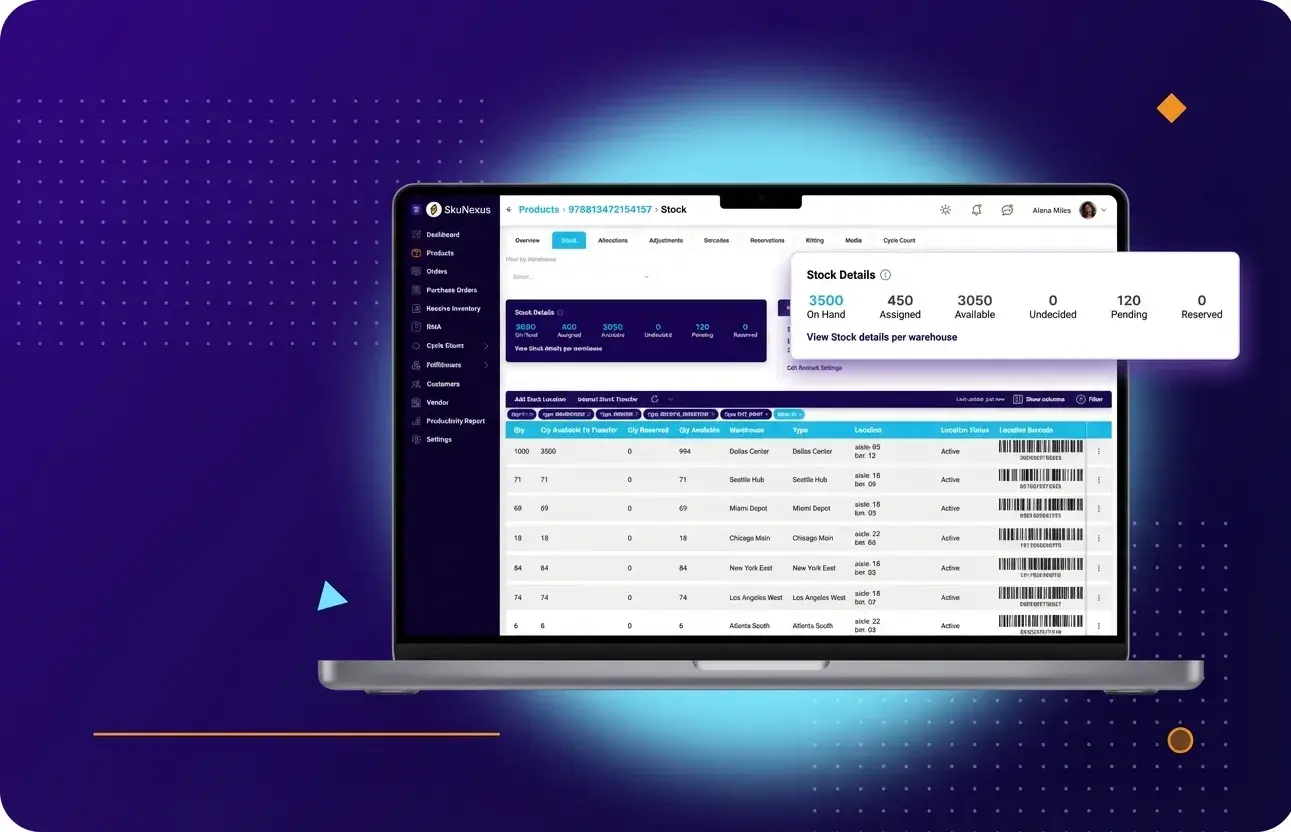
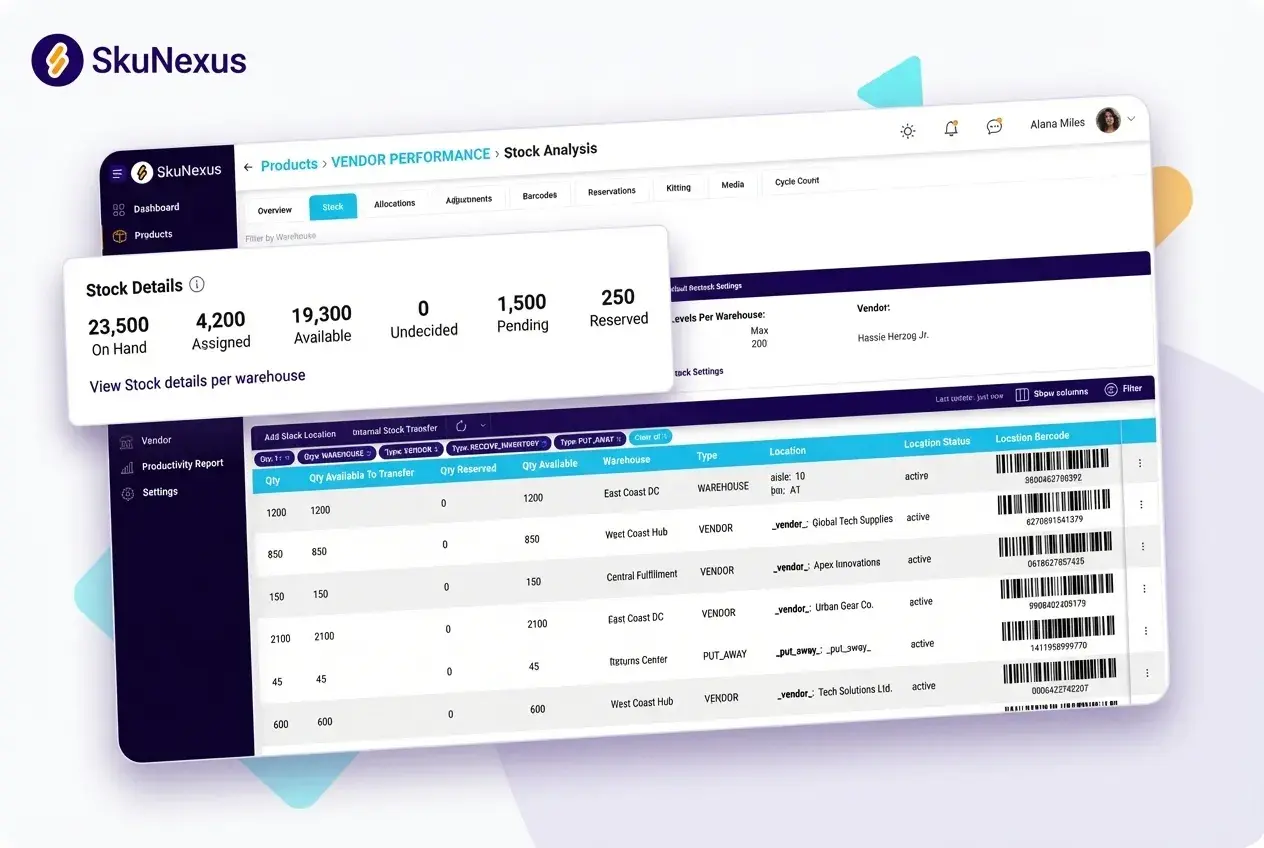
Within each product record, you can see on-hand, available, reserved, allocated, and incoming quantities. Your team can distinguish stock that’s physically present from stock already committed to orders or still on its way.
Keep warehouse activity and storefronts connected
Receiving, putaway, picking, and transfers update the same inventory record. Your storefronts draw from it too, with each channel location mapped to one warehouse or a group of warehouses. Purchasing and fulfillment teams work from the same stock information, with a clear view of where the units are.
Route orders to the nearest warehouse with stock
The closest warehouse is only valuable if it can fulfill the order. SkuNexus checks stock availability alongside proximity, then routes the order according to rules your team defines.
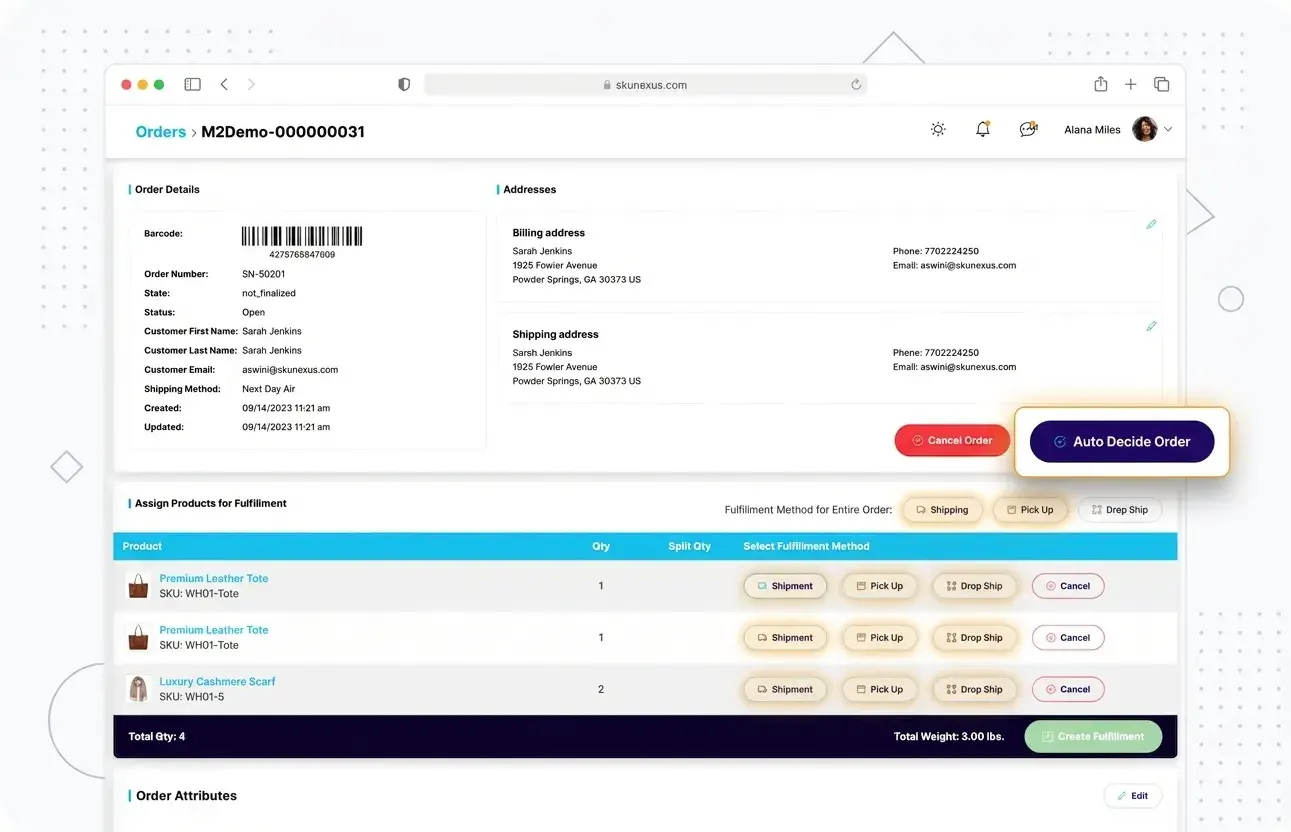
Step 1: Set your routing priorities
Our Auto-Decision Engine runs your IF/THEN rules in priority order. Start with the nearest warehouse that has stock, try the next closest if it’s unavailable, and use a dropship vendor as a fallback.
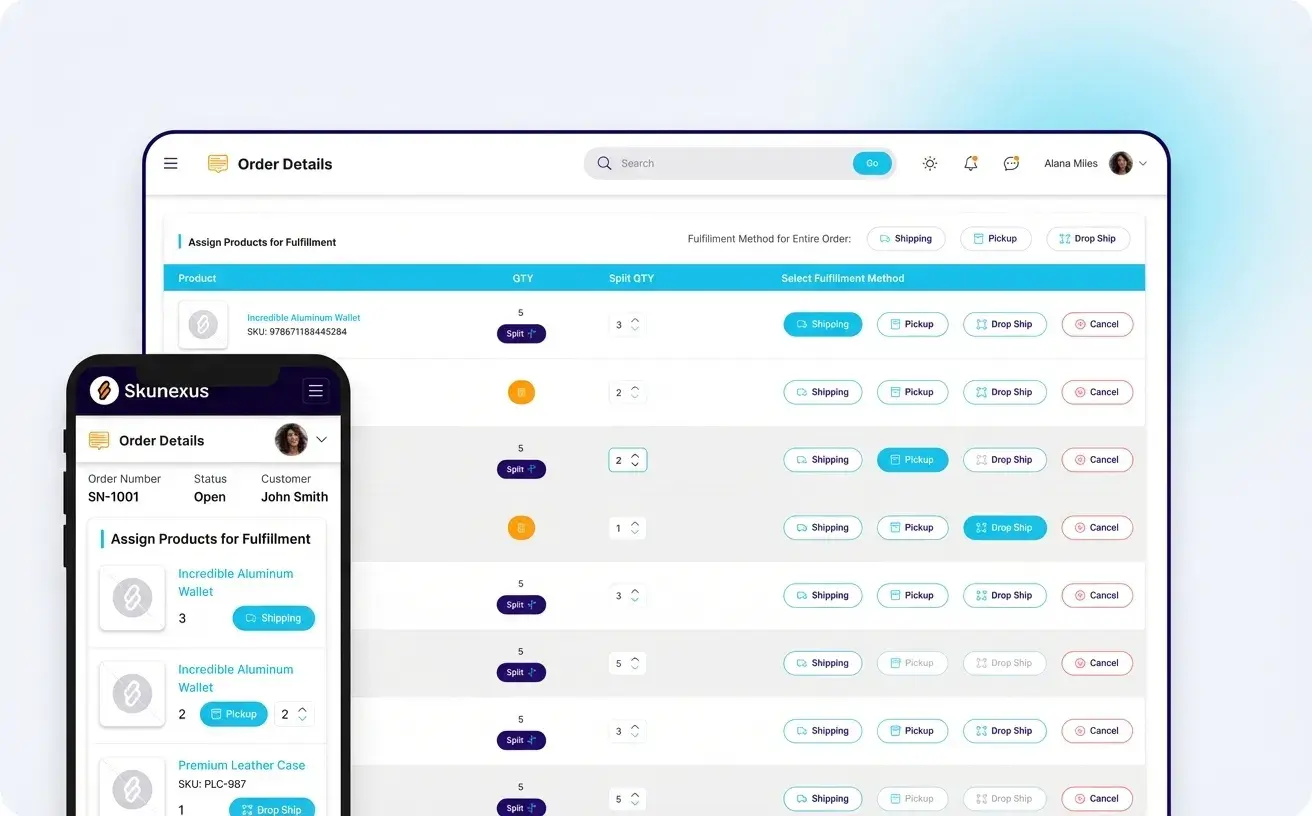
Step 2: Decide when to split or hold an order
When no single warehouse has the entire order, your rules determine whether to split fulfillment by line item or hold the order.
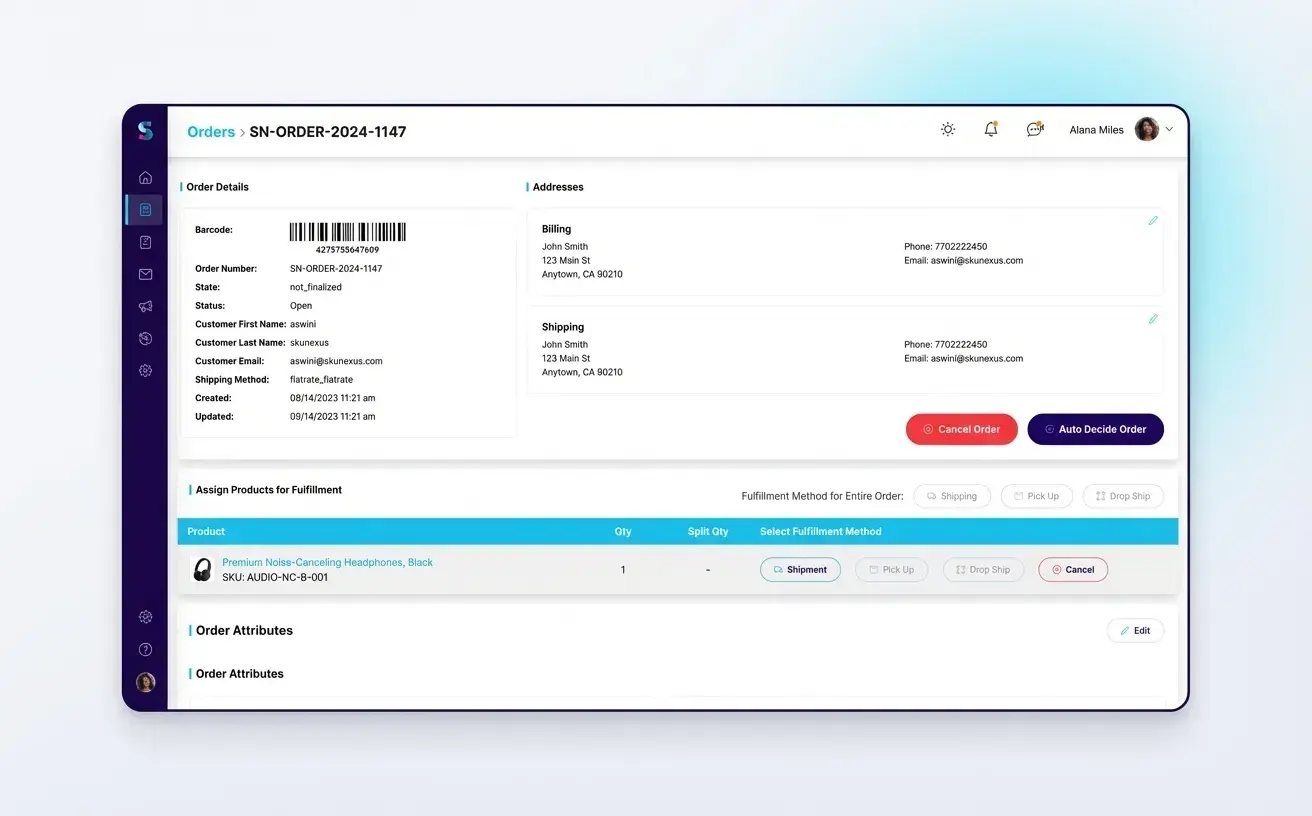
Step 3: Test rules before putting them into use
Run rules against sample orders first. Dry-Run Routing shows which rule an order would match, while orders that don’t match any rule wait in a review queue for your team to resolve.
Three warehouses, with proximity deciding where orders ship
A three-brand outdoor and cycling retailer previously fulfilled orders without proximity-based routing. An East Coast customer could receive an order shipped from a warehouse across the country.
With SkuNexus, each order is checked against stock across all three warehouses and routed to the closest location that can fulfill it.
 Read the outdoor retailer’s story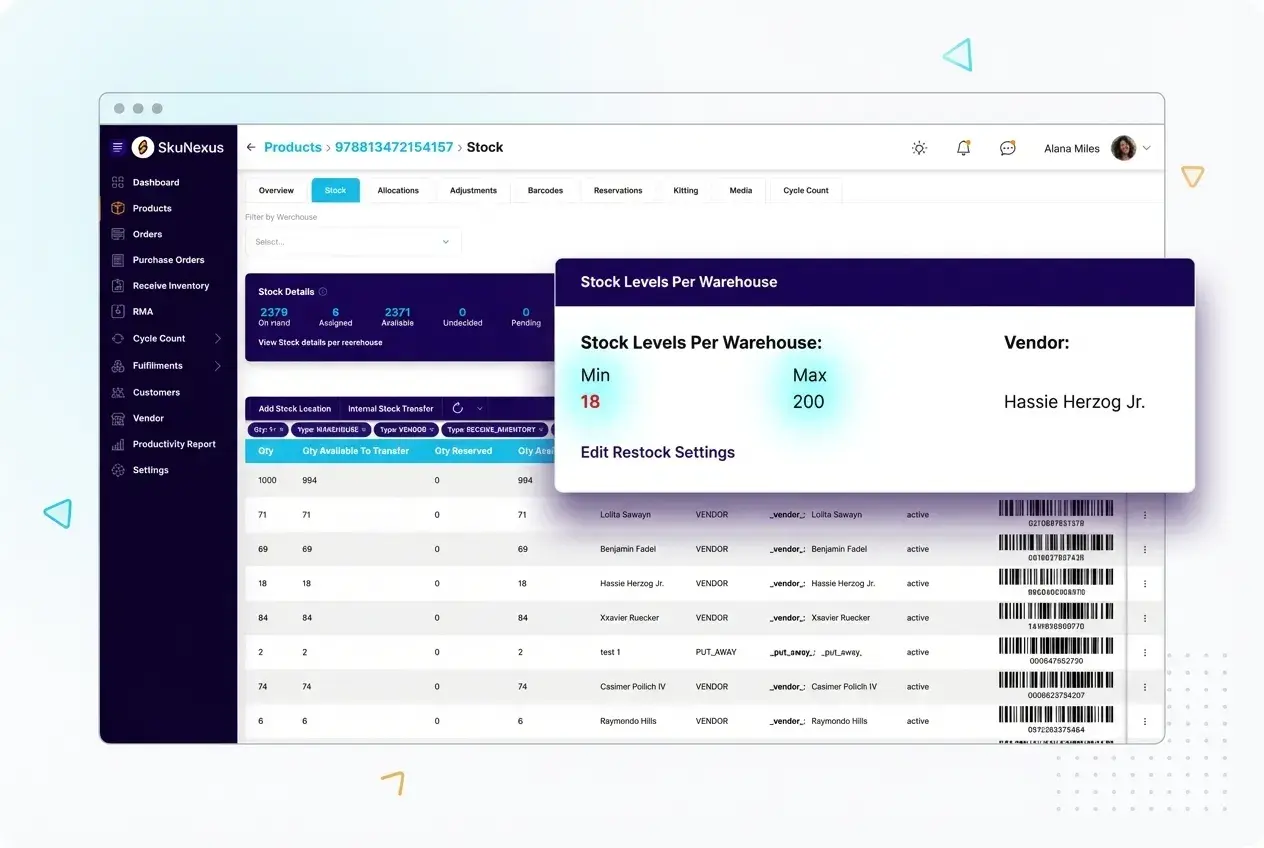
Set reorder points by product and location
A product can sell quickly at one warehouse and sit for weeks at another. A single company-wide reorder point can hide that difference.
Give each warehouse its own threshold
In SkuNexus, you set reorder points for each product at each location, so replenishment reflects demand at that warehouse.
Set thresholds around sales and lead times
Use a fixed threshold or calculate it from average daily sales, vendor lead time, and a safety buffer.
For example, say your East Coast warehouse sells 20 units of a SKU a day, while your West Coast warehouse sells five. With a 10-day vendor lead time, their reorder points would start at 200 and 50 units, respectively, before adding safety stock.
Turn low-stock thresholds into purchase orders
When stock at a warehouse falls below its reorder point, the system recommends a purchase order or creates one for the assigned vendor. Each product carries its vendor SKU, lead time, and minimum order quantity, so purchase orders come through with the vendor, product, and quantity filled in.
Manage multiple brands and locations in one view
When several brands share warehouses, your team needs to see the whole operation and still be able to work by brand. SkuNexus gives you one view of inventory across brands and warehouses, with quantities broken down by location.
Bring every brand’s orders into one queue
Connect your storefronts to one SkuNexus instance so orders arrive in a shared queue. Your team can work across brands or filter for one, with inventory tracked across the warehouses that fulfill those orders.
Control access and trace changes
Each staff member gets an individual login with role-based permissions. Inventory adjustments, order edits, and receiving transactions are logged to a named person, so your team can trace changes across brands and locations.
Three brands working in one system
Before moving to SkuNexus, the outdoor retailer managed three brands through separate accounts. Staff shared logins to work across them, making inventory adjustments difficult to trace.
Now its three Shopify storefronts connect to one SkuNexus instance. The team manages orders together, filters by brand when needed, and can see who made each change.
Read the outdoor retailer’s storyHow Graeter’s manages fulfillment across three warehouses
The Challenge
The Solution
The Results
“I was starting every morning going through orders manually. Our packers were calculating dry ice weights by hand on every single shipment. At our volume, that wasn’t sustainable.”
Built around how your warehouses work
Adding a warehouse means deciding where orders should ship from, when to split fulfillment, and how much stock to keep at each location.
We built SkuNexus for merchants who manage their own fulfillment and ship 50 to 20,000 orders a day. Inventory, orders, purchasing, and warehouse workflows run in one platform, with rules configured around how your team operates.
Bring your warehouse locations and fulfillment requirements to a demo. We’ll show you how SkuNexus can connect your stock and put your routing and replenishment rules to work.