SkuNexus is an order management system that allows users full access to the source code, allowing complete control.
7400 Skokie Blvd, Skokie, IL 60077.
You never know what kind of day you're going to have with shipping costs — unless your system compares carrier rates in real time and picks the best option on every single order.
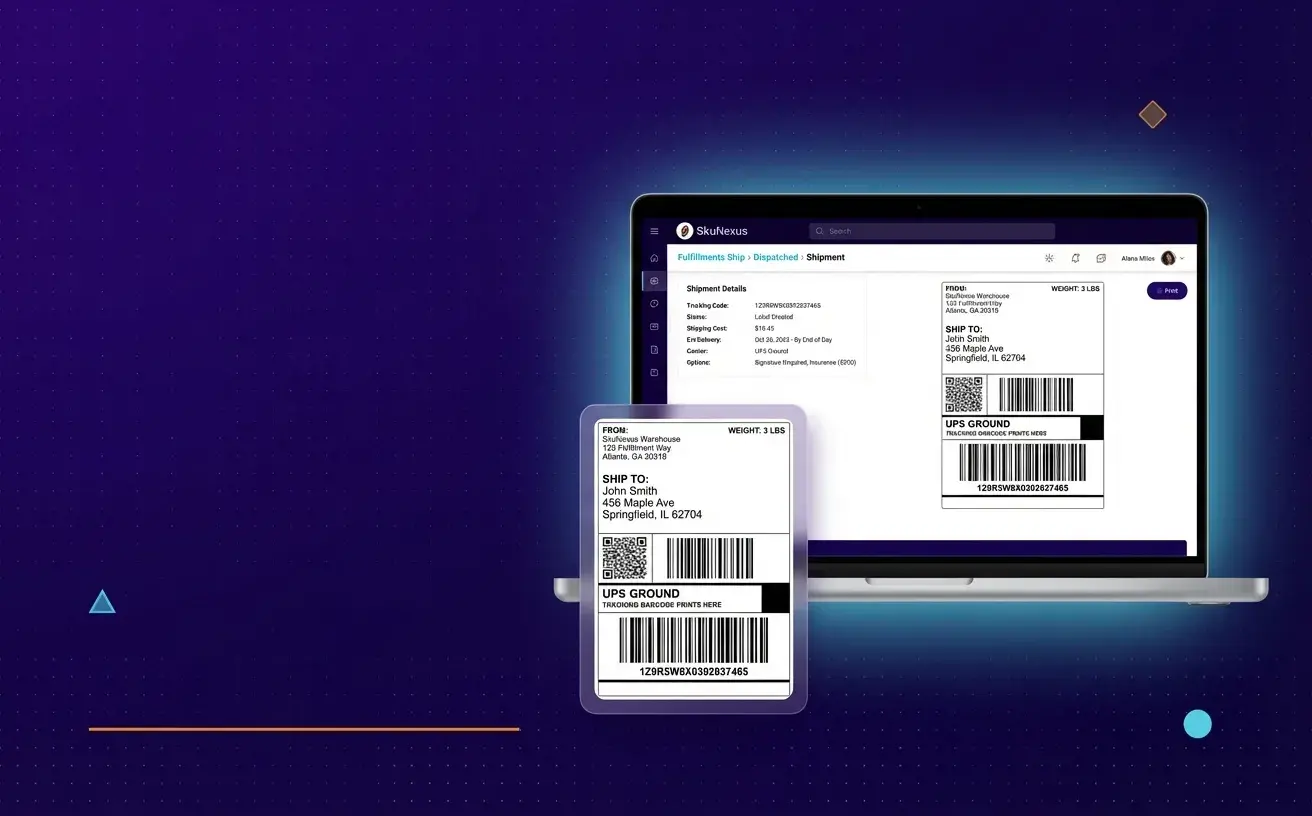
Shipping rate shopping software compares carrier rates in real time for every package you ship — evaluating price, delivery speed, and service level across all connected carriers. It replaces the manual process of checking rates one carrier at a time or defaulting to the same carrier on every order.
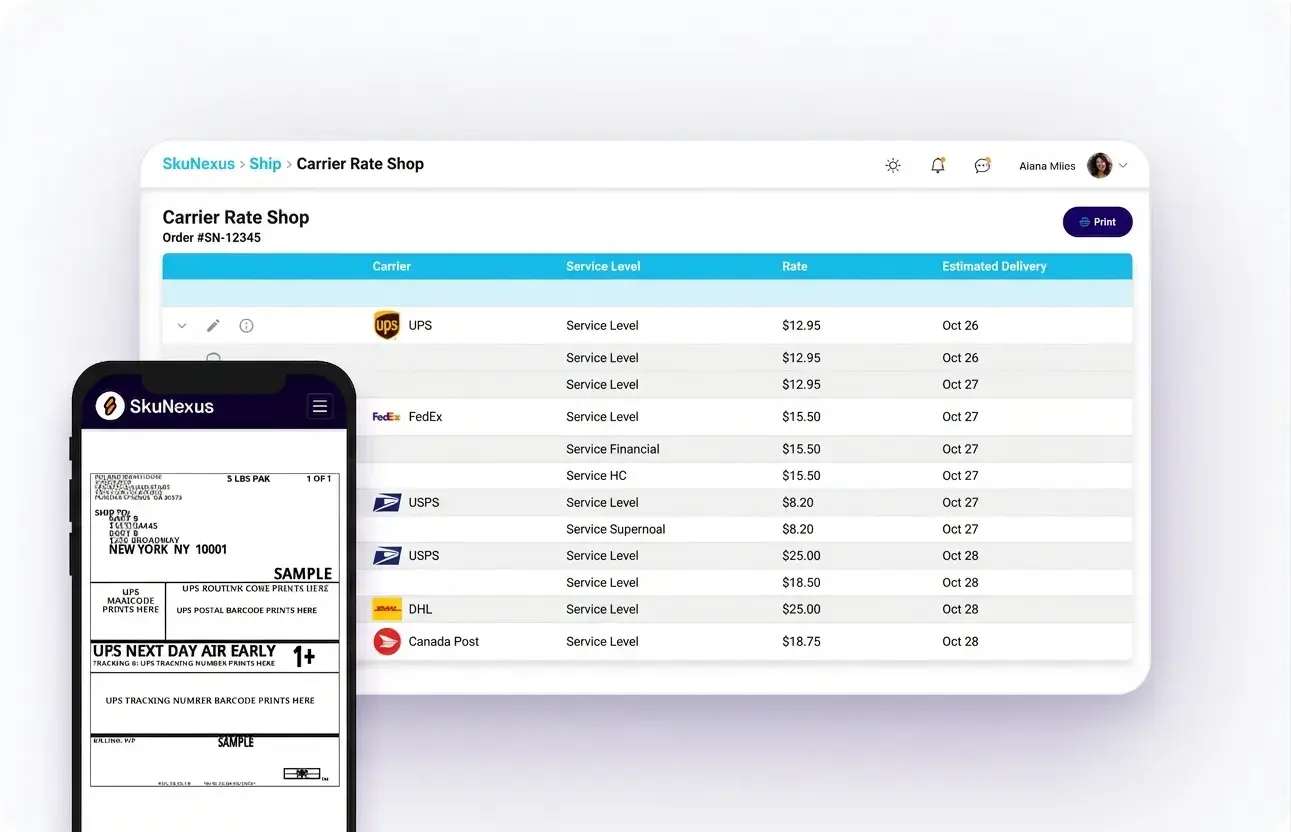
In SkuNexus, rate shopping happens at the packing station — the final step before a label prints. The system queries FedEx, UPS, USPS, DHL, and any connected carriers simultaneously, then either auto-selects based on your rules or presents the options for a one-click decision.
The average merchant overpays on shipping by 15-23% when they default to a single carrier without comparing rates. Rate shopping on every order adds up to thousands saved per month — savings that go directly to your bottom line.
Trusted by leading brands processing millions of orders
"Monday a package to California costs $8.50. Tuesday the same package costs $12.30. We have no idea why."
Without real-time rate comparison, your shipping costs are unpredictable and inconsistent — and you can't even quantify how much you're overpaying.
Unpredictable Costs"Our team doesn't compare rates. They pick the carrier they always use because it's faster than checking."
Manual carrier selection means your team defaults to habit, not optimization. You're leaving money on the table with every label.
No Comparison"Our shipping tool doesn't know our inventory. We copy-paste between systems hoping nothing falls through."
Standalone shipping tools create gaps — they don't know your routing rules, inventory levels, or fulfillment decisions.
Disconnected ToolsSkuNexus compares carrier rates on every shipment, picks the optimal option, and prints the label — all from the same system managing your orders and warehouse.
See How It WorksAfter the warehouse team picks and packs the order, the packing station screen shows the shipment details: items, total weight, package dimensions, customer address, and shipping speed requested. This is the moment where carrier selection happens — and in SkuNexus, it happens automatically.
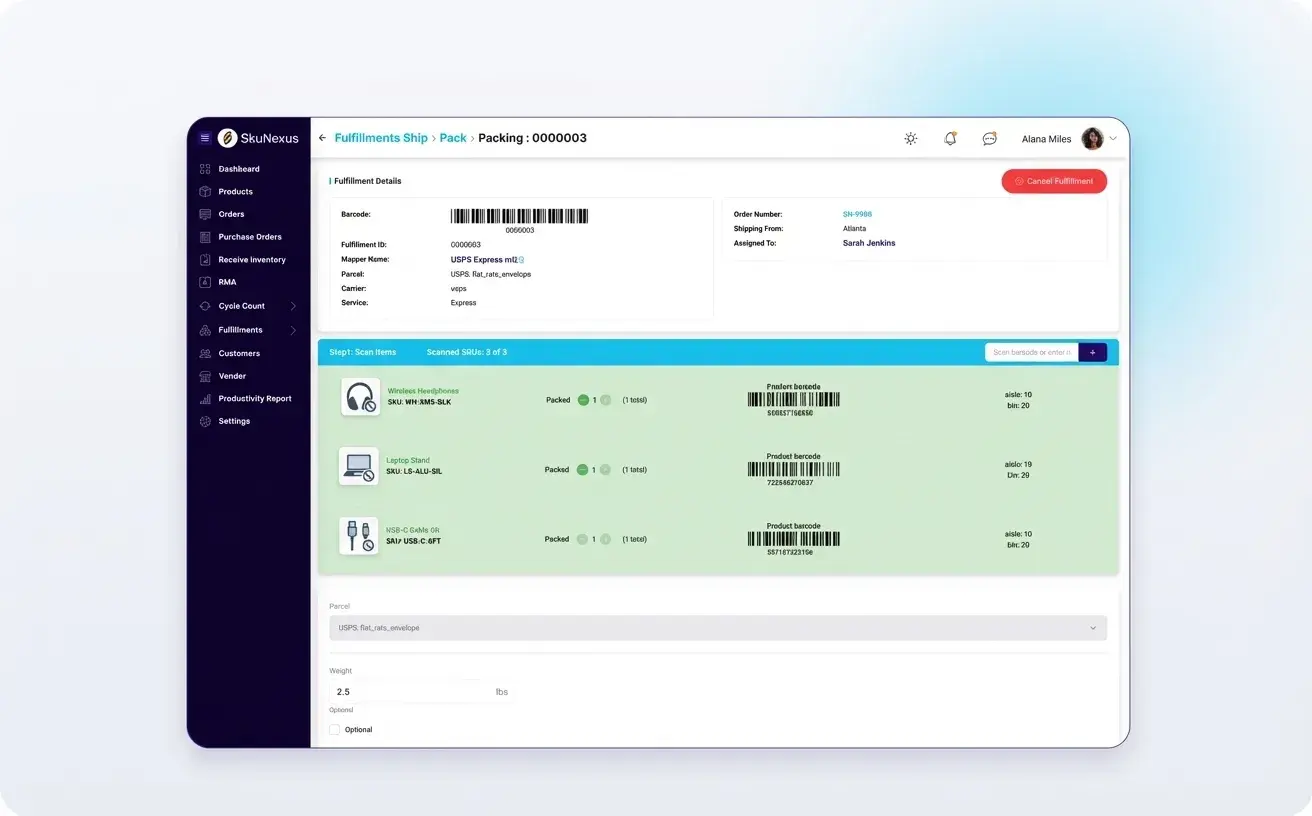
SkuNexus queries all connected carriers simultaneously — FedEx, UPS, USPS, DHL, regional carriers. Within seconds, you see every available option with the exact rate, estimated delivery date, and service level. Rules determine what happens next: cheapest ground, fastest under $15, specific carrier for specific customers.
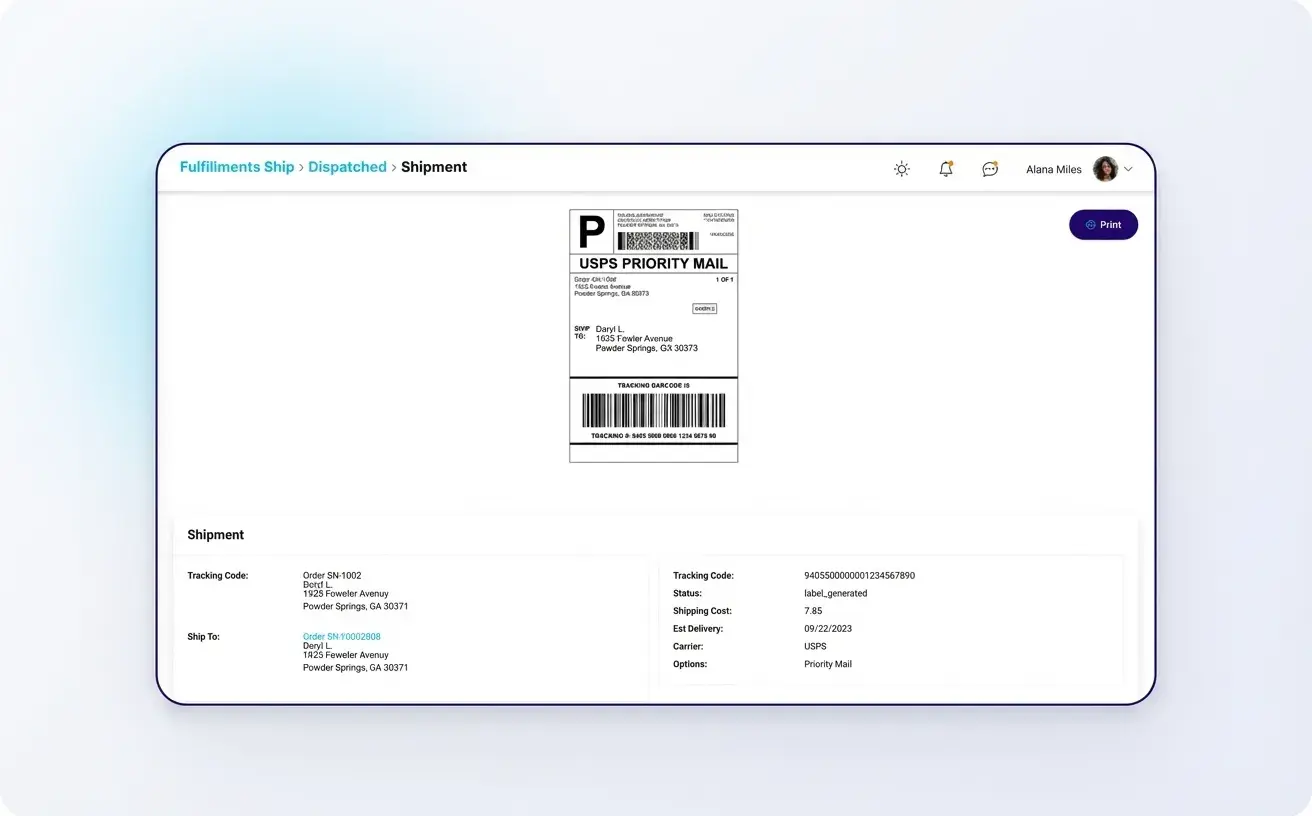
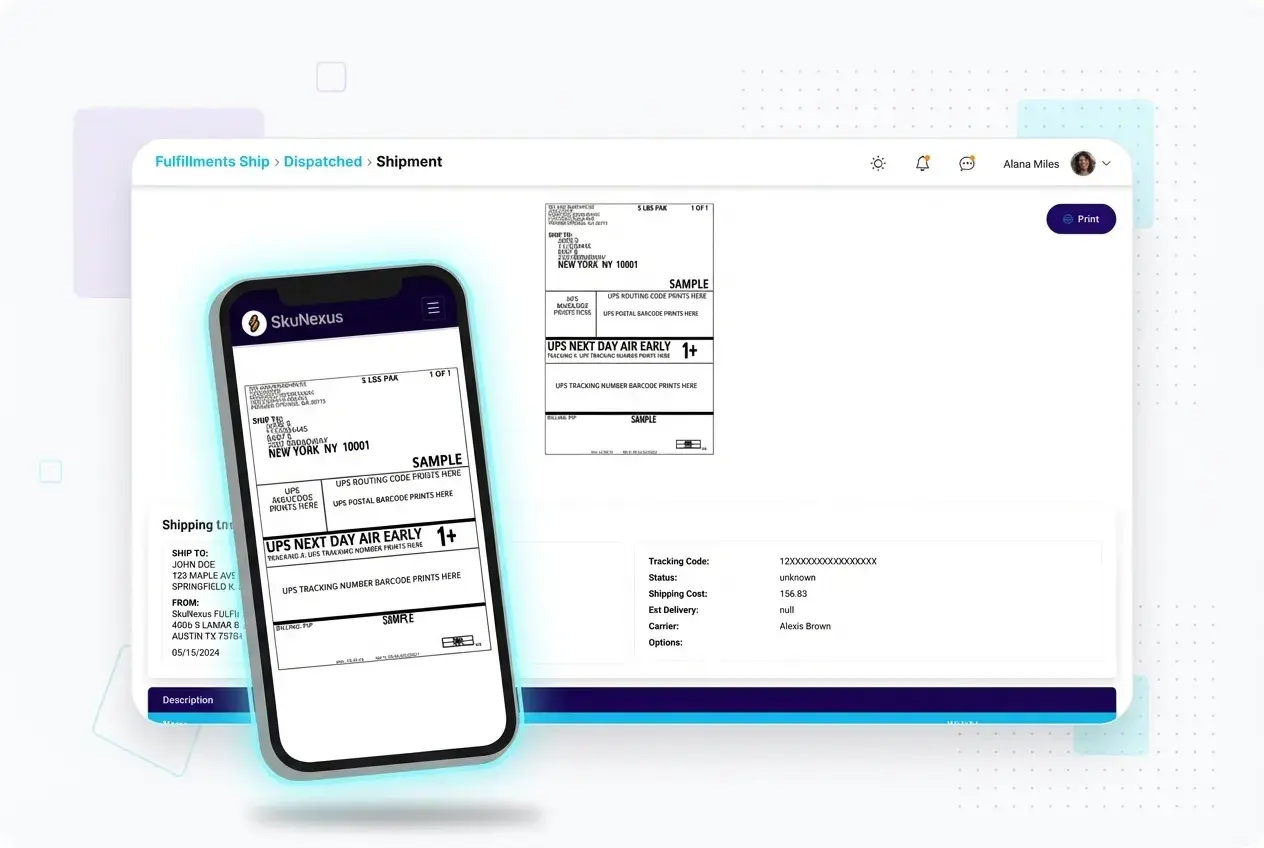
One click (or zero clicks with auto-selection) and the shipping label prints. The tracking number is captured automatically and pushed back to the sales channel. The customer gets notified. No copy-paste. No manual entry into a separate system.
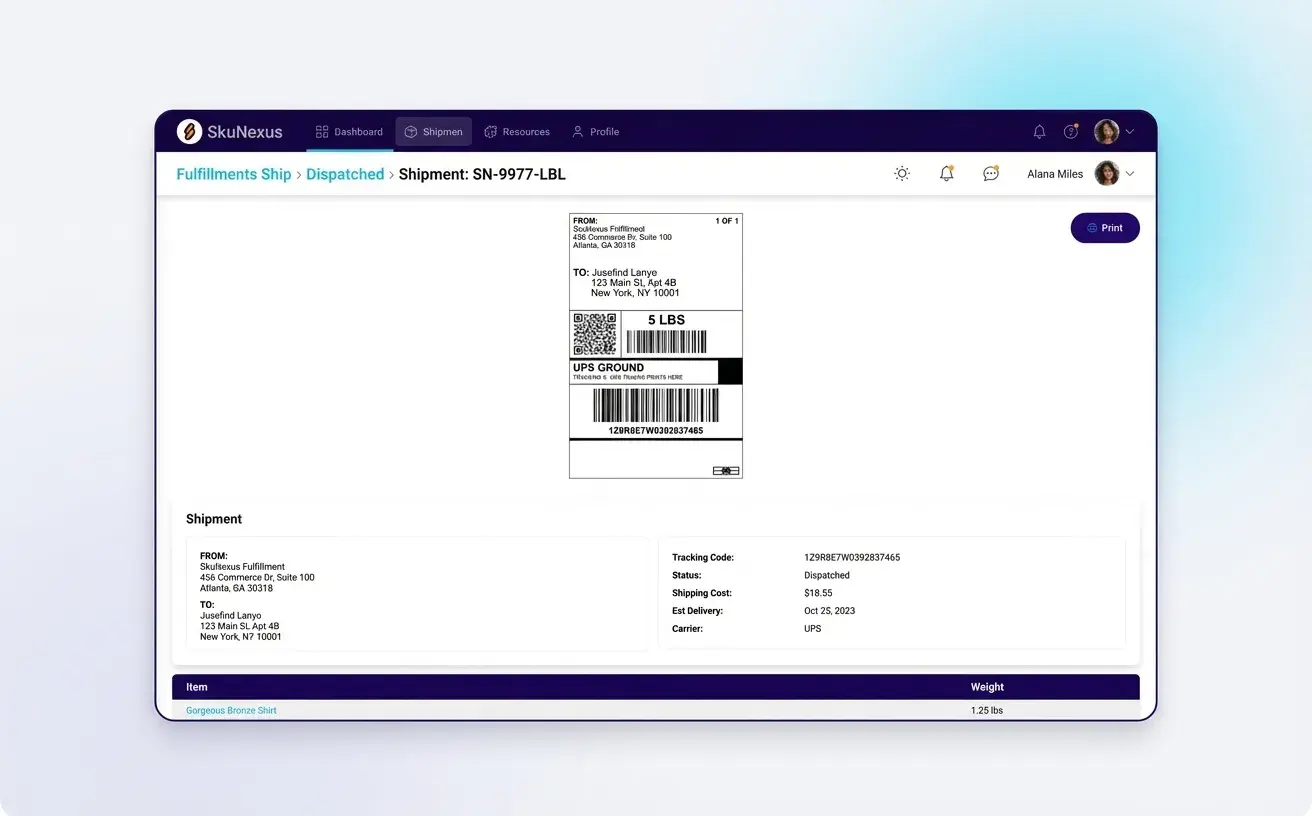
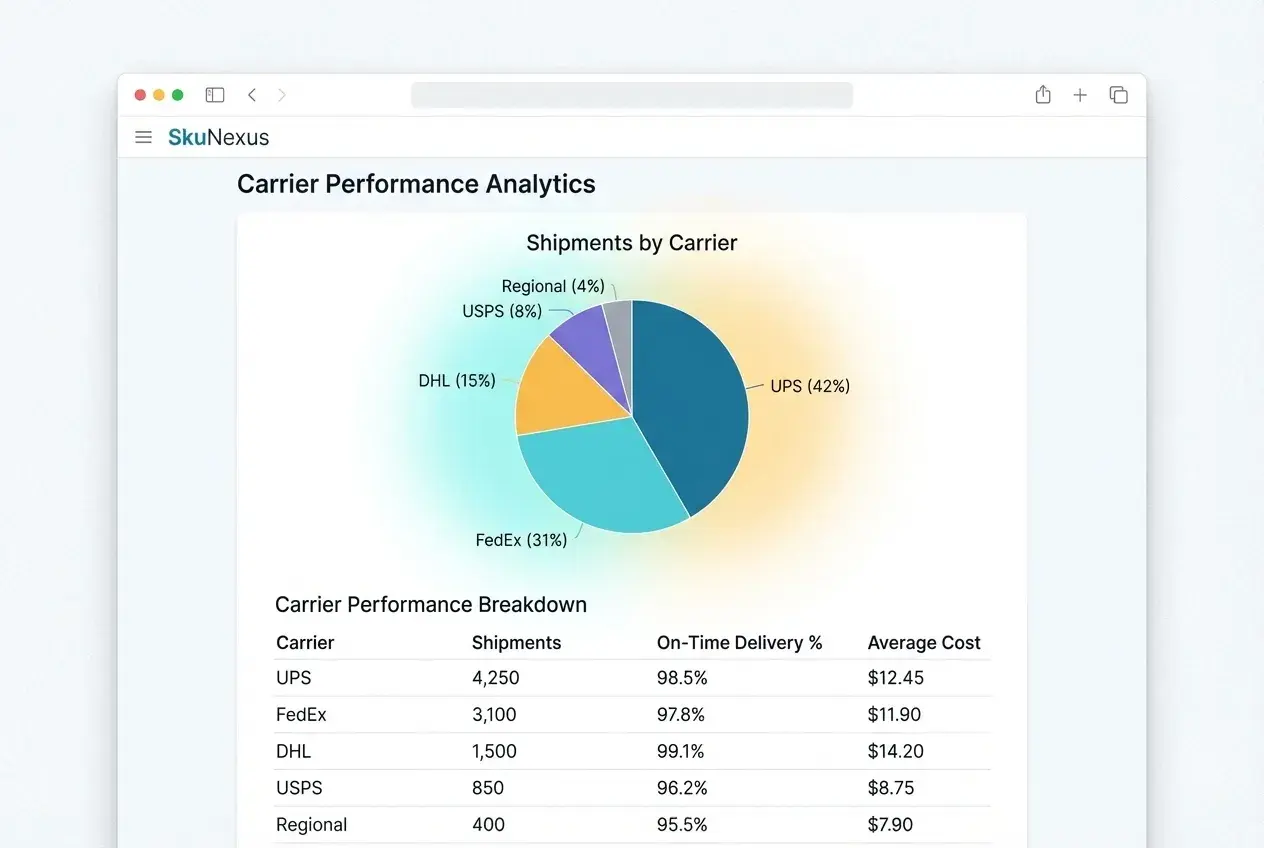
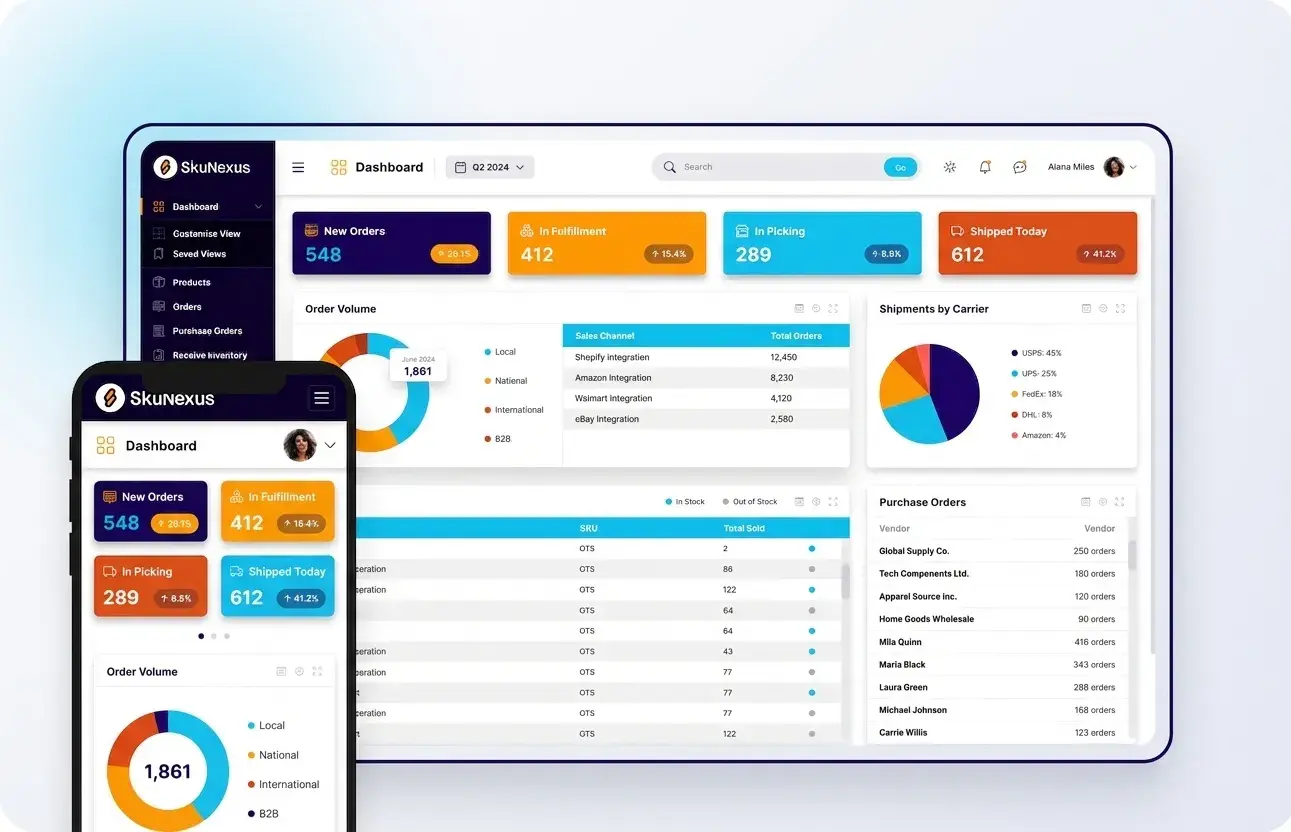
Over time, SkuNexus collects every shipping decision, every rate comparison, every carrier selected. You can see average shipping cost per order, cost per carrier, savings from rate shopping, and trends over time. This data feeds back into your pricing strategy and margin calculations.
Why Teams Choose SkuNexus
Compare rates across all connected carriers for every shipment. Auto-select based on rules you define.
Print shipping labels and packing slips from the same screen. Thermal printer support for high-volume operations.
Track cost per shipment, carrier performance, and savings from rate shopping. Data-driven carrier contract decisions.
Set rules: cheapest ground, fastest under $X, specific carrier for specific customers or products. The system picks the carrier without human intervention.
Rules can be layered: if the cheapest option doesn't meet the delivery window, escalate to the next tier. If a customer always gets FedEx, override the rate shopping for that account.
Electronic trade documents, customs declarations, and harmonized tariff codes. Ship internationally without paper-based customs processes.
Generate commercial invoices, certificates of origin, and customs forms directly from the shipping workflow. International shipments follow the same rate shopping logic as domestic.
Set cost ceilings for specific shipments. If a rate exceeds your threshold, the system flags it for review before printing the label.
Track automatic tracking updates pushed to every sales channel. Customers are notified without any manual step — the tracking number flows from label creation to Shopify, Amazon, or wherever the order originated.
Most merchants use a standalone shipping tool bolted onto their order system. In SkuNexus, shipping is the final step of the same workflow that started with order routing and warehouse picking. The label prints from the same system that managed the entire fulfillment process.
Inconsistent rate quotes, inconsistent errors that pop out of nowhere. You never know what kind of day you're going to have with your shipping tool.
The average merchant overpays on shipping by 15-23% when they default to a single carrier. SkuNexus rate shopping on every order adds up to thousands saved per month. The savings are calculated on every shipment and visible in your analytics.
Some shipping platforms charge per label or per shipment. SkuNexus doesn't. Your monthly subscription includes unlimited labels, unlimited shipments, unlimited carriers. Ship 100 packages or 10,000 — same cost.
A 150-year-old premium ice cream brand selling DTC, wholesale, and through national retail partners.
"Our Smoothest Peak Season Ever"
Native integrations with leading eCommerce platforms, shipping carriers, and accounting tools.


Defaulting to one carrier on every order is the shipping equivalent of paying sticker price on every car.
| Single Carrier / No Comparison | SkuNexus Rate Shopping |
|---|---|
| ✕ Same carrier every time | ✓ Best carrier selected per shipment |
| ✕ Overpaying 15-23% on average | ✓ Optimal rate on every label |
| ✕ Separate shipping tool, separate login | ✓ Shipping built into fulfillment workflow |
| ✕ Manual tracking number entry | ✓ Automatic tracking to all channels |
| ✕ No shipping cost analytics | ✓ Full cost reporting and savings tracking |
| ✕ Per-label fees add up | ✓ Unlimited labels included |
Rate shopping isn't something you do when you have time. It's something the system does on every order, automatically, before the label prints.
Free demo • No credit card required
Rate shopping compares real-time carrier rates across UPS, FedEx, USPS, DHL, and other carriers on every shipment and selects the cheapest option that meets the delivery deadline. Without rate shopping, your team either defaults to the same carrier every time (overpaying on many shipments) or manually checks multiple carrier websites per order (wasting minutes per package that add up to hours per day).
The savings compound fast because the optimal carrier changes based on package weight, dimensions, destination zone, service level requirement, and current rate fluctuations. A package going to a nearby zone might be cheapest via USPS, while a heavier package going cross-country might be cheapest via UPS Ground. Making this comparison manually on every order is impractical above 50 packages per day. SkuNexus rate shops automatically at the pack station - the best rate is selected and the label prints in one step, with no manual comparison required.
By comparing live rates across all your carrier accounts on every single shipment rather than defaulting to one carrier or relying on a team member's judgment. Merchants shipping 100+ packages per day often find 15-25% cost reduction because the optimal carrier genuinely changes shipment to shipment based on weight, dimensions, destination, and service level.
One prospect described their current experience as "inconsistent shipping rate quotes, inconsistent errors that pop out of nowhere - you never know what kind of day you're going to have." That unpredictability disappears when rate comparison is automated and data-driven. The system evaluates every carrier you have an account with, compares the real-time rate for each specific package, and selects the winner - every time, with zero guesswork. SkuNexus runs rate comparison in the background at the pack station and displays the optimal carrier with its cost before the label prints.
Yes. Once an order is picked and verified at the pack station, the system generates a shipping label with the selected carrier, tracking number, cost, and all required shipping details - no manual address entry, no copy-paste, no separate visit to a carrier website. The critical detail is that SkuNexus only enables the "print label" button after all items in the order have been scan-verified at packing, so labels never generate for incomplete or incorrect orders.
This ties shipping directly to fulfillment verification. In systems where labeling is separate from verification, it's possible to print a label for an order that hasn't been fully picked or verified - leading to short shipments where the customer receives a box missing items. By gating label generation behind scan verification, SkuNexus ensures that every label represents a complete, verified order. The label prints automatically with the rate-shopped carrier, and the tracking number pushes to the sales channel within seconds.
SkuNexus integrates natively with UPS, FedEx, USPS, DHL, and additional carriers through an extensible carrier framework. These are direct integrations - not routed through third-party shipping middleware - so rate data, label generation, and tracking updates flow directly between SkuNexus and the carrier with no intermediary adding latency or failure points.
The system supports domestic and international shipping including electronic trade documents for customs clearance. This matters because some merchants lose the ability to ship internationally when their carrier integration doesn't support electronic customs paperwork. One prospect described exactly this problem - they couldn't ship internationally with FedEx because their previous system couldn't handle electronic trade documents. SkuNexus generates customs documentation alongside the shipping label so international shipments process as smoothly as domestic ones. For carriers not covered by native integrations, the open API allows custom carrier connections.
International orders require additional documentation beyond a shipping label: commercial invoices, customs declarations, harmonized tariff codes, and electronic trade documents. Systems that only handle domestic shipping leave merchants to generate this paperwork manually or through separate tools - adding time, complexity, and risk of customs delays from incorrect documentation.
SkuNexus generates all required international shipping documents alongside the domestic label in one step. When the pack station verifies the order and the rate-shopped carrier is selected, the system produces the label, commercial invoice, and electronic customs documents together. This is particularly important for merchants expanding into international markets who discover that their existing shipping tool can't handle the documentation requirements. Rather than adding another tool to the stack, international shipping works within the same fulfillment workflow as domestic orders.
A standalone shipping platform like ShipStation generates labels and offers some rate comparison, but it operates as a separate step after your fulfillment process. Rate shopping within a fulfillment platform happens at the end of a scan-verified pick-and-pack workflow, with full order context already validated. The carrier decision is the final step in an integrated flow, not the only step in a separate tool.
The practical difference is workflow integration. With a separate shipping platform, someone picks the order (no verification), walks it to a computer, opens ShipStation, finds the order, compares rates, selects a carrier, prints the label, and marks it shipped. With integrated rate shopping, the picker scans verified items into the order, the system confirms everything is correct, rate shops automatically, and the label prints - all in one continuous flow. SkuNexus rate shops as part of the pack-to-ship workflow, eliminating the gap between fulfillment verification and label generation.
Yes. SkuNexus tracks every shipment with carrier, service level, cost, weight, destination zone, and delivery performance data. Dashboard analytics show shipment volume and cost breakdown by carrier so you can identify which carriers deliver the best cost-to-performance ratio for your specific shipping patterns.
This data becomes powerful during carrier contract negotiations. Instead of negotiating blind, you walk in with data showing exactly how many packages you shipped with each carrier, at what average cost, to which zones, and at what service levels. You can identify where you're overpaying relative to alternatives and where a specific carrier consistently outperforms. Over time, the analytics also reveal trends - seasonal shifts in optimal carriers, zone-specific cost advantages, and service-level performance by region. SkuNexus provides this data natively because shipping is part of the fulfillment workflow, not a separate system that requires data export and manual analysis.
Still have questions?
Talk to Our TeamRate shopping isn't something you do when you have time. It's something the system does on every order, automatically, before the label prints.
SkuNexus is an order management system that allows users full access to the source code, allowing complete control.
7400 Skokie Blvd, Skokie, IL 60077.