Complete Vendor Lifecycle

Vendor & Purchase Order Management That Keeps Your Supply Chain Tight

Stop chasing vendors with emails and spreadsheets. SkuNexus tracks every purchase order from creation through receiving, scores vendor performance, and triggers reorders before you run out of stock.
No credit card required Free personalized demo Unlimited vendors included
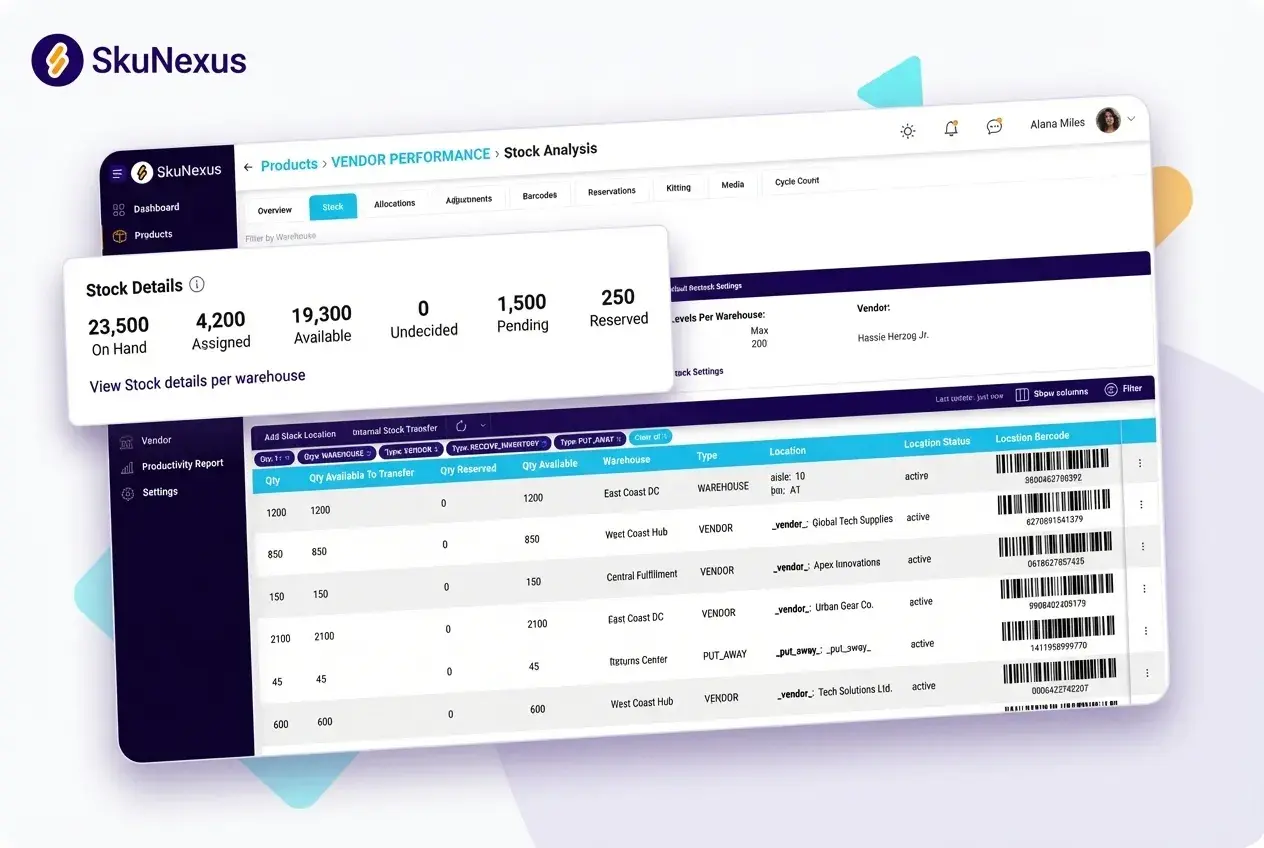
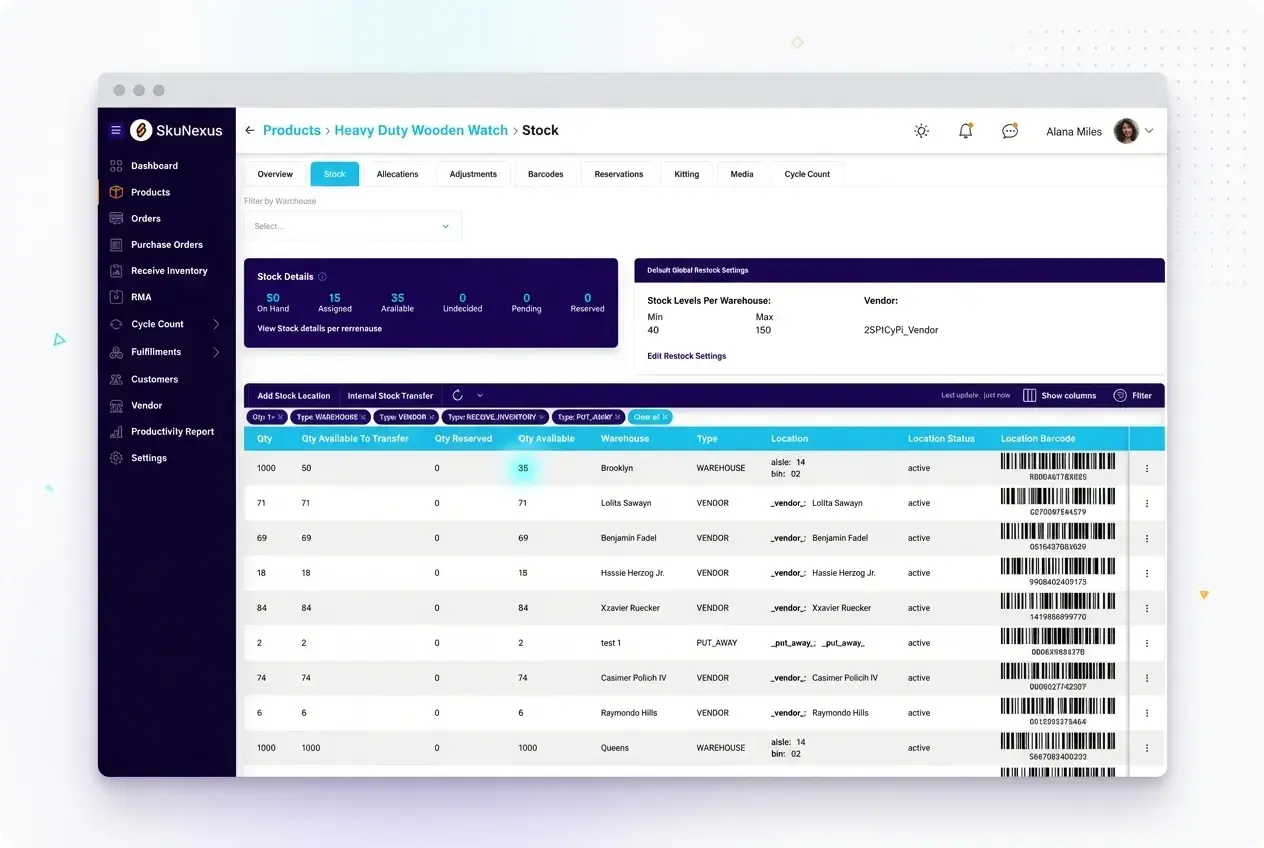
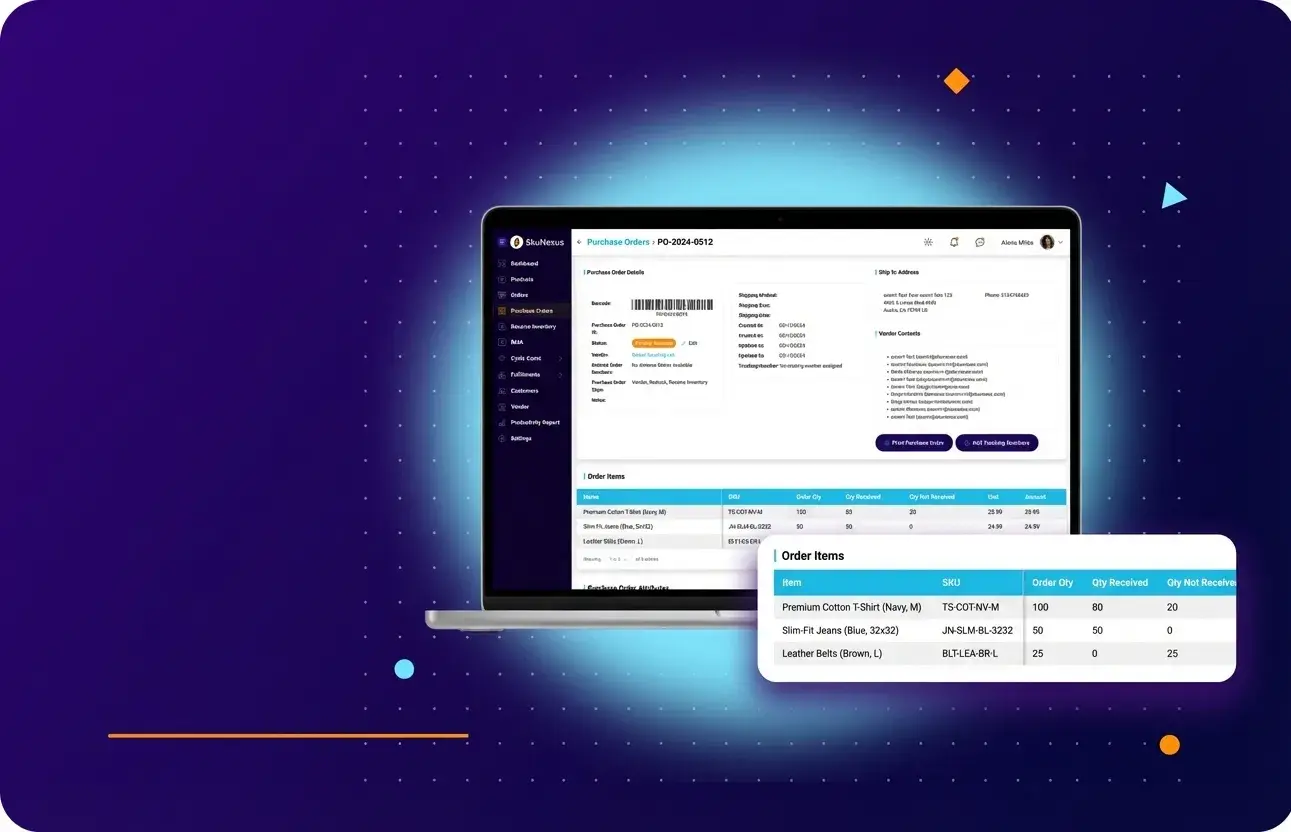
Vendor & PO Management - SkuNexus product screenshot
What Is It

What is Vendor Management Software?

Vendor management software tracks the complete lifecycle of your supplier relationships - from purchase order creation through receiving, exception handling when a vendor comes up short, and reorder automation. It replaces the spreadsheets, email threads, and disconnected tools that make vendor management reactive instead of proactive.

In SkuNexus, vendor management is integrated directly with inventory and warehouse operations. When you receive against a PO, inventory adjustments happen instantly, directed putaway kicks in, and available stock updates across all sales channels. The gap between purchasing and inventory - where vendor errors hide - doesn't exist.

For merchants sourcing from multiple vendors, managing dropship relationships, or dealing with international suppliers, vendor management software is the difference between a supply chain you control and one that controls you.

See PO Management Live

Key Capabilities

  • PO creation, tracking, and lifecycle management
  • Scan-verified receiving against POs
  • An explicit error state when a vendor cannot fill a line
  • Auto-reorder triggers

Merchants running SkuNexus

SN_TCM SN_Graeters SN_newlook SN_Carewell SN_DPP
The Challenge

Sound Familiar?

"Purchase orders live in spreadsheets. I'm chasing vendors by email for updates."

Without a system tracking PO status, you won't know a vendor shipped late until boxes show up at your dock unannounced - or don't show up at all.

Spreadsheet POs

"The vendor shorted us by 50 units. We didn't find out until we ran out of stock."

Without scan-verified receiving matched to POs, vendor errors hide until they become customer-facing stockouts.

Receiving Gaps

"The vendor shorted us by 50 units. We had no clean way to reroute the order."

Without a defined path for a short-shipped line, a vendor shortfall becomes a scramble - emails, phone calls, a customer order stuck with no clear next step.

No Recovery Path

There's a better way

SkuNexus tracks every PO from creation through receiving, gives every vendor shortfall an explicit recovery path, and triggers reorders before you run out.

See How It Works
How It Works

How Vendor & PO Management Works in SkuNexus

1

Step 1: Create and Send Purchase Orders

Build purchase orders directly in SkuNexus with full product details, quantities, pricing, and expected delivery dates. POs reference your vendor catalog, so you're selecting from pre-configured vendor-product relationships. Send the PO to your vendor via automated email or API, and the system starts tracking it from that moment.
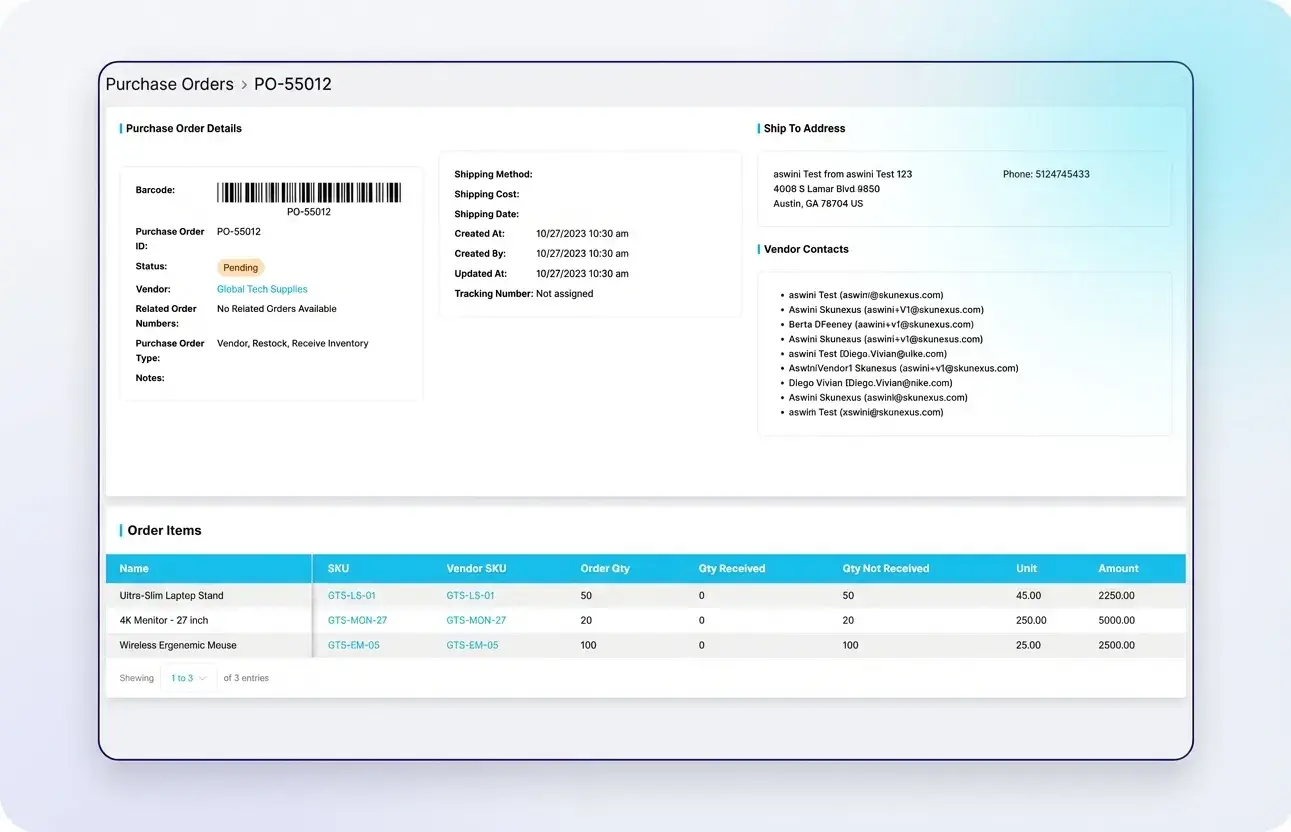
PO creation screen
2

Step 2: Track Status Through the Lifecycle

Every PO moves through a clear status workflow: Draft, Pending once submitted for approval, Active once sent to the vendor, and Closed once fully received - or Cancelled with a reason at any point. If a vendor hasn't acknowledged a PO within your expected timeframe, the system flags it. If a shipment is late, you know immediately.
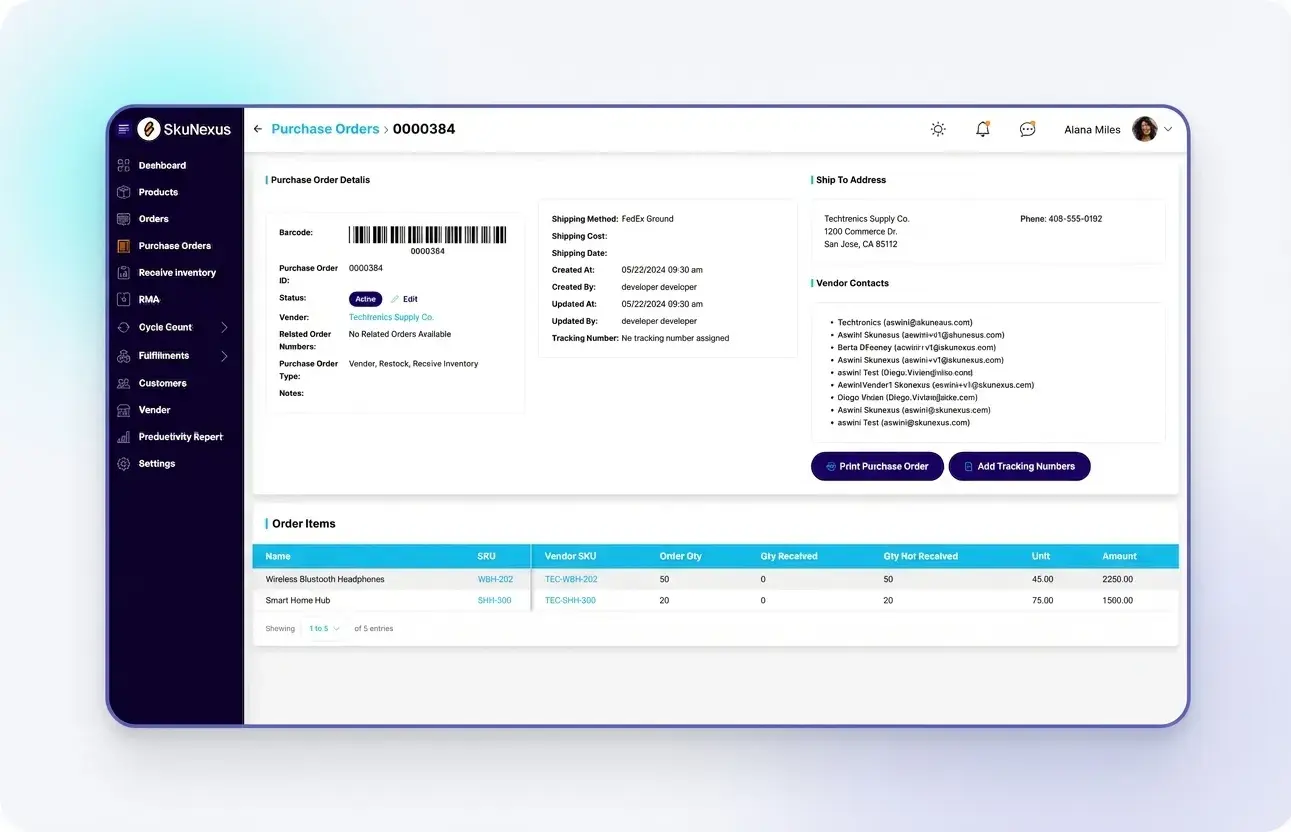
PO status tracking list
3

Step 3: Receive Against the Purchase Order

When inventory arrives, your receiving team scans items against the PO. The system matches each scan to the expected line item and quantity. Over-shipments, under-shipments, and wrong items are flagged in real time. Once receiving is complete, inventory is added and directed to the appropriate bin location.
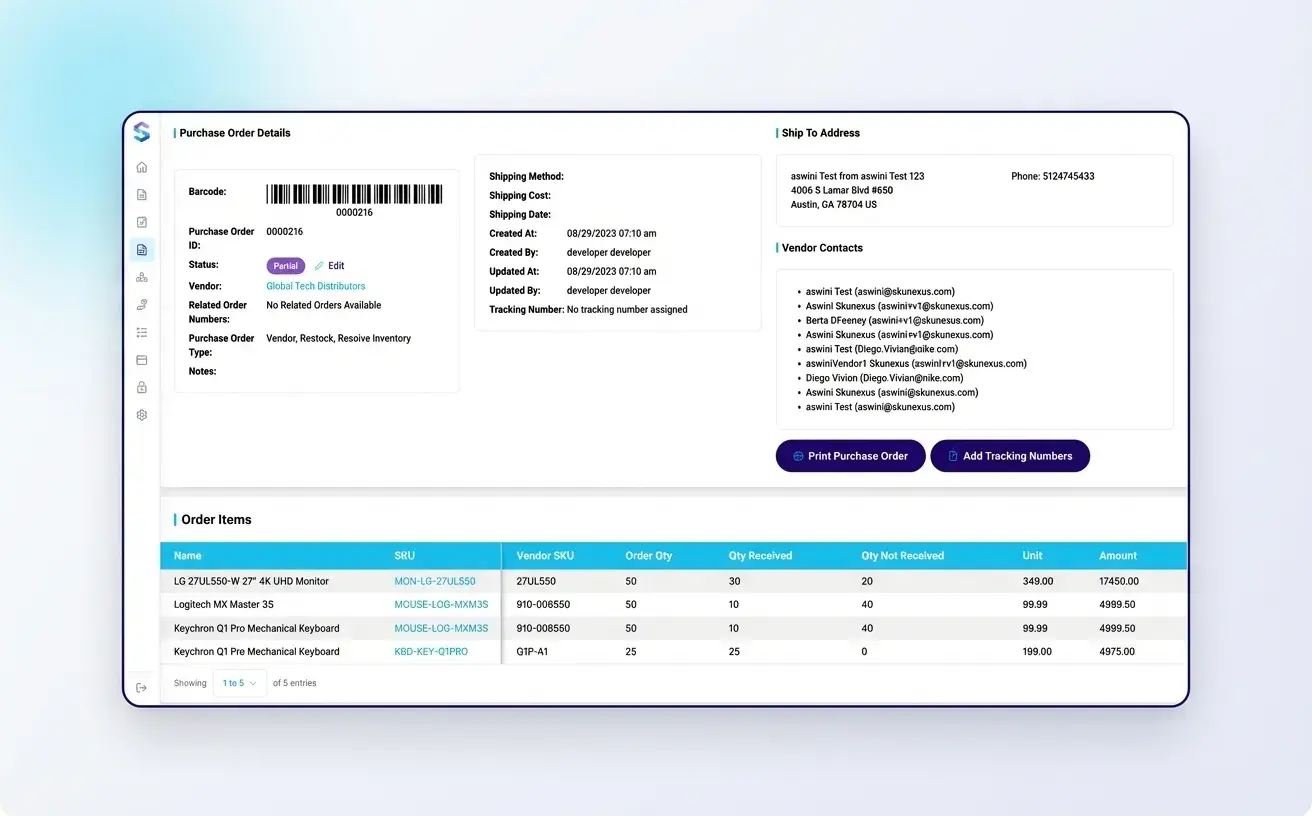
Scan-to-receive against PO
4

Step 4: Map Vendor Products and Costs

Link each of your products to the vendor SKU that fills it, with lead time, cost per unit, and minimum order quantity or case pack recorded against the mapping. New mappings can route through an approval step - pending, approved, or rejected - and bulk actions handle them in batches rather than one at a time.
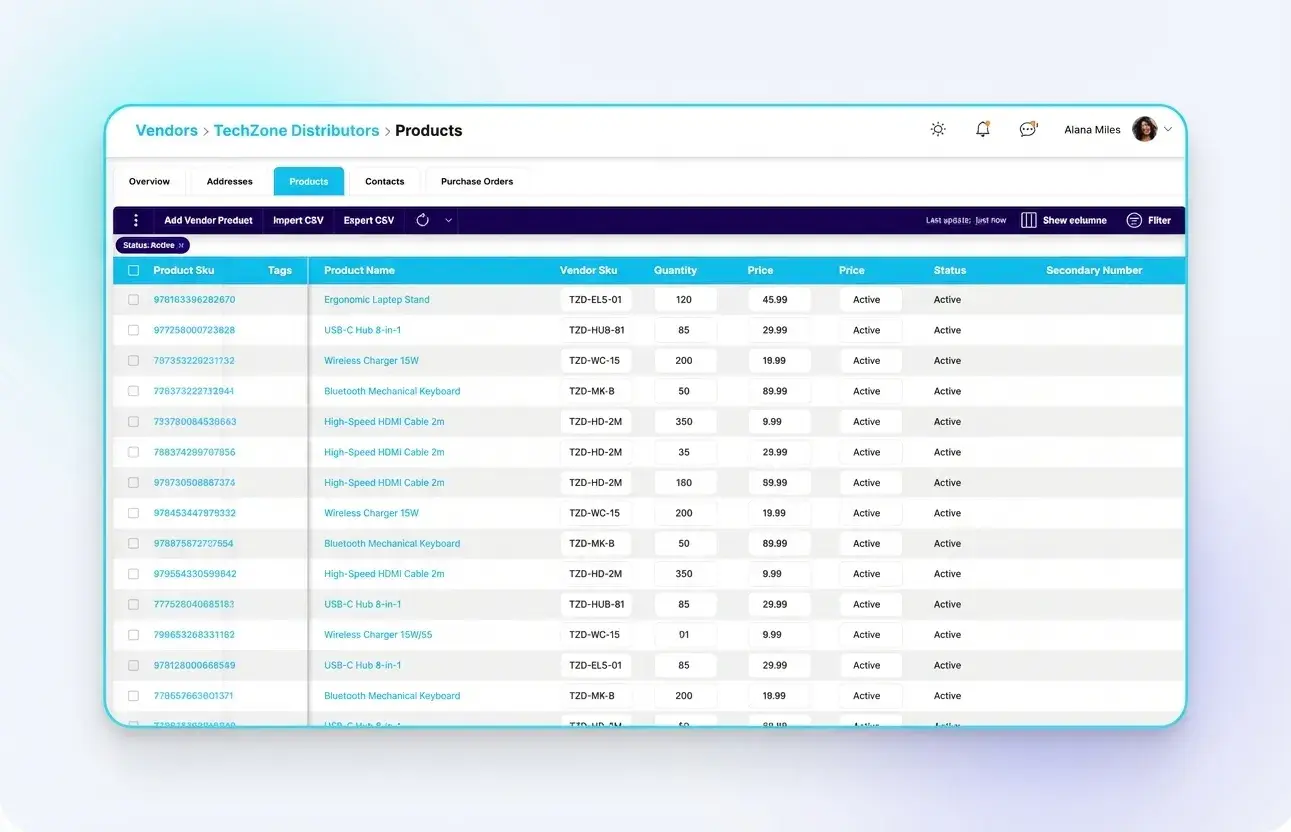
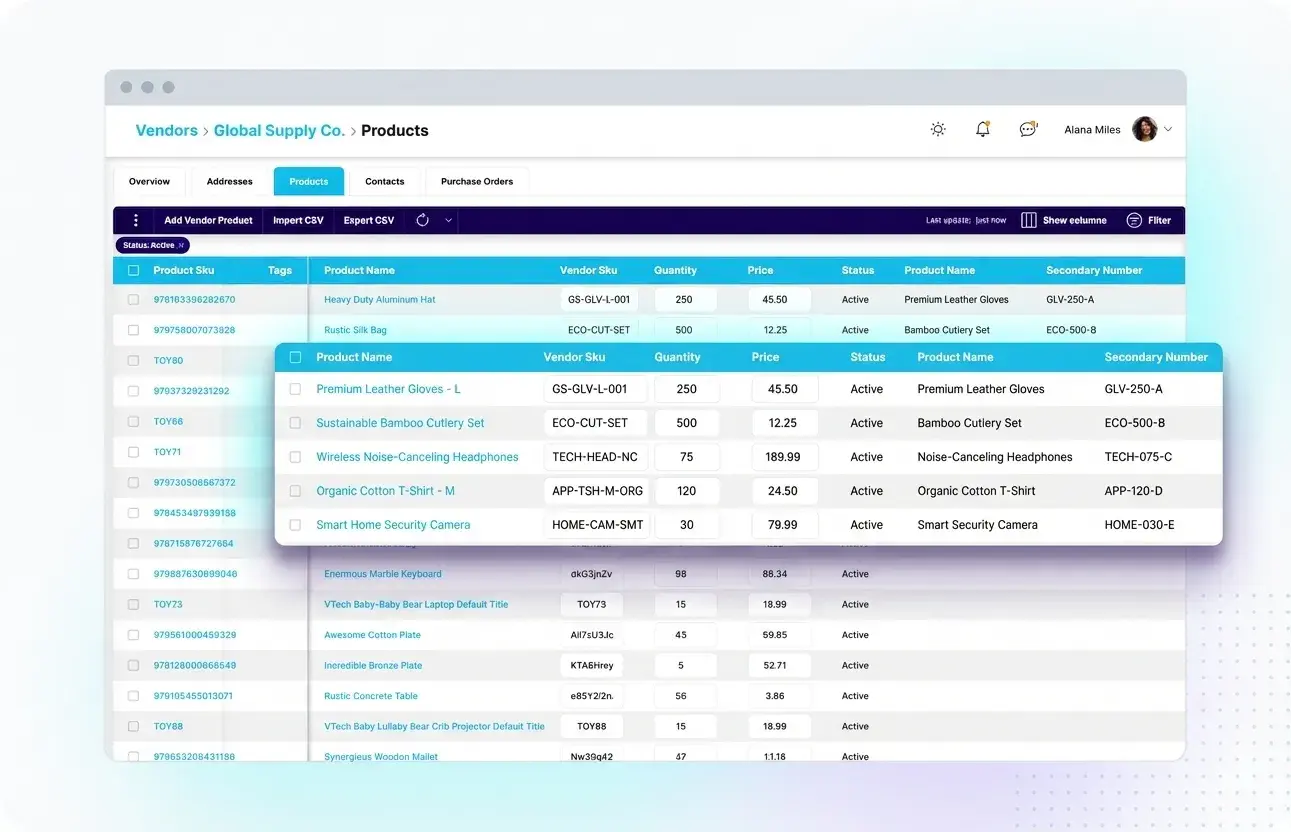
Vendor product mappings with vendor SKU, quantity and cost, imported by CSV
Key Benefits

Everything You Need for Vendor & PO Operations

Why Teams Choose SkuNexus

📋

Full PO Lifecycle Tracking

Create, send, and track purchase orders through every status. Every change logged with timestamps.

📊

Vendor Short-Fill Handling

When a vendor cannot fill a line, the PO enters an Error state - cancel it back to the storefront or send it to another vendor, with a one-click resend.

🔄

Auto-Reorder Triggers

Set reorder points by product and location. The system triggers PO recommendations or auto-generates POs when stock drops.

Vendor & PO Management feature 1 - SkuNexus
Feature

Scan-Verified Receiving

Receive inventory against POs using barcode scanning. Discrepancies are flagged in real time - over-shipments, under-shipments, and wrong items caught at the dock door.

This receiving-to-PO matching is the link most tools miss. It's how you catch vendor errors at the dock instead of discovering them when a customer's order can't be filled.

  • Scan-to-receive against PO line items
  • Real-time discrepancy flagging
  • Partial receiving support
  • Directed putaway after receiving
Vendor & PO Management feature 2 - SkuNexus
Feature

Multi-Vendor Product Sourcing

Products can be sourced from multiple vendors. The system selects the vendor based on rules: cheapest, fastest, or geographic proximity.

The same vendors you manage POs with can also serve as dropship fulfillment sources. One vendor relationship across purchasing AND fulfillment.

  • Multiple vendors per product
  • Rules-based vendor selection
  • Dropship vendor coordination
  • Vendor catalog management
Vendor & PO Management feature 3 - SkuNexus
Feature

Landed Cost & Multi-Currency

Track the full cost of inventory including purchase price, shipping, duties, and other fees. Work with international vendors in their local currency.

Accurate landed costs feed into margin calculations, pricing decisions, and profitability analysis. No more guessing what your inventory actually cost to acquire.

  • Full landed cost tracking
  • Multi-currency PO support
  • Duty and freight cost allocation
  • Margin-accurate inventory valuation
The SkuNexus Difference

Why Merchants Choose SkuNexus for Vendor Management

🔗

POs and Inventory Live in the Same System

Most merchants track POs in one system and inventory in another. The gap between them is where vendor errors hide. In SkuNexus, PO receiving feeds directly into inventory - scanned and verified. No manual reconciliation. No overnight batch sync.

🔄

Vendor + Fulfillment in One View

The same vendors you manage POs with can serve as dropship fulfillment sources. The Auto-Decision Engine routes orders to vendors, and the vendor management system tracks their fulfillment performance. One relationship across purchasing AND fulfillment.

📦

Built for the Big Restock Order

The quarterly restock is the purchase order most tools truncate. In SkuNexus a PO well past 100 lines renders in full on the receiving and put-away screens - nothing hidden, nothing paginated out of view - so the biggest vendor orders you run on are the ones your team can actually count.

Case Study

An aftermarket diesel parts retailer running dropship across 323 vendors and roughly 39,000 vendor products.

⚠️ The Challenge

323 dropship vendors, each with their own part numbers, file formats and quirks. Purchase orders went out carrying catalog part numbers the vendor did not recognise, and tracking came back by email weeks later - when it came back at all.

The Solution

SkuNexus manages the PO lifecycle per vendor: the vendor's own part numbers on every line, delivery in the vendor's own format, tracking ingested automatically - and when a vendor cannot fill a line, Resolve PO reroutes it or cancels it cleanly back to the store.

📈 The Results

323
Dropship vendors
~39,000
Vendor products
21,500
Catalog variants
~10 wks
Kickoff to go-live

"If we are working with invoices from multiple vendors, closing after each invoice slows us down considerably."

Aftermarket auto parts retailer
About 10 weeks from kickoff to go-live
Integrations

Connects to Everything You Already Use

Native integrations with leading eCommerce platforms, shipping carriers, and accounting tools.

100+ Native
Integrations
+ many more
Comparison

Still Managing Vendors in Spreadsheets?

If your purchase orders live in spreadsheets and your vendor communication happens over email, you're managing blind.

Spreadsheet PO Tracking SkuNexus Vendor Management
POs in spreadsheets and email Full lifecycle tracking in one system
No receiving verification Scan-verified receiving against POs
Vendor performance unknown Vendor and delivery records in one place
Manual reorder decisions Reorder points you set, tracked automatically
Receiving disconnected from inventory Instant inventory updates on receiving
No landed cost tracking Full cost visibility per unit

Purchase orders are where everything starts. If the PO process is broken, everything downstream is broken. SkuNexus fixes it at the source.

See It Live

Free demo • No credit card required

FAQ

Frequently Asked Questions About Vendor & PO Management

Vendor management tracks every supplier relationship alongside your inventory and orders in one system - purchase orders, receiving against those POs, vendor product catalogs with vendor-specific SKUs and pricing, lead times, and performance history. Without it, vendor relationships live in email chains, spreadsheets, and phone calls with no audit trail and no data to drive better purchasing decisions.

The connection to inventory is direct: your vendors supply the products you sell. When vendor management lives in a separate system from inventory and orders, the data that should inform purchasing decisions (what's selling fast, what's running low, which vendor delivers on time) is disconnected from the data that triggers those decisions. SkuNexus links every PO to its vendor, tracks scan-verified receiving against ordered quantities, maintains a full product catalog per vendor with SKU mapping, and connects reorder triggers directly to PO creation so the purchasing workflow is continuous and data-driven.

You create a PO specifying the vendor, products, quantities, costs, and expected delivery date. The system tracks the PO through its full lifecycle: Draft, then Pending once submitted for approval, Active once sent to the vendor, and Closed once fully received - or Cancelled with a reason at any point. As items arrive at your warehouse, your team scans them against the PO line items, and the system updates quantities received versus not received in real time.

Partial receiving is critical because vendors rarely deliver everything at once. A PO for 500 units might arrive in three shipments over two weeks. Your system needs to track how many units arrived in each shipment, reconcile against the ordered quantity, and flag discrepancies (short shipments, wrong items, damaged goods). SkuNexus supports scan-verified partial receiving - your team scans each item as it arrives, the system matches it against the PO, and you always know exactly what's been received, what's still outstanding, and what came in wrong.

Yes. You set a minimum stock threshold per product - either a simple quantity or a calculated value based on sales velocity and vendor lead time - and when inventory drops below that level, the system either alerts your purchasing team or auto-generates a purchase order to the assigned vendor. This prevents the reactive scramble of discovering you're out of stock when a customer order can't be fulfilled.

The difference between basic and smart reorder points is the calculation behind the threshold. Basic: reorder when stock drops below 50 units. Smart: reorder when stock drops below (average daily sales x vendor lead time in days) + safety buffer. The smart approach accounts for how fast you're selling and how long the vendor takes to deliver, so the PO arrives before you run out. SkuNexus connects reorder triggers directly to PO creation with vendor, product, and quantity pre-populated, so the workflow from trigger to purchase order is continuous.

A vendor product catalog maps each vendor to the products they supply, including the vendor's own SKU numbers, their pricing, minimum order quantities, and lead times. This means when you need to reorder Product A, the system already knows which vendor supplies it, what they call it in their system, at what price, how many you need to order minimum, and how long delivery takes.

This mapping is essential for two reasons. First, your internal SKU and the vendor's SKU are often different - without the mapping, someone has to look up the vendor's product code every time they create a PO. Second, when you have multiple vendors who can supply the same product, the catalog lets you compare pricing, lead times, and performance data to choose the best option. SkuNexus maintains a full product-level catalog per vendor with vendor SKU mapping, so PO creation pulls the right vendor product codes, pricing, and quantities automatically.

Dropship vendor management automates the workflow when a vendor ships directly to your customer instead of sending inventory to your warehouse. When an order is routed to a dropship vendor through the Auto-Decision Engine, the system generates and sends the vendor a PO or notification with the customer's shipping address and order details. The vendor ships directly and provides tracking, which pushes back to the customer through the sales channel.

The challenge with dropship is that one platform couldn't handle leaving dropship items alone during fulfillment - it kept trying to adjust inventory for items the merchant never physically stocked. This is a common frustration: systems built for warehouse fulfillment that bolt on dropship as an afterthought. SkuNexus treats dropship as a native fulfillment path at the line-item level, routing dropship items through the Auto-Decision Engine alongside warehouse and store pickup items on the same order.

The purchase order enters an Error state. A modal lets your team either cancel the line entirely - which pushes the cancellation back to the storefront - or return it to decisioning so another vendor can be selected. A one-click Resend PO is available alongside both options, so a short-shipped line does not sit unresolved while someone figures out what to do next.

Yes. PO data - vendor, line items, quantities, costs, receiving dates, and payment terms - should flow directly to your accounting system so purchasing and accounts payable stay aligned without manual journal entries or duplicate data entry. When a PO is received in the warehouse, the inventory asset value in your accounting system should update automatically.

The alternative is manual reconciliation: someone receives inventory in the WMS, then logs into the accounting system and enters the same data again. This creates lag, introduces transcription errors, and means your financial records are always slightly behind operational reality. SkuNexus integrates with QuickBooks and other accounting platforms so PO data, COGS, and inventory valuation sync natively. The event happens once in SkuNexus - receiving a PO, shipping an order, adjusting inventory - and the financial record updates in your accounting system without a second touch.

Still have questions?

Talk to Our Team

Your Vendors Are Only as Good as Your Ability to Manage Them

Stop chasing POs through email threads and spreadsheets. SkuNexus gives you complete vendor lifecycle management in the same system managing your orders and warehouse.

Free demo No commitment See your data live