Multi-location inventory management on Shopify is the process of tracking and syncing stock across multiple warehouses, retail stores, and fulfillment centers so availability stays accurate everywhere you sell. When the spreadsheet becomes the system, counts are wrong by the time you finish counting. SkuNexus gives mid-market merchants one live inventory record across every channel and warehouse, without an ERP rebuild, so Shopify stays the storefront while a routing-and-sync layer keeps every location honest.
How Do You Manage Inventory Across Multiple Locations on Shopify?
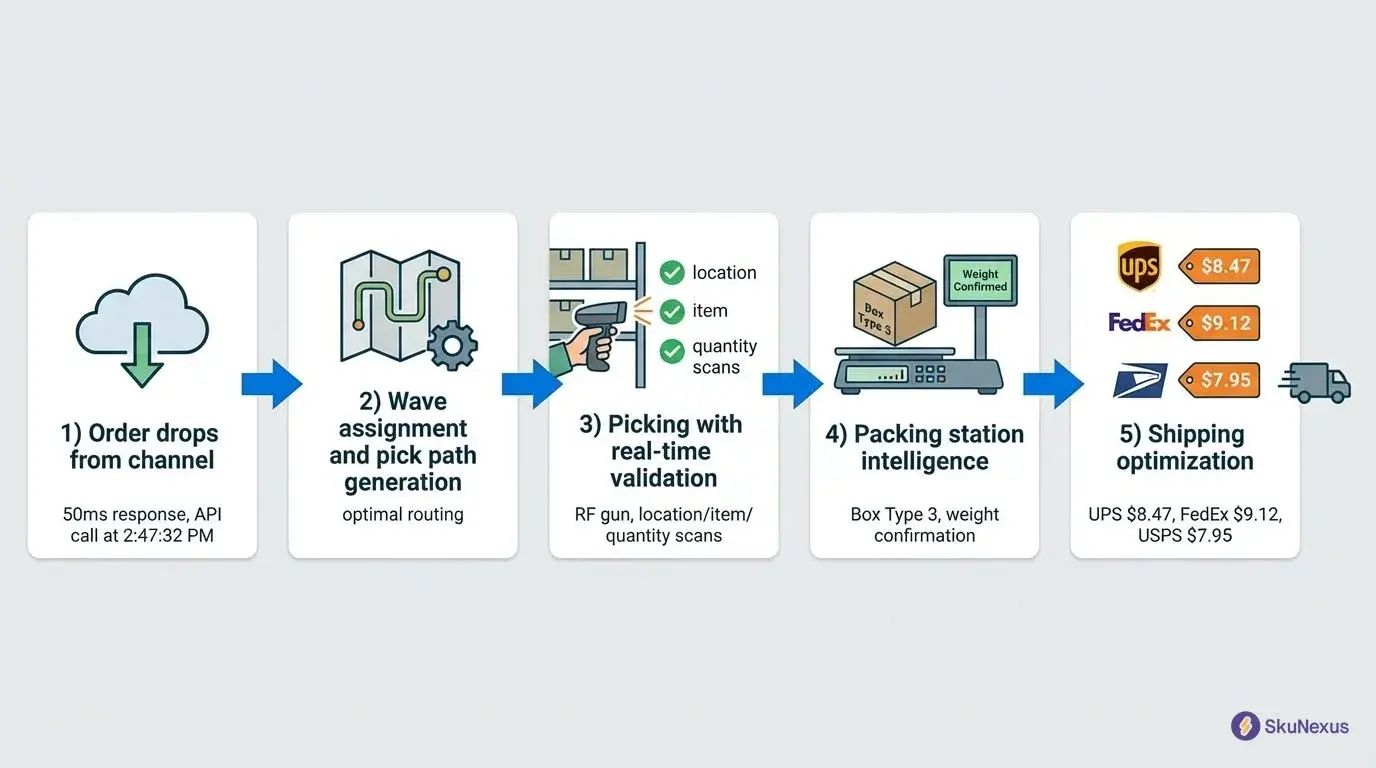
To manage inventory across multiple locations on Shopify, you enable Shopify's multi-location feature to assign stock to each warehouse or store, then connect a dedicated inventory and order management system to handle what Shopify cannot do on its own: route each order to the closest in-stock location, sync stock in real time across Shopify and other sales channels like Amazon, and trigger reorders or transfers automatically. Shopify tracks where your stock sits; an external system decides which location ships and keeps every channel from overselling. For operators running several warehouses across regions, that routing-and-sync layer is the difference between accurate availability and constant manual reconciliation.
What Multi-Location Inventory Management on Shopify Involves
Once you sell from more than one place, keeping stock accurate stops being a matter of counting and becomes a matter of syncing. Shoppers expect accurate availability and fast delivery regardless of which warehouse holds the item. If one location runs out, another needs to cover the order, and every sales channel needs the same stock number at the same moment. Spreadsheets and Shopify's basic tools do not keep up once you add warehouses, retail stores, and marketplaces.
The work breaks into a few recurring jobs: keeping stock levels correct across every location, deciding which location fulfills each order, keeping other channels in step with Shopify, and replenishing or rebalancing before a location runs dry. Get those right and multi-location becomes a growth lever instead of a source of overselling and dead stock. Get them wrong and the same SKU shows as available in two places, an order ships from the far coast, and a warehouse quietly runs out while another sits overstocked.
The reason this gets hard is that the storefront and the inventory logic are two different jobs. Shopify is excellent at taking orders and presenting a catalog. It records stock by location well enough. What it does not do is decide, order by order, which location should ship, or reconcile a sale that happened on Amazon two seconds ago against the Shopify count. That reconciliation and decision layer is where a dedicated system earns its place.
The Limits of Shopify's Native Multi-Location Inventory
Shopify's built-in multi-location feature is a real upgrade over single-bin stock tracking, and for many growing stores it is enough to start. But it was designed to record stock by location, not to operate a multi-warehouse, multi-channel business. Four gaps show up consistently once you scale:
- A cap on how many locations you can use. The number of inventory locations Shopify supports is tied to your plan, and the highest allowance sits on Shopify Plus. Stores on lower plans hit the location ceiling well before they run out of warehouses, pop-ups, and 3PL nodes they need to track.
- No automated order routing. Shopify does not automatically choose the best location to fulfill each order based on proximity or available stock. Without routing rules, orders can ship from a distant or low-stock warehouse, raising shipping cost and delivery time.
- No real-time sync across other sales channels. Shopify keeps its own locations in step, but it does not natively keep stock synced in real time with marketplaces such as Amazon, eBay, or Walmart. That gap is where overselling and ghost inventory creep in when you sell the same SKU in more than one place.
- No automated reorder or transfer logic. Shopify shows you what is low; it does not generate purchase orders or move stock between locations on its own. Replenishment and rebalancing stay manual.
None of this means Shopify is the wrong storefront. It means the inventory brain for a multi-location operation usually has to live in a layer that sits on top of Shopify and fills these gaps. For a broader view of keeping stock accurate across every place you sell, see our guide to multi-channel inventory management.
How to Set Up Multi-Location Inventory on Shopify, Step by Step
- Turn on Shopify locations and add each warehouse or store. In Shopify settings, create a location for every place that holds or ships stock: your warehouses, retail stores, and any 3PL nodes Shopify can represent.
- Assign inventory to the correct location. Allocate on-hand quantities per SKU per location so Shopify shows accurate availability instead of a single pooled number.
- Decide your fulfillment priority. Define how an order should pick a location, usually closest in-stock warehouse first, then fall back to the next nearest. Shopify alone cannot enforce this, so document the rule before you automate it.
- Connect an order management layer for routing. Add a system that can read Shopify orders and apply your routing rules automatically, fulfilling from the optimal location and rerouting when one is out of stock.
- Sync every other sales channel in real time. Connect Amazon, eBay, Walmart, or a POS so a sale on any channel decrements the right location instantly and no channel oversells.
- Automate replenishment and transfers. Set reorder points and transfer rules so low stock triggers a purchase order or a move between locations without someone watching a spreadsheet.
- Track and rebalance. Review fulfillment cost, stockouts by location, and transfer frequency, then adjust your routing and safety-stock levels.
Smaller stores can run steps 1 through 3 inside Shopify and layer in automation as volume grows. If you are early in that journey, our notes on inventory management for small business cover what to get right before you add complexity.
How SkuNexus Fits on Top of Shopify
SkuNexus sits between your Shopify storefront and your warehouses, retail stores, and other sales channels. Shopify keeps doing what it does well; SkuNexus takes over the routing, syncing, and replenishment decisions that Shopify does not make on its own. Because the platform is open and configurable, the rules are built around how your operation already works rather than forcing your business into a fixed vendor workflow.
Real-time sync across warehouses and sales channels
SkuNexus keeps stock levels correct across every warehouse and channel. When an item sells on Shopify, the stock adjustment applies across your locations and connected channels such as Amazon and eBay, so no channel shows stock that is already gone. When an item sells on a marketplace, Shopify updates too. This is what closes the gap where overselling and ghost inventory usually creep in. If one warehouse runs low, the system can trigger replenishment or a transfer from another location before it reaches zero.
Custom workflow automation
You can build routing and automation rules that match how your operation works. Route orders by location, order size, shipping speed, or product category. Set stock thresholds that create purchase orders automatically when inventory dips below a level you define. Handle products that ship differently, such as same-day items from one warehouse and freight items from another, by sending each to the right place without manual sorting. The point is that the workflow bends to your operation instead of the other way around.
Order routing and returns
SkuNexus reads each Shopify order and fulfills it from the optimal location based on your rules, rerouting when a location is out of stock and splitting an order across locations when part of it is unavailable nearby. Returns can be accepted at any location, with inventory adjusted at the correct one and kept accurate in Shopify, so a returned item becomes available for resale without someone re-counting it by hand.
BOPIS and local fulfillment
If your Shopify store offers in-store pickup, SkuNexus can route Buy Online, Pick Up In-Store orders to the selected location and notify staff there to prepare the order. Local fulfillment works the same way, directing orders to the closest location that has stock to cut delivery time and shipping cost.
Dropshipping
If part of your catalog ships from vendors rather than your own warehouses, SkuNexus can treat a dropship supplier as another node in the routing logic. When an order includes a dropshipped item, the system can create a purchase order for the vendor and track it through to fulfillment, so those orders move through the same rules as the ones you ship yourself rather than living in a separate manual process. That keeps a mixed catalog of owned stock and dropshipped items under one set of rules instead of two.
Scenario: Three Regional Warehouses, Synced Across Shopify and Amazon
Here is a situation we hear often. An operator runs three warehouses in different regions and sells the same catalog on both Shopify and Amazon. The pain is not storing the stock, it is keeping it synced. A unit sells on Amazon, but Shopify still shows it available, so it oversells. An order comes in on Shopify and ships from the wrong coast because nothing routed it to the nearest warehouse with stock. Reorders happen by memory.
What this operator needs is a system that does three things in real time across all three locations and both channels:
- Real-time multi-channel sync. The moment a SKU sells on any channel, every other channel updates, so Amazon and Shopify never show stock that is already gone.
- Location-aware order routing. Each order is fulfilled from the closest warehouse that actually has the item, and reroutes automatically if that location is out.
- Automated reorder and transfer rules. Low stock in one region triggers a transfer or purchase order instead of a stockout.
This is exactly the gap SkuNexus is built to fill. Because the platform is open and customizable, the routing logic and channel sync are configured to match how this operator's three regions actually work, rather than forcing the business into a fixed workflow. Shopify stays the storefront; SkuNexus becomes the brain that decides which location ships and keeps every channel honest. For the channel-sync side specifically, our walkthrough on Shopify inventory tracking goes deeper on keeping counts accurate as you scale.
Choosing a Multi-Location Strategy
The right approach depends on your business size, growth rate, and location types. A small store with two or three warehouses may only need basic stock balancing and simple routing rules. A store scaling fast into new products, markets, or retail locations needs a strategy built to handle higher order volumes and sudden changes. It helps to plan for the operation you expect to run in a year or two, not only the one you run today, so you are not rebuilding the setup every time you add a location.
The other decision is centralized versus decentralized stock. A centralized model consolidates inventory in one or two large distribution centers, which simplifies management and reduces storage cost but can slow delivery over long distances. A decentralized model spreads stock across smaller warehouses closer to customers, which cuts delivery time and shipping cost but requires more coordination and carries higher overhead. Many merchants use a hybrid: centralized storage for slow-moving goods, decentralized hubs for high-demand products. The right model depends on your product type, customer expectations, and operational goals.
Forecasting and safety stock
Deciding what to hold at each location is its own discipline. Historical sales data shows where demand concentrates by region and season, which tells you how much to position at each warehouse rather than pooling it in one place. Safety stock covers the gap between a reorder and its arrival: if a supplier takes ten days to restock, you hold enough buffer at each location to avoid a stockout in that window, and no more. When lead times change, the buffer should change with them so you are not tying up cash in stock that sits. SkuNexus can factor reorder points and lead times into replenishment rules so this stays consistent across every location.
Metrics to Track
A few metrics tell you whether a multi-location setup is healthy. Inventory Turnover Rate shows how fast stock is moving; a low rate can signal overstocking that is tying up cash. Stockout Rate flags products that need more frequent restocking or better forecasting. Order Cycle Time measures how long it takes from order placed to delivered, which affects customer retention. Watching these by location, not just in aggregate, is what surfaces a warehouse that keeps running short or one that sits overstocked while another scrambles. SkuNexus consolidates this data from your Shopify store and warehouses so you can see where adjustments are needed and set alerts for events like low stock or delayed shipments.
Multi-Location Shopify Inventory: Common Questions
How do you manage inventory across multiple locations on Shopify?
Enable Shopify's multi-location feature to assign stock to each warehouse or store, then connect an order management system to route orders to the closest in-stock location, sync stock in real time across channels, and automate reorders. Shopify tracks where stock sits; the connected system decides which location ships.
Can Shopify handle multi-warehouse inventory?
Shopify can track stock across multiple warehouses up to a per-location limit set by your plan, but it does not automatically route orders to the best warehouse or sync real-time stock with marketplaces like Amazon. Multi-warehouse operations usually add a routing and sync layer on top of Shopify.
How do you automate Shopify inventory across multiple stores and channels?
Use a system that reads sales from every channel and updates stock at every location in real time, so a sale on Amazon or eBay instantly decrements Shopify. SkuNexus does this with configurable rules, which is how stores avoid overselling the same SKU in more than one place.
What happens when one Shopify location runs out of stock?
Natively, Shopify will simply show that location as out of stock and will not reroute. With order routing rules in place, the order is automatically reassigned to the next closest location that has the item, so the customer still ships on time.
How many inventory locations does Shopify allow?
The number of inventory locations depends on your Shopify plan, with the largest allowance on Shopify Plus and smaller caps on lower plans. Stores that exceed their plan's location limit need either a plan upgrade or an external inventory system to track every warehouse, store, and 3PL node.
See It on Your Own Operation
If you run several warehouses and sell on more than one channel, the fastest way to see whether this fits is to walk through your setup with us. Book a demo and we will show how SkuNexus connects to Shopify to route orders, sync stock across channels, and automate replenishment across your locations.
About the Author: Yitzchak Lieblich (AKA "Yitz")
Yitzchak Lieblich, known to everyone simply as "Yitz," is the founder and CEO of SkuNexus. With decades of experience in eCommerce operations and a deep understanding of what it takes to build back-end systems, Yitz focuses on solving fulfillment and inventory challenges for merchants managing multiple warehouses, dropshipping operations, and retail stores, including multi-location inventory management on Shopify.
Ready to Transform Your Operations?
See how SkuNexus gives you full control over inventory, orders, warehouse, and shipping.
Schedule a Free Demo →
Yitz Lieblich
CEO & Founder, SkuNexus
Yitz Lieblich is the Founder and CEO of SkuNexus. He has spent 19 years in eCommerce, starting in 2007 when he founded Web Solutions NYC, an eCommerce agency he still leads today. His approach to inventory, order, and warehouse management did not come from a whiteboard. It came from the floor. Across nearly two decades, Yitz has worked with merchants of every size, from mom-and-pop startups to Fortune 100 enterprises, across auto parts, food and beverage, apparel, B2B wholesale, and retail/D2C. He has walked through hundreds of warehouses, watching where operations lose time, money, and orders, with one goal: optimize the operation and make it easier for the merchant. That hands-on pattern is what led him to build SkuNexus in 2018 as a full operational platform. The idea was simple. Configurable infrastructure that bends to each merchant workflow, supporting businesses that ship anywhere from 50 to 20,000 orders a day. A custom development background runs through everything he builds. When SkuNexus writes about fulfillment, WMS, or multi-channel inventory, it comes from operations Yitz has seen and solved firsthand. First as an agency partner since 2007, and now as the architect of the platform.
Keep Reading
WooCommerce Warehouse and Inventory Management
September 16, 2026