We Tested 7 Warehouse Barcode Scanners for Inventory. Here's What Actually Works.
We tested 7 barcode scanners for 90 days in a real warehouse. Compare Zebra, Honeywell, Socket Mobile and more. Real results, honest reviews, integration guides.
SkuNexus Team·December 10, 2025·31 min read
By Yitz Lieblich, CEO & Founder of SkuNexus. Based on a hands-on test of seven scanners across 9,500+ logged scans. See how we tested →
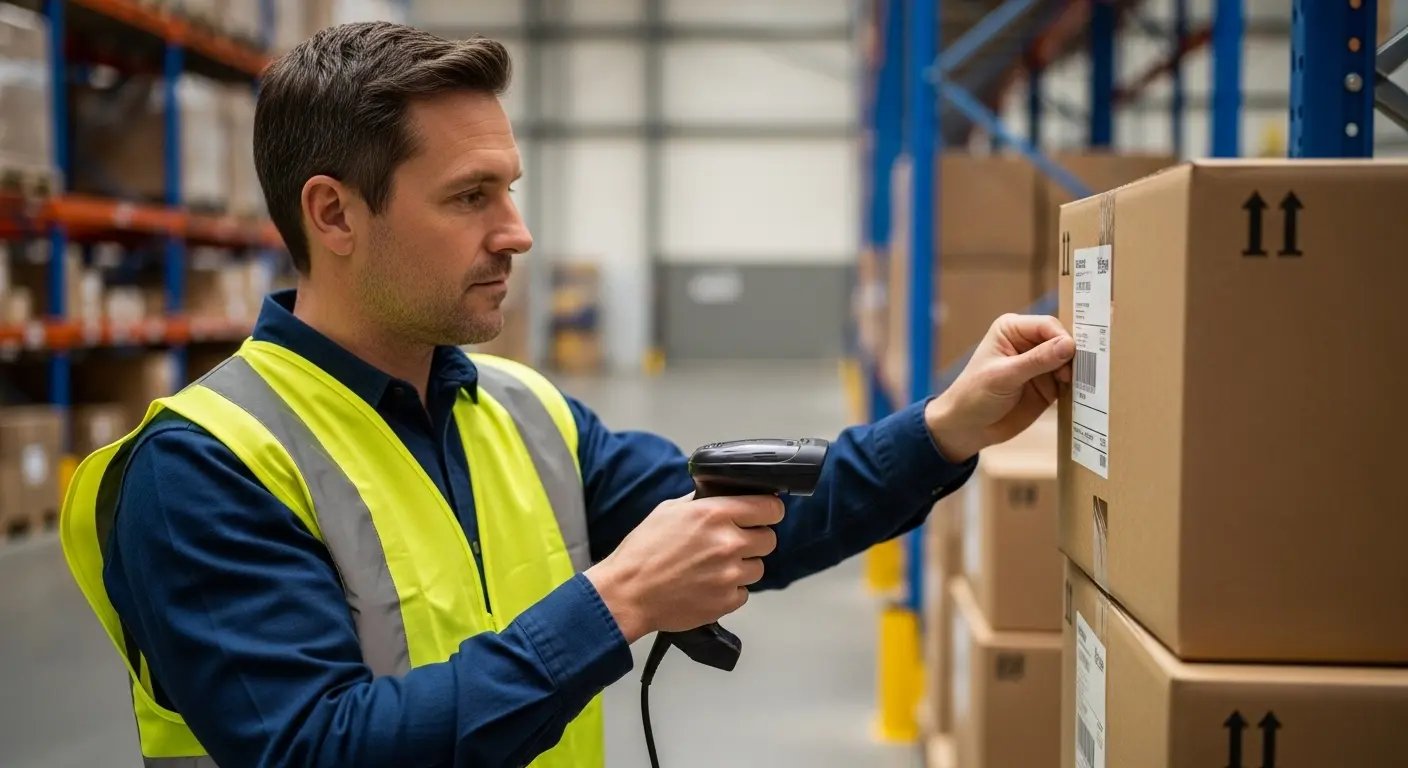
An inventory scanner is a handheld device that reads the barcode on a product, carton, or shelf label, decodes it to a SKU, and hands that SKU to your inventory or warehouse software in under a second. In a warehouse it replaces typing: instead of a worker reading a number off a label and keying it into a screen, a single trigger pull captures it with near-perfect accuracy. That one substitution is why scanning underpins almost every modern fulfillment operation, from receiving inbound stock to verifying the right item at pack-out.
We get asked the same question constantly: "Which one should I buy?"
It is a fair question, and the honest answer is that it depends on your workflow and the software the device talks to. At SkuNexus we build the software these scanners feed, and reading hardware is one of the biggest hidden sources of error we see. The right device makes a team faster and more accurate. The wrong one creates frustration, mis-scans, and downtime.
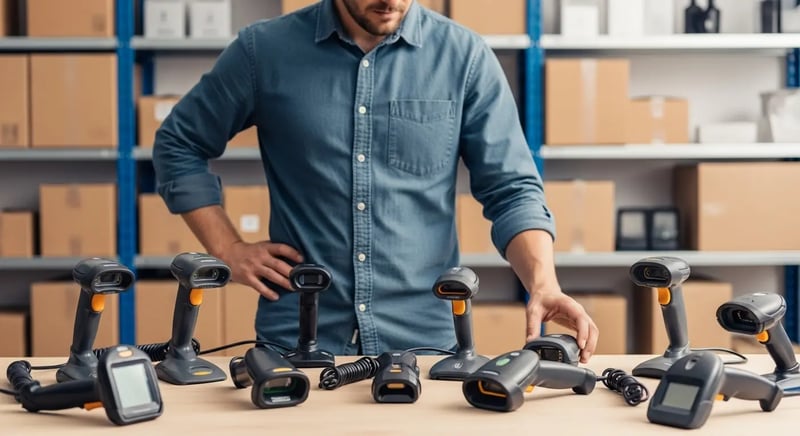
So we stopped guessing and ran the test ourselves. Not marketing copy from hardware vendors. Not affiliate-driven "best of" lists. We bought seven of the most widely used models and put them to work.
92 days. 9,500+ logged scans. Real warehouse conditions.
We dropped them on concrete. We ran them on damaged labels, clean labels, QR codes, and phone screens. We tracked battery life, failure rates, and how cleanly each one fed a warehouse management system like SkuNexus.
This guide is what we learned. No sponsored picks. Just which devices help an operation run smoother and which ones cost more than they save.
What we tested:
Scan speed on 1,000+ products (timed)
First-pass accuracy on damaged and wrinkled labels
Wireless stability during full 8-hour shifts
Drop durability (we dropped each scanner 10-20 times)
Battery life under actual warehouse use
Setup time from box to first scan
Software compatibility with Shopify, QuickBooks, and warehouse management systems
Total cost of ownership over 3 years
If you are choosing scanning hardware for your operation, you are in the right place.
What Is a Barcode Inventory System? How the Pieces Work Together
Here is something most buying guides will not tell you: the device in your hand is one of five parts. Buy only the hardware and you will still ship the wrong item, because a scan that goes nowhere prevents nothing. A real inventory barcode system is the full loop, and the loop is only as strong as its weakest piece.
Barcode and scanner systems: how the pieces connect
A barcode system is not a single product you buy off a shelf. It is a loop: a printed code, a scanner that reads it, a network that carries the read, and software that does something with it. Barcode and scanner systems fail most often at the seams, not at the scanner. The gun reads perfectly, the read lands nowhere, and the stock count stays wrong. That is why a scanner tested in isolation tells you almost nothing about whether your inventory will be accurate.
Walk the loop once and the components explain themselves. You need a label that stays readable after handling. You need a scanner shaped for the work. You need Wi-Fi or RF coverage across the whole floor, because a dead zone is a dropped scan. And you need a platform, usually a cloud warehouse management system, that decrements stock, guides the next pick, and blocks a wrong item before it ships. Get all four right and the barcode system prevents errors. Get any one wrong and you have bought expensive data entry.
1D vs 2D, SKU vs UPC: what the scan actually carries
1D scanners use laser or single-line imager to read linear barcodes (UPC, Code 128, Code 39). These are the traditional black bars on retail products.
2D scanners use camera-based imager to read both linear barcodes AND matrix codes (QR, Data Matrix, PDF417).
Format is not the same question as meaning. A UPC identifies a product to the outside world, so two sellers stock the same UPC. A SKU is your own identifier for the unit in your bin, so it can carry size, color, or condition the UPC never had. Scan a UPC and the system knows what the item is; scan a SKU and it knows which of your variants it is. Most operations label internally by SKU and keep the UPC for receiving and channel matching.
1. Scanning hardware
The handheld unit, ring, or mobile computer that reads the code. It is the part everyone shops for and the part that matters least in isolation. Match it to the form factor your work actually needs, then move on.
2. Label printer and print station
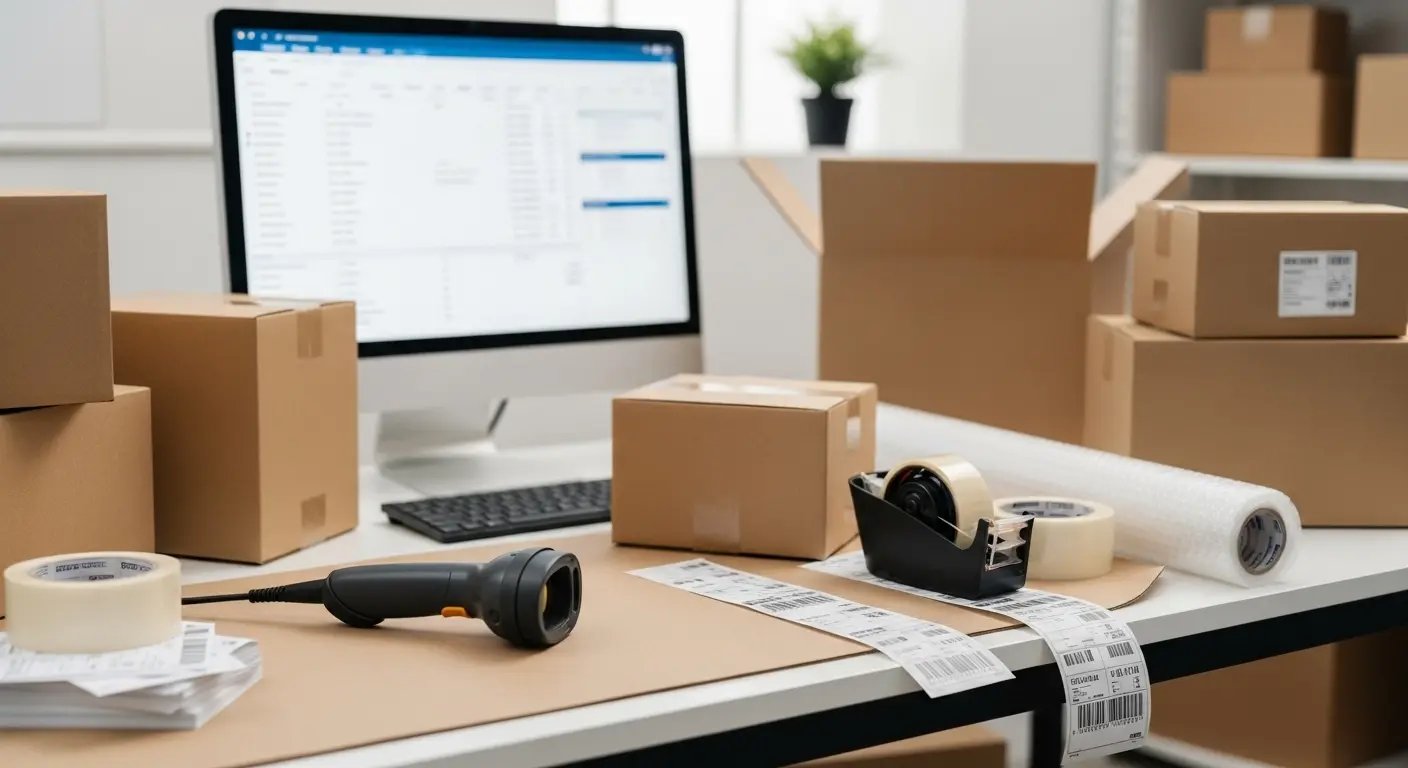
Every scan assumes a clean, correct label exists to be read. A thermal label printer at receiving, a SKU labeling station for inbound product without manufacturer barcodes, and bin/location labels on the racks. Skip this and your team scans wrinkled, faded, or missing codes, which is exactly where first-pass read rates collapse. In our test the labels we could not read accounted for nearly every failed scan, not the hardware.
3. Warehouse Wi-Fi / RF environment
A roaming device is only useful if it stays connected from the receiving dock to the back corner of the rack. That means real RF coverage: enough access points, surveyed dead zones, and a network that does not drop the session when a worker turns a corner. Corded units sidestep this entirely, which is one reason they remain the right call at fixed stations.
4. The WMS that receives the scans
This is where most operations leak the value. A scan that lands in a spreadsheet, or in software that does not act on it, changes nothing. The scan has to hit a warehouse management system that looks up the SKU, knows the bin, knows the order, and tells the worker the next move. That round trip, from trigger pull to on-screen instruction, is the whole point of scanning.
5. Scan-enforced workflows
The last piece is policy, not hardware: workflows that will not let the next step happen until the right code is scanned. Scan-to-verify at pack-out catches the wrong item before it ships. Guided pick paths with scan confirmation eliminate pick errors. Receiving that pushes the new count out to your storefront on the next sync keeps channel counts honest without a manual reconciliation.
This is the part SkuNexus is built around. Rather than forcing your floor into a fixed scan sequence, the platform lets you configure the workflow your operation already runs and then enforce it at the point of scan. It accepts input from any standard 1D/2D hardware over USB keyboard emulation or Bluetooth HID, plus camera-based scanning through the platform UI, so the hardware choice below stays open. Pick the device that fits your form factor, then connect it to a system that actually uses the data. For the full picture of how scan-driven receiving, picking, and packing fit together, see our guide to warehouse management systems and the SkuNexus warehouse management overview.
How to Choose a Barcode Inventory System: 6 Buyer Questions
The hardware shortlist is the easy part. These six questions separate a system that prevents errors from one that only records them. Each answer below is how SkuNexus handles it, so you have something concrete to hold other vendors against.
Does a scan validate the work or just log it? Scanning an item during picking confirms it against the fulfillment, so a wrong item is caught at the shelf instead of at the customer. Pack verification level is set per warehouse.
Can it tell a product barcode from a location barcode? Barcode prefixes let the system auto-detect the item type on scan: product, location, cart, or tote. Without that, an operator has to tell the software what they just scanned.
Where do the labels come from? Every location carries its own scannable barcode value, and the label template builder places barcodes, text, and dynamic variables such as order number and SKU on your own stock.
What happens when the count comes up short? A short pick takes the actual quantity and a reason (out of stock, damaged, not found), then routes the remainder by your configuration: another warehouse, hospitalized, or back-ordered.
Do cycle counts use the same scans as fulfillment? Counting walks locations in path order and validates each one by scanning the location barcode before a quantity is recorded, so counts and picks read the same source of truth.
Can each site work its own way? Pick method and pack verification are configured per warehouse, which matters the day your second location refuses to run like your first.
What a Warehouse Scanning System Scans, From Dock to Dispatch
Five scan points, not one. A device only earns its keep at all five: goods scanned in at receiving; the bin scanned again at put-away, to prove the unit landed where the record says; the item scanned at the shelf as it is pulled; the unit scanned once more at the bench before a label is bought; and the location scanned during a count, so a quantity is never recorded against the wrong shelf. Put-away and counts both confirm position off the location code, which is why a count later agrees with the shelf. Buy for the roughest of those five points, not the easiest, and check that the platform behind the beep acts on all five.
Through a pick, single order and wave
The execution screen lists items in optimal walk-path order, each row showing SKU, quantity due, and the aisle, shelf and bin holding it. At the location the operator scans the item barcode and the system confirms it matches the line before accepting the quantity. When the shelf comes up short, the actual number and a reason are recorded, and the remainder is re-routed to another site, sent to the hospital queue, or back-ordered rather than quietly dropped. Wave runs add a cart: tote barcodes are scanned to bind each tote to a fulfillment, then one walk covers several orders and the screen names the tote every unit belongs in. If the walk is the bottleneck, look at software that runs the walk before a faster device.
Is there a barcode app for the floor, or just browser screens?
Every workflow above is a web screen driven by a plain keyboard-wedge device that types the decoded value and an Enter key. That is the whole integration, and it runs on whatever the operator already holds: a gun-style mobile computer with a browser, a tablet on a cart, a fixed terminal at the bench. The honest limit: the SkuNexus knowledge base documents browser screens for receiving, put-away, fulfillment and counts, and documents no native installable app, so we will not imply one exists. If an installable app is a hard requirement, raise it on the demo call. For most operations a browser-delivered warehouse platform is the better answer, updated centrally with no device fleet push.
Inventory Scanner Types: Five Form Factors for Barcode and SKU Scanning
Before you compare brands, decide on a form factor. The shape of the device matters more than the badge on it, because the form factor is what determines whether a worker can use it for eight hours without fighting the hardware. Across the 92 days we ran this test, the same Zebra imager scored very differently depending on whether it sat at a fixed packing bench or had to roam a 12,000 sq ft floor. Here is how the five common types map to real warehouse work.
1. Handheld corded
A trigger-grip unit on a USB cable, tethered to a workstation. This is the workhorse of fixed stations: receiving desks, packing benches, and POS counters. It never needs charging, it never drops a wireless connection, and it is the cheapest reliable option. The tradeoff is the cable. If a task requires the worker to walk more than a few feet from the terminal, a corded handheld is the wrong tool.
2. Handheld wireless / Bluetooth
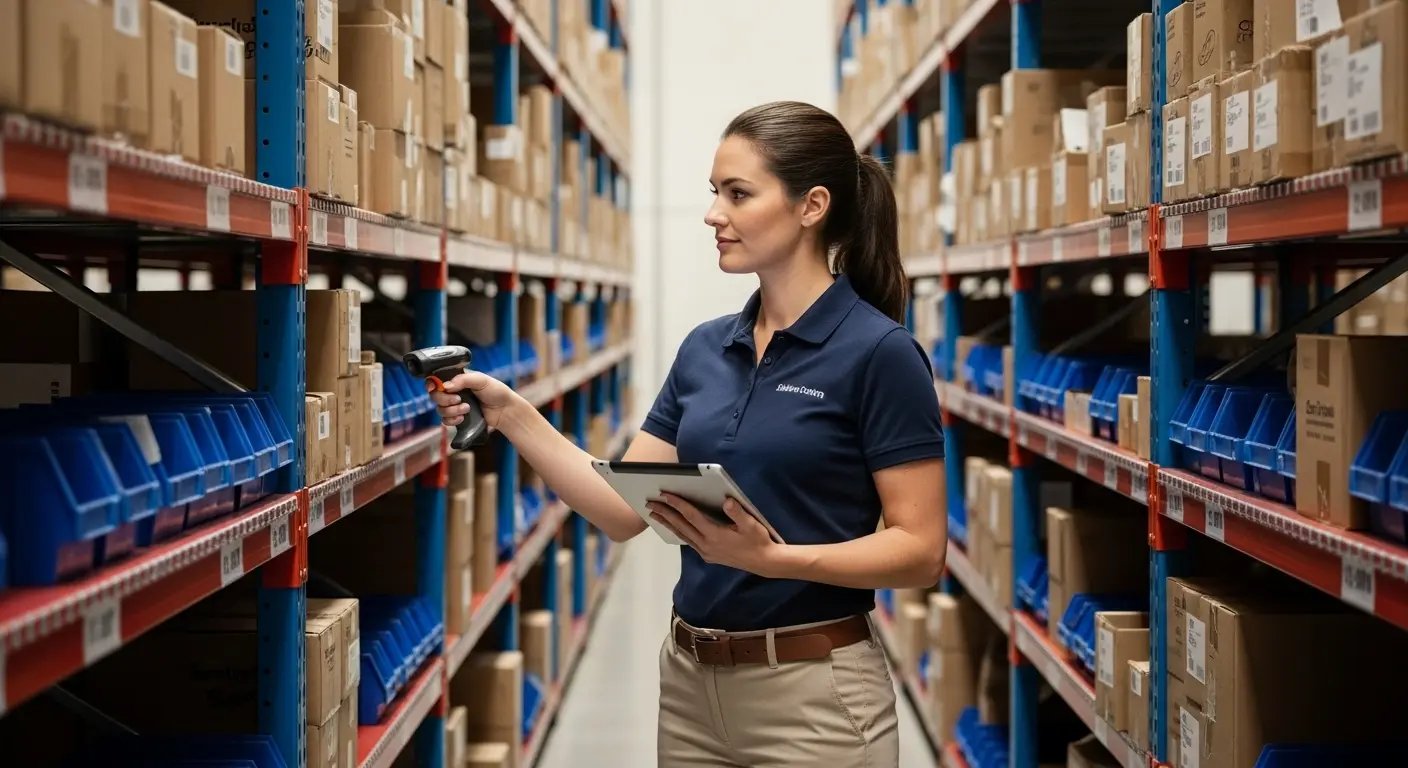
The same trigger-grip shape, cut loose from the cable and paired to a phone, tablet, or terminal over Bluetooth. This is the right pick for cycle counting and replenishment, where a worker walks the racks with a tablet in one hand and the device in the other. Budget Bluetooth units are where quality drops off fastest, so connection stability and battery life are the specs that matter, not scan speed.
3. Gun-style mobile computer (the "inventory gun")
This is what most people picture when they say "inventory gun scanner": a rugged pistol-grip unit with a screen, a keypad, Wi-Fi, and an operating system on board. It is not just a scanner that sends keystrokes to a PC. It runs the warehouse management screen directly on the device, so the worker reads the next pick, the bin location, and the quantity right in their hand. This is the upgrade path once roaming scan volume climbs. We cover the threshold and specific models further down.
4. Ring / wearable
A scan engine that straps to a finger or the back of the hand, freeing both hands to lift and pack. Ring units shine at high-throughput pick and pack stations where the worker is constantly handling product and cannot keep setting a handheld down. They pair with a wrist-mounted or belt-mounted mobile computer that does the WMS work.
5. Presentation / hands-free
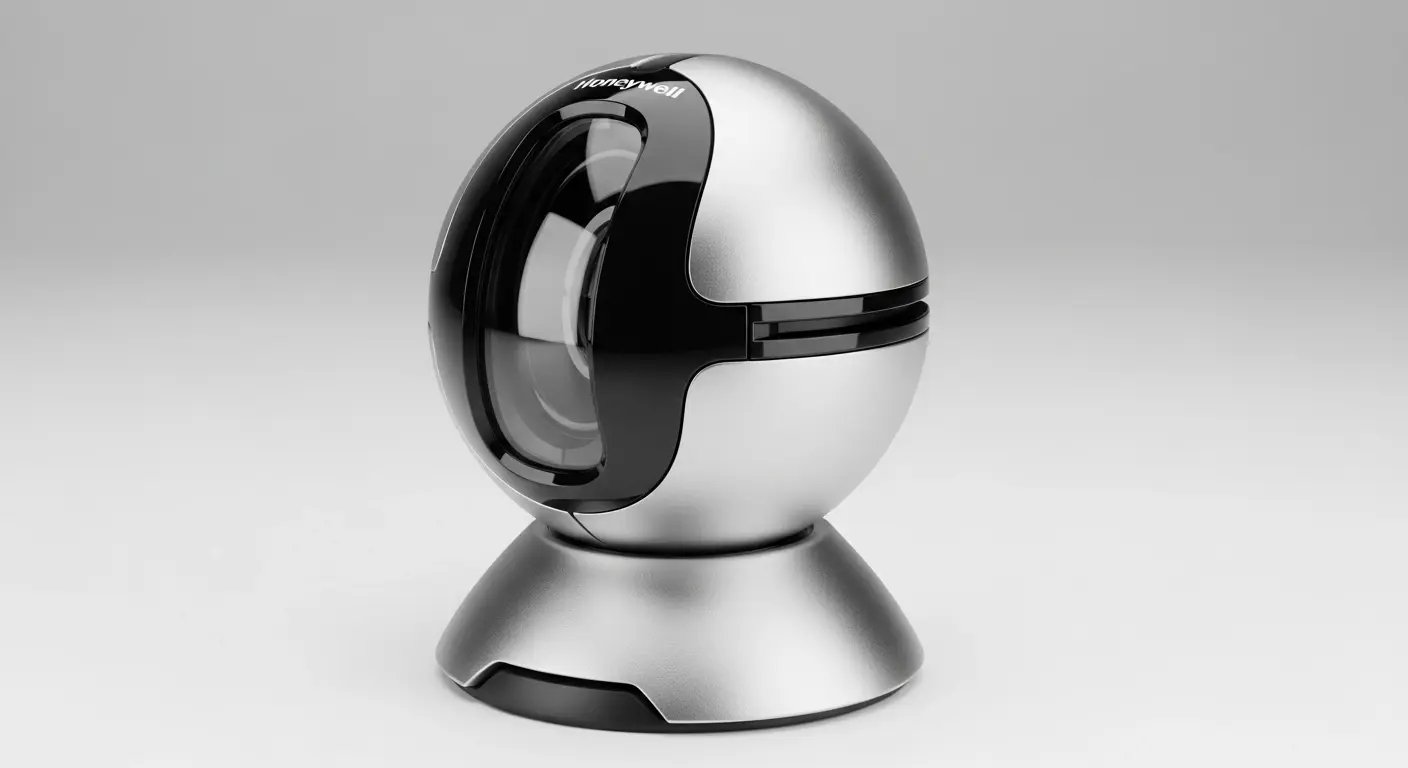
A fixed unit that sits on the counter and reads whatever passes in front of it, no trigger pull required. Built for one job: high-volume checkout and pack-out where product flows past in a steady stream. The Honeywell Orbit in our test is this type. Outside a fixed lane, it is the wrong shape.
Quick decision guide
Fixed station, never moves: handheld corded.
Walking the racks, light to moderate volume: handheld Bluetooth.
Walking the racks, heavy volume, needs the WMS screen on the device: gun-style mobile computer.
Both hands busy with product: ring / wearable.
Steady stream past one lane: presentation / hands-free.
The use-case chooser below pairs each form factor with a specific model we tested. If you already know your form factor, skip ahead to the reviews.
SKU scanner vs. barcode scanner: is there a difference?
People shopping for a "SKU scanner" and people shopping for a "barcode scanner" are usually looking for the same hardware. A SKU scanner is just a barcode scanner pointed at the label that encodes your stock keeping unit. The device reads the code; whether that code maps to a SKU, a lot number, or a bin location is decided by the software, not the trigger. That is the important part when you compare scanners for inventory: the hardware only reports characters, and your SKU-level inventory software is what turns those characters into a stock count that actually moves.
So the practical question is never "which inventory scanner reads SKUs" (they all do) but "which form factor fits the work, and does my system act on the scan." A ring scanner and a gun-style mobile computer can read the identical SKU barcode; they differ in how a worker holds them for eight hours, not in what they see. Choose the shape for the job, then confirm the platform behind it enforces the count.
Warehouse Barcode Scanners: What Changes When You Scan at Warehouse Scale
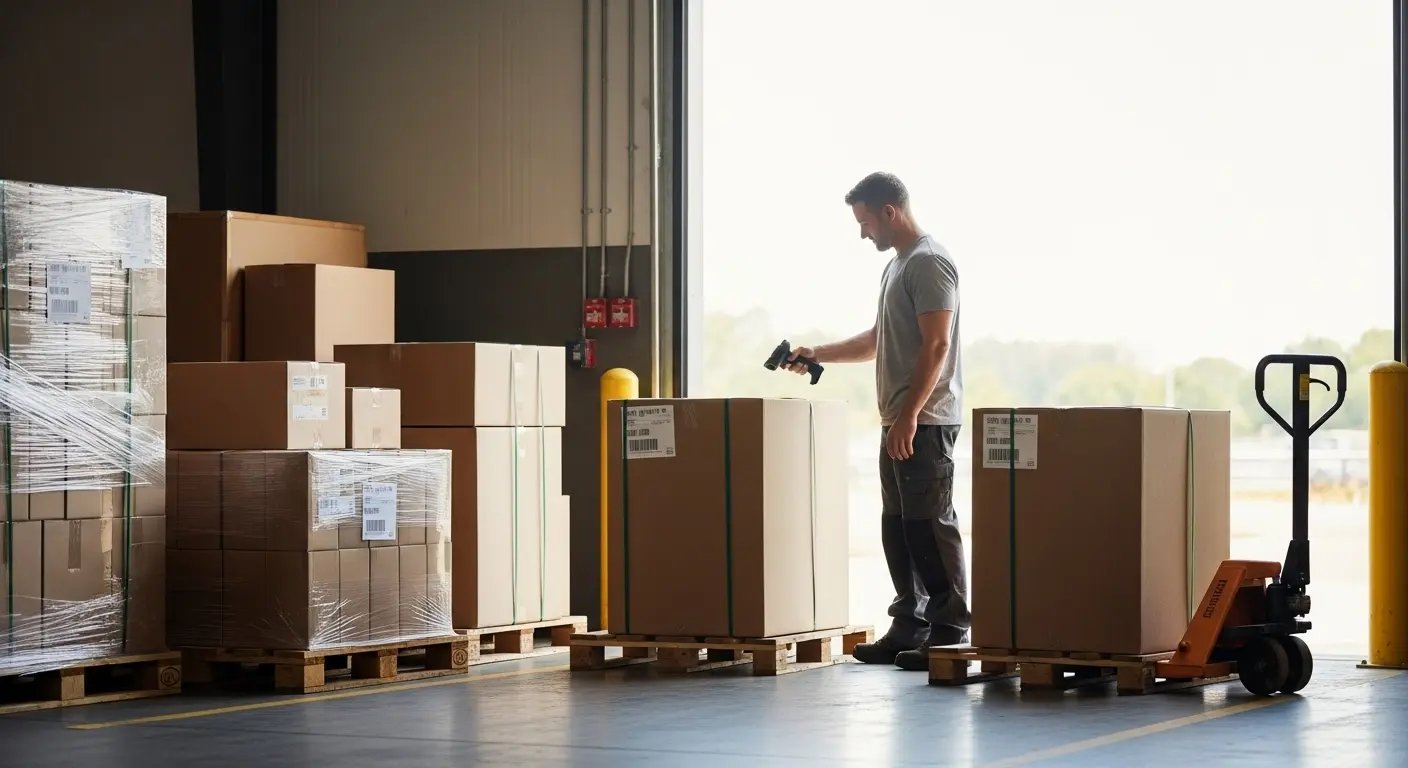
A warehouse barcode scanner is a scanner built for the physical realities a retail counter never sees: it survives repeated drops onto concrete, reads a label from several feet away instead of a few inches, and stays connected to the network as a worker walks from the receiving dock to the back of the rack. The three specs that separate a warehouse-grade device from a countertop one are its drop and sealing rating (commonly IP54 or better with a 4-to-6-foot drop rating), its scan range (a warehouse scanner should read a pallet label from across an aisle, not just at contact), and how it hands the scan off over Wi-Fi in real time. Hands-free wearable options matter too, because in a warehouse the fastest workflow is usually the one that keeps both hands on the product.
Everything in the retail sections above still applies at the SKU level. What follows is what actually changes once the same scan has to happen thousands of times a day, across a building, on rough floors.
Warehouse scanner device classes: handheld, hands-free wearable, and fixed-mount
The form-factor overview above covers all five device types; at warehouse scale, "which scanner" narrows to three that matter. Handhelds are the default and the cheapest to deploy. Hands-free wearables (a ring scanner paired to a wrist or arm-mounted computer) are what high-volume pick operations move to, because they remove the pick-up-and-put-down motion on every scan. Fixed-mount scanners sit on a conveyor or at a pack station and fire automatically as cartons pass. Most real warehouses run a mix, not one device everywhere.
A small operation can run a warehouse on handhelds. A pick-heavy operation moving thousands of lines a day is usually where hands-free wearables start paying for themselves.
The scanner is only worth what the software behind it does
A scanner turns a label into a string of characters and stops there. Whether that scan prevents a mis-ship depends entirely on the platform receiving it. SkuNexus is a fully customizable inventory, order, and warehouse platform, and it is deliberately hardware-agnostic: USB scanners work immediately through keyboard emulation and Bluetooth units work in HID mode, so you are not locked to one vendor's device. The advantage of an open, customizable platform is that scan-enforced workflows (scan to receive, scan to pick, scan to confirm the shipment) get shaped to how your warehouse already runs instead of forcing your team onto a fixed process. If your operation has outgrown off-the-shelf tools but cannot justify a heavy enterprise WMS, that adaptability is the point.
Warehouse scanner FAQ
What is the best barcode scanner for warehouse inventory systems? For most mid-size warehouses, a rugged handheld or gun-style mobile computer with 2D imaging and a 4-to-6-foot drop rating (the Zebra and Honeywell ruggedized lines are the common choices) is the best all-around warehouse barcode scanner, because it survives concrete floors, reads damaged carton labels, and handles receiving, putaway, and cycle counting. Move to a hands-free wearable only where picking volume is high enough that removing the pick-up motion on every scan saves real time. The "best" device is the one matched to the form factor your work needs, connected to a WMS that acts on the scan.
If you scan 200+ items per day: Get the Zebra DS2208. It reads everything, survives abuse, and lasts 5+ years. After three months of testing, this is what we recommend for most operations.
If you only ever scan 1D barcodes: The Honeywell Voyager 1200g is the best 1D scanner we tested. It only reads standard barcodes (no QR codes), but it has been the retail industry standard for years for good reason.
If you need wireless for iOS: The SocketScan S740 is expensive but it is the only Bluetooth scanner that reliably works with iPhones and iPads. We tried cheaper alternatives. They all had connection issues.
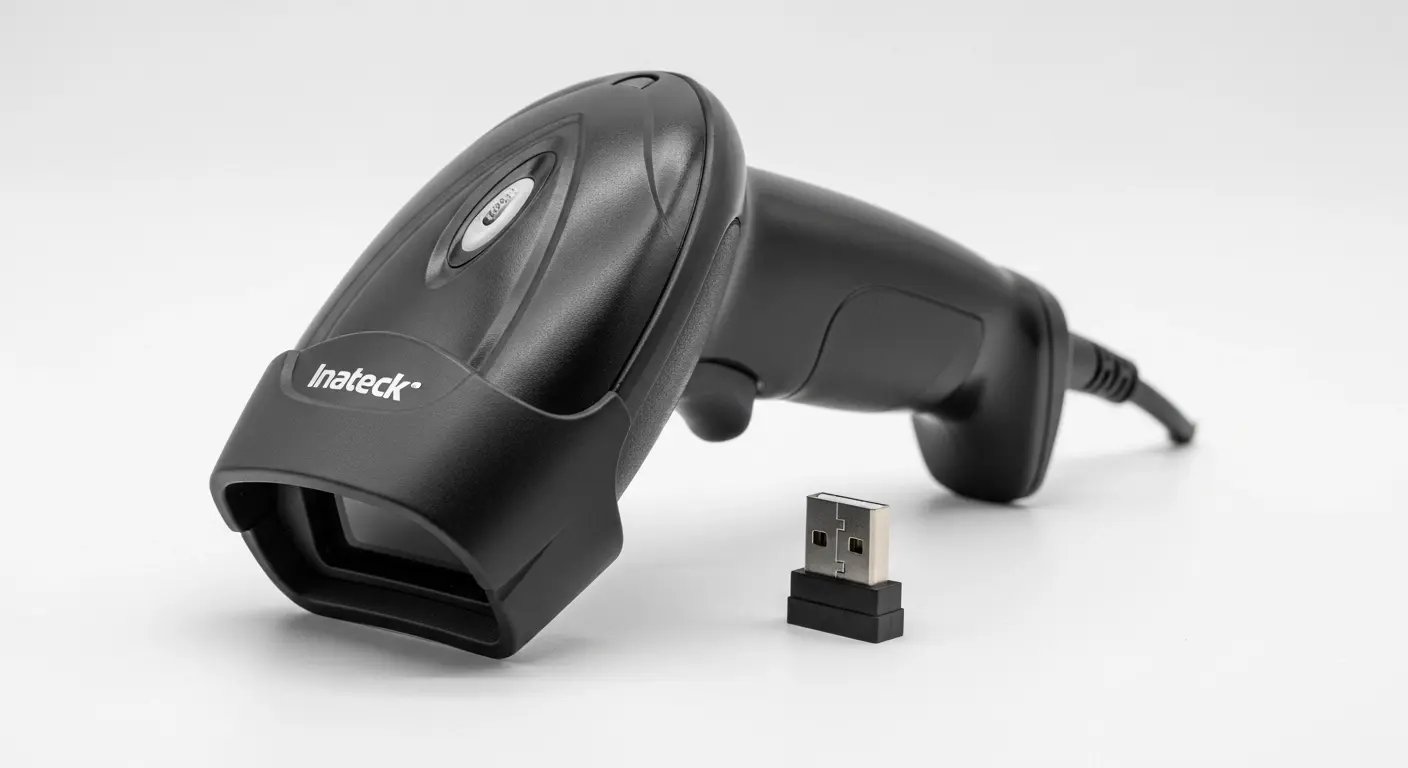
If you need wireless on a budget: The Inateck BCST-70 surprised us. The battery lasts weeks, it is durable, and it actually stays connected unlike most budget Bluetooth scanners.
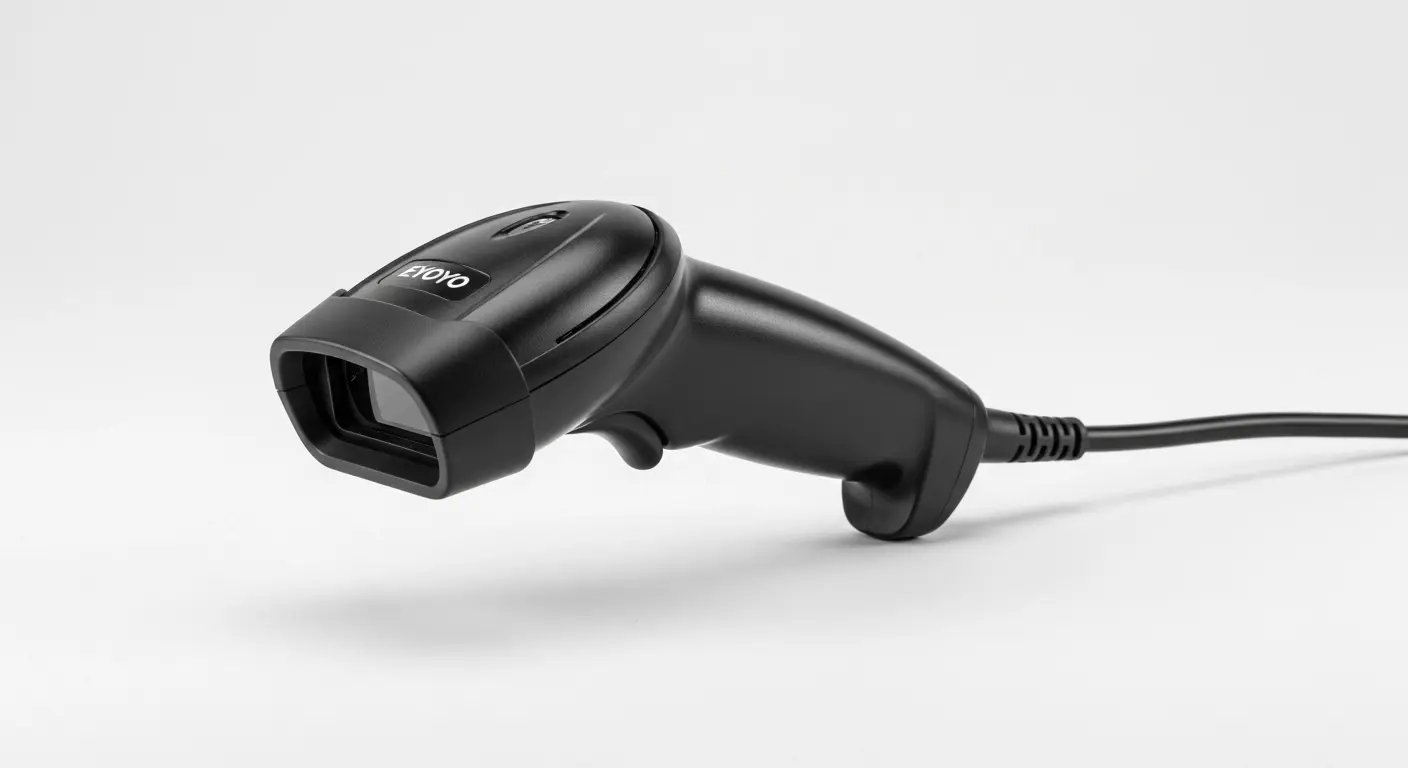
If you are on an extreme budget: The Eyoyo EYH2 reads both 1D and 2D barcodes. Build quality is exactly what you would expect, but for light use or testing, it works.
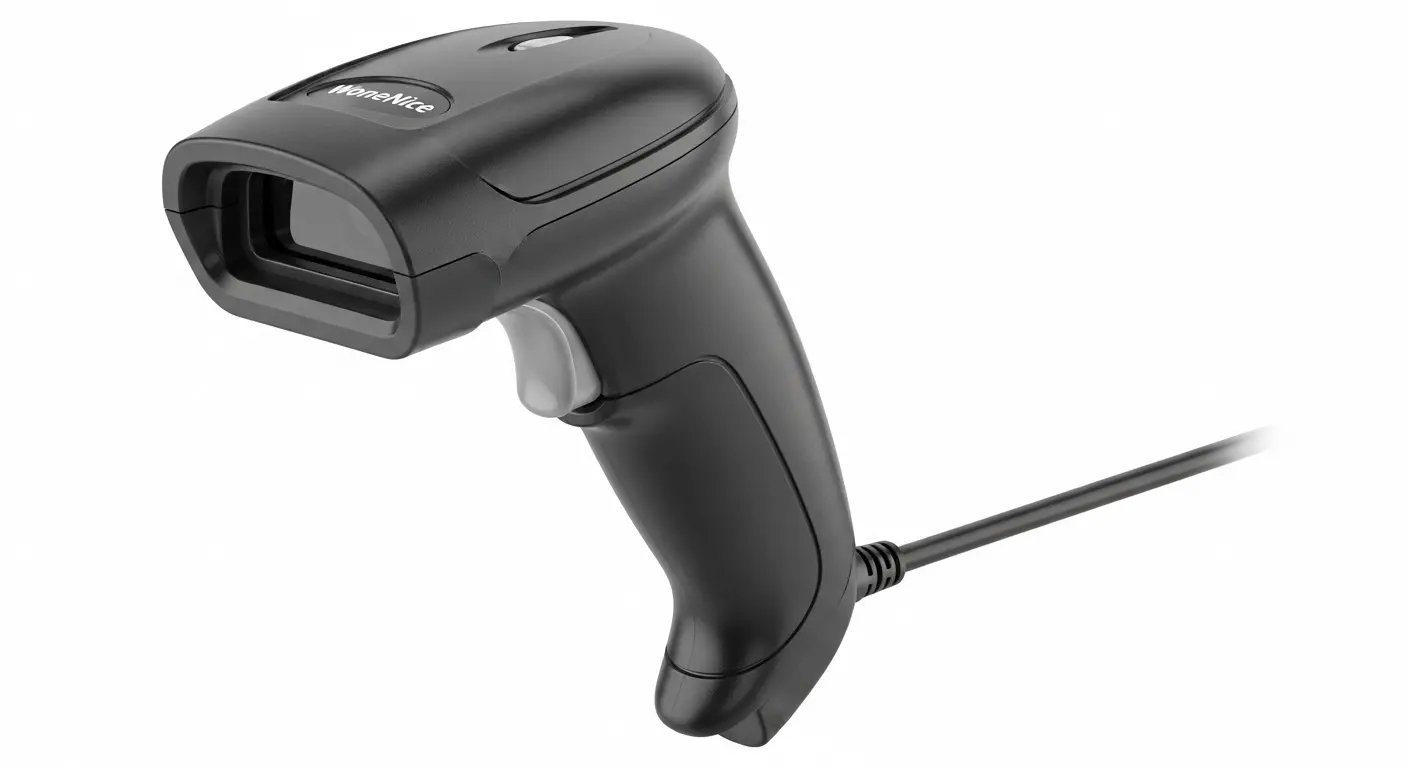
What you should absolutely avoid: The WoneNice scanner. Both of our test units failed within 60 days. We will explain why below.
The Short Version: What We Recommend, and Why
We scored seven models across scan speed, first-pass accuracy on damaged labels, wireless stability over full shifts, drop survival, battery life, and three-year cost of ownership. The full results live in each review below, where the numbers belong next to the context that explains them. Here is the shape of it: one model (the Zebra DS2208) won for most operations on the strength of a 98.7% first-pass read rate and surviving fifteen drops onto concrete; one (the Honeywell Voyager) is the value pick if you never need 2D codes; one (the SocketScan S740) is the only Bluetooth unit that held a connection on iOS through a full shift; one (the Inateck BCST-70) is the budget wireless surprise; and one (the WoneNice) failed in both of our test units and is the one to avoid. Read on for the per-model detail, or use the workflow chooser below to jump straight to the device that fits your operation.
20-line omnidirectional pattern, reduces checkout time
Per-model specifications, including sensor type, weight, wireless, range, IP rating, scan speed, and drop rating, appear in each review below alongside the test results that give them meaning.
Detailed Scanner Reviews
Gun-Style Mobile Computers: When to Upgrade From a Handheld
Every unit reviewed above sends its read to a separate computer. A gun-style mobile computer is a different class of device: a rugged pistol-grip unit that runs Android and shows the warehouse management screen on board, so the worker never walks back to a terminal. People call it the "inventory gun," and it is the right answer once roaming volume crosses a threshold our handhelds could not meet.
You have outgrown a tethered or Bluetooth handheld when any of these is true:
200+ roaming scans per worker, per day. Below that, a Bluetooth handheld paired to a tablet is cheaper and fine. Above it, the constant glance between device and tablet costs real time, and a single integrated screen pays for itself.
Multiple locations or zones. When pickers cover a large floor or several buildings, on-device WMS screens and reliable RF roaming matter more than upfront price.
Workers need WMS data in hand. Pick lists, bin directions, quantities, and exception prompts on the device, not on a cart-mounted laptop.
The models operations actually deploy
Zebra MC3300: the volume workhorse. Pistol-grip or straight-shooter body, a real keypad for high-count data entry, and durability built for daily warehouse abuse. This is the default for mid-market floors scaling past a few packing benches.
Zebra MC9300: the heavy-duty tier, built for cold storage, longer scan range, and the harshest environments. Specify it when temperature, range, or ruggedness rule out lighter units.
Honeywell CT40 / CT60: a more phone-like touchscreen form factor, lighter in the hand, well suited to operations whose workers prefer a touch UI over a keypad. The CT60 adds longer-range scanning and a larger battery for full-shift roaming.
We do not recommend them for an operation that scans at fixed stations. They earn their price the moment your floor is roaming, multi-zone, and high-volume. Because each runs standard Android, it connects to a configurable warehouse management system the same way a handheld does, so you can pilot one unit against your real workflow before committing to a fleet. If you are weighing this upgrade, our pick, pack, and ship guide walks through where on-device WMS screens change the math, and the barcode and inventory tracking overview shows the scan-driven workflows these guns are bought to run.
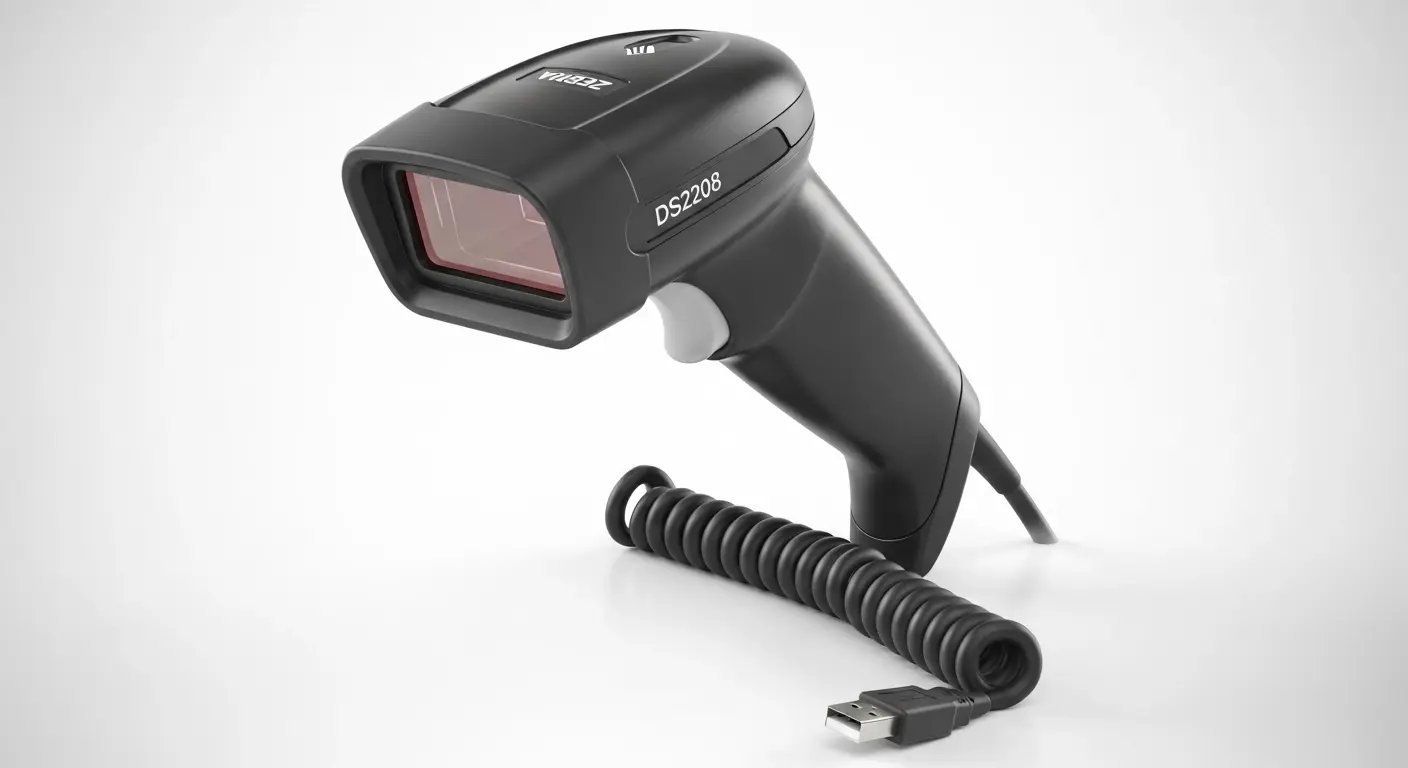
1. Zebra DS2208: Best Overall Scanner
Type: Corded | Rating: 9.2/10
If you need a scanner that works reliably, buy this one and stop reading.
We spent three months testing seven different scanners, and the Zebra DS2208 is the one we recommend for most warehouse operations. It is not the cheapest. It is not the fanciest. It is just the best all-around scanner for most businesses.
Here is what stood out after 92 days of testing.
What it does well:
The DS2208 reads everything. Standard retail UPCs, QR codes, shipping labels with 2D Data Matrix codes, barcodes on phone screens. We never found a code it could not read. This matters more than you might think until you are standing at a receiving dock with a pile of packages and the device cannot read the FedEx label.
It is genuinely durable. We dropped it 15 times during testing (some accidental, some on purpose). Five-foot drops onto concrete. It kept working. The housing has some scuffs but nothing cracked or broke. Compare this to the budget units where a single drop often meant game over.
The omnidirectional scanning is a killer feature we did not appreciate until we used it. You do not need to aim perfectly or line up the barcode. Point it in the general direction and pull the trigger. It finds the barcode and scans it. When you are scanning hundreds of items per day, this saves real time.
Setup is instant. Unbox it, plug in the USB cable, start scanning. That is it. No drivers, no configuration, no fighting with settings. It works with Shopify, QuickBooks, Excel, your warehouse management system, everything. Acts like a keyboard, types the barcode data wherever your cursor is.
Technical specs:
Reads 1D and 2D barcodes (UPC, QR, Data Matrix, PDF417, Code 128, you name it)
Corded USB connection (7-foot cable included)
Scans up to 100 codes per second
Survives 5-foot drops (we tested this extensively)
Weighs 5.6 oz
IP42 rating (dust and splash resistant)
3-year warranty from Zebra
Our testing results:
We used the DS2208 across all four test scenarios: receiving, pick and pack, cycle counting, and retail POS simulation.
First-scan success rate: 98.7% even on damaged labels. This was the best in our entire test. The Honeywell Voyager was close at 97.8%, but every other scanner was below 95%.
We intentionally tested it on the worst labels we could find. Wrinkled shipping boxes that had been through rain, scratched warehouse tags, faded labels that had seen too much sun. The DS2208 2D imager handled them all better than the laser scanners. It can reconstruct barcodes even when parts are missing.
Average scan time: 0.8 seconds from trigger press to beep. Fast enough that you are never waiting on the scanner.
What could be better:
The 7-foot cable is usually fine, but it can get tangled during busy periods. We ended up using cable clips at our packing stations to manage it.
The scan confirmation beep is loud. Really loud. You can adjust it by scanning configuration barcodes in the manual, but most people do not know this and just live with the noise.
If you need to do mobile cycle counting where you are walking around the warehouse, the corded design means you need to bring a laptop or tablet with you. For roaming work, wireless makes more sense.
Who should buy this:
Buy the DS2208 if you scan 200+ items per day, need to read 2D barcodes (shipping labels, QR codes, mobile coupons), want something that lasts 5+ years without replacement, work at fixed stations like receiving desks, packing tables, or POS counters.
Do not buy it if you scan fewer than 50 items per day (overkill for light use), need wireless mobility for roaming inventory work, only scan standard UPCs and do not need 2D support.
The bottom line:
After 92 days of testing, this is what we recommend for most operations. It does everything well, rarely fails, and handles the variety of barcodes modern businesses encounter. We would buy it again without hesitation.
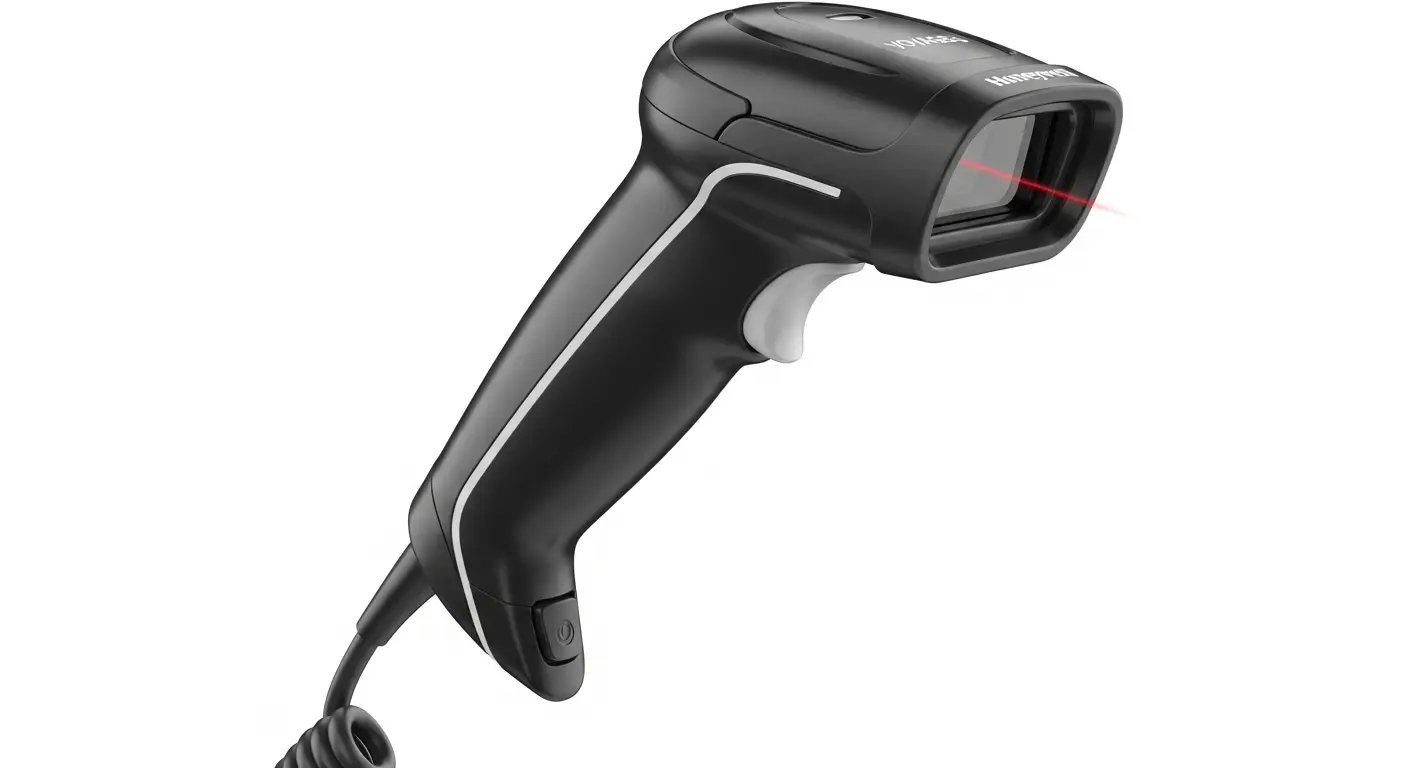
2. Honeywell Voyager 1200g: Best Value for 1D Barcodes
Type: Corded | Rating: 8.8/10
If you do not need to scan QR codes or shipping labels, the Honeywell Voyager is your answer.
This single-line laser handheld has been a retail staple for years. It is simple, reliable, and affordable. It will not scan 2D barcodes, but for businesses using traditional linear barcodes (UPC, Code 128, Code 39), it is hard to beat the value.
What makes it good:
The Voyager is a workhorse. It shows up every day and does the job. We scanned thousands of product tags during testing and it rarely missed on the first pass. The single-line laser is fast and accurate on standard retail barcodes.
The ergonomic design is comfortable for extended use. The integrated finger rest and balanced weight distribution actually matter when you are scanning 300-500 items per shift. Our team preferred the feel of this scanner over some of the lighter, cheaper options.
Reliability is proven. This is not a new model that might have hidden issues. The Voyager 1200g is a long-running model rather than a recent release. Multiple users report 5+ years of daily use with zero failures.
Technical specs:
Reads 1D linear barcodes only (UPC, EAN, Code 128, Code 39, Codabar)
Corded USB (also available in keyboard wedge or RS232 versions)
Scans up to 72 codes per second
5-foot drop rating
Weighs 5.3 oz
IP42 rating
3-year warranty from Honeywell
What is not ideal:
It is 1D only. No QR codes, no Data Matrix, no PDF417, no mobile coupons. If your operation is moving toward 2D codes (and many are), this unit is already obsolete.
The laser eventually weakens after 3-4 years of heavy use. This is normal for laser technology but means eventual replacement. The Zebra LED-based imager does not have this issue.
The bottom line:
For pure 1D scanning reliability, nothing beats the Voyager. It is the Honda Civic of barcode scanners. Not exciting, but it starts every time and runs forever. If your operation sticks to standard 1D barcodes and you do not need wireless or 2D capability, get this instead of the Zebra.
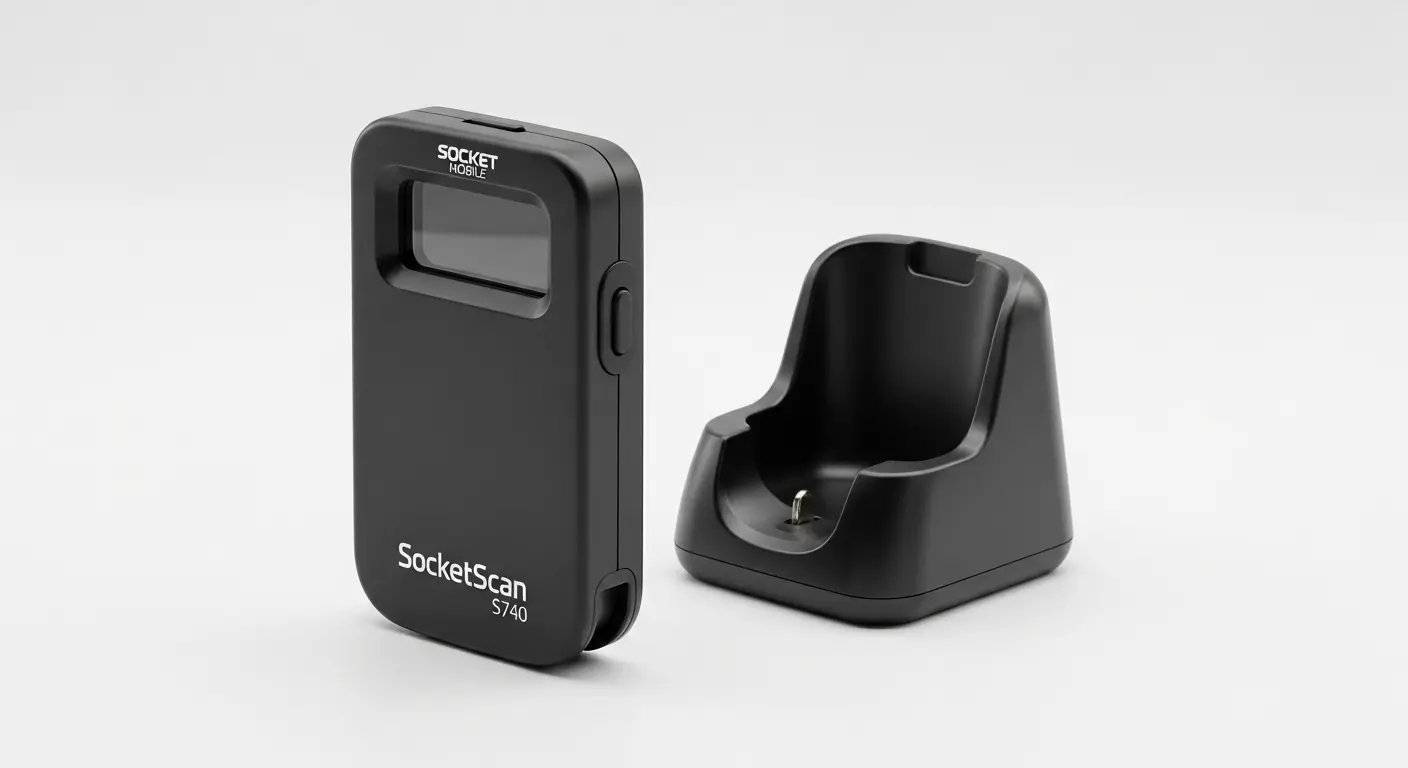
3. SocketScan S740: Best Mobile Scanner (iOS)
Type: Bluetooth | Rating: 8.7/10
If you are using iPhones or iPads for inventory management, this is unfortunately your only reliable option.
The SocketScan S740 costs three times more than budget Bluetooth scanners, but there is a reason: it actually works with iOS devices. We tested three cheaper alternatives that claimed iOS compatibility. All three had constant connection issues. The Socket unit paired instantly and stayed connected.
Why it is worth the premium for iOS users:
The S740 has Apple MFi certification. This is not marketing fluff. It means Socket paid Apple for official iOS compatibility and their scanner includes the required authentication chip. Cheap hardware skips this (it costs money) and try to fake iOS support. It does not work reliably.
Battery life genuinely lasts 12-14 hours of active scanning. We used it throughout full warehouse shifts and it never died mid-day.
The ultra-lightweight design (3.4 oz) makes it pocket-portable. Workers can clip it to a belt or keep it in a pocket during mobile inventory work.
Technical specs:
Reads 1D and 2D barcodes with omnidirectional scanning
Bluetooth 4.0 (up to 100-foot range)
2,000mAh battery (14+ hours continuous use)
Charging dock included
Weighs 3.4 oz
6-foot drop rating
IP54 rating (dust and water resistant)
1-year warranty
Apple MFi certified
What is not ideal:
You are paying a premium for Apple certification and reliable iOS compatibility.
The 1-year warranty feels short for a premium device. Zebra gives 3 years. Socket should match that.
The bottom line:
The S740 is expensive, but it solves a real problem: reliable iOS scanning. If your operation is built around iPhones or iPads, this scanner is worth the premium. Android users should look elsewhere; standard Bluetooth units work fine there.
4. Inateck BCST-70: Best Budget Wireless
Type: Bluetooth | Rating: 8.3/10
This scanner surprised us.
We expected typical budget Bluetooth problems: weak connectivity, terrible battery life, failure within a few months. Instead, the Inateck BCST-70 delivered surprisingly solid performance for the price.
The battery life claim seemed impossible. Inateck says 180 days of standby. We tested it intermittently over 92 days without recharging. After three months and about 2,800 scans, the battery was still at 65%. For operations that scan 20-100 items per day (not continuous heavy use), this scanner might genuinely go months between charges.
Technical specs:
Reads 1D linear barcodes only
Bluetooth 5.0 (115-foot range)
Rechargeable lithium battery (180-day standby)
USB-C charging cable included
6-foot drop rating with TPU case
Weighs 4.2 oz
IP54 rating
18-month warranty
What is not ideal:
It is 1D only. No QR codes, no 2D shipping labels, no Data Matrix codes. If you need any 2D support, this device is immediately disqualified.
Configuration via scanning barcodes from the manual is dated. This works but feels clunky compared to scanners with smartphone apps.
The bottom line:
The Inateck BCST-70 punches above its price tag. The battery life is genuinely remarkable, build quality exceeds expectations, and Bluetooth performance is solid. If you need 2D support, step up to the Zebra DS2208. But for 1D wireless, this is the winner.
5. Honeywell MS7120 Orbit: Best for Retail POS
Type: Presentation/Hands-Free | Rating: 8.5/10
This unit is built for one job: retail checkout counters. It sits on the counter and scans automatically when items pass in front of it. No trigger, no aiming. Just slide products across and go.
We timed it against a handheld scanner in a simulated high-volume retail environment. The Orbit was 32% faster. When you are processing hundreds of customer checkouts per day, that time adds up.
What makes it fast:
The 20-line omnidirectional scan pattern is aggressive. It captures barcodes from virtually any angle as products move past. Cashiers do not need to hunt for the barcode or align items perfectly. The imager finds it.
Technical specs:
Reads 1D linear barcodes with 20-line omnidirectional pattern
USB connection (corded)
1,120 scan lines per second, 20-line omnidirectional (fastest read in our test)
Tilting head adjusts up to 30 degrees
Weighs 14.5 oz (designed to stay stationary)
3-year warranty from Honeywell
What is not ideal:
It is 1D only. No QR codes, no mobile coupons, no 2D support. Shoppers increasingly present digital coupons or loyalty cards via QR codes. The Orbit cannot read these.
Fixed position limits flexibility. At 14.5 oz, it is designed to stay stationary.
The bottom line:
The MS7120 Orbit excels at one thing: fast, reliable retail checkout. If you run a high-volume POS station processing standard UPC products, the hands-free operation pays for itself within weeks. Just be aware it is 1D only and designed for fixed counter use.
6. Eyoyo EYH2: Best Ultra-Budget Option
Type: Corded | Rating: 7.8/10
The Eyoyo EYH2 should not work this well at its price. But it does.
It reads both 1D and 2D barcodes. It is plug-and-play. It scans QR codes.
The build quality is exactly what you would expect at this price point. The housing is lightweight plastic. It flexes if you squeeze it. It feels cheap because it is cheap.
But here is the thing: it works. For home users, startups testing barcode systems, or backup scanners, it is hard to argue with.
Technical specs:
Reads 1D and 2D barcodes
Corded USB (6.5-foot cable)
5-foot drop rating (claimed)
Weighs 4.8 oz
1-year warranty
What is not ideal:
Complex 2D barcodes like PDF417 often fail. Dense Data Matrix codes are hit-or-miss. The 2D imager is basic.
Build quality is budget. User reviews suggest failure rates increase significantly after 6-12 months of daily use.
The bottom line:
The Eyoyo EYH2 is the "good enough" scanner. For home users, students, startups, or backup purposes, this scanner delivers shocking value. Just do not expect it to handle heavy professional use or last for years.
7. WoneNice USB Laser: Budget Option to AVOID
Type: Corded | Rating: 4.2/10
We are including the WoneNice scanner as a warning.
It is the cheapest unit we tested. Some units work initially. Many fail within weeks. The pattern of failures is too consistent to recommend for any business operation.
What went wrong in our testing:
We bought two units to test. Here is what happened:
Unit #1: Worked acceptably for 6 weeks. Developed USB recognition issues in week 7. Required unplugging and replugging every 10-20 scans. Complete failure in week 9 with "USB device not recognized" error.
Unit #2: Worked initially with occasional hiccups. Scan quality degraded over time. Developed "stuck key" issue (repeating digits). Still barely functional at 92 days but unreliable.
This is not just our experience. The Amazon review pattern tells a clear story:
Week 1-4 reviews: "Works great!", "Good value!", "Easy setup!" Month 2-3 reviews: "Starting to have issues...", "Hope it lasts..." Month 3+ reviews: "Dead", "Garbage", "Do not buy"
The false economy:
It seems like a bargain until it fails. One of our two test units died in week 9 and the other degraded to unreliable. Counting the replacement and the hours lost to troubleshooting, the cheap unit was the more expensive choice. We do not publish hardware prices here; check the current listings on the Zebra, Honeywell and Socket Mobile product pages.
The bottom line:
The WoneNice USB Laser Scanner is a false economy. The low sticker price is tempting when budget is tight, but the high failure rate makes it more expensive than quality alternatives. Save yourself the frustration. Choose the Eyoyo EYH2 if budget is absolutely critical, the Inateck for wireless, or the Zebra for everything else.
We cannot recommend this scanner for any business use whatsoever.
Best Scanners by Specific Use Case
Best for Shopify Stores
If you are running a Shopify store, you need scanners that work seamlessly with Shopify POS and admin inventory management.
For Shopify POS (retail checkout): Zebra DS2208. Reads product UPCs, mobile coupons (QR codes), and customer loyalty cards from phone screens. Works instantly with Shopify POS app.
For Shopify back-office inventory: Inateck BCST-70 for wireless mobility. Roam warehouse or stockroom during cycle counts.
For Shopify order fulfillment: Zebra DS2208. Scan order barcode to pull up details, scan each product SKU for verification, scan shipping label for carrier upload.
Best for Warehouse Operations
For receiving and putaway: Zebra DS2208. Reads 2D shipping labels (FedEx, UPS, USPS all use Data Matrix), handles damaged/wrinkled carton labels better than lasers, 5-foot drop rating survives concrete floors.
For pick and pack: Zebra DS2208. Scan pick list, scan product SKU for verification, scan shipping label for upload.
For cycle counting: Inateck BCST-70 for budget wireless. Roam warehouse with tablet or smartphone, 180-day battery means you forget about charging.
Best Bluetooth Scanners
For iOS: SocketScan S740. Apple MFi certified, pairs in 3 seconds, stays connected. This is the only reliable option.
For Android/Windows: Inateck BCST-70. Works flawlessly with Android tablets.
Best 2D Scanners for Shipping Labels
Premium: Zebra DS2208. Best 2D performance in our test, reads even damaged/wrinkled shipping labels (98.7% success rate).
Budget: Eyoyo EYH2. 2D scanning that works on simple QR codes and clean shipping labels, struggles with complex or damaged 2D codes.
Scanner
Clean QR
Damaged Shipping
Small Data Matrix
Phone Screen
Zebra DS2208
100%
98.7%
95%
100%
Eyoyo EYH2
98%
75%
60%
90%
Honeywell Voyager (1D)
0%
0%
0%
0%
Buying Guide by Business Type
Small Retail (1-5 Employees)
Recommended setup:
POS station: Honeywell Voyager 1200g or MS7120 Orbit
Back office: Eyoyo EYH2 for receiving/inventory
Growing eCommerce (5-20 Employees)
Recommended setup:
Packing stations (3 units): Zebra DS2208 x 3
Receiving: Zebra DS2208 x 1
Cycle counting: Inateck BCST-70 x 1
Mid-Size Warehouse (20-100 Employees)
Recommended setup:
Receiving (4 stations): Zebra DS2208 x 4
Packing (10 stations): Zebra DS2208 x 10
Cycle counting (5 mobile): SocketScan S740 on iOS, Inateck BCST-70 on Android
Shipping verification: Zebra DS2208 x 2
Software Integration
Shopify Integration
For Shopify POS:
Connect scanner via USB to iPad/computer running Shopify POS
Open Shopify POS app
Navigate to Products or Checkout
Click into search or product field
Scan product barcode. Shopify auto-populates
The scanner acts as a keyboard, so no special software is needed.
QuickBooks Integration
QuickBooks does not have native barcode scanning, but scanners work through standard input:
SkuNexus offers native barcode scanning across all workflows: receiving (scan ASN, scan items, auto-putaway), picking (guided pick paths with scan verification), packing (scan order, scan items, generate label), shipping (scan to confirm, auto-update tracking), and cycle counting (scan-validated counts posted as confirmed).
All USB scanners work immediately via keyboard emulation. Bluetooth scanners work in HID mode.
Barcode Software: The Other Half of the System
A scanner does exactly one thing: it turns the bars on a label into a string of characters. Everything that makes a scan useful happens in software. If you searched for barcode software and landed here, this is the section you came for, and it is the part most scanner roundups skip entirely.
Here is what barcode inventory software actually does once the scanner hands off that string:
SKU resolution: matches the scanned code to a product record so you see the item name, variant, and image instead of a number.
Immediate stock decrement: the moment a unit is picked, packed, or received, the on-hand count changes in the system of record; connected channels pick it up on their poll interval, not instantly.
Location tracking: ties each scan to a bin, shelf, or zone, so the system can tell a picker exactly where to walk next.
Workflow enforcement: scan-to-verify steps in picking and packing that block the wrong item from shipping instead of just recording that it did.
Channel and system sync: pushes the updated count out to the channels your platform has an adapter for, and into your inventory or ERP system of record.
Pairing software with the scanners in this guide
Every scanner we tested communicates the same way: USB models type the decoded value through keyboard emulation, and Bluetooth models do the same in HID mode. That means the hardware choice and the software choice are independent decisions. A budget Eyoyo and a premium SocketScan both feed the same string into the same software; the difference is reliability and durability, not compatibility. Pick the scanner for your physical environment, then pick the software for what you need to happen after the beep.
SkuNexus accepts input from any standard 1D or 2D scanner plus camera-based scanning through the platform interface, and runs scan-based receiving, guided picking, scan-to-verify packing, shipping confirmation, and cycle counting natively, then syncs those counts to each connected channel on that connector's poll interval. The scanners in this guide work with it out of the box.
How to choose barcode software
Does it own the stock count, or just read it? Software that owns the stock count and decrements it at the scan prevents oversells; software that only logs scans does not.
Does it enforce the workflow or just record it? Scan-to-verify that stops a mis-pick is worth far more than a scan log you review after the mistake ships.
Does it sync to your channels and your system of record? A scan that does not reach your storefront or your inventory system is a manual reconciliation waiting to happen.
Does it bend to your process? Off-the-shelf tools force their workflow on you; the question for any growing operation is whether the software adapts to how you already pick and pack.
Factory reset scanner (scan "Factory Reset" barcode from manual)
Remove old pairing from device (delete scanner from Bluetooth list)
Reduce interference (move away from Wi-Fi routers during pairing)
Weak or inconsistent scanning:
Clean the scan window with microfiber cloth
Print fresh labels if faded
Optimal distance: 6-12 inches
Scan line perpendicular to bars, not parallel
Speed and Error-Rate Analysis
Over three years the durable units in this test cost less to own than the cheap ones, because the cheap ones had to be replaced and the durable ones did not. We do not publish hardware prices; the manufacturer and authorized-reseller product pages carry current figures.
Time and Error Savings per Item
Method
Time per Item
Error Rate
Manual entry
6-8 seconds
1-2%
Barcode scanning
1 second
near zero
Savings
5-7 seconds
near zero
These figures are an illustrative model based on the time-and-error assumptions in the table above, not measured outcomes from our 92-day test. Your numbers depend on labor rate, volume, and current error rate. Use them to estimate, not to forecast.
Frequently Asked Questions
Do I need wireless or wired for my warehouse?
Choose wired if: Scanning at fixed workstations, you want zero battery management, or budget is tight.
Choose wireless if: Walking around while scanning, scanning from ladders, or cable gets tangled.
Best practice: Mix both. Wired at fixed stations, wireless for roaming work.
How long do barcode scanners typically last?
Budget: 3-12 months with daily use. Mid-range: 3-5 years. Premium: 5-7 years. Industrial: 7-10 years.
Can I use my smartphone instead of a dedicated scanner?
Yes, but with major limitations. Smartphones are much slower (3-5 seconds per scan vs 1 second), require two hands, drain battery, and have no tactile feedback.
When smartphone works: Home inventory, personal collections, occasional price checks.
When you need dedicated scanner: Any commercial operation, more than 50 scans per day.
Do barcode scanners work with Excel or Google Sheets?
Yes, perfectly. The scanner acts exactly like a keyboard. Open spreadsheet, click into a cell, scan a barcode, data appears in the cell. No special software needed.
What does "drop rating" mean?
Drop rating = maximum height scanner can fall onto concrete without damage. 5 feet is standard commercial, 6 feet is heavy-duty warehouse.
Scanners will be dropped. Not "if" but "when."
How do I connect a Bluetooth scanner to my computer?
Windows: Settings, then Devices, then Bluetooth, then Turn ON, then put scanner in pairing mode (scan barcode from manual), then click "Add device", then select scanner.
Mac: System Preferences, then Bluetooth, then Turn ON, then scanner in pairing mode, then click "Connect."
What warranty should I look for?
Budget: 12 months. Mid-range: 12-36 months. Premium: 2-5 years.
Look for at least 2 years for commercial use. Zebra and Honeywell honor warranties reliably. Budget brands often do not respond.
Where should I buy: Amazon vs direct?
For 1-3 scanners: Amazon is fine. Check seller rating.
For 5+ scanners: Contact authorized reseller for volume pricing.
For premium models: Buy direct to ensure warranty validity.
Do barcode scanners need special software?
No. Most work immediately via "keyboard emulation." Plug in, scan, data types wherever cursor is. Works with any program.
What is the difference between laser and imager scanners?
Laser: 1D only, works in bright sunlight, long range, cannot read 2D.
Imager: 1D + 2D, scans phone screens, better with damaged labels, omnidirectional, no moving parts (more durable).
Industry trend: imagers are replacing lasers everywhere.
Can barcode scanners work with Amazon Seller Central?
Yes, but indirectly. Scanners work when creating FBA shipments (type SKU into quantity field) and with third-party tools like InventoryLab, SellerLabs, and RestockPro.
What is the difference between handheld and presentation scanners?
Handheld: Pick up and aim, trigger button, mobile. Best for warehouse, retail backroom.
Presentation: Sits on counter, scans automatically, hands-free, fixed position. Best for high-volume POS checkout.
Do I need different scanners for different barcode types?
No. One good 2D imager reads everything: UPC, EAN, Code 128, QR codes, Data Matrix, PDF417, and 30+ other types. The Zebra DS2208 handles all barcode types you will encounter.
What is the difference between barcode software and a barcode scanner?
The scanner is the hardware that reads the label and turns it into a string of characters. The barcode software is what makes that string useful: it matches the code to a product, updates your stock count, tracks the location, and syncs the change to your sales channels. You can have a perfect scanner and still have inventory chaos if there is no software behind it, and good software with a cheap scanner will still keep accurate counts. They are two separate decisions.
What barcode software works with these scanners?
All seven scanners in this guide use keyboard emulation over USB or HID mode over Bluetooth, which means they feed data the same way into almost any software: spreadsheets, Shopify POS, QuickBooks, or a full warehouse management system. Hardware brand does not lock you into a software. SkuNexus, for example, accepts input from any standard 1D or 2D scanner plus camera-based scanning, so you choose the scanner for your environment and the software for your workflow independently.
Do I need a WMS to use barcode scanning?
No, not to start. A scanner plus a spreadsheet will read codes and let you type them into a cell. But scanning only pays off when the software does something with the scan: decrement stock at the scan, guide the next pick, block a wrong item before it ships, and sync the count across channels. That is what a warehouse management system adds. For an operation shipping more than a few dozen orders a day across multiple channels, a WMS is where barcode scanning turns from data entry into error prevention.
What scanners do warehouses use?
Most warehouses run one of three form factors. High-throughput picking floors use gun-style mobile computers, which pair a rugged imager with an onboard screen so a worker can pick, confirm, and move without a laptop. Operations where both hands stay on product use ring or wearable scanners strapped to the back of the hand. Fixed packing and shipping benches use presentation or fixed-mount scanners that read a code the moment product passes the lens. The common thread is durability and all-day battery, not brand. What matters more than the device is whether the warehouse management system behind it acts on every scan.
What is the best barcode scanner for inventory?
There is no single best barcode scanner for inventory, because the right choice depends on how your team works. For a mixed 1D and 2D warehouse floor, a rugged 2D imaging scanner is the safe default, since it reads damaged and phone-screen barcodes that laser units miss. For a fixed packing bench, a presentation scanner is faster and cheaper. For pickers whose hands are full, a ring scanner wins. Pick the form factor that fits the task, confirm it reads 2D codes, and then confirm your inventory software actually receives and acts on the scan. A great scanner paired with software that ignores the read still ships the wrong item.
Can SkuNexus generate and print barcode labels for products and bins?
Yes. Label templates are built in a visual builder: drag text, barcodes, images, lines and rectangles onto a canvas, then set font, size and position in a properties panel. Dynamic variables such as order number, SKU or customer name populate at print time. The same builder covers product barcode labels, bin and location labels, and shipping labels. Each warehouse also gets barcode prefixes per item type, so a scan is identified as a product, a location, a cart or a tote and the system takes the matching action instead of asking the operator which screen they are on.
Does SkuNexus require proprietary scanner hardware?
No. The warehouse screens are built around a plain keyboard-wedge scanner. Configure the device to send a newline after each barcode and pack station, picking, receiving and counting advance without a click. Any USB or Bluetooth scanner that presents itself as a keyboard works, and every scan field also accepts typed input, which is the fallback when a device dies mid-shift. There is no SkuNexus-branded scanner and no requirement to buy hardware through us. Bring the guns you already own and test them against your own symbologies on the demo call.
How We Tested These Scanners
Testing Environment
Location: Active 12,000 sq ft distribution warehouse processing 500+ orders daily
Duration: 92 days (August 10 to November 10, 2025)
Total scans logged across the four scenarios below: 9,500+
Test Scenarios
Receiving and Putaway (2,000+ scans): Inbound shipping labels from FedEx, UPS, USPS, DHL. Various carton conditions from pristine to heavily damaged.
Pick and Pack (3,500+ scans): Diverse product types (books, electronics, apparel, home goods). Mixed barcode types.
Cycle Counting (1,500+ scans): Shelf scanning from various heights. Mobile scanning with tablets. Different angles and distances.
Retail POS (2,500+ scans): Standard retail checkout simulation. Mixed product sizes. Mobile coupon scanning.
Durability Testing: 3-foot drops (20 per scanner), 5-foot drops (10 per scanner), 6-foot drops (5 for rated scanners).
Data Sources
Primary research: Hands-on testing across the four scenarios above; scans were not logged per scanner
We purchased all scanners at retail price. No sponsorships. Editorial independence maintained.
Testing occurred in one facility. 92 days does not capture years-long durability (supplemented with user reviews). Some scanners tested for shorter periods (disclosed in each review).
Camera-based scanning in the platform interface, plus any USB or Bluetooth HID scanner
Channel inventory sync on a configurable poll interval
Guided pick/pack workflows with scan verification
Connectors for Shopify, BigCommerce, Magento 2, WooCommerce, Shopware 6, Walmart and QuickBooks Online. No Amazon or eBay adapter
About the Author
Yitz Lieblich - CEO/Founder of SkuNexus. In eCommerce since 2007; founded Web Solutions NYC in 2007 and SkuNexus in 2018. The scanner test described on this page was run by our team in a live distribution warehouse, on the receiving, picking, packing and cycle-count workflows SkuNexus is built to run.
Commercial Disclosure
We have no affiliate relationship with any scanner manufacturer or reseller, and there are no affiliate links on this page. We sell software, not scanners. Every unit was bought at retail price and no manufacturer sponsored this test.