Quick Summary
Using NetSuite mainly for stock and orders? Another ERP is one way to go, but it's not the only one. These five alternatives include tools that handle operations while your books stay in a separate system, including NetSuite.
Our top three:
- Acumatica: For distributors who want accounting and operations in one ERP without per-user licensing.
- SkuNexus: For merchants running their own warehouses who need configurable inventory, order and shipping workflows, with accounting kept separately.
- Microsoft Dynamics 365 Business Central: For businesses replacing their ERP who already work with Outlook, Excel and Teams.
The list also covers Cin7 Omni for wholesale and trading-partner connections, and Brightpearl for retail order automation with integrated or separate accounting.
Two Ways to Replace NetSuite, Plus a Way to Keep It
If you bought NetSuite mainly to manage stock and orders, your next system doesn't necessarily need to be another ERP.
You have two main routes. Move to another ERP that keeps accounting, inventory and orders together. Or keep accounting in a separate system and use an operations platform to manage stock, orders and fulfillment.
There's also a middle route: retain NetSuite for financials and connect it to a platform that handles warehouse and order workflows.
In this guide, I'll walk you through five NetSuite alternatives, how their licensing works and what to check before making a move.
Why Listen to Us?
I've worked in eCommerce since 2007 and founded SkuNexus in 2018 after working hands-on in hundreds of warehouses. We've helped businesses bring inventory, orders, warehouse workflows and shipping into one platform configured around their operations. One was a B2B fastener distributor that moved off NetSuite after using only about 40% of its features.

What Is NetSuite?
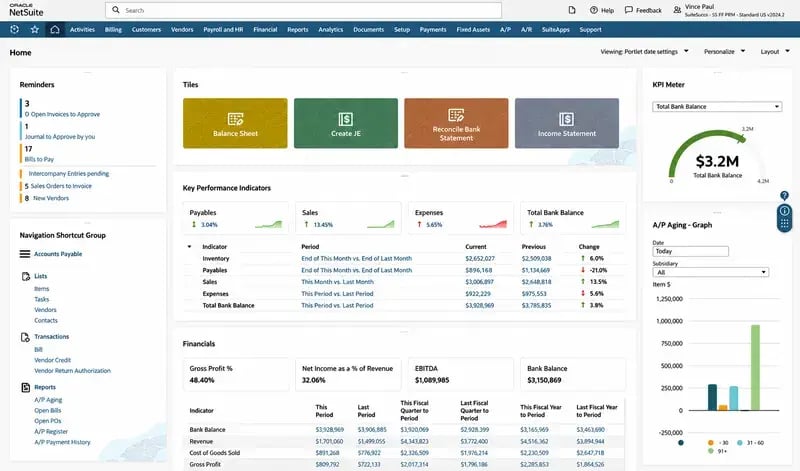
NetSuite is Oracle's cloud ERP. Your books, purchasing, stock, orders and warehouse work all sit in one system. Its warehouse and inventory tools include stock tracking across locations, replenishment, directed picking and putaway, wave management and cycle count planning.
Looking at alternatives doesn't mean NetSuite can't do the job. You might just need less software, a different licensing model or something that takes less work to fit the way you operate.
Why Seek Alternatives to NetSuite?
You're Paying for More Software Than You Use
Take a look at what your team uses every day and compare that with the platform and modules you're paying for. You may find that most of the work happens in a few parts of NetSuite, while the rest rarely gets touched.
That was the case for one B2B fastener distributor with about 6,000 SKUs. It used roughly 40% of NetSuite's features. The team needed inventory tracking, order management and shipping, but the broader ERP added complexity they didn't need.
Adding Users Adds Licensing Costs
As your team grows, more people may need access to NetSuite. User count is part of its annual licensing cost, so those extra logins can add to the bill. The fastener distributor ran into this as it added operations and warehouse staff.
Before comparing alternatives, work out what each person needs to do in the system. Someone picking orders needs different access from someone who only checks reports. Ask vendors to quote for those roles and explain how the cost changes as you add people.
Your B2B Orders Still Need Workarounds
Your customers may order in bulk, buy on agreed terms or need deliveries handled a certain way. When the system doesn't match those requirements, your team can end up filling the gaps by hand.
The fastener distributor ran into this with purchase orders from established accounts. Its NetSuite setup needed workarounds and significant customization to handle customer terms, bulk orders and delivery requirements.
Now, NetSuite supports wholesale distribution, but this distributor's setup wasn't a good fit. If your team is working around the same problems, it's worth looking at alternatives that fit how your customers order.
The Licensing Structure Doesn't Match Your Priorities
Needing one more capability can mean adding another module to the bill. NetSuite's annual license covers the core platform, optional modules and users, with a separate implementation fee for initial setup. Those costs can be hard to justify when inventory and orders are the main things you need to manage.
The bill can keep growing as you add modules and users, even when most of the work is still tracking stock and getting orders out. An alternative may cover those jobs without the same layers of licensing.
5 NetSuite Competitors and Alternatives to Consider
We chose tools for businesses managing their own stock, orders and fulfillment, checking accounting, licensing, warehouse work and B2B needs. The list includes ERPs and operations platforms. Broader enterprise suites, manufacturing tools and standalone accounting software fall outside this comparison.
Acumatica
Best for distributors who want another ERP without per-user licensing.
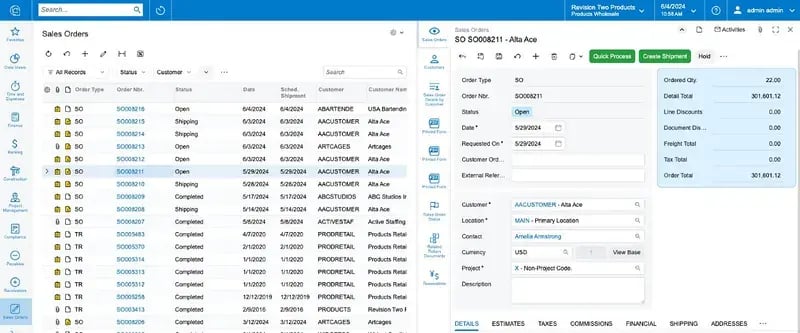 Acumatica keeps your books, inventory and orders together, with purchasing and warehouse work connected to sales and finance. It's an option when you want to leave NetSuite but still want those jobs in one system.
There's no charge for each user, so adding staff doesn't mean buying more seats. Usage and resource needs still affect the cost, though. And because you're moving to another ERP, your accounting records will need to move too.
Key Features
- Inventory across locations: You can see what's available in each warehouse, follow transfers and track lots and serial numbers.
- Warehouse execution: Mobile scanning helps the team receive, put away, pick, pack and ship stock.
- Distribution orders: Customer pricing, available stock and fulfillment stay connected as an order moves through.
- Purchasing: Supplier orders and approvals sit alongside the financial records, so there's less information to enter twice.
Pricing
Acumatica's pricing comes down to the applications you need, expected usage and how the system is deployed. There are no per-user fees, though higher usage can affect the cost. Ask for implementation, support and any extra applications to be listed in the quote.
Pros
- Adding staff doesn't mean buying more seats.
- Your books and distribution work stay in one system.
- Warehouse activity stays linked to purchases and sales.
Cons
- Moving the books means migrating and reconciling financial records.
- Higher usage can raise costs, even without seat fees.
- Extra applications and integrations can leave you paying for more than you need again.
SkuNexus
Best for merchants who need configurable operations software while keeping accounting separate.
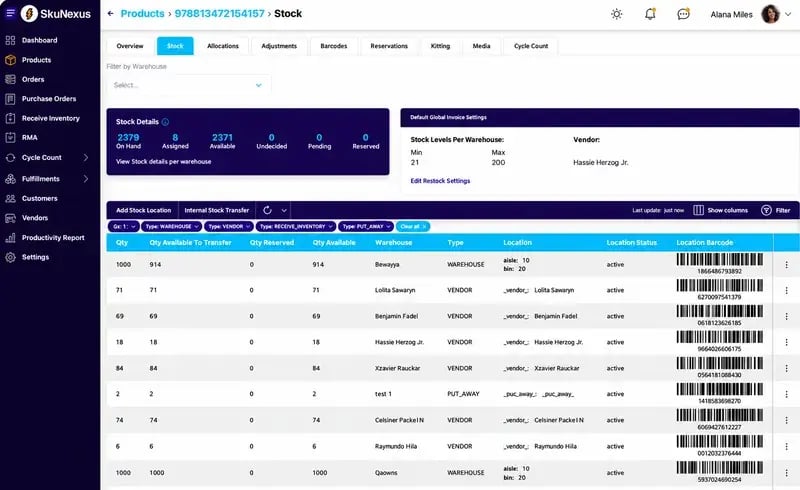
I built SkuNexus because I kept seeing merchants stuck between software they'd outgrown and enterprise systems they barely used. They needed a platform that could handle their order rules and warehouse management without making the team work around the software.
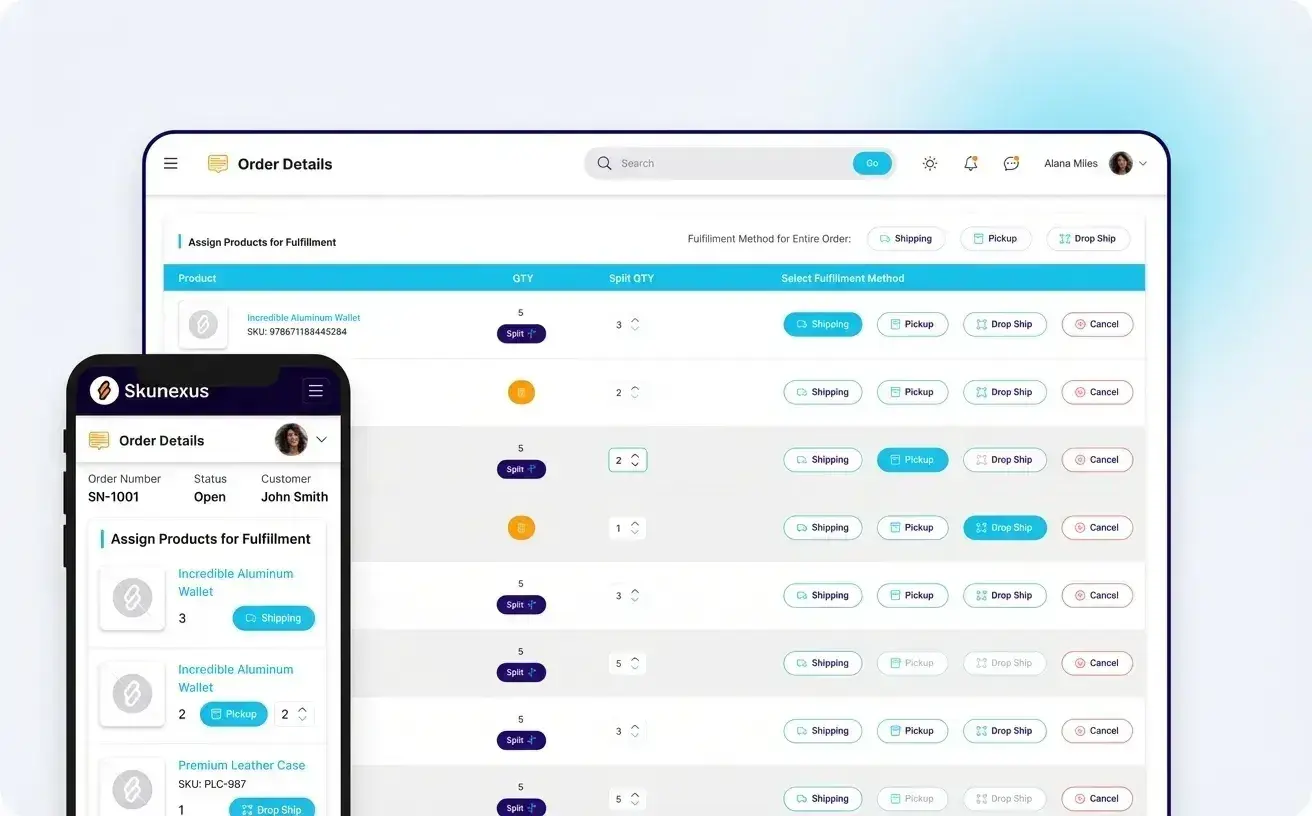
That's what we focus on. Inventory, orders, warehouse workflows and shipping run in one platform, configured around your operation. We build for merchants who handle their own fulfillment, where the details of receiving, allocating, picking and shipping matter every day.
Note that SkuNexus isn't an accounting system. Your books can stay in NetSuite while we handle orders and the warehouse, or you can move accounting elsewhere. There's a QuickBooks Online connector; other accounting and ERP connections are scoped around what needs to move between the systems.
Our integrations page explains how that works. Together, we agree which system controls each record, how often data moves and how failed updates get caught and resolved.
How the Fastener Distributor Used SkuNexus
For this distributor, we configured SkuNexus around the way its customers bought: purchase orders, agreed account terms and bulk quantities. Inventory, orders and shipping moved into one platform, and warehouse staff, customer service reps and account managers got the access they needed without extra seat fees.
They were using only about 40% of NetSuite's features. Our job was to give them the tools they needed to run the business, with workflows that fit their orders.
That's the approach we take with B2B and wholesale operations. We work through the details with you, from account pricing to freight requirements, and agree on what needs configuring before implementation.
Key Features
- Order routing and splitting: We configure rules around which warehouse or supplier should handle each order, including orders that need splitting.
- Multichannel inventory: Your stores, marketplaces and warehouses share one inventory record, so your team can see available stock in one place.
- Barcode warehouse workflows: Scanning helps staff confirm what they receive, put away, pick, count and ship.
- Native shipping: Carrier comparisons and labels are part of the fulfillment workflow, so there's no separate shipping tool to switch to.
- Vendor and purchase orders: Purchasing sits alongside stock and demand, giving the team the information behind each supplier order.
- Kits and bundles: Components stay tracked individually, even when you sell them together.
- Workflow configuration: We work through your processes with you and scope the configuration and integrations needed to support them.
Pricing
We quote based on what your operation needs, with a flat monthly platform fee and no per-user, per-order or per-warehouse charges. Any additional development is scoped separately. Bring your workflows and integration needs to a live demo, and we'll talk through the costs with you.
Pros
- Everyone who needs access gets a login without extra seat fees.
- Your ERP can keep handling the books while we run operations.
- Stock, orders, warehouse work and shipping stay in one place.
Cons
- You'll still need a separate system for accounting.
- ERP connections and specialized workflows take time to scope and test.
- Amazon and eBay orders need a storefront feed or scheduled file integration; we don't currently have direct adapters.
Microsoft Dynamics 365 Business Central
Best for businesses that want another ERP and already work extensively with Microsoft tools.
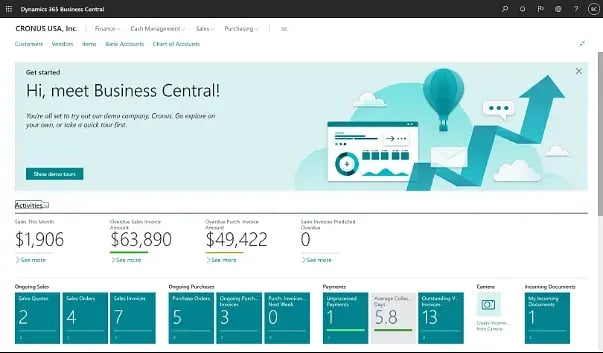
Outlook, Excel and Teams may already be part of your working day. Business Central connects with those tools while bringing accounting, sales, purchasing and inventory into one ERP. Business Central belongs on this shortlist for when you're moving both accounting and day-to-day operations off NetSuite.
The warehouse setup can be fairly simple or include separate receiving, picking and shipping steps, with directed putaway and picking where needed. Make sure to ask the implementation partner to walk through an actual order, so you can see how much setup your operation needs.
Key Features
- Microsoft 365 connections: Your team can work with Business Central through familiar tools such as Outlook, Excel and Teams.
- Finance and operations: Purchases, sales and inventory sit alongside the books, keeping the financial side connected to daily activity.
- Warehouse workflows: Bins, receipts, picks and shipments can be set up around how work moves through the building.
- Shopify Connector: Microsoft provides a connector for linking Shopify stores, preinstalled for new sign-ups and trials.
Pricing
Business Central charges per user, with Essentials and Premium plans and a limited-access Team Members license. Adding people can still increase the bill, so include the access each role needs, along with implementation, extensions and support, in the quote.
Pros
- Less jumping between systems to check figures or follow up on orders.
- Finance and warehouse staff work from the same records, so there's less to reconcile.
- A simpler warehouse can start with fewer steps and add more structure as it grows.
Cons
- Per-user licensing won't solve concerns about growing seat costs.
- Moving the books adds financial migration and reconciliation work.
- More detailed warehouse processes take more configuration.
Cin7 Omni
Best for wholesalers managing orders across retail trading partners and sales channels.
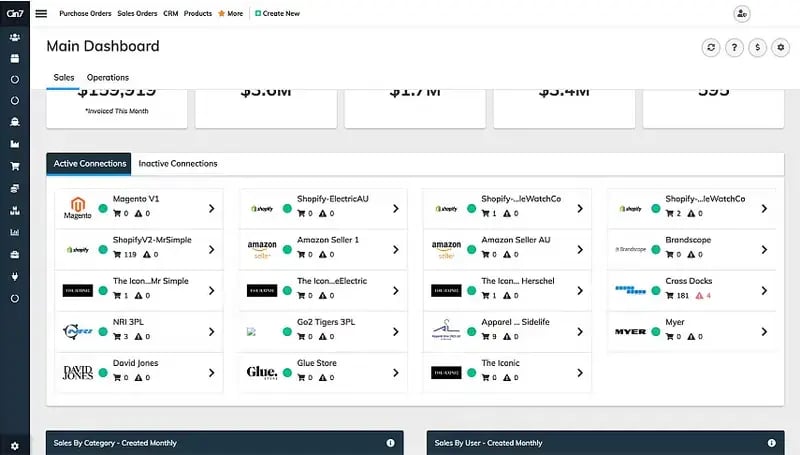
Selling through your own store is one thing. Supplying retailers means handling their purchase orders, paperwork and delivery requirements too. Cin7 Omni brings inventory, orders and those trading-partner connections together, while accounting stays in a separate system.
Just be clear about which Cin7 product you're buying. Omni and Core are separate products, so the features shown in a Core demo may not be what you get with Omni. For EDI, ask what's included and who handles the connection to each retailer.
Key Features
- Multichannel inventory: Stock across sales channels and locations is managed together.
- Order management: Your team can follow orders through fulfillment without checking each sales channel separately.
- EDI connections: Retailer orders and documents move between systems, with the exact connection method agreed during setup.
- Purchasing: Supplier orders sit alongside inventory, helping the team coordinate incoming stock with demand.
Pricing
Cin7 Omni uses custom pricing. Ask for the included users, integrations and modules to be spelled out in the quote.
Pros
- Less retyping of retailer orders when EDI connections are in place.
- Staff can follow orders across channels from one system.
- Changing inventory and order software doesn't mean you have to move the books.
Cons
- It doesn't replace NetSuite's financial management on its own.
- Additional users and connections can affect the commercial scope.
- EDI needs detailed confirmation: Cin7's page describes native EDI, while its comparison table refers to API and partner solutions.
Brightpearl
Best for multichannel retailers and wholesalers who want order automation with a choice of accounting setup.
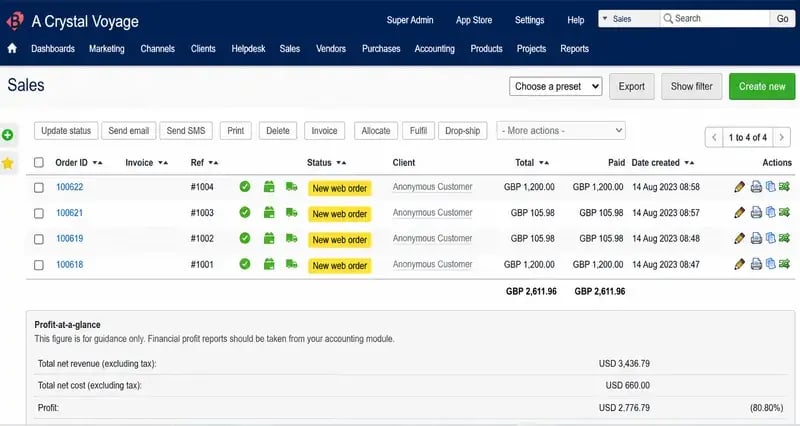
Brightpearl gives you a choice about where the books live. There's integrated accounting, or you can connect the accounting software you already use. That gives you room to change how orders and inventory are managed without automatically moving finance too.
On the operations side, rules handle stock allocation, backorders, split shipments and routing. Wholesale accounts can have their own prices, payment terms and credit limits, so the team doesn't have to keep checking those details elsewhere.
Key Features
- Order automation: Rules handle routine allocation and fulfillment decisions, including backorders and split shipments.
- Wholesale accounts: Each customer can have agreed prices, payment terms and credit limits.
- Warehouse workflows: Barcode scanning covers receiving, picking, packing and returns, with batch and wave picking available too.
- Accounting options: The books can sit in Brightpearl or a connected accounting system.
Pricing
Brightpearl provides a tailored quote, with unlimited users included. The implementation proposal sets out how the system will be configured and what it will cost before you sign.
Pros
- Adding staff doesn't bring extra seat fees.
- Routine orders can move along without someone handling every step.
- Wholesale terms stay attached to customer accounts, so staff don't have to check separate notes.
Cons
- Going live takes 90-120 days on average.
- Forecasting needs a connected tool, Inventory Planner.
- Order rules and integrations still need setting up and testing before the team switches over.
How to Choose a NetSuite Alternative
Decide Where the Books Will Stay
Your finance team may rely on reports, tax settings, currencies or company structures that the next system needs to support. Get those requirements down before choosing a replacement.
NetSuite can stay for accounting while another platform handles operations. Leaving entirely means finding a home for the books as well as the warehouse work.
Test the Problematic Orders
A straightforward order won't tell you much in a demo. Bring one with customer-specific pricing, a backordered item or stock split across warehouses.
Ask the vendor to walk it through allocation, picking, shipping and the accounting update. Find out what's included, what needs configuring and what someone would still handle by hand.
Be Clear About Which System Controls What
With two systems connected, both shouldn't be trying to overwrite the stock count. Agree where inventory, customer details, order status and financial records are maintained, then confirm how updates move between them.
One buyer in our buying conversations put it plainly: "their integration exists, but when things break, they break hard." Ask who spots a failed update, who fixes it and what happens to orders in the meantime.
Add Up the Whole Move
The subscription is only part of the cost. Get software, user access, implementation, integrations, support and extra development listed separately. Moving open orders, checking stock balances and training the team take work too.
Keeping NetSuite means paying for another platform alongside it. Replacing it means moving more records and processes. Compare the full cost with the work each setup would save your team.
Make Your Next System Fit the Way You Work
Leaving NetSuite doesn't have to mean buying another ERP. Start with what your team uses, where the books will stay and which jobs still take too much manual work.
At SkuNexus, we can help you move inventory, orders, warehouse work and shipping into one platform while keeping accounting separate. NetSuite can stay for financials if that's still working for you.
Book a demo and bring a few orders your team handles manually. We'll walk through how we'd handle them and what your setup would need.
FAQs
Can SkuNexus replace NetSuite?
SkuNexus can take over inventory, order, warehouse and shipping workflows, subject to your requirements and implementation scope. It isn't an accounting system. You need a separate financial platform or can retain NetSuite for accounting.
Which NetSuite alternatives include accounting?
Acumatica and Microsoft Dynamics 365 Business Central both include accounting alongside operations. Brightpearl offers integrated accounting or a connection to an existing accounting system. SkuNexus and Cin7 Omni handle operations with accounting kept separately.
Can we keep NetSuite for accounting and change warehouse software?
Yes. NetSuite can keep handling financials while another platform runs warehouse and order workflows. Before connecting them, agree which records each system controls, how updates move between them and who fixes a failed sync.
What data needs to move when leaving NetSuite?
That depends on the work you're moving. Inventory and order management usually involve SKU records, stock quantities, warehouse locations, open orders and customer terms. Lot and serial history may need to move too. Replacing accounting adds financial records and balances that your finance team will need to reconcile.
Related alternatives guides
Ready to Transform Your Operations?
See how SkuNexus gives you full control over inventory, orders, warehouse, and shipping.
Schedule a Free Demo →
Keep Reading