By Yitz Lieblich, Founder and CEO, SkuNexus
Quick Summary
The best multichannel order management software depends on where your orders come from and where they ship from. Linnworks fits sellers whose orders mostly come from Amazon and eBay. SkuNexus fits merchants who run their own warehouses and need routing, split shipments and dropship in one system. Cin7 Core suits smaller product businesses that want published plans and a free trial.
What Growing Multichannel Sellers Need From an OMS
When orders come in from five channels, someone has to decide which warehouse or vendor ships each one. Someone also has to split orders one location can't fill and update stock on every channel. If those calls live in one person's head and a spreadsheet, they break the day you add a dropship vendor or a second or third warehouse.
When that happens, an order goes to a warehouse that's out of stock, or a channel keeps selling units you've already sold elsewhere. A multichannel order management system makes those calls by rule instead. It checks stock and routes each order as it comes in, then sends the new count to every channel on its next sync.
We compared five of these tools on how they take orders in, route them, split shipments and sync stock.
Why Listen to Us?
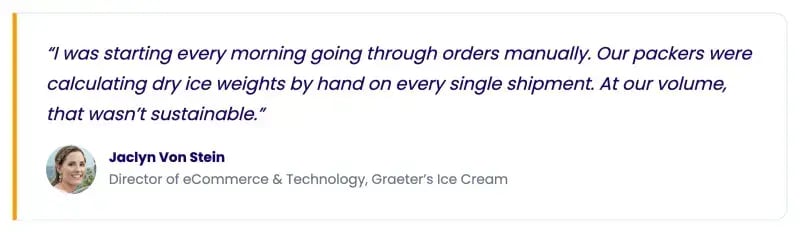
I've worked in eCommerce since 2007 and been hands-on in hundreds of warehouses. Graeter's Ice Cream ships frozen products from three warehouses, and it now processes 100% of its orders automatically. Every order goes from import to UPS label untouched, and SkuNexus is configured to set the dry ice for each shipment.
Building routing for operations like Graeter's is how we learned where tools in this category tend to fall short. I'll point out those gaps for every tool here, including ours.
What Is Multichannel Order Management Software?
Multichannel order management software pulls orders from every place you sell into one queue. It decides how each order gets fulfilled, picking the warehouse, store, vendor or 3PL (third-party logistics provider) that ships it. Then it sends tracking and updated stock counts back to every channel, ensuring your listings only show what you can actually ship. It overlaps with inventory management, which our guide to multichannel inventory management covers in depth.
Why Is Multichannel Order Management Software Important?
A multichannel OMS changes your operation in five ways.
- Fewer oversells and lost customers: When a unit sells on Walmart, it comes off your Shopify listing on the next sync. That matters, because 45% of US shoppers who hit a stockout buy from a different retailer, according to DOSS.
- Less retyping between order screens: Orders from every channel land in one queue, so no one checks five order screens and copies orders into a sixth. That gives your team back the hours spent on data entry and removes the typos that turn into wrong shipments.
- Faster delivery from the closest stocked location: Routing rules send each order to a location that has every item and is closest to the customer.
- Backorders stop holding up whole orders: In-stock items ship right away. The backordered item ships separately once stock arrives, or a dropship vendor sends it.
- New channels plug into the same rules: A new marketplace or wholesale account is one more connection to the same queue, following the routing you already have.
5 Best Multichannel Order Management Software
Each tool suits a different kind of seller:
- Linnworks: Marketplace-heavy sellers
- SkuNexus: Merchants who run their own warehouses
- Cin7 Core: Smaller product businesses that want published plans
- Veeqo: US and UK sellers who want a free order queue
- ShipStation: Single-warehouse sellers who mostly need labels
1. Linnworks
Linnworks is multichannel inventory and order management software for growing eCommerce businesses.
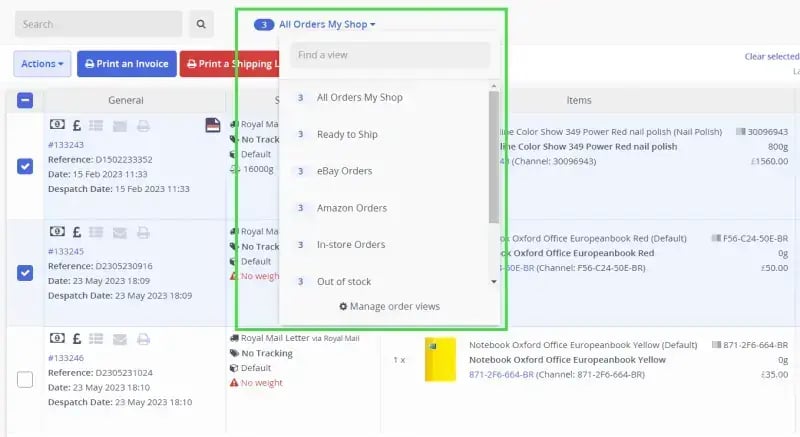
It pulls Amazon, eBay, Walmart, TikTok Shop, Temu and Shopify orders onto one screen. It covers more marketplaces than SkuNexus, which makes it a natural fit if Amazon and eBay bring in most of your orders.
Key Features
- Rules Engine: Assign a location, shipping service or tag to each order with no-code if/then rules.
- Fulfillment Networks: Let Linnworks pick a location by stock, or split an order across warehouses.
- Auto Split: Split an order in one click by weight, default supplier, out-of-stock items or cost.
- Inventory Sync: Write stock back to every channel from one central record, with a cap per channel.
Pricing
Linnworks has no public pricing. You'll need to speak to a specialist to get a quote. Plans are tiered by monthly order volume, with overage charges past your tier, and fuller onboarding is a one-off fee.
Pros
- It connects directly to Amazon, eBay, TikTok Shop and Temu, removing any need for feed or file workaround.
- Rules can route orders to Amazon FBA, a 3PL, a dropship vendor or your own warehouse.
- Since pricing follows order volume, adding a channel usually doesn't add a fee.
Cons
- Stock-based routing runs through Fulfillment Networks, which you may need to ask Linnworks Sales to switch on.
- Quality control and serialization are part of SkuVault Core, which is only sold in North America.
- Fees are non-refundable, and the standard North American terms renew automatically.
2. SkuNexus
SkuNexus is an inventory, order and warehouse management platform for eCommerce merchants who do their own fulfillment. Orders from Shopify, BigCommerce, Magento 2, WooCommerce, Shopware 6 and Walmart come into one queue with one set of rules. EDI, wholesale and custom channels connect through our API, SFTP or flat files. That means EDI trading partners and wholesale accounts follow the same routing rules as your webstore orders.
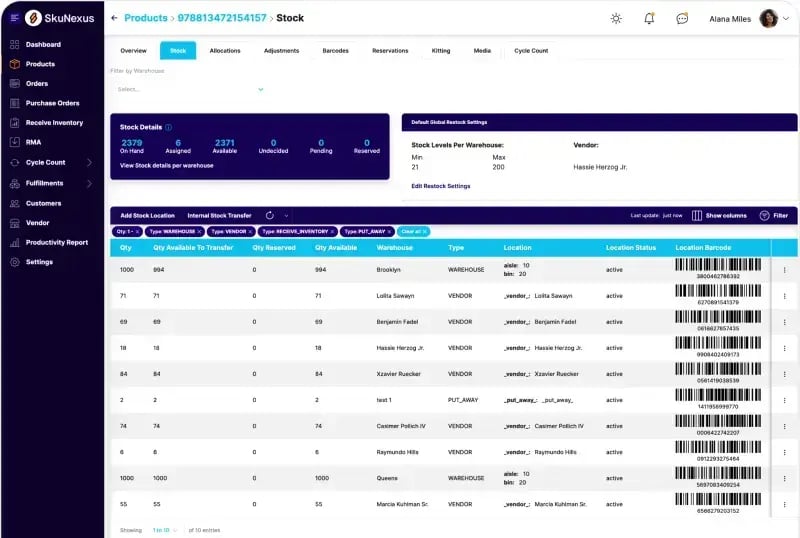
Our Auto-Decision Engine checks each order against IF/THEN rules you set on item type, location, channel, order value or stock. ShipStation and Veeqo route by stock and distance, but ours also weighs carrier cost and the delivery date you promised. If the nearest warehouse is out, it'll try the next closest, then a dropship vendor.
You'll always see why an order went where it went. Each one gets a Decision Plan showing which warehouse ships which items. Anything that doesn't match a rule waits in a Review Queue. And after every pick, receipt or adjustment, we push the new available count to each connected channel on that channel's sync schedule.
Key Features
- Split Fulfillment: Ship part of an order from your warehouse while a vendor dropships the rest.
- Backorder release: Queue out-of-stock lines and release them automatically when stock arrives.
- Per-channel safety stock: Set a buffer, a cap and a zero floor for each channel or listing.
- Rule simulator: Test a routing rule against sample orders before you switch it on.
- Dropship purchase orders: Generate POs automatically and send them to your vendors by email, API or CSV.
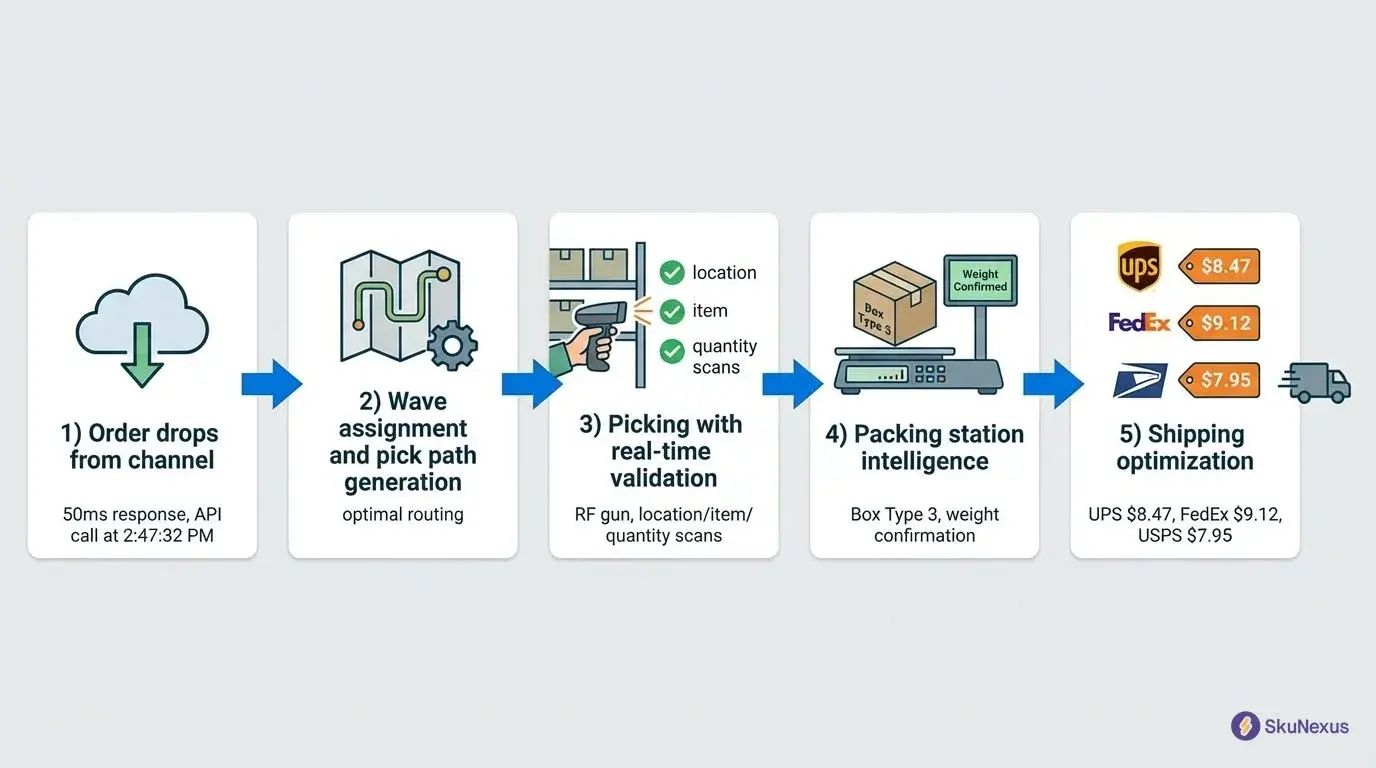
- Barcode-verified picking: Run zone-based wave picking with scan checks on RF guns or phones.
- Rate shopping: Compare UPS, FedEx, USPS and DHL rates on your own carrier accounts at the pack station.
Pricing
We price SkuNexus as a custom quote based on your channels, warehouses and integrations. You won't pay per-user, per-order or per-warehouse fees, and every implementation includes onboarding hours. Source code access comes with the enterprise tier.
Pros
- Routing, picking, purchasing and shipping run in one system, which ends the "nothing talks to each other" problem that comes with a stitched-together stack.
- One order can ship from your warehouse, a dropship vendor and store pickup at once.
- With no per-user fees, adding packers for peak season won't require extra seats you'd have to pay for.
Cons
- There's no direct Amazon or eBay connector. Those orders come in through a storefront feed or SFTP files.
- It's not a same-day setup, since a typical core implementation goes live in 4 to 8 weeks.
- There's no self-serve trial. You'll see it in a guided demo on your own orders.
3. Cin7 Core
Cin7 Core, formerly DEAR, is inventory software for small to medium product businesses. It brings Shopify, Amazon, WooCommerce, Etsy, B2B portal and POS orders into one sales list.
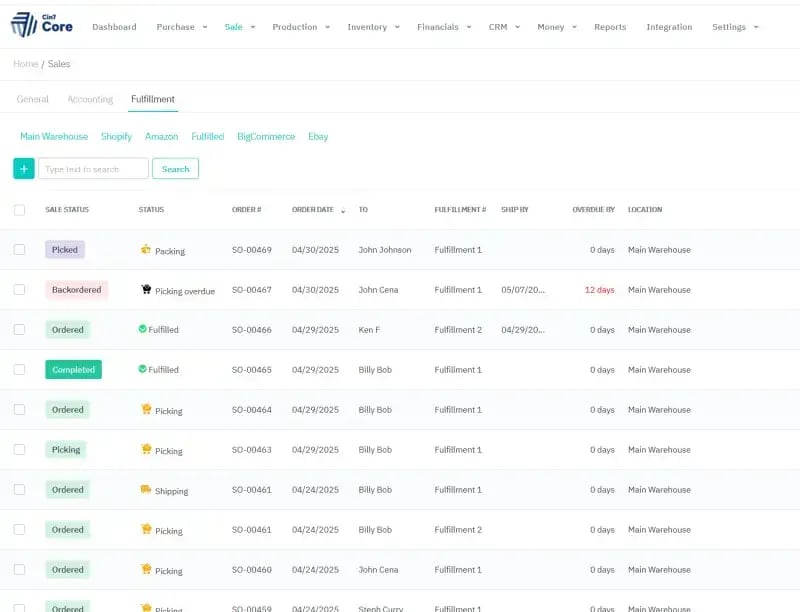
Routing works by geography, allowing you to map shipping zones to inventory locations by postcode, city, state and country. That's simpler than SkuNexus's rules, and it suits you if each region always ships from one warehouse.
Key Features
- Advanced Sales: Ship and invoice one sale in parts, each with its own carrier and tracking.
- Split Order: Create a second order for out-of-stock items so the rest can ship now.
- Buffer inventory: Push stock to each channel minus a buffer you set per channel or product.
- Workflow automation: Backorder items automatically when a sale is authorized, using the Automation module.
Pricing
Cin7 Core publishes three monthly plans (Standard, Pro and Advanced). Each one includes a set number of users, integrations and yearly sale orders, and you can buy more of each. The B2B portal, POS and API are add-ons, and there's a 14-day free trial with no card.
Pros
- You can see prices before you talk to sales.
- Every plan includes unlimited inventory locations.
- Partial shipments can update the Shopify order with tracking for each item.
Cons
- Since each plan caps yearly sale orders and channel integrations, you'll need to buy add-ons as you grow.
- Each routing zone can only point to one inventory location, though it'll fall back to another location with stock if that one runs out.
- Automatic picking, packing and shipping don't apply to B2B sales.
4. Veeqo
Veeqo is free multichannel shipping software that Amazon has owned since 2021. It pulls Amazon, eBay, Shopify, Walmart and TikTok Shop orders into one dashboard for US and UK sellers.
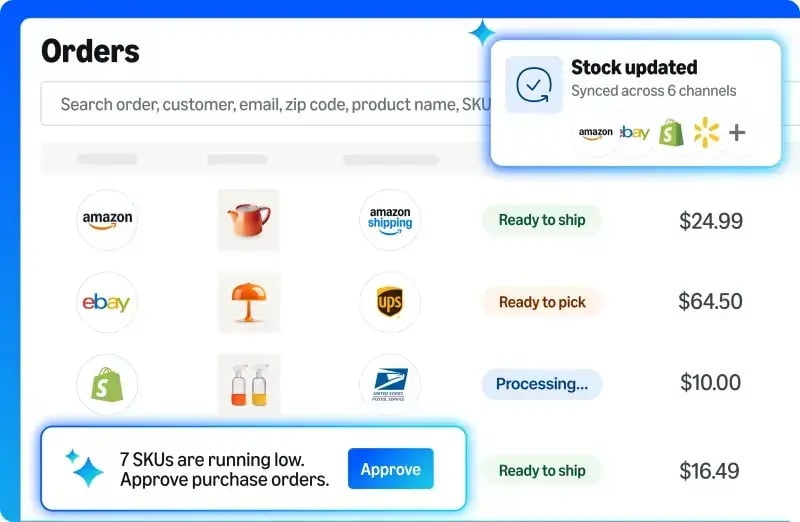
Smart Order Routing is free, while ShipStation saves routing for its Premium plan. It'll work down your ranked list of locations, or pick the closest one with stock, and split orders when it has to.
Key Features
- Automation Rules: Set carrier, service, packaging and tags automatically by channel, destination or order total.
- Partial allocation: Ship part of an order now and the rest when stock comes in.
- Inventory Control: Push stock to every channel from Veeqo or a master channel, on paid plans.
- Inventory Rules: Show each store a different stock level than you physically hold.
Pricing
Veeqo's shipping features are free, because it takes a commission on each label you buy through it. Inventory sync and digital picking come with paid plans, billed monthly on your seller-fulfilled orders. Orders that Amazon fulfills for you through FBA or Multi-Channel Fulfillment don't count.
Pros
- The order dashboard, rules and routing don't cost anything.
- Its protected labels can shield your Amazon on-time delivery rate when a shipment runs late.
- You can use your own carrier accounts alongside Veeqo's pre-negotiated rates.
Cons
- Pushing stock to your channels is paid, and accounts opened before May 5, 2026 now have to subscribe to keep it.
- It only serves sellers in the US and UK.
- You'll trigger the first push yourself because linking a new location doesn't push stock right away.
5. ShipStation
ShipStation is shipping software for eCommerce fulfillment, and plenty of merchants already run their multichannel orders through it. It pulls orders from marketplaces like Amazon, eBay and Walmart and carts like Shopify and WooCommerce into one queue.
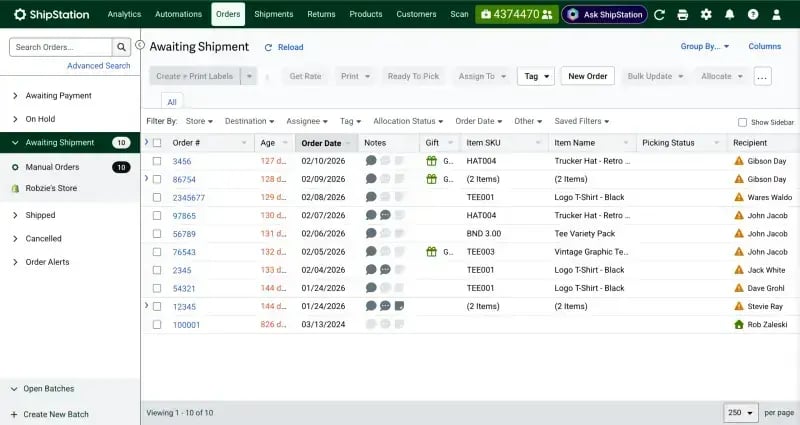
It has added rules, routing and stock sync, which covers a lot if you ship from one warehouse. But if you need deeper inventory tools, its own help center points you to its partners.
Key Features
- Automation Rules: Set the ship-from location, carrier, service or a hold as orders import.
- Order Routing: Pick a ship-from location by stock and distance on the Premium plan.
- Split Ship and Auto-Split: Divide an order into several shipments by hand, or automatically on select plans.
- Inventory Sync: Push on-hand stock minus committed orders to supported channels.
Pricing
ShipStation sells three plans (Starter, Standard and Premium), priced by monthly shipment volume with a set number of user seats. You can add users on Standard and Premium, and Inventory Sync starts on Standard. There's a 30-day free trial with no card.
Pros
- You can connect unlimited stores.
- You get 200+ global parcel carriers and 50+ LTL (less-than-truckload) freight carriers in one login.
- Order Routing can split an order across locations when items are stocked in different places.
Cons
- Once an order is split, the marketplace stops sending updates to it.
- Rules based on item name or SKU only work on single-line orders.
- Inventory Sync won't stop overselling if a channel allows sales when you're out of stock.
How We Evaluated These Tools
In October 2026, we read each vendor's product pages, pricing and help center, then checked each tool on four jobs:
- One order queue: Orders from every channel, wholesale and EDI included, arrive in one place.
- Routing rules: The tool checks stock first, then picks a location using your rules. Our order routing guide shows what that looks like.
- Split shipments: One order can ship from several places or in parts, with tracking for each box, as our split order fulfillment guide shows.
- Inventory write-back: Available stock goes back to every channel you sell on, with a buffer per channel.
We left out listing tools, marketplace apps, 3PL-led systems and enterprise suites, since they solve a different problem.
How to Choose a Multichannel OMS
Start with how orders reach you and where they ship from, then test each tool against those facts in a demo.
- List every order source, EDI included: Count your webstores, marketplaces, wholesale accounts and EDI trading partners. If wholesale or EDI orders can't go in the same queue, your B2B orders end up on a second screen. Ask the vendor to show an EDI order arriving next to a Shopify order.
- Map where an order can ship from: One warehouse only needs a ship-from rule. Once you add a second warehouse, a store or a dropship vendor, you'll want routing that checks stock first and can split one order across sources.
- Decide what routing has to weigh: Stock and distance are enough for many sellers. If carrier cost or the delivery date you promised matters, ask to see a rule that uses them. Also ask what happens to an order no rule matches.
- Check how stock goes back out: Ask how often available stock reaches each channel, and whether you can set a buffer or cap per channel. A slow sync on a fast-selling channel is a common cause of oversells.
- Pick the trade-off you can live with: Marketplace-first tools connect to Amazon and eBay directly but may treat wholesale and EDI as add-ons. Warehouse-first tools handle wholesale and dropship routing in one queue but may bring marketplace orders in through a feed.
- Match the pricing model to how you'll grow: Plans priced on order volume grow with your orders, plans with seat caps grow with your team, and quoted pricing depends on scope. Work out whether your orders or your headcount will grow faster.
Which Multichannel OMS Is Right for You?
Every tool here pulls your orders into one queue, but each one routes, splits and syncs stock differently. Which one fits comes down to where your orders come from and where they ship from.
Linnworks suits marketplace-heavy sellers, since it connects to Amazon and eBay directly. US and UK sellers should also look at Veeqo. Cin7 Core is the easiest to price out yourself, with a B2B portal and POS as add-ons. ShipStation may be all a single-warehouse seller needs for now, and our ShipStation alternatives guide covers what comes after it.
Growing sellers often end up choosing between out-of-the-box tools with fixed workflows and enterprise suites like NetSuite or SAP that take months to implement. SkuNexus sits in the middle, configured to your workflow without an enterprise rollout. It's built for merchants who run their own warehouses and sell across webstores, wholesale and EDI. It works best when routing has to juggle several warehouses, dropship vendors and delivery promises. It isn't the right fit when a 3PL handles all your fulfillment.
Book a demo, and we'll run your own orders through the routing rules in a 30-minute session.
Frequently Asked Questions About Multichannel OMS
1. What is the difference between WMS and OMS?
An OMS (order management system) decides what happens to an order, and a WMS (warehouse management system) gets it done inside the warehouse. The OMS takes orders from every channel, picks the location that ships them and keeps stock in sync. The WMS runs receiving, picking and packing, and our OMS vs WMS guide goes deeper.
2. What's the difference between an order management system and an ERP?
An ERP (enterprise resource planning) system is your financial system of record, covering accounting, purchasing and your item master. An OMS controls how each order gets from the channel to the shelf and out the door. The ERP knows a sale happened, and the OMS decides how it's fulfilled.
3. Is Shopify an order management system?
Partly. Shopify has built-in order routing once you've got two or more active locations, and its Marketplace Connect app brings Amazon, Target Plus, Walmart and eBay orders into Shopify. A separate OMS comes in when wholesale orders, EDI partners and dropship vendors need to follow the same routing rules as your store.
4. Can a multichannel OMS handle B2B and wholesale orders?
Yes, but check how those orders get in. You'll want EDI for retail trading partners, a way to take wholesale orders, and rules for bulk orders. Cin7 Core sells a B2B portal as an add-on, and SkuNexus takes EDI and wholesale orders into its main queue.
5. What are the stages of order management?
Most orders move through capture, validation, inventory allocation, fulfillment routing, picking and packing, shipping and tracking, and post-delivery work like returns. A multichannel OMS handles capture through routing, and a WMS takes over at picking and packing. Our order management guide walks through each stage.
Ready to Transform Your Operations?
See how SkuNexus gives you full control over inventory, orders, warehouse, and shipping.
Schedule a Free Demo →
Keep Reading