Quick Summary
ShipStation can run your inventory, but your team may still be doing a lot of remembering, checking and explaining to get orders out. Here’s how to assess your setup, spot where an OMS or WMS could help, and decide what to do about shipping.
How Much Still Depends on Your Team?
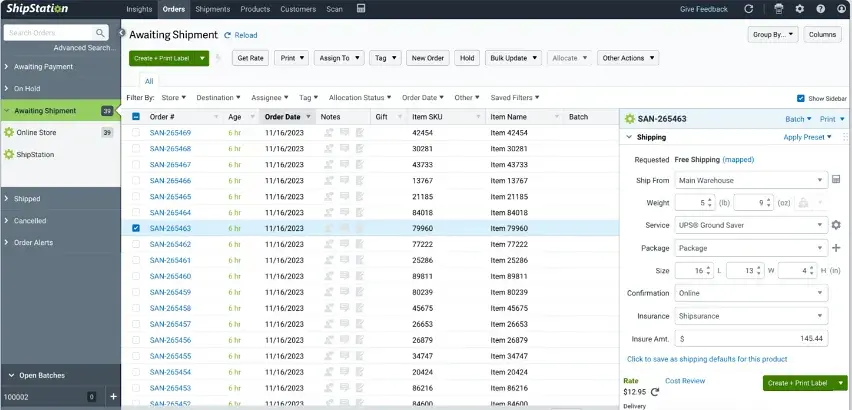
Yes, ShipStation can run your inventory. It tracks stock, syncs quantities with your stores, handles receiving and purchase orders, and routes orders between warehouses.
The gaps show up when orders can’t move without someone explaining what to do. Stock is reserved for a wholesale customer, but only an order note says so. A tag means “hold this,” but someone has to check who can release it. Orders for the second warehouse wait until you’ve checked them.
In our review of 78 buying conversations, buyers named ShipStation in 15, making it the most-mentioned point solution we tracked. In several, merchants were using it as their order management hub. One put it plainly: “We’re using ShipStation for more than it should be used for.”
Let’s check if ShipStation covers the work you need it to do. Then we’ll look at when an OMS or WMS would help, and what that means for your shipping setup.
Why Listen to Us?
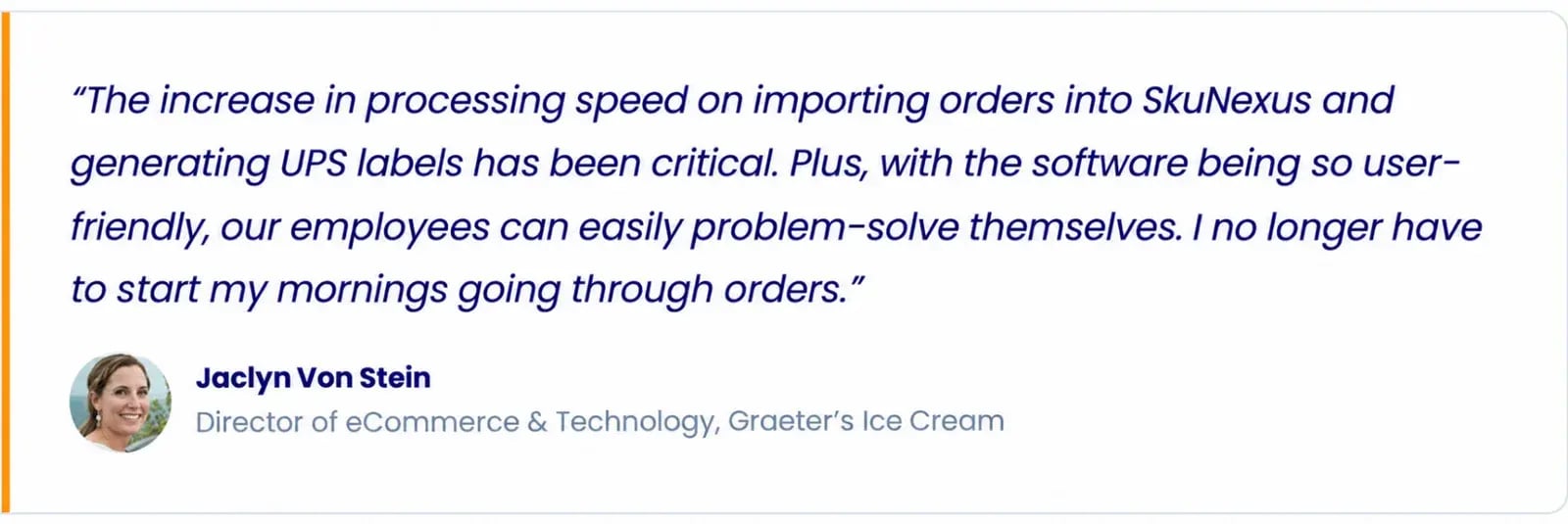
I’ve worked in eCommerce since 2007 and founded SkuNexus in 2018. We’ve helped merchants like Graeter’s Ice Cream connect three warehouses and replace manual dry ice calculations with configured packing instructions.
When I look at an operation, I start by checking what its existing software can handle and where the team still has to step in. Let’s do that with your ShipStation setup.
First, Check What ShipStation’s Inventory Tools Can Handle
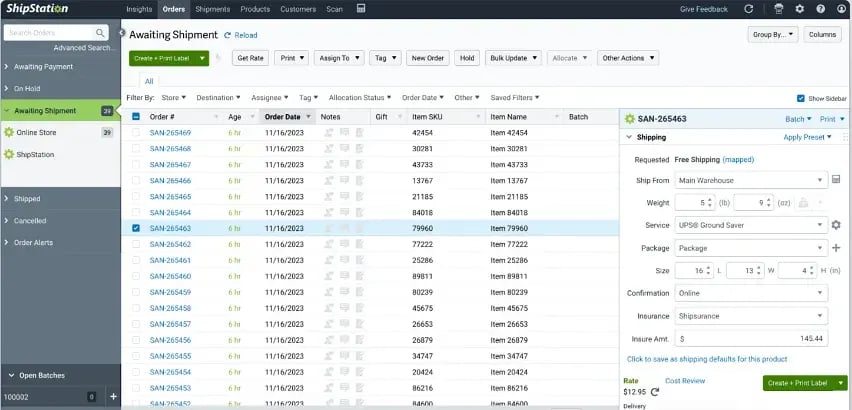
ShipStation’s inventory tools cover several parts of the job:
- Stock tracking: Track quantities by warehouse and bin, see stock committed to active orders, and deduct inventory when you create a shipping label.
- Inventory Sync: Send stock updates from selected inventory sources to supported stores and marketplaces.
- Receiving and replenishment: Receive goods with barcode scans, manage purchase orders, get reorder recommendations and transfer stock between warehouses.
- Order routing: Choose fulfillment locations based on stock and proximity, prioritize fewer shipments, or split an order across locations.
The feature list is a starting point. Next, check how those tools work in your account.
Confirm what your account includes
Check your plan, region and channel support. Inventory Sync and Order Routing aren’t on every plan, and routing is limited to US and Canadian accounts. Importing orders from a store doesn’t mean inventory sync is enabled too.
Decide which system owns the stock count
Agree where receipts, returns and adjustments are recorded, then confirm how updates reach your stores. ShipStation’s Inventory Sync runs every 10 minutes after the initial sync. It won’t stop overselling if your store allows out-of-stock purchases.
Check your warehouse and product assignments
Confirm each Ship From Location is linked to the correct inventory warehouse and products are assigned to the locations that fulfill them. Run a few orders through: stock should deduct from the right warehouse, orders should route correctly, and counts should update in your stores.
Once you’ve checked the setup, look at the orders that still need someone to step in. Their notes and tags are a good place to start.
Identify Where Notes and Tags Have Become Operating Instructions
A “Fragile” tag tells the packer how to handle an order. But when notes and tags determine which stock they can use or when an order can ship, they’re carrying decisions your team has to interpret and enforce.
Say you have 50 units left. An order note tells the team to reserve 30 for a wholesale customer, while a tag tells the packer to hold another order until you approve it. Someone now has to protect those 30 units, check with you and update the order when you give the go-ahead. Miss an instruction, and the wrong stock can leave the building.
Pull up a few orders with exceptions and check:
- What needs interpreting? Can staff act on the instruction, or do they need someone to explain it?
- How many updates does one decision require? Follow a hold or allocation change through its notes, tags and rules.
- What happens when the instruction changes? Check that the order follows the new decision.
That last check is important. ShipStation says changes to orders already in Awaiting Shipment don’t trigger Automation Rules. Adding a tag at that point won’t automatically rerun the rule you expect it to trigger.
You don’t need to eliminate notes and tags. But if staff have to piece them together before they can ship an order, write down the decision they’re making. That’s a workflow your system needs to support.
Write Down the Routing Rules Your Team Follows
ShipStation can route orders by stock availability and proximity, prioritize fewer shipments and split orders across locations. Start there, then check the other decisions your team makes.
A warehouse might have stock that’s reserved for wholesale customers. Another building might fulfill only marketplace orders. When neither can fill an entire order, your team needs to know when to split it, wait for a restock or send part to a dropship vendor.
Write each decision as a plain IF/THEN rule. For example:
- IF stock is reserved for a wholesale customer, THEN exclude it from other orders.
- IF an order comes from a marketplace, THEN route it to the warehouse assigned to that channel.
- IF no warehouse can fill the order, THEN check vendor availability before splitting it or placing it on hold.
Also, use your actual rules, including what happens when the first choice isn’t available. Name the person responsible for keeping each rule current, then check how it runs today. Is it through ShipStation’s settings, another system or someone making the call manually?
Finally, pay attention to unusual orders that wait when the person who knows where they go is out. Those are the decisions I would document first.
Walk Through Adding a Warehouse or Dropship Vendor
Another warehouse or vendor adds stock to track and more people handling orders back and forth. But it doesn’t automatically mean you need new software. I recommend testing how an order would move through the expanded setup before making that call.
Adding another warehouse
Let’s say there’s an order for two products. One warehouse has both, but some units are already committed. The other has only one product.
Follow the order through your setup:
- Check available stock: Can your team see what’s in each building and what’s already promised to other orders?
- Check the routing decision: Does the order reach the location your rules call for?
- Test a shortage: If neither warehouse can fill the whole order, does it split, wait or need someone to intervene?
- Follow the stock updates: For transfers, check when stock leaves the source warehouse and becomes available at the destination. For customer shipments, confirm the stock deduction reaches your stores.
ShipStation supports multiple inventory warehouses and can split orders across locations. Its documentation also warns that updates for split shipments may not sync back to marketplaces, so test the channels you use.
Adding a dropship vendor
Follow an order you’ll send to a supplier and check:
- How the vendor receives the order.
- How you confirm stock is available.
- Who confirms acceptance and handles items the vendor can’t supply.
- How shipment status and tracking get back to your store.
ShipStation’s Dropship Manager lets you delegate orders to vendors with their own ShipStation accounts and receive shipment confirmations. But inventory quantities aren’t shared between those accounts, and purchase order reconciliation isn’t supported. You’ll need a process for those parts.
Without the add-on, ShipStation also supports exporting orders to a CSV for the vendor, then marking them shipped when tracking comes back, or giving the vendor restricted account access.
As you walk through both setups, mark every step that needs an email, spreadsheet or manual check. Note who handles it and what happens if they miss it. That gives you a concrete list of gaps to address before the new warehouse or vendor starts taking orders.
Determine If the Gaps Call for an OMS, a WMS or Both
Go back to the steps your team handles manually. Are orders waiting for a decision, or do staff need help getting the warehouse work done? That will help you decide if you need an OMS or WMS, or both.
Signs you need an OMS
An order management system (OMS) controls how orders are allocated, routed, held and split across fulfillment sources. I’d consider one when:
- The same order decisions keep needing approval: Staff check which stock they can use, which warehouse should ship or when to release a hold.
- Vendor orders need constant follow-up: Your team pieces together emails and tracking updates to establish what’s accepted, delayed or shipped.
- Exceptions wait for one person: An unusual order sits until the person who knows the rules is available.
Write down those decisions and test how an OMS would handle them, including what happens when an order can’t follow the usual route.
Signs you need a WMS
A warehouse management system (WMS) directs receiving, putaway, picking and counting, and records the stock movements involved. Look at one when:
- Staff need someone to show them the next step: Receiving and putaway depend on verbal instructions, or pickers rely on experienced employees to find products.
- Physical moves get recorded later: Goods change bins or leave the building before the stock record catches up.
- Counts need repeated reconciliation: Your team spends time working out where stock went and correcting quantities.
For these gaps, I’d want to see a warehouse task demonstrated from start to finish. Give a new employee the instructions and check if they can complete it without asking the warehouse veteran.
When you need both systems
Consider an OMS and a WMS when staff have to explain to the warehouse team how orders should be fulfilled. For example, an order needs items from two warehouses. The OMS decides how to split it, and the WMS directs each warehouse to pick its share. Both shipments need to stay tied to the original order so your team can see what has shipped and what’s still outstanding.
Check how your current tools handle that handoff. If staff have to update stock in one place and pass picking instructions separately, look for a setup that keeps the allocation and warehouse work connected.
See How an Auto Parts Wholesaler Replaced Its Fragmented Setup
An auto parts wholesaler we worked with had more than 100 custom programs alongside ShipStation and Revolution Parts. No single developer understood the whole setup. Adding a vendor or changing a carrier meant finding and updating the programs involved.
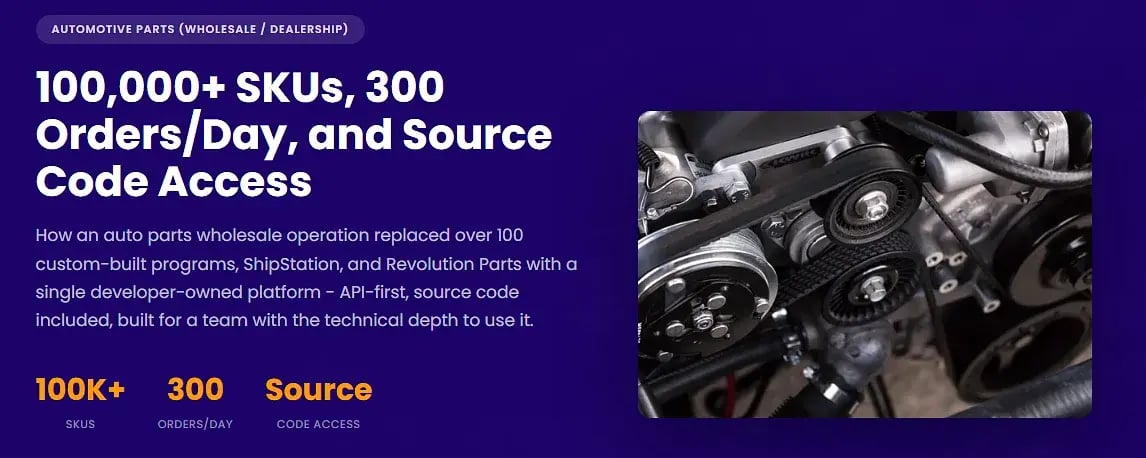
As those processes move into SkuNexus, the changes are showing up in the warehouse and the development team:
- Warehouse staff get clear direction: Receiving, putaway, picking and shipping now follow WMS-directed workflows across a 40,000-square-foot facility handling about 300 orders a day.
- Kit changes no longer need separate custom programs: Marketplace-specific bundle rules are managed through platform configuration.
- Developers can maintain each other’s work: A documented API and accessible source code give the team a shared system to work from, reducing dependence on whoever wrote a particular program.
The work is still moving over, but fewer day-to-day tasks now depend on finding the person who knows how a particular program works.
Choose Between Keeping ShipStation and Consolidating Shipping
Needing more control over orders and warehouse work doesn’t mean you have to replace your label setup. You have two options.
Keep ShipStation for labels
If ShipStation works well for your shipping team, you can keep it. An OMS/WMS can manage stock, decide where orders go and direct warehouse tasks, then pass shipments to ShipStation for labels.
Before implementation, agree on:
- Which system owns each record: Make it clear where staff update orders, adjust stock and check fulfillment status.
- How updates move between systems: Walk through order changes and cancellations as well as tracking and shipment confirmations. Check what happens if an order changes after it has reached ShipStation.
- Who handles failed updates: Someone needs to know when a handoff fails, what didn’t arrive and how to retry it without creating duplicate work.
If you’re considering this setup with SkuNexus, we’d need to confirm the connection and scope the work around your workflow.
Move shipping into the same system
You can also bring shipping into the platform that manages your orders, inventory and warehouse work. That gives your team fewer handoffs to monitor as an order moves from allocation to picking, packing and a shipping label.
SkuNexus ships natively, with pre-negotiated carrier rates and built-in rate shopping. We configure routing and warehouse workflows around your operation, including how orders are assigned, picked and prepared for shipment.
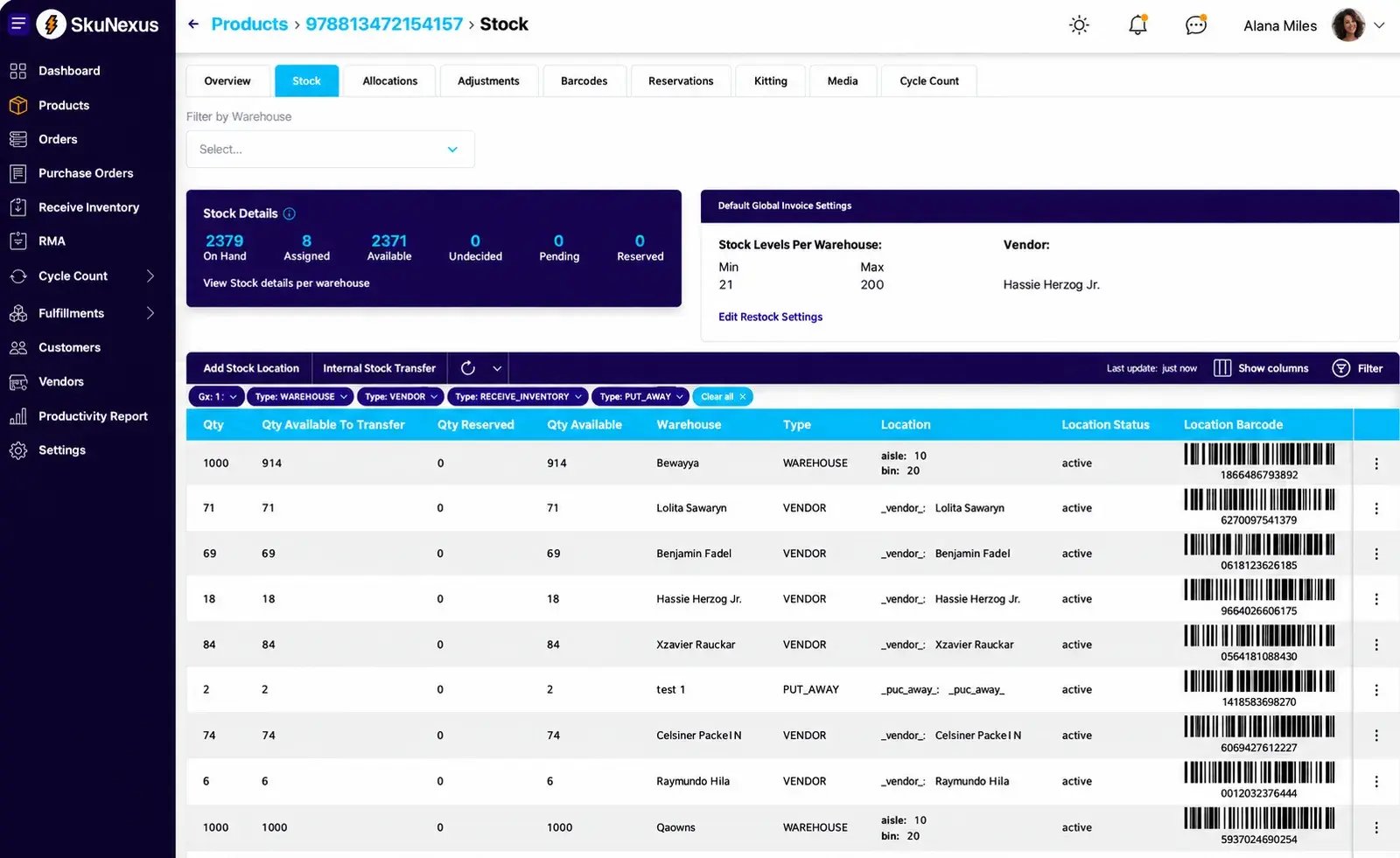
The choice comes down to how your team works. You may keep ShipStation if its label workflow serves you well and the connection can support the updates you need. But if you’d prefer to manage fulfillment in one place, consider bringing shipping into SkuNexus.
For a closer look at the options, our ShipStation alternatives guide explains where each approach fits.
Bring Your Current Workarounds to a Demo
You’ve checked what ShipStation can handle. Now let’s look at the work your team still has to manage around it.
Book a demo and bring an order note your team relies on, a routing exception that needs your approval and a warehouse task that takes too much explaining. We’ll walk through how you handle each one today and how it could work in SkuNexus.
Frequently Asked Questions
Should I fix my inventory counts before switching systems?
Yes. Reconcile your physical stock, open orders and committed quantities before going live. Moving inaccurate counts into new software leaves your team chasing the same discrepancies.
Do I need to document every workflow before booking a demo?
No. Start with a few orders that regularly need someone to step in. When you book a demo with SkuNexus, bring the notes, spreadsheets or instructions your team uses. We can use those examples to discuss how your workflows could be configured.
Can I move to a new system in stages?
Yes, provided each stage has clear boundaries. You could start with one warehouse or sales channel, but define which system controls its stock and orders. With SkuNexus, we’d review your integrations and scope the handoffs needed during the transition. Test shared inventory and order updates before expanding.
Will I lose my order history when I switch?
Not necessarily. What you can transfer depends on the records you can export and what the new system can import. Confirm which order details, notes and shipment records will move, and arrange access to anything you need to retain separately.
Ready to Transform Your Operations?
See how SkuNexus gives you full control over inventory, orders, warehouse, and shipping.
Schedule a Free Demo →
Keep Reading