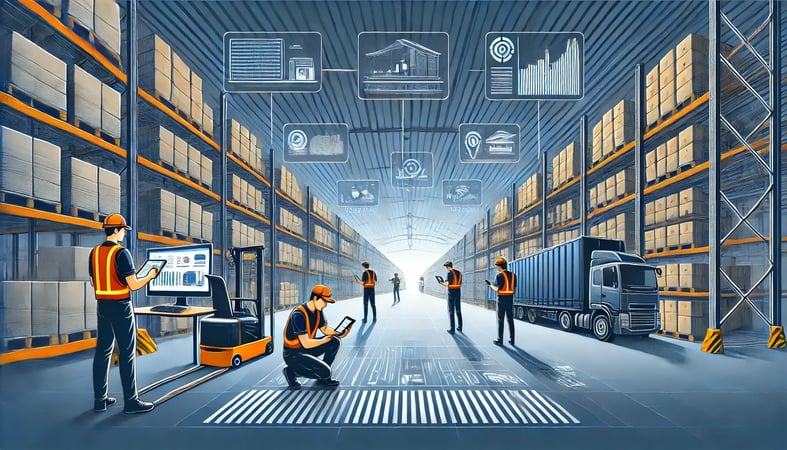
Warehouse Management and Inventory Software, in One System
Compare the best warehouse management software for eCommerce. Automated pick/pack/ship workflows, multi-warehouse support, and real-time operations control. Free demo available.
SkuNexus Team·April 01, 2024·26 min read
Warehouse management and inventory software is one system that directs the physical flow of goods through your building and keeps the stock record that everything else trusts. It tells your team where to put inventory when it arrives, where to find it when an order comes in, and confirms what left the building, while keeping a live count of every unit by location.
The reason to run warehouse management and inventory in a single platform, rather than a separate WMS bolted to a separate inventory tool, is that there is only one stock record. When a unit is received, picked, packed, shipped, or returned, the same record updates once. With two systems, that record lives in two places, and the two drift apart. The drift is what produces oversells on your storefront and a count on the screen that does not match the shelf. SkuNexus keeps inventory, warehouse, and order fulfillment on one record so receiving through shipping is the same source of truth, not three systems you reconcile at the end of the day.
I have walked the floor of hundreds of warehouses. The thing I have learned is that the difference between a warehouse that runs and one that is a daily mess is almost never the building, the racking, or the people. It comes down to one question. Is there a real system underneath the work, or is the warehouse running on memory, spreadsheets, and a few people who happen to know where things are.
Warehouse management software is the system that sits underneath. It directs the physical flow of goods through your building, from receiving and putaway through picking, packing, and shipping, and it keeps a live record of where every unit is. Good warehouse management software ties that floor activity to your inventory control and your order fulfillment so the numbers in your system match the boxes on your shelves. That is the whole job.
This guide covers what a WMS actually does, how the process flow works step by step, and how to choose one without getting burned. I run SkuNexus, so I have a point of view, but most of what follows applies whether you pick us or not.
5 Takeaways from This Guide
Real-time warehouse visibility is the foundation. A warehouse management system should show you live stock levels, bin locations, and order status across every location. When the system and the shelf agree, your team stops second-guessing and your customers stop getting the wrong answers about what is in stock.
Automation earns its keep on the repetitive work. The value of automating tasks like pick path generation, label printing, and inventory updates is not the buzzword. It is that your team stops re-keying data and stops making the small errors that turn into wrong shipments. Aim automation at the work that is high volume and low judgment.
Integration with your selling channels prevents oversells. Your e-commerce platforms, retail POS, and marketplaces all draw from the same physical stock. If the WMS does not sync inventory back to those channels in near real time, you will oversell and then disappoint someone. Treat channel sync as a requirement, not a feature.
Layout and slotting decisions should come from your own data. Once a WMS records every pick, you can see which SKUs move together and where your pickers waste steps. Use that to refine pick paths and slotting. This is a slow, ongoing tune-up, not a one-time switch.
Plan for where you are headed, not just where you are. Most merchants outgrow their first system because they bought for today. A warehouse management system should handle more locations, more channels, and more volume without a rebuild. Cloud-based platforms generally make that easier.
None of these are abstract. Each one maps to a decision you will make during selection and rollout, which is the point of the rest of this guide.
What Warehouse Management Software Actually Does
Here is the pattern I see again and again. A merchant ships well at low volume because a few good people hold the whole operation in their heads. Then orders climb, a second location opens, a new channel goes live, and the informal system cracks. Picks slow down. Counts drift. The same item shows as in stock on the site and missing on the shelf.
Almost every operational mess I walk into traces back to the same cause. The business had to scale at speed without a process. That is not a failure of effort. It is what happens when demand grows faster than the system underneath it.
A WMS is the process, made repeatable. It tells your team where to put inventory when it arrives, where to find it when an order comes in, and how to confirm that the right items left the building. It records each of those steps so the next person does not have to ask around. That record is what turns a warehouse that depends on specific people into a warehouse that runs the same way on any shift.
Where SkuNexus Fits
SkuNexus handles order, inventory, and fulfillment management in one platform, and it is built to be customized. That matters because no two warehouses run the same way, and most of the difference is there for a reason tied to the products or the business model. I would rather adapt the software to how a merchant already works than force the merchant to change a process that is keeping their lights on.
Why the Physical and Digital Have to Match
The core promise of a WMS is simple. The number in the system equals the count on the shelf, and you can trust it without walking over to check. When those two agree, everything downstream gets easier. You can promise accurate stock to customers, plan replenishment from real data, and route orders to the right location. When they disagree, you spend your day reconciling instead of shipping.
How SkuNexus Approaches It
A lot of WMS products solve one slice of this well and leave the rest to you. Our approach is to keep order, inventory, and fulfillment in one system and let you shape the rules to your operation. The goal is not to be everything to everyone. It is to fit the way you actually run.
The Warehouse Management Process Flow
Every warehouse runs the same seven stages, whether they are written down or carried in someone's head. A warehouse management system is what makes each stage repeatable and recorded. Here is the flow end to end, and what the software does at each step.
1. Receiving
Goods arrive against a purchase order. The system checks what physically showed up against what was ordered, flags shortages or overages, and updates the inventory count the moment a unit is scanned in. This is where most manual operations break first, because shipments get checked in by hand and the count is wrong before the goods ever reach a shelf. The software replaces that with a scan-driven receiving step tied to the PO.
2. Putaway
Once received, stock has to go somewhere, and the system records exactly where. Directed putaway tells the worker which location to use, or lets you put a unit wherever there is space and capture that location by scan. Either way, the bin is now known, so the next person does not have to remember it. SkuNexus supports flexible putaway so the same SKU can live in more than one location and the system still knows the total on hand.
3. Storage and Cycle Counting
While stock sits, the system holds the live count by location. Cycle counting, which is small recurring counts of a subset of locations rather than one disruptive annual count, keeps that number honest. The software schedules the counts, presents the locations to verify, and reconciles any discrepancy against the record so accuracy is maintained without shutting the floor down.
4. Picking
When an order comes in, the system generates a pick task: which units, from which locations, in what sequence. Guided picking walks the worker through the locations, and batch or wave picking groups multiple orders so one trip pulls for several at once. Each pick is confirmed by scan, which is what stops the wrong unit from leaving the shelf.
5. Packing
Picked items are verified against the order and packed. The system can apply packing rules you define, such as which box, which insert, or which handling instruction for fragile or regulated goods, and a scan-to-verify step confirms the contents match the order before the box is sealed. This is the last checkpoint before a mistake becomes a customer complaint.
6. Shipping
The packed order needs a carrier and a label. The system selects the carrier and service by your rules, rate shopping across options or routing by speed or cost, prints the label, and posts the shipment. The inventory record decrements, tracking is captured, and the order status updates across your channels so the customer and your storefront both reflect what just happened.
7. Returns and Reverse Logistics
A return is the flow in reverse. The system treats the inbound item as its own tracked workflow: it logs the return, routes the unit to inspection, and based on condition either restocks it, sends it for refurbishment, or scraps it. The inventory count and the customer's refund or exchange both update from the same record, so a returned unit does not vanish from your counts or get sold while it is still in inspection.
The point of mapping the flow this way is not the diagram. It is that once each stage is recorded, the warehouse stops depending on the few people who happen to know where things are. That is the shift from a warehouse that runs on memory to one that runs on a system.
WMS, Warehouse Inventory Software, and ERP Modules: What Is the Difference?
These three terms get used interchangeably, and the overlap is real, but they solve the work from different starting points.
A warehouse management system (WMS) starts from the physical operation. Its job is to direct and record the flow on the floor, the seven stages above, so labor moves efficiently and the count stays accurate. A pure WMS is strong on putaway, picking, and slotting but often leaves order management and multi-channel inventory to another system.
Warehouse inventory software starts from the stock record. Its job is to know what you have and where, across locations and sales channels, and to keep that number right as units move. On its own it may be weaker on the labor-direction side, the actual pick paths and packing rules, because it was built to track stock rather than run the floor.
An ERP warehouse module is the warehouse function living inside a larger enterprise resource planning suite that also runs finance, procurement, and HR. The advantage is that warehouse data sits next to the financials. The trade-off is that a general-purpose ERP module is usually less flexible about eCommerce-specific fulfillment and multi-channel sync, which is why many merchants on an ERP still run a dedicated system for the warehouse and inventory and connect the two. Searchers comparing supply chain warehouse management software are usually weighing exactly this: a broad suite module against a focused fulfillment platform.
SkuNexus is built to span the first two. It runs the floor like a WMS and holds the unified stock record like inventory software, in one platform, and it connects to an ERP so the financial system stays in sync without forcing the warehouse to live inside it. For a deeper look at where the WMS boundary sits against order management, see OMS vs WMS.
Core Capabilities to Look For
When you evaluate any WMS, including ours, these are the capabilities that determine whether it will hold up once volume climbs.
Real-Time Inventory Tracking
You should be able to see, at any moment, what you have and where it sits, down to the bin. Real-time inventory tracking in SkuNexus updates as goods are received, moved, picked, and shipped, so the count reflects what just happened on the floor rather than what was true this morning.
The practical payoff is fewer stockouts you did not see coming and less capital tied up in overstock you forgot you had. One of our customers, a firearms manufacturer, ran their warehouse manually before they came to us. We gave them their first real WMS, with barcode scanning, wave picking, directed putaway, and automated shipping. The first thing that changed was that they finally knew, in the moment, what was on hand.
Multi-Warehouse Management
Running one warehouse well is hard enough. Once you add multiple warehouses, you need a system that treats them as one pool of inventory with known quantities in known places.
SkuNexus brings every location into one view. You can transfer stock, balance inventory, and route an order to the location that ships it fastest or cheapest. Graeter's, the 150-year-old ice cream company, came to us running three separate warehouses. We unified them so orders route across all three from a single system instead of being managed apart.
Order Fulfillment
Customers expect orders out the door quickly and correctly. SkuNexus handles the full path from the moment a customer buys to the moment the carrier picks up.
Picking, packing, and shipping each follow rules you define, so the system can batch picks, choose the right packing instructions, and pick a carrier without someone deciding by hand every time. The point is consistency. The hundredth order of the day ships the same way as the first.
A lifestyle retailer we work with consolidated five Shopify stores and roughly 4,700 monthly orders into one system after evaluating ShipHero. Pulling that volume into a single WMS and OMS is what let them stop juggling separate stores and start fulfilling from one place.
Integrating a WMS with the Rest of Your Stack
A warehouse system does not stand alone. It has to exchange data with your storefronts, your accounting, and whatever else runs your business. If it cannot, you end up re-keying the same information in three places, which is exactly the manual work you were trying to escape.
SkuNexus is built to connect to the systems you already run, so the warehouse stays in sync with everything around it.
Connecting to Your Selling Channels
Your online store, your in-store POS, and your marketplace listings all sell from the same physical inventory. They need to share one source of truth for stock.
SkuNexus connects to a wide range of e-commerce platforms, retail POS systems, and online marketplaces, and it keeps inventory levels aligned across all of them. That alignment is what prevents the two failures merchants hate most, overselling stock you do not have and hiding stock you do.
ERP and Supply Chain Connectivity
For most mid-market merchants, the WMS has to sit alongside an ERP and other supply chain tools. SkuNexus connects to those systems so data moves between procurement, the warehouse, and shipping without manual hand-offs.
The result is one consistent picture of your operation rather than several partial ones that disagree. When the systems agree, the decisions you make on top of them hold up.
Reporting You Can Act On
Once a WMS records every receipt, pick, and shipment, that history becomes useful.
SkuNexus reporting lets you look at sales trends, inventory turnover, and fulfillment metrics, and build the reports your operation actually needs. The value is not the dashboard. It is using your own numbers to decide what to reorder, where to slot it, and where your process is slowing down.
Improving Efficiency and Reducing Costs
Efficiency in a warehouse is not a slogan. It is the sum of a lot of small things that stop going wrong once there is a system holding the process. Here is where most of the savings actually come from.
Automating the Repetitive Work
The work worth automating is the high-volume, low-judgment work. Receiving, putaway direction, pick batching, label printing, carrier selection. SkuNexus can run those steps by rule instead of by hand.
When the system does the routine work, two things happen. Tasks that took hours run in minutes, and the small data-entry errors that turn into wrong shipments mostly disappear.
The party-supplies wholesaler we work with carries more than 20,000 SKUs. At that scale, the exceptions are the hard part, the orders that do not fit the normal flow. We built a warehouse exception-handling system for them that no other WMS offered, because their volume made the edge cases a daily reality rather than a rare one.
Where the Cost Savings Come From
Inefficient inventory management has a real cost. It ties up cash in stock you do not need, and it eats labor hours in counting, searching, and fixing mistakes.
A WMS attacks that on two fronts. More accurate counts mean you carry less excess stock, which frees up cash. More accurate forecasting from real history means you reorder closer to actual demand. I am careful not to promise a specific number, because the savings depend on how your operation runs today. But the mechanism is straightforward. Fewer errors and tighter inventory cost less to operate.
Mobile Access on the Floor
Warehouse work happens away from a desk. Your team should be able to receive, pick, and check stock from a handheld device on the floor, with updates that post in real time.
SkuNexus supports that mobile workflow so a manager can see what is happening without standing over a workstation. The point is not working from a beach. It is that the person doing the work and the person watching the numbers are looking at the same live picture.
Implementing a WMS Without Blowing Up Your Operation
Switching warehouse systems is the part merchants fear most, and they are right to take it seriously. A bad cutover can stop shipping, and a warehouse that cannot ship is a warehouse losing money by the hour. I would rather be honest about scope up front and lose a deal than promise an easy rollout and cause that kind of damage.
Setup and Cutover
A good implementation is planned in steps, not flipped on overnight. You map your current process, configure the system to match it, test against real orders, and move over in a controlled way so the floor keeps running.
I am wary of anyone who tells you a warehouse migration is effortless. It takes work and honest planning. What it should not do is surprise you. The job of the people implementing it is to make sure the day you go live looks like the day you rehearsed.
The best-configured system fails if the team on the floor does not trust it. That is why training matters as much as the software. SkuNexus comes with training resources and a support team, so your staff learns the system on real workflows and has someone to call when something does not behave the way they expected. Adoption on the floor is what determines whether the rollout sticks.
Customer Results
What Merchants Did With SkuNexus
Most warehouse management tools fall into a few broad groups. Some began as small-business inventory or accounting tools and added warehouse features over time, which keeps them simple but limits how far they bend to a specific operation. Some are built around a provider's own fulfillment network, which suits brands that want to outsource the warehouse rather than run it. Others are deep enterprise platforms that are powerful but carry long, services-heavy implementations.
SkuNexus sits deliberately between those extremes. It is cloud-native and built for merchants who run their own fulfillment at mid-market volume, and because it offers source-code-level customization, the workflows, routing rules, and integrations can be shaped to how your warehouse actually operates rather than forcing your process to match the software. The right fit depends on whether you want a tool that ships fixed workflows or a platform you can configure to your own, so weigh customization depth and integration flexibility against how standard your operation really is.
I would rather show you what real merchants did with the platform than tell you it is the best. The stories below are operations I know firsthand, and each one solved a different problem.
Graeter's Ice Cream Automates 100% of Orders with Custom Functionality
Graeter's Ice Cream has been a beloved name in the ice cream industry for over a century, known for its artisanal French Pot process that produces some of the finest small-batch ice creams in the world. As their eCommerce operations grew, so did the difficulty of managing multiple warehouses and fulfilling orders on time.
The Challenge: Graeter's was dealing with scattered inventory data, manual fulfillment, and trouble routing orders between warehouses. In the ice cream business, a delay in order processing is not just an inconvenience. Product can melt.
The Solution: SkuNexus automated the full order management process, with real-time inventory tracking, automated packing instructions, and workflows built for their warehouses, all connected to their existing Magento storefront.
The Results: Graeter's now handles 100% of their orders automatically, with real-time inventory accuracy and automated shipping processes. They report a 100% increase in eCommerce ice cream sales, with over 550,000 pints shipped annually.
Graeter's is now opening a new fulfillment center built around SkuNexus as they continue to scale.
Carewell Optimizes Branded Dropshipping Operations With SkuNexus
Carewell, an eCommerce retailer specializing in home health products, was founded out of necessity. As the business grew, so did the work of managing a growing number of vendors and dropshippers. Order accuracy and vendor communication became their top priorities.
The Challenge: Carewell needed an order management system that worked with their BigCommerce platform, automated dropshipping, and improved order accuracy, all while preparing for growth.
The Solution: SkuNexus automated Carewell's dropshipping operations, improved vendor communication, and gave them real-time inventory visibility. The platform's flexibility let them add vendors and scale without rebuilding their process.
The Results: Since implementing SkuNexus, Carewell has grown substantially. They secured $30MM in venture capital funding, ranked among the fastest-growing private companies in America, and improved order accuracy and fulfillment times as they scaled.
New Look Automates Fulfillment and Unifies Order Management With SkuNexus
New Look Vision Group Inc., Canada's largest eyewear retailer, hit a wall as their eCommerce business grew. Their manual fulfillment processes could not keep up, which drove up cost and slowed them down.
The Challenge: New Look needed a warehouse management system that worked with their Magento 2 platform and the rest of their stack, automated the pick, pack, and ship process, and scaled with the business.
The Solution: SkuNexus connected to Magento 2, automated their fulfillment, and adapted as the business grew. We worked alongside their team to keep the transition controlled and to train their staff on the new system.
The Results: New Look increased online sales, improved fulfillment efficiency, and reduced operational costs. The project went from initial analysis to go-live in nine months, and they now run an OMS that grows with them.
There are more stories like these on our customers page, including a family-owned Nebraska kitchen-equipment company, Pleasant Hill Grain, that replaced spreadsheets and guesswork with a real warehouse management system. Different products, different scale, same underlying need.
If you want to automate fulfillment, tighten order accuracy, or scale across locations, the work usually starts the same way, by understanding how you run today.
Warehouse Management and Inventory Software FAQ
What is warehouse inventory software?
Warehouse inventory software is the system that tracks what you have and where it sits, down to the bin, and keeps that count accurate as stock is received, moved, picked, and shipped. When it is combined with warehouse management in one platform, it also directs the work on the floor, not just the count, so the stock record and the physical operation stay in agreement on a single source of truth.
What is the difference between a WMS and inventory management software?
A WMS starts from the physical operation and directs labor through receiving, putaway, picking, and shipping. Inventory management software starts from the stock record and focuses on knowing what you have across locations and channels. They overlap heavily, and the strongest setup for an eCommerce merchant runs both on one platform so there is a single count that the floor work updates directly, rather than two systems that drift apart and cause oversells.
What is the warehouse management process flow?
The warehouse management process flow has seven stages: receiving (checking goods in against a purchase order), putaway (recording where stock is stored), storage and cycle counting (keeping the count accurate while stock sits), picking (pulling units for an order), packing (verifying and boxing the order), shipping (selecting a carrier, printing a label, and posting the shipment), and returns (tracking inbound items back to restock, refurbishment, or disposal). A warehouse management system makes each stage repeatable and records it, so the count stays accurate from the dock to the customer's door.
Do small warehouses need a WMS?
A small warehouse can run on spreadsheets and good people right up until volume, a second location, or a new sales channel breaks the informal system. The honest answer is that you need a WMS when the cost of errors and reconciliation starts to outweigh the cost of the system, usually when counts drift, picks slow down, or the storefront and the shelf stop agreeing. The question is less about warehouse size and more about whether your process can scale without one.
Can warehouse software handle multiple warehouses on one record?
Yes, when the platform treats every location as part of one inventory pool rather than separate spreadsheets per site. That means real-time stock visibility across all locations, rules that route each order to the best warehouse by availability, proximity, or shipping cost, and transfer tracking between sites. SkuNexus unifies multiple warehouses into one view; for example, it brought a three-warehouse operation onto a single system so orders route across all three instead of being managed apart.
Conclusion
Warehouse management is hard, but it is not mysterious. The warehouses that run well are the ones with a real system underneath the work, and the ones that struggle are almost always trying to scale faster than their process allows.
What a WMS Actually Changes
A good warehouse management system does one thing above all. It turns a warehouse that depends on specific people into one that runs the same way every shift. The features matter, the integrations matter, but that shift from informal to repeatable is where the real return lives.
If your operation has outgrown spreadsheets and tribal knowledge, the question is no longer whether you need a system. It is which one fits how you actually work.
How to Get Started with SkuNexus
If you want to see whether SkuNexus fits, the honest first step is a conversation about how you run today. We look at your process before we prescribe anything, because the goal is to find the quickest and most scalable solution for your operation, not to sell you a feature you will never use.
Reach out, and we will walk your workflow with you, point out what a system can fix, and be straight about what it cannot. If we are not the right fit, I would rather tell you that early.
See It Against Your Own Operation
The best way to judge any WMS is against your real orders, your real SKUs, and your real exceptions, not a demo built on clean data.
Bring us your messiest workflow and we will show you how it would run in SkuNexus. That is a more useful test than any feature list.
Book your demo todayand we will look at your operation together.
Resources for Going Deeper on Warehouse Management Software
If you want to dig further into how warehouse management software works and how to choose well, these guides from SkuNexus go deeper than this overview.
Take what is useful, skip what is not, and start with the part of your operation that hurts most today.
Final Thoughts
Choosing warehouse management software is not really a software decision. It is a decision about how you want your warehouse to run as it grows.
Whether you are tightening inventory tracking or rethinking how you use your warehouse space, the right system makes the difference between a process you can scale and one that keeps cracking under volume.
The work starts with understanding your own operation, the best practices that fit it, and the features that actually map to your problems.
SkuNexus is built for mid-market merchants who have outgrown off-the-shelf tools and need a system that adapts to how they work.
If that sounds like you, the next step is a real conversation, not a sales pitch.
It is a chance to see SkuNexus run against your own scenarios and to get honest input on whether it fits. Book your strategy session and let's walk your warehouse together.
About The Author
Yitzchak Lieblich, known to most people as Yitz, is the founder and CEO of SkuNexus, a fully customizable warehouse management software platform for mid-market eCommerce merchants.
He has spent more than two decades in eCommerce and supply chain, and has walked the floors of hundreds of warehouses. That firsthand experience shapes how SkuNexus is built, around the way merchants actually run rather than the way software wishes they would.
His view is consistent. Diagnose before you prescribe, respect what a merchant has already built, and never overpromise on an implementation. Under his leadership, SkuNexus focuses on being the most adaptable system underneath a growing warehouse operation.
Frequently asked questions about warehouse management software
What is a warehouse management system (WMS)?
A warehouse management system is software that controls and tracks the day-to-day operations inside a warehouse, including where stock is stored, how inventory levels change, and how orders are picked, packed, and shipped. It gives you real-time visibility into what you have and where it is, and it directs warehouse staff through tasks like receiving, putaway, and fulfillment to reduce errors and wasted movement.
How do you manage warehouse inventory?
Managing warehouse inventory means tracking every item by exact location and keeping counts accurate as stock moves in and out. The core practices are assigning bin or shelf locations to all SKUs, scanning items with barcodes during receiving and picking, setting reorder points so you restock before running out, and running cycle counts (small recurring counts) instead of one big annual count. Real-time tracking is what keeps stock levels trustworthy.
How do you choose warehouse management software?
Choose warehouse management software by matching it to your order volume, your sales channels, and your existing workflows rather than the longest feature list. Confirm it integrates with your eCommerce platform, shipping carriers, and accounting tools, supports barcode scanning, and scales as you grow. Mid-market merchants who have outgrown basic tools often need a platform that adapts to their processes. SkuNexus, for example, is built to be customized to existing workflows instead of forcing teams to change how they operate.
How do you set up a warehouse management system?
Setting up a WMS starts with mapping your physical warehouse into named zones, aisles, and bin locations, then loading your SKU catalog and assigning each item a home location. Next you connect your sales channels, shipping carriers, and accounting system, configure receiving and picking rules, and label locations and products with barcodes. Most teams pilot with one product category or workflow, validate accuracy, then roll out warehouse-wide.
How much does a warehouse management system cost?
Warehouse management system pricing varies widely based on order volume, number of users, locations, and how much customization you need. Entry-level cloud tools can run a few hundred dollars a month, while mid-market and configurable platforms are typically quoted based on scope, integrations, and implementation effort. When comparing costs, factor in setup, onboarding, integrations, and ongoing support, not just the monthly subscription, since those often shape the real total.
How do you manage inventory across multiple warehouses?
Managing inventory across multiple warehouses requires a single system that shows real-time stock at every location at once, rather than separate spreadsheets per site. The key capabilities are centralized visibility into all locations, rules that route each order to the best warehouse based on factors like in-stock availability, proximity to the customer, and shipping cost, transfer tracking between sites, and per-location reorder points. This prevents overselling and keeps fulfillment fast as you expand.
What are the four types of WMS?
The four common types of warehouse management systems are standalone systems focused only on warehouse functions, ERP-integrated WMS that run as a module inside a larger ERP suite, cloud-based or SaaS WMS hosted and maintained by the vendor, and supply-chain-module WMS that come bundled inside a broader supply chain management (SCM) suite, where the warehouse module sits alongside transportation and logistics functions rather than inside a general-purpose ERP. The right type depends on your existing software stack, scale, and how tightly you need warehouse data tied to other systems.