
Comprehensive Guide
Introduction: The New Complexity of Shopify Fulfillment
Why Shopify Merchants Struggle as They Scale
Most Shopify merchants start with a simple fulfillment model: one location, a manageable SKU catalog, and orders they can literally pick and pack within arm’s reach. At that stage, intuitive tools and basic workflows are enough. The trouble begins when growth actually happens – order volume spikes, the catalog expands, and new sales channels or fulfillment locations are added on top of what was originally designed as a single-node operation.
As complexity increases, the gaps in process and systems start to show. Teams lean on manual updates, spreadsheets, and ad hoc communication to keep inventory in sync and orders moving. Shopify’s native features are powerful, but they are not a complete OMS or WMS. Without a structured approach to inventory, routing, and execution, merchants eventually hit a wall where “what used to work” simply cannot keep up with volume or customer expectations.
At this stage, most merchants discover that Shopify is not a complete operations platform. It was never meant to be a full OMS or WMS. Without explicit workflows for inventory control, routing, warehouse execution, and exception handling, the team experiences “death by a thousand cuts.” Mis-picks, oversells, and shipping delays are not random accidents — they are symptoms of a fulfillment model that worked at one scale and is now being pushed far beyond its design.
Operational Costs of Inefficient Fulfillment
Inefficient fulfillment isn’t just an annoyance for the warehouse team – it has a measurable financial impact. Mis-picks and wrong shipments lead to reships, refunds, and wasted freight. Overselling causes cancellations and support escalations, and a pattern of stockouts can quietly erode lifetime value as customers learn that your brand isn’t reliably in stock. Every manual workaround your team uses adds hidden labor cost to each order.
On top of the direct costs, there are softer but equally dangerous consequences. When fulfillment is chaotic, managers spend their time firefighting instead of improving processes. Decision-making becomes reactive, data quality decays, and the business loses the ability to accurately forecast or plan. Over time, fulfillment goes from being a competitive advantage to an anchor that drags growth down.
It is also worth recognizing the impact on customer experience. Modern buyers judge brands as much on post-purchase execution as on marketing and merchandising. Late shipments, split shipments that could have been avoided, and inconsistent packaging all degrade trust. When fulfillment is fragile, every marketing win risks turning into an operational loss. Fixing this requires shifting away from improvisation and toward a system where inventory, routing, and warehouse workflows are intentionally designed and continuously improved.
The Data → Decisions → Execution Framework
A useful way to think about Shopify fulfillment is as a sequence of three tightly linked layers: data, decisions, and execution. The data layer is everything you know about your operation in real time — how much inventory you have, where it lives, which units are already committed, what is inbound, and what each channel is doing. If this information is inaccurate or delayed, even the smartest strategy will fall apart. A merchant cannot route intelligently if location-level stock is wrong or if returns and adjustments are not reflected promptly.
The decisions layer is where business logic lives. Here you determine which location should fulfill an order, whether to ship complete or partial, when to split across warehouses, how to prioritize orders by customer or channel, and what to do when something goes wrong. Native Shopify provides a very simple version of this, but most growing operations need an order management system that can enforce more nuanced rules. This is the realm of Shopify Order Management , Shopify Fulfillment Priority, and related sub-pillars that define how orders move through the system.
The execution layer is where those decisions become physical movements. Warehouse teams generate pick lists, travel through aisles, scan items, pack boxes, apply labels, and hand parcels to carriers. If the warehouse layout is poor, picking is improvised, or there is no consistent scanning or QA at packing stations, even perfect data and routing decisions will still produce bad outcomes. Sub-pillars like Shopify Picking Workflows and Shopify Packing Stations exist because execution is not just “do the work” — it is a designed system in its own right.
How This Guide Works (Pillar → Sub-Pillar → Support Pages)
This guide is designed as the master pillar for Shopify inventory fulfillment operations. Each major theme you encounter here – inventory management, multi-location inventory, order management, picking and packing, automation, dropshipping, and exceptions – has its own dedicated sub-pillar page that goes into greater depth. Those sub-pillars, in turn, are supported by even more focused articles on specific workflows, such as low-stock handling, order splitting, or packing station design.
As you read, you can treat this pillar as a map. Use it to understand how all the moving parts of Shopify operations fit together, then follow the internal links to dive into the areas that match your current bottlenecks. Over time, the combination of this high-level framework and the detailed sub-guides will help you move from patching issues to intentionally designing a scalable, resilient fulfillment operation on Shopify.
Key Takeaways
- Before diving into the specific workflows and sub-pillars of Shopify operations, it helps to anchor on a few core truths. These are the themes that show up repeatedly when you look at brands that manage to scale cleanly versus those that grow into chaos. If you keep these principles in mind as you read the rest of the guide, it becomes easier to evaluate where your own operation is strong and where it needs more structure.
- The first takeaway is that Shopify fulfillment is not a single process, it is a system. What looks like “shipping orders” is actually the interaction of inventory management, order management, multi-location logic, warehouse execution, automation, and exception handling. When one of those areas is underdeveloped—inventory accuracy, for example—it quietly drags down everything else. This is why topics like Shopify Inventory Management and Shopify Multi Location Inventory are foundational, not optional extras.
- Second, accuracy at the data layer is non-negotiable. You cannot route intelligently, promise availability, or pick efficiently if your inventory is wrong. Every manual adjustment, late return reconciliation, or untracked transfer erodes the quality of your decisions farther downstream. Teams that prioritize tight control over stock, variant counts, and low-stock workflows have a much easier time scaling than those that try to mask bad data with heroic effort in the warehouse or customer service. Sub-pillars like Shopify Inventory Accuracy and Shopify Low Stock Workflows exist to help build that discipline.
- Third, decision logic needs to be explicit and repeatable. As long as your fulfillment rules live in people’s heads or in ad hoc Slack threads, the operation will behave inconsistently. Growing Shopify brands benefit from moving toward an OMS-style approach—whether that is native configuration or a dedicated system—where routing, priorities, splits, merges, and backorder handling are clearly defined and enforced. This is where guides like Shopify Order Management, Shopify Fulfillment Priority, and Shopify Order Splitting become critical.
- Fourth, warehouse execution is where you win or lose in practice. Even with perfect inventory and elegant routing logic, you still have to pick, pack, and ship thousands of individual items correctly. Investing in structured picking workflows, scanning, packing station design, and QA pays off quickly in reduced errors and lower labor per order. That is why there are dedicated resources on Shopify Picking Workflows, Shopify Packing Stations, and Shopify Packing Mistakes.
- Finally, automation and exception handling are what protect your team as you grow. Automation takes the repeatable decisions off people’s plates so they can focus on higher-value work, while exception workflows make sure that problems are identified and resolved before they become expensive. High-performing Shopify operations don’t just optimize the happy path—they design for everything that can and will go wrong, using tools and logic covered in Shopify Automation Routing and Shopify Exception Management.
- If there is one unifying takeaway, it is this: operational excellence on Shopify is the result of many small, deliberate systems working together, not one big trick. The rest of this guide will show you how to design those systems in a way that matches your business model, current scale, and growth plans.
Understanding Shopify Fulfillment as an Operational System!
Shopify’s Native Capabilities vs Operational Realities
Shopify provides a clean and intuitive interface for capturing orders, managing products, and synchronizing basic stock levels. For smaller brands, the native fulfillment features appear sufficient—orders route based on predefined location priority, availability updates automatically, and staff can fulfill from whichever location holds stock. However, these tools were intentionally built as foundational components, not as a full operational backbone. Once order volume grows, or once a merchant introduces multiple locations, 3PLs, retail stores, or dropship suppliers, Shopify’s native fulfillment logic becomes too rigid to handle real operational nuance.
Operational reality requires far deeper control: rules for when to split or merge orders, logic for routing based on cost or SLA, mechanisms for preventing stockouts or over-allocation, and visibility into why certain decisions are made. Advanced operations also require safeguards around inventory accuracy, checks on incoming and outgoing stock, and workflows that support exceptions rather than failing silently. These needs often lead merchants to extend their stack with systems such as Shopify Order Management, Shopify Automation Routing, or a full OMS/wms platform. What remains constant is that Shopify is the storefront—but fulfillment becomes its own operational ecosystem.
The Three-Layer Fulfillment Model
A practical way to understand modern Shopify operations is through a three-layer model: data, decisions, and execution. The data layer represents everything the system knows—inventory accuracy, availability per location, committed or reserved units, inbound stock, and variant-level details. This is the foundation; without reliable data, even the most sophisticated decision logic will produce poor results. Many merchants discover that their fulfillment issues are rooted not in slow pickers or inefficient warehouse layouts but in inaccurate data upstream.
The decision layer is where routing happens. This determines which location fulfills which order, whether orders should be held or split, which customers receive priority, and what exceptions require intervention. Native Shopify offers simple deterministic rules, but most scaling brands rely on structured logic found in Shopify Order Splitting, Shopify Fulfillment Priority, and related systems. The execution layer sits at the warehouse level—picking, packing, scanning, staging, and shipping. The warehouse cannot overcome poor data or inconsistent logic, but it can absolutely amplify good systems with accuracy and speed.
Why Alignment Across Layers Matters
Most operational problems show up when these three layers—data, decisions, and execution—drift out of alignment. If inventory data is delayed or inaccurate, the decision layer routes orders incorrectly. If decision logic is incomplete or unstructured, the warehouse receives pick lists that are inefficient, conflict with real stock, or require manual overrides. If warehouse execution is inconsistent, exceptions pile up, orders stall, and customer service becomes overwhelmed. These issues compound quickly, especially as merchants expand into multiple fulfillment nodes.
Alignment means creating a closed loop: inventory feeds decision logic, decision logic feeds warehouse execution, and warehouse execution feeds back real-time corrections. Tools like Shopify Inventory Management, Shopify Availability Logic, and Shopify Order Exceptions support this alignment by making each layer visible and manageable. When these systems operate in sync, fulfillment becomes predictable, scalable, and efficient. When they do not, even small spikes in order volume can overwhelm the operation.
Inventory Management: The Foundation of All Fulfillment
Why Inventory Accuracy Drives All Downstream Workflows
Every fulfillment decision you make in Shopify rests on a single assumption: that your inventory data is correct. If the system says you have ten units of a SKU in a given location but only five are actually on the shelf, every order that relies on that number is now at risk. Misaligned inventory triggers oversells, backorders, delayed shipments, and a flood of support tickets that could have been avoided. It is impossible to build reliable routing, picking, or automation if the underlying stock picture is wrong.
Accurate inventory is not just about preventing obvious stockouts. It also affects how confidently you can offer preorders, run promotions, and expand into new channels. When you trust your data, you can let automation take over more of the decision-making without constant human review. That is why a structured approach to Shopify Inventory Management is the starting point for any serious fulfillment strategy. The stronger your inventory discipline, the easier it becomes to scale the rest of your operation.
Common Causes of Inventory Inaccuracy
Inventory inaccuracy rarely comes from a single catastrophic error. Instead, it is usually the result of many small inconsistencies that accumulate over time. Common causes include missed adjustments when items are damaged, lost, or used internally, returns that are received physically but never updated in the system, and transfers between locations that are tracked informally instead of through a formal workflow. Each of these gaps chips away at the integrity of your data.
Operational tempo also plays a role. During peak periods or flash sales, teams may prioritize speed over process, bypassing scanning or skipping reconciliation in order to keep orders moving. Over-reliance on manual counting or spreadsheets outside Shopify, especially when multiple systems or 3PLs are involved, can create competing sources of truth. Sub-pillars like Shopify Inventory Accuracy and Shopify Inventory Adjustments exist to help identify exactly where and how these issues arise.
How Shopify Tracks Inventory Across Locations and Variants
Shopify supports inventory at the variant and location level, which gives merchants flexibility but also introduces complexity. Each variant can have different stock levels across multiple warehouses, stores, or 3PLs. When orders come in, Shopify decrements inventory based on the assigned fulfillment location, and any manual changes or app integrations must keep those records in sync. If a single piece of that process is loose, the numbers will drift quickly.
Variants and bundles amplify the challenge. A single product listing may represent multiple sizes or colors, each with separate stock counts. Kits and bundles may consume underlying components that are also sold individually, which means inventory for those components has to be updated correctly whenever a bundle is sold. Guides like Shopify Variant Inventory and related resources are focused on building models that keep variant and bundle behavior transparent and predictable as volume grows.
Core Workflows to Master
There are a handful of inventory workflows that every Shopify merchant must get right in order to keep fulfillment stable. Receiving is the first: when inventory arrives from suppliers or manufacturers, it needs to be checked, counted, and recorded accurately at the correct location. This is where barcode scanning, directed putaway, and standardized receiving procedures make a measurable difference in long-term accuracy.
Cycle counting is equally important. Rather than waiting for an annual physical inventory, high-performing teams regularly audit subsets of stock and reconcile discrepancies. This keeps errors small and manageable. Low-stock handling is another critical workflow—teams need clear rules for when and how low-stock alerts are raised, who responds, and whether the front-end behavior should change when inventory drops below certain thresholds. The sub-guide on Shopify Low Stock Workflows explores these patterns in more detail.
Best Practices for Tightening Inventory Control
Improving inventory control starts with reducing the number of manual touches required to keep data accurate. Wherever possible, replace typed adjustments with scans and structured forms. Make it easy for staff to log damages, internal use, or transfers, and build those tasks into the daily routine rather than treating them as exceptions. Clear documentation and training go a long way toward preventing “shadow processes” that bypass the system entirely.
It is also wise to define ownership. Someone in the organization should be accountable for inventory integrity, with clear KPIs around variance, adjustment frequency, and shrink. Regularly reviewing inventory reports, variance logs, and the outcomes of cycle counts will reveal patterns that can be addressed at the process level. Over time, tightening control in these areas not only reduces errors but also unlocks more advanced strategies like automated routing and backorder logic, because you can finally trust the numbers those systems depend on.
Multi-Location Inventory: Coordinating Stock Across Warehouses and Stores
Why Multi-Location Workflows Add Complexity
Adding a second location seems straightforward on paper: more space, closer to customers, better coverage. In reality, every new location multiplies the number of ways things can go wrong. The same SKU now exists across multiple nodes, each with its own inbound schedules, shrink patterns, and demand profiles. Without clear rules and systems, it becomes difficult to know what is truly available to sell and from where it should ship.
Complexity increases further when you introduce different types of locations—dedicated warehouses, retail stores doing ship-from-store, micro-fulfillment sites, and 3PL partners. Each node may operate on slightly different processes and timelines. The multi-location model only works when inventory, transfers, and reservations are coordinated tightly. That is why Shopify Multi Location Inventory is treated as its own topic rather than an afterthought to basic inventory management.
How Shopify Determines Availability Across Locations
Out of the box, Shopify lets you assign stock levels per location and set a priority order that determines which location will fulfill first. When a customer places an order, Shopify checks locations in sequence and decrements inventory from the first one with available stock. This simple model works reasonably well for merchants with one or two locations and limited routing requirements, but it starts to show limitations as soon as cost, SLA, or channel-specific priorities come into play.
For example, you might want to ship from the closest location to reduce transit time, or you may want to reserve certain stock for retail or wholesale accounts. You may also want to avoid splitting orders across locations unless absolutely necessary. These kinds of rules are not natively expressed in Shopify’s location priority setting and often require additional logic handled by apps, an OMS, or custom workflows. Resources like Shopify Location Prioritization and Shopify Availability Logic explore strategies for making these decisions more intelligent.
Key Multi-Location Sub-Pillars
There are a few sub-areas that deserve special attention when you manage inventory across multiple locations. The first is stock reservation—deciding when and how units are reserved for open orders, specific channels, or particular customers. Without a clear reservation model, it is easy to end up with “phantom” availability in one location that is already spoken for by another.
The second is transfer management. Stock does not just arrive and depart; it also moves between locations as demand shifts and as you rebalance inventory. Transfers need to be logged, tracked, and reconciled so that one location doesn’t appear empty while another looks artificially overstocked. Finally, you need a coherent strategy for partials and splits. If one item in an order is only available at a secondary location, will you split the order, delay it, or substitute? These questions are covered in more depth in the multi-location and order management sub-pillars.
Common Multi-Location Problems and How to Fix Them
One of the most common problems in multi-location setups is overselling due to confusion about which stock is truly available. This can happen when transfers are initiated but not yet received, when retail locations sell inventory that ecommerce believed it owned, or when third-party systems update stock on a delay. Fixing this requires standardizing the timing and mechanisms for updates so that all systems see changes as close to real time as possible.
Another recurring issue is unnecessary split shipments. If location priorities are not configured thoughtfully, or if your routing logic does not account for shipping cost, you may end up fulfilling different lines of the same order from different locations even when a single location could have shipped everything. This increases freight cost and complicates the customer experience. Reviewing your routing configuration and using reporting from tools like Shopify Availability Issues can reveal patterns that need to be corrected.
Designing an Optimal Multi-Location Architecture
Designing a multi-location architecture starts with aligning your operational goals. Are you optimizing for cost, speed, service levels for certain channels, or a mix of all three? Once you are clear on the objective, you can define rules for when each location should be used, which orders they are responsible for, and how inventory is replenished between them. This is not a one-time decision; it needs to be revisited as volume and network shape change.
From a systems perspective, the ideal architecture features a single source of truth for inventory, consistent rules for reservation and allocation, and clear visibility into what each location is doing. Integrations with 3PLs and retail systems should be designed to minimize latency and duplication. As your network matures, using the patterns outlined in Shopify Multi Location Inventory and related sub-guides will help ensure that adding new nodes strengthens your operation instead of destabilizing it.
Order Management (OMS): The Decision-Making Brain
How Shopify Decides Where and How an Order Is Fulfilled
By default, Shopify’s fulfillment logic is relatively simple. When an order comes in, the platform looks at the assigned fulfillment locations in priority order and decrements inventory from the first one that has available stock. If all items on the order can be fulfilled from that location, the result is a single, straightforward shipment. If not, Shopify may split the order across multiple locations or leave parts of it unfulfilled until stock becomes available.
This simplicity is both a strength and a limitation. It works well for merchants with one or two locations and straightforward service expectations, but it does not take into account factors like shipping cost, delivery speed, customer priority, or channel-specific rules. As soon as you care about which orders should ship first, which locations should be reserved for certain channels, or when to hold versus split shipments, you are effectively in OMS territory. This is where a more deliberate approach, informed by resources like Shopify Order Management, becomes necessary.
Key Routing Concepts (Assignment, Prioritization, Splits, Merges)
Routing is the core function of an OMS. Assignment determines which location or partner is responsible for fulfilling a given order. Prioritization governs which orders are worked first when capacity is constrained—for example, you might prioritize express shipments, subscription renewals, or VIP customers. Splits allow an order to be broken into multiple shipments from different locations or fulfillment methods, while merges combine orders headed to the same destination to save on freight or handling.
Each of these concepts comes with tradeoffs. Aggressive splitting can improve speed but raise costs. Overly conservative merging can delay shipments. Assignment rules that are too rigid may overload one location while underutilizing others. To make good choices, you need to clearly articulate your business rules and encode them in a way that systems and staff can consistently apply. Guides on Shopify Order Splitting, Shopify Order Merging, and Shopify Fulfillment Priority offer patterns for structuring those decisions.
OMS Sub-Pillars
Within order management there are several sub-pillars worth treating separately. One is backorder handling: deciding what to do when an order contains items that are not currently in stock. You might allow customers to place backorders with clear messaging, automatically split the shipment, or block those orders entirely. The way you configure backorders has a direct impact on customer satisfaction and internal complexity, which is why there is dedicated guidance in Shopify Backorders.
Another sub-pillar is exception routing—what happens to orders that fail a certain check, such as suspected fraud, invalid addresses, or conflicting allocation rules. Instead of leaving those orders stranded in the system, a strong OMS process routes them into a visible exception queue for manual review. Finally, integration with other systems, including WMS, shipping platforms, and 3PLs, forms its own sub-pillar. Orders need to flow cleanly between these systems so that status changes and fulfillment actions remain in sync.
Using OMS Logic to Reduce Cost and Improve Delivery Speed
Done well, order management is one of the most powerful levers for improving both cost and customer experience. Routing orders to the closest location with available stock can reduce transit times and shipping costs simultaneously. Defining clear rules for when to split shipments (and when to avoid splitting) can prevent unnecessary freight charges and reduce the cognitive load on warehouse staff. Prioritizing orders that have tight SLAs or high customer value ensures that limited capacity is used where it matters most.
OMS logic also enables smarter use of alternative fulfillment paths. For example, you might configure rules to route certain SKUs to dropship suppliers during peak periods while keeping core products in-house. You might reroute orders dynamically when a location falls behind on processing. The more intentional your OMS configuration, the less often staff need to intervene manually, and the more predictable your fulfillment performance becomes.
Advanced OMS Decision Trees
As operations mature, it is helpful to think about OMS behavior as a series of decision trees rather than isolated rules. For a typical order, you might evaluate stock availability at each location, check for customer or channel tags that affect priority, consider shipping method, and then determine whether to hold, split, or assign directly. Each branch in that tree represents a possible path the order can take, and each path should be explicit rather than implied.
Documenting these decision trees has two benefits. First, it makes your logic auditable—when something goes wrong, you can see exactly which branch was taken and why. Second, it makes it easier to adapt over time. As your network changes, you can update the tree to reflect new locations, partners, or service commitments. The more your team collaborates around these explicit flows, supported by tools highlighted in Shopify Order Management and related sub-pillars, the closer your fulfillment system gets to behaving like a well-designed product rather than an evolving patchwork.
Warehouse Execution: Turning Decisions Into Accurate Physical Movements
Why the Warehouse Is the Core Failure/Success Point
Once an order has been routed and allocated, the warehouse becomes the place where operational theory collides with reality. It does not matter how smart your inventory logic or routing rules are if the people on the floor cannot execute accurately and consistently. Every mis-pick, missed scan, or mislabeled carton shows up as a customer-facing failure, even though the original problem may have started upstream. For that reason, the warehouse should not be treated as a passive endpoint, but as a core part of the overall system design.
As order volume rises, the warehouse also becomes a constraint if workflows are not intentionally structured. Ad hoc picking based on printed order lists may work for a small team, but it does not scale to hundreds or thousands of lines per day without creating bottlenecks. Travel time balloons, staff get in each other’s way, and error rates climb. Investing in formal warehouse execution processes—clear pick paths, standardized packing procedures, and quality checks—turns the warehouse from a liability into a competitive advantage. The guidance in Shopify Picking and Packing and related sub-guides is meant to support that shift.
Picking & Packing Sub-Pillars
Picking and packing form the backbone of warehouse execution. Picking is the process of locating and retrieving items required to fulfill orders, while packing is the process of verifying those items, protecting them appropriately, and preparing them for shipment. Each stage has its own set of best practices, and improvements in either area can dramatically change your cost per order and error rate. Structured picking methods—single-order, batch, wave, or zone picking—offer different tradeoffs between speed and complexity.
Packing is more than just putting items into a box. It is the last checkpoint before an order leaves your control. At this stage, teams should verify quantities, confirm that substitutions or backorders were handled correctly, ensure that documentation or inserts are included, and validate labels. Sub-pillars like Shopify Picking Workflows, Shopify Packing Stations, and Shopify Packing Mistakes offer practical patterns for building these routines into daily operations.
Designing Efficient Picking Strategies
Choosing the right picking strategy is a function of order profile, warehouse layout, and available labor. Single-order picking, where a picker walks the warehouse to complete one order at a time, is simple and easy to train but quickly becomes inefficient at scale. Batch picking, where multiple orders are combined into a single trip through the warehouse, reduces travel time but requires systems and processes to keep lines correctly separated. Wave and zone picking further optimize flow by grouping orders by cutoff times, carrier, or warehouse section.
A well-designed picking strategy will minimize backtracking, reduce congestion, and keep pick paths logical for the staff doing the work. It should also be closely tied to systems, whether that means digital pick lists on handhelds or clearly labeled physical carts. Introducing barcode scanning wherever possible decreases reliance on memory and visual checks, which in turn reduces errors. Over time, analyzing pick performance—walk distance, lines per hour, error rates—helps refine the chosen strategy. This kind of continuous improvement is what separates warehouses that barely keep up from those that support growth confidently.
Structuring Packing Stations for Error-Free Execution
Packing stations should be designed to make the correct behavior the easiest behavior. That means having all necessary materials within reach, clear work surfaces, and a standardized sequence of steps for each packer to follow. Many teams benefit from a simple checklist at each station—verify items, include inserts, inspect packaging integrity, print and apply label, and move to the right outbound lane. Small touches like color-coded bins for different carriers or service levels can help reduce sortation errors.
Technology also plays a role. Scan-to-pack workflows, where packers scan items against an order before sealing the box, provide a powerful layer of verification. On-screen prompts can highlight special instructions, gift messages, or compliance requirements. When issues arise—missing items, damaged goods, uncertain substitutions—there should be a clear path for packers to escalate rather than improvising. The structure and safeguards built into packing stations directly influence the number of orders that leave the building right the first time.
Warehouse Flow Diagrams
It can be helpful to visualize your warehouse as a series of flows rather than a static space. A typical flow might start with inbound receiving and putaway, move into storage and picking zones, pass through packing and QA, and end at outbound staging and carrier pickup points. Mapping these flows explicitly allows you to see where congestion may build up, where staff might cross paths unnecessarily, and where delays are most likely to occur.
Creating simple diagrams that show the path of a typical order—from the moment it is released to the warehouse to the moment it leaves for the carrier—often reveals opportunities for reconfiguration. Perhaps fast-moving SKUs should be positioned closer to packing, or maybe returns should be processed near receiving rather than deep inside the warehouse. By treating layout and flow as design problems rather than fixed constraints, you can keep warehouse execution aligned with the needs of your evolving Shopify operation.
Automation & Workflow Logic: Scaling Without Adding Headcount
Why Manual Fulfillment Breaks at Scale
Manual decision-making works surprisingly well at low volume. A few experienced team members can review orders, determine where they should ship from, handle exceptions, and make ad hoc judgment calls. But as order volume grows, this model becomes brittle. People become bottlenecks, queues build up when those key individuals are away, and decisions become inconsistent as others try to fill in. What felt flexible at 50 orders per day becomes unsustainable at 500.
At scale, every manual routing decision or exception touchpoint is friction. It delays fulfillment, consumes valuable time, and introduces variability that makes performance difficult to predict. More importantly, it limits how fast you can grow. If every increase in order volume requires proportional increases in headcount, your operating model is fundamentally constrained. Automation exists to break that relationship, letting you process more work without adding an equivalent number of people.
The Role of Rules Engines in Shopify Operations
Rules engines are the backbone of operational automation. They allow you to encode business logic in a way that systems can apply consistently, without human intervention for every decision. In a Shopify context, this might include rules for which location should fulfill orders to certain regions, when to upgrade shipping based on customer or channel, or how to route orders containing specific SKUs. Once defined, these rules run automatically, freeing your team from repetitive decisions.
Using a rules engine does not mean giving up control. On the contrary, it forces clarity. You have to explicitly define the conditions under which certain actions are taken, rather than relying on informal habits. Platforms and guides like Shopify Automation Routing, Shopify Priority Routing, and Shopify Conditional Workflows exist to help merchants capture this logic in a structured, testable way.
Automation Sub-Pillars
Several automation sub-pillars tend to deliver outsized value for Shopify merchants. The first is automated routing and assignment—using rules to decide which warehouse, 3PL, or dropship partner should fulfill each order. This can incorporate geography, inventory levels, shipping method, or customer segment. The second is time-based automation, such as closing batches at certain times, triggering reminders for aging orders, or escalating issues that have lingered too long in a given status.
A third sub-pillar is automated exception handling. Instead of letting problematic orders quietly stall in the system, rules can flag and route them into a dedicated queue. For example, orders with address validation failures, inconsistent inventory allocations, or high fraud scores can be automatically tagged and paused for review. Resources like Shopify Time Based Rules and Shopify Automated Exceptions outline common patterns for building these safety nets into your workflows.
Example Logic Trees
To see what automation looks like in practice, imagine a simple routing logic tree. An order arrives and is first evaluated for fraud or payment issues. If it passes, the system checks the customer’s location and looks for the closest fulfillment node with available inventory. If more than one location qualifies, a second rule might evaluate current workload or carrier performance and choose the best option. If no internal location has stock, a fallback rule might route the order to a dropship partner instead.
Another example involves SLA-driven priority. Orders tagged as express or belonging to VIP customers may be automatically moved to the front of the fulfillment queue, while economy shipments are batched and processed later in the day. By chaining these kinds of rules together, you create a predictable, transparent flow that staff can understand and troubleshoot. Decision trees documented alongside the configuration help everyone see how the system behaves under different conditions.
Best Practices for Building a Stable Automation System
Effective automation is introduced gradually and thoughtfully. Start with a small number of high-impact rules—perhaps routing based on region and upgrading shipping for certain order types—then monitor the results closely. It is important to preserve an audit trail so you can see which rule triggered which action on a given order. This makes it easier to diagnose unexpected behavior and adjust the logic over time.
Equally important is communication with your team. Staff should understand what the automation is doing so they can recognize when it is working as intended and when something looks off. Avoid the temptation to automate everything at once; focus on rules that remove repetitive, low-value work and that have clear success criteria. Over time, as confidence grows, you can expand the scope of automation in your Shopify operation while using exception queues and manual overrides as safety valves when needed.
Dropshipping & Supplier Fulfillment: Managing External Partners
Why Dropshipping Workflows Behave Differently
Dropshipping changes the fulfillment equation because you no longer control the physical stock or the execution of each shipment. Instead, you rely on suppliers or manufacturers to hold inventory, pick and pack orders, and hand parcels to carriers. Shopify still captures the orders, but the operational risk shifts outward to a network of partners whose processes, systems, and priorities may differ from yours. This adds variability to timing, visibility, and quality that must be managed deliberately.
Because you do not own the inventory, the data you see is only as good as the feeds or updates you receive from suppliers. If those updates are infrequent or incomplete, your storefront can easily display products as available when they are not. Likewise, communication around delays, substitutions, or lost packages may be slower or less structured than in your own warehouse. The key is to recognize that dropship operations are not just “someone else’s warehouse” but a separate class of workflows with their own playbook.
Common Vendor Operational Problems
Working with suppliers introduces a set of recurring operational challenges. Inventory feeds may be delayed, inconsistent, or formatted in ways that are hard to integrate. Some vendors may not have robust systems at all, relying instead on emailed spreadsheets or manual confirmations. Shipping practices can vary widely, from packaging quality to carrier selection, which in turn affects your brand perception, even if customers never see the supplier’s name.
Another common problem is SLA adherence. Suppliers may not share your sense of urgency or commitments around delivery windows. Orders can linger in “processing” without clear status updates, leaving your customer service team in the dark. When issues arise—such as a product being discontinued, damaged, or out of stock—vendors may not communicate promptly, forcing your team to react after the customer has already felt the impact. Recognizing these patterns early is critical for building a more resilient dropship program.
Dropship Sub-Pillars
Several sub-pillars make dropshipping more manageable. The first is inventory synchronization. Tools and processes that keep your Shopify storefront aligned with supplier stock levels reduce oversells and cancellations. This can involve API integrations, EDI connections, or scheduled imports, all of which are covered in more detail under Shopify Supplier Inventory Sync. The goal is to shorten the time between supplier changes and your own availability updates.
The second sub-pillar is routing logic for dropship orders. You may have multiple suppliers capable of fulfilling the same SKU, each with different lead times, costs, or reliability records. Building rules for which supplier should be used in which scenario—highlighted in Shopify Dropship Routing—helps you balance cost and service. A third sub-pillar is managing split orders where some items ship from your own warehouse and others from suppliers, a scenario explored in Shopify Split Dropship Orders.
How to Structure Reliable Dropship Fulfillment Workflows
Reliable dropship operations start with clear agreements and shared expectations. SLAs should define not only shipping timeframes but also how quickly inventory updates will be provided, how exceptions will be communicated, and how disputes will be handled. It is helpful to standardize as much as possible—preferred carriers, packaging guidelines, labeling formats—so that the customer experience is consistent regardless of who fulfilled the order.
From a systems perspective, you should aim for predictable flows. Orders destined for dropship suppliers should be automatically flagged and transmitted with all necessary information. Status updates from suppliers, whether via API or manual upload, should feed back into Shopify so customers and support staff can see accurate timelines. Exception handling is particularly important here; if a supplier cannot fulfill an order as expected, rules should determine whether you cancel, substitute, reroute to another supplier, or bring fulfillment in-house temporarily. By treating dropshipping as a first-class operational pattern rather than an afterthought, you can extend your catalog and capacity without losing control of the customer experience.
Exception Handling: Preventing Costly Operational Failures
Why Exceptions Are the Most Expensive Part of Fulfillment
Most orders flow through your Shopify operation without incident, but the ones that do not are where the real cost hides. Exceptions often require multiple people to investigate, coordinate, and resolve a single order. What might have been a low-margin but profitable shipment can quickly turn negative once you account for additional labor, reshipment, refunds, and potential lifetime value loss. The operational time spent on exceptions also steals focus from proactive improvements elsewhere in the system.
The risk is that exceptions become normalized. Once teams are accustomed to chasing down stuck orders, manually reconciling stockouts, or firefighting drop-ship failures, they may start to see this as “just part of the job.” A more mature approach treats every exception as a signal that something in the data, decision, or execution layer needs attention. Systems like Shopify Exception Management exist to make those signals visible and manageable rather than letting them remain hidden in the noise.
Most Common Exceptions
Exceptions typically fall into a handful of categories. Inventory-related issues are among the most frequent—oversells, phantom stock, or items that are marked as available but cannot be found when pickers go to the shelf. These often stem from inaccurate counts, unlogged adjustments, or delays in syncing with external systems or 3PLs. Another common category involves address or shipping problems, such as invalid addresses, unsupported regions, or carriers rejecting labels due to format or data issues.
Vendor and dropship exceptions form their own category. A supplier might accept an order but then fail to ship on time, substitute products without approval, or report stockouts after the fact. Payment or fraud-related exceptions are also increasingly common, with orders being flagged post-authorization or declined by risk checks. Recognizing these patterns early allows you to categorize exceptions systematically instead of treating each one as a unique problem. Guides such as Shopify Order Exceptions can help you define and track these categories consistently.
Tools and Logic for Early Detection
The earlier you detect an exception, the cheaper it is to handle. This means building detection into your workflows rather than discovering problems only after customers complain. Simple tools like status-based dashboards, aging reports for unfulfilled orders, and low-stock alerts are a good start. More advanced setups use rules to automatically tag orders that meet certain criteria—such as conflicting inventory allocations, high-risk payment flags, or repeated failures in a particular location or carrier lane.
Automation plays a role here as well. Instead of relying solely on staff to notice something unusual in a long list of orders, you can create rules that surface suspect orders into a dedicated queue. For instance, orders that remain in “unfulfilled” status beyond a defined threshold, or those that repeatedly fail labeling attempts, can be automatically categorized as exceptions. From there, teams can follow a structured review process, supported by tools outlined in Shopify Automated Exceptions and other automation-focused resources.
Exception Resolution Workflows
Once an exception has been detected, the goal is to resolve it quickly and permanently. That requires more than a one-off fix; it requires a defined workflow. A good resolution process answers three questions: who owns the exception at each stage, what options are available to resolve it, and how information about the exception is recorded for future analysis. For example, address issues may follow a path of automated validation, customer contact, and eventual cancellation if the customer does not respond within a defined window.
Over time, resolution workflows should feed into continuous improvement. If a certain type of exception recurs frequently—like stockouts on a popular SKU or repeated vendor delays—it is a signal that something upstream needs to be redesigned. Tracking the frequency, type, and source of exceptions makes it possible to invest effort where it will have the largest impact. By combining structured workflows with analytics from tools like Shopify Exception Management, you can gradually reduce both the volume and severity of exceptions in your operation.
Real-World Use Cases
D2C Brand Scaling From 100 to 5,000 Orders Per Month
Consider a direct-to-consumer apparel brand that starts with a single warehouse and a handful of SKUs. At 100 orders per month, the team can comfortably manage inventory in spreadsheets and route orders manually. As the brand gains traction through social campaigns and influencer collaborations, orders spike to 5,000 per month. What once felt manageable quickly becomes overwhelming—inventory discrepancies surface, orders fall behind, and customer service is inundated with “where is my order?” messages.
To regain control, the brand invests in structured inventory workflows, introduces cycle counting, and integrates barcode scanning into receiving and picking. They adopt clearer routing logic through Shopify Order Management and set rules around which orders receive priority during peaks. Within a few months, error rates fall, service levels stabilize, and the team is able to focus on optimization rather than constant crisis response.
B2B Merchant With Complex Kit Assembly
A B2B merchant selling equipment kits to installers faces a different challenge. Each order consists of multiple components that must ship together as a complete kit. Early on, the team relies on warehouse staff to remember which items belong in which kit, occasionally referencing printed documentation. As volumes grow and the catalog expands, kits are shipped incomplete or with incorrect substitutes, causing expensive onsite delays and returns.
The merchant formalizes kit definitions in their system and uses structured pick lists and packaging instructions tied to each kit SKU. Inventory for kits and their component SKUs is tracked carefully using practices from Shopify Variant Inventory. Orders that cannot be assembled fully are flagged and routed into exceptions for proactive communication with customers. The result is fewer failed installs, higher satisfaction among installers, and clearer planning for procurement.
Multi-Warehouse Merchant with Regional Fulfillment
A home goods brand operates three warehouses across the country to reduce shipping times and costs. Initially, all orders are routed through a simple location priority sequence, which causes frequent inefficiencies. West Coast orders ship from the East Coast when local stock is available, and certain warehouses become overloaded while others sit underutilized. Freight costs rise and delivery times become inconsistent.
By implementing more advanced location logic via Shopify Multi Location Inventory and Shopify Location Prioritization, the brand shifts to a model where orders are routed to the closest location with sufficient inventory. They also introduce rules to avoid unnecessary split shipments. Over time, average delivery times decrease, shipping costs normalize, and each warehouse operates at a more predictable capacity level.
Dropshipping Merchant Working With 50+ Suppliers
A marketplace-style merchant aggregates products from more than 50 suppliers. Initially, they list all available SKUs and trust supplier feeds to keep availability up to date. In practice, feeds are inconsistent, some suppliers send updates once a day, others weekly, and a few only on request. The result is frequent oversells, slow shipments, and a patchwork of customer communication that undermines trust in the brand.
To stabilize operations, the merchant centralizes supplier integration under patterns from Shopify Supplier Inventory Sync and builds routing rules using Shopify Dropship Routing. They establish minimum feed frequencies, standardize SLAs, and create exception workflows for unresponsive suppliers. While the complexity remains high, the merchant now has predictable behavior and can expand the catalog without proportionally increasing risk.
High-Volume Merchant Using Batch Picking + Priority Routing
A high-volume vitamin brand ships tens of thousands of orders per month. Initially, pickers walk the entire warehouse for each order, resulting in long paths and fatigue. Orders are processed strictly in chronological order, regardless of shipping method or customer value, which means express orders sometimes go out alongside economy shipments at the end of the day.
The brand redesigns its warehouse execution model using concepts from Shopify Picking Workflows and Shopify Fulfillment Priority. Orders are grouped into batches based on zone and shipping method, and pickers follow optimized routes with barcode verification. Express and VIP orders are automatically elevated in the queue. The result is a significant reduction in pick time per order, fewer errors, and more predictable ship windows for high-value customers.
Common Mistakes Shopify Merchants Make
As Shopify merchants scale, certain patterns of mistakes appear over and over again. Many of them stem from treating the platform as if it can fully replace dedicated OMS or WMS functionality, and assuming that what worked at one stage of growth will keep working indefinitely. Recognizing these mistakes early is the first step in avoiding costly rework and customer dissatisfaction later.
One of the most pervasive errors is underestimating the importance of inventory accuracy. Teams tolerate manual adjustments, informal transfers, and unlogged returns because “there isn’t time” to follow proper workflows. Over time, this erodes trust in the data, and operations compensate by adding manual checks at every stage. Instead of addressing the root cause, the organization adds layers of labor and complexity. Investing in the discipline described in Shopify Inventory Management and Shopify Inventory Accuracy is far more effective.
Another common mistake is relying on a single, static set of routing rules. Merchants often set an initial location priority and never revisit it, even as they add new warehouses, 3PLs, or channels. This can lead to overloaded facilities, unnecessary splits, and shipping from suboptimal locations. Periodically reviewing routing behavior and leveraging tools like Shopify Order Management and Shopify Location Prioritization ensures that your fulfillment logic evolves alongside your network.
Many brands also delay investing in structured warehouse execution for too long. They assume that training “good people” is enough to offset the lack of defined picking paths, scanning, or packing standards. As a result, error rates climb and new hires struggle to ramp up. Formalizing practices from Shopify Picking and Packing and Shopify Packing Stations early on pays dividends later when volume increases.
Finally, merchants often treat exceptions as isolated incidents rather than systemic signals. Each oversell, delayed dropship, or invalid address is handled individually, without feeding insights back into process or system changes. Over time, this leads to a culture of firefighting where staff are constantly reacting but rarely fixing the root causes. Implementing the kinds of structures outlined in Shopify Exception Management helps transform exceptions from recurring crises into opportunities for improvement.
Avoiding these mistakes does not require perfection; it requires awareness and a willingness to treat operations as a designed system rather than a collection of ad hoc fixes. By addressing inventory integrity, routing logic, warehouse execution, and exception handling proactively, Shopify merchants can build fulfillment operations that support growth instead of limiting it.
Workflow Diagrams
Multi-Location Routing Logic Tree
When you route orders across multiple locations, it helps to think in terms of a decision tree. A simple version might start with a check for whether all SKUs in an order are available at a single location. If yes, the order can be assigned there to minimize cost and complexity. If not, the logic examines which locations have partial coverage and weighs the tradeoffs of splitting versus holding the order. The decision tree can also include special branches for VIP customers, certain channels, or products that must ship from specific nodes.
Even if you never draw this tree visually, documenting it as a series of “if/then” statements clarifies how your system behaves. For example: “If all items are in the West DC, ship from West. Else if all items are in East DC, ship from East. Else if items are split, prioritize the location closest to the customer for the majority of the order and evaluate whether the remaining items justify a split.” These logic trees become the blueprint for rules configured in tools like Shopify Multi Location Inventory and Shopify Location Prioritization.
Priority Routing Example
Priority routing diagrams lay out how different orders move through the system based on their importance. One branch of the diagram might represent express shipments, another standard, and another economy. Each branch defines how orders are sequenced in the fulfillment queue, which locations are eligible, and what service levels are enforced. For example, express orders may always pull from the closest location with inventory, even if that location is slightly more expensive, while economy orders can be batched and routed based on cost.
By visualizing these paths, you can quickly see whether your rules align with your brand promise. If VIP customers or subscription renewals are not represented in your priority tree, they are effectively treated the same as one-time discount shoppers, which may not reflect how you want to allocate capacity. The goal is to make the routing behavior intentional, using patterns refined in Shopify Fulfillment Priority and Shopify Automation Routing, rather than relying on a single first-in, first-out queue.
Picking Flow Diagram
A picking flow diagram shows how orders move from release to the floor through to staging at packing stations. In a single-order picking model, the flow might look like: “order released → picker assigned → picker walks route → items scanned into tote → tote delivered to packing.” In a batch picking model, the flow becomes more complex: “orders grouped into batch → routes optimized → picker follows batch path → items sorted into individual bins or totes → bins sent to packing.” Each arrow in the diagram represents an opportunity to reduce steps, shorten distances, or add verification.
Mapping this flow also clarifies where information and tools are needed. For example, if pickers frequently backtrack, the diagram may reveal that zones are not laid out logically or that high-velocity SKUs are scattered. If items are routinely mis-sorted at the handoff to packing, it may indicate that batch totes and destination bins are not clearly labeled. Guides such as Shopify Picking Workflows and Shopify Packing Stations help translate these diagrams into concrete layout and process decisions.
Exception Escalation Workflow
An exception escalation diagram outlines how problematic orders move through your organization until they are resolved. A common pattern starts with detection—an order is flagged due to an inventory mismatch, invalid address, payment issue, or vendor delay. From there, the diagram defines who reviews the exception first, what information they need, and what resolution options are available. If the issue cannot be resolved at that level, the diagram shows which role or team it escalates to next.
Having this flow mapped reduces the likelihood that exceptions get lost or bounced between teams. It also clarifies what “done” looks like for each type of issue—whether that is a reshipment, refund, substitution, or cancellation. Over time, analyzing the paths exceptions commonly take through this workflow can reveal where new automation rules or process changes would remove friction. The concepts in Shopify Exception Management and Shopify Automated Exceptionsprovide further detail on designing escalation paths that scale.
Next Steps and Related Guides
By this point, you should have a much clearer picture of how Shopify inventory fulfillment operates as a system. The next step is to move from understanding to execution by focusing on the areas that are most constrained in your own operation. Rather than trying to tackle everything at once, pick one or two themes where the gap between where you are and where you need to be is the largest—whether that is inventory accuracy, multi-location routing, warehouse execution, automation, or exception handling.
If inventory feels fragile or you routinely discover discrepancies during picking, start by strengthening your processes around Shopify Inventory Managementand Shopify Inventory Accuracy. If you are struggling with multiple nodes and unpredictable routing, explore Shopify Multi Location Inventory and Shopify Location Prioritization. For teams where orders routinely pile up in “unfulfilled” status or require a lot of manual review, the priority should be clarifying routing rules and exception flows with Shopify Order Management and Shopify Exception Management.
From there, it makes sense to look at how work is executed on the floor. Reviewing the guidance in Shopify Picking and Packing, Shopify Picking Workflows, and Shopify Packing Stations will help you design picking and packing flows that scale. If your team is stretched thin making the same decisions repeatedly, it is time to experiment with the patterns in Shopify Automation Routing, Shopify Priority Routing, and Shopify Conditional Workflows.
Finally, set a cadence for revisiting operations regularly. As you add new products, channels, locations, or partners, the assumptions that underpinned your original workflows will need to be updated. Using this pillar and its related guides as a reference, you can periodically step back and ask: “Does our current design still match the business we are today?” When the answer starts to drift toward “no,” you will know exactly which resources to return to and which changes to test next.
Conclusion
Shopify has lowered the barrier to launching and growing an ecommerce brand, but it has not removed the need for rigorous operations. As your business scales, inventory, routing, warehouse execution, automation, and exception handling become just as important as product and marketing. The merchants who thrive are the ones who treat fulfillment as a designed system, not an afterthought. They invest in accurate data, clear decision logic, and reliable execution long before growth forces their hand.
This guide has outlined how the different layers of that system fit together—how inventory management underpins everything, how order management and routing shape cost and service levels, how warehouse design and workflows determine day-to-day reliability, and how automation and exception handling protect your team from being overwhelmed. Along the way, we have pointed to sub-pillars and detailed articles covering topics like Shopify Inventory Management, Shopify Multi Location Inventory, Shopify Order Management, Shopify Picking and Packing, and Shopify Automation Routing.
The most important step now is to act. Identify one or two areas where the gap between your current process and the examples in this guide is the largest. Use the linked resources to design small but meaningful changes—tightening inventory workflows, clarifying routing rules, redesigning a picking path, or introducing a first layer of automation. Measure the results, refine your approach, and then move on to the next area. Over time, these incremental improvements will compound into a Shopify fulfillment operation that is not just keeping up with growth but actively enabling it.
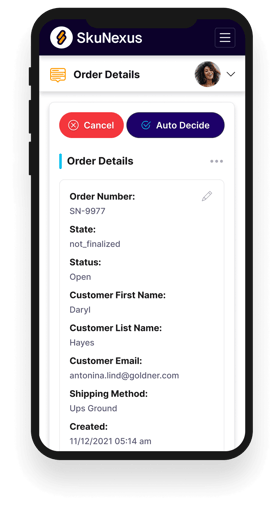
See How SkuNexus Transforms Inventory, Orders, and Fulfillment
- Say goodbye to stock issues with real time inventory tracking
- Make shipping and handling a breeze with our automated system
- Easily manage orders from all your channels in one place