
Shopify Automation & Routing
As Shopify merchants look to scale and streamline their operations, conditional workflows have become the backbone of automation. These logic-driven structures enable everything from routing orders to assigning fulfillment steps, entirely based on real-time data and granular rules. Used well, conditional logic saves hours of manual work and minimizes costly errors. But what does it actually mean to build, maintain, and troubleshoot conditional workflows in a Shopify environment? And how can merchants avoid common pitfalls as their automation strategies grow more complex? This guide breaks down the operational realities of designing and using conditional workflow logic in Shopify, aiming to give operational leaders and systems architects a practical blueprint for success.
Key Takeaways
-
Shopify conditional workflows use rule-based automation to streamline order management and reduce manual errors.
-
Building clear and well-documented conditional logic helps merchants avoid workflow conflicts and enhances operational agility.
-
Regularly auditing and updating conditional workflows is vital to adapt to changing ecommerce needs and maintain accurate automation.
-
Overly complex conditional branching or lack of prioritization can cause unexpected rule triggers and conflicting order actions.
-
Shopify's native conditional workflow capabilities have limitations, so advanced needs may require third-party tools or simpler logic structures.
What Conditional Workflows Mean in Shopify Automation
How Conditions Drive Operational Logic
At its core, a conditional workflow in Shopify is a logic path that responds to specific order, customer, or product criteria. Conditions serve as automated checkpoints, if defined requirements are met, a particular action or sequence is triggered. Think of this like a branching tree: each incoming event (like a new order or edited fulfillment) is evaluated against your rules. Does the order value exceed $200? Is the shipping address in a specific state? Is an item tagged as "fragile"? If so, the workflow can route, flag, or modify the order automatically, bypassing manual review. This ability to create granular, rule-based automation enables merchants to manage complexity and scale without ballooning headcount.
Why Merchants Use Conditional Branching
The main driver for conditional branching is operational agility. With the volume and diversity of ecommerce orders, a one-size-fits-all process rarely works. Merchants often face edge cases, VIP customers, risky payment profiles, regional compliance requirements, that mandate tailored handling. By leveraging conditional logic, Shopify stores can dynamically route orders, set internal notifications, or pause fulfillment based on real criteria. This reduces exceptions, ensures consistency, and allows teams to focus on exceptions that genuinely need human attention.
Core Concepts Behind Conditional Automation
Evaluating Order, Customer, or Product Attributes
Shopify's conditional workflows hinge on real-time evaluation of data points such as order totals, payment status, customer tags, or even product SKUs. Each rule is built on an IF/THEN logic: IF the condition matches, THEN execute the defined actions. For instance, a merchant may auto-tag orders from repeat customers or automatically flag orders above a certain amount for fraud review. The flexibility in selecting attributes is the first step to automation maturity.
Multi‑Condition Rules and Branching Logic
Sophisticated workflows often require rules that go beyond a single yes/no checkpoint. Multi-condition logic allows merchants to combine criteria, e.g., order total over $500 AND shipping to California, OR customer is tagged as "wholesale." This kind of branching opens up complex automation paths, letting workflows split, join, or loop based on multiple variables. But, branching brings operational risk if not carefully designed. Overly tangled logic trees lead to unpredictable or conflicting behaviors, so merchants must prioritize clarity alongside coverage.
How Conditional Flows Affect Downstream Systems
Once a condition passes and a workflow triggers, downstream impacts can include changes to order tags, internal notes, fulfillment instructions, or inventory reservations. Importantly, these automated actions often propagate into connected systems like order management, accountancy, or customer support platforms. A missed or misapplied rule upstream may create costly exceptions downstream: wrong inventory allocations, delays in fulfillment, or duplicate shipments. Robust conditional logic links every automated touchpoint to real business outcomes.
Operational Realities of Condition‑Driven Workflows
Handling Complex Rules Without Creating Confusion
As Shopify automation grows, it's easy to create sprawling logic webs that become unmanageable. A merchant adding dozens of exceptions for specific SKUs, geographic zones, or time-sensitive discounts can quickly lose clarity. This leads to a rise in false positives (workflows firing unnecessarily) or, worse, business-critical orders slipping through unhandled. To keep things operationally sound, conditions need to be documented, mapped visually where possible, and reviewed regularly by someone who understands both business goals and the limits of Shopify workflow logic.
Interactions With Inventory, Fulfillment, and OMS
While conditional rules can update tags or trigger fulfillment actions, their reach into actual inventory systems or order management (OMS) behaviors can be somewhat limited by Shopify's core framework. For example, a rule that tags a high-value order may not update the inventory allocation or affect third-party fulfillment integrations unless additional connectors are in place. Any disconnect between workflow actions and what downstream systems actually process is a source of operational risk. Merchants must test and reconcile workflows with live data and downstream consequences before deploying widely.
Risks When Conditions Aren't Updated Over Time
Ecommerce is never static: new products launch, customer segments evolve, fraud patterns shift. Conditional workflows need to keep up. Outdated logic, such as hard-coded customer tags or fixed shipping zones, can result in missed automation opportunities or security lapses. Also, integrations may break silently if rules rely on deprecated attributes or products. Auditing and updating conditions, ideally as part of a quarterly or monthly operational review, helps ensure Shopify workflows remain accurate and deliver their intended impact.
Common Conditional Workflow Problems
Rules Triggering Unexpectedly
One of the most frustrating issues is a conditional rule firing on orders it wasn't meant to catch. Perhaps a promotion intended only for first-time buyers suddenly applies to returning customers due to a misconfigured tag, or a high-risk address blocklist misses a new variation in formatting. The more rules overlap or become ambiguous, the more likely they are to misfire, often resulting in customer service headaches and fulfillment delays.
Conflicting Workflows Running on the Same Orders
Complex business logic can inadvertently lead to multiple workflows running simultaneously on the same order, sometimes with conflicting instructions. For example, one rule might auto-approve any order over $1000, while another flags any international order for manual review. If an order qualifies for both, which action takes precedence? Without clear prioritization or sequencing, such overlaps can leave orders in limbo or double-processed. Ironing out these conflicts requires careful orchestration of condition precedence and regular testing with real-world order scenarios.
Difficulties Debugging Multi‑Layer Conditions
Troubleshooting conditional logic in Shopify can be challenging. There's rarely a simple audit trail for why a specific workflow didn't trigger, or why it triggered incorrectly. Merchants may dig through order histories, tag changes, or workflow logs (if available) to piece together what happened. The situation is further complicated when multiple automations or external connectors are involved. This makes proactive documentation, naming conventions, and scenario-based testing essential for operational clarity.
Best Practices for Conditional Workflow Design
Keeping Conditions Simple and Transparent
A foundational best practice is to keep conditions as simple and readable as possible. Avoid deeply nested or chained logic that is difficult to review or debug. Use clear groupings (such as one workflow per tactical objective), and ensure every stakeholder knows the intent behind each condition. Transparency breeds maintainability: workflows should be explainable to new team members or external auditors in minutes, not hours.
Using Tags, Statuses, or Flags to Support Conditions
Leverage order tags, customer fields, and product statuses to capture workflow intent and provide traceability. For example, use a "manual-review" tag on risk-flagged orders, or dynamically tag products as "high demand" for inventory triggers. These markers not only help conditional logic but also provide frontline staff with context and audit trails. Where possible, standardize tag names and status values across workflows to reduce ambiguity and minimize accidental triggers.
Versioning and Documentation for Workflow Changes
Conditional logic evolves over time, sometimes driven by changing business needs, sometimes by necessity to patch broken rules. Every change should be documented and versioned, even if informally. Keep track of what changed, why, and who approved the update. Mark deprecated conditions clearly so they aren't accidentally reinstated. Well-documented workflows reduce onboarding time, make debugging simpler, and support compliance requirements.
Limitations of Shopify’s Conditional Logic
Lack of Advanced Operators and Nested Branching
Shopify's conditional logic is powerful but not without boundaries. Merchants looking for deeply nested logic, advanced comparison operators, or sequential flow control may quickly find the platform's built-in capabilities limited. There's currently limited support for complex AND/OR nesting, date arithmetic, or multi-level loops within workflows. This often requires workarounds, such as chaining multiple simpler workflows together, or accepting reduced decision granularity. Merchants with highly specialized requirements must carefully scope what's possible within standard Shopify behavior.
Challenges Coordinating With External Automation Systems
Modern merchants often rely on an ecosystem of apps and APIs. But coordinating conditional logic across Shopify and external automation tools can be a balancing act. Data may take time to sync between systems, or conditions may be evaluated on slightly outdated order states. Ambiguous handoffs, e.g., Shopify triggers a tag, but a third-party fulfillment tool reads it minutes later, can lead to missed or duplicated actions. The operational answer is clear requirements gathering and periodic cross-system validation so that workflows perform reliably across boundaries.
Next Steps and Related Guides
For deeper context on how conditional workflow logic fits within the broader automation strategy, review the Shopify Automation & Routing overview. This supporting page has focused specifically on the nuances of designing, maintaining, and troubleshooting conditional logic in Shopify operational workflows. Merchants looking to further refine their automation strategies should consider regular audits, ongoing stakeholder training, and committing to simplicity as automation needs scale.
No child guides are mapped from this page. Refer periodically to Shopify platform updates, as conditional workflow capabilities continue to evolve and new attributes or triggers may become available.
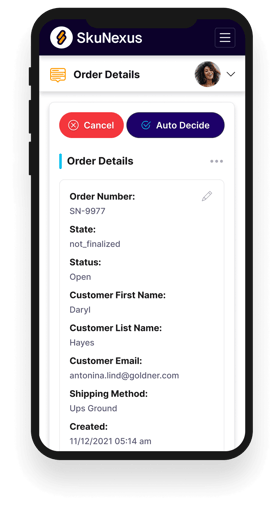
See How SkuNexus Transforms Inventory, Orders, and Fulfillment
- Say goodbye to stock issues with real time inventory tracking
- Make shipping and handling a breeze with our automated system
- Easily manage orders from all your channels in one place