
Shopify Order Management
Order splitting isn't just a technical checkbox, it's the nerve center of operational flexibility (and, if neglected, a source of headaches) for Shopify merchants with complex inventory realities. As soon as a customer's basket contains items with different stock status, locations, or shipping needs, Shopify's order management system (OMS) must decide: ship as one, or split? And this single decision reverberates through fulfillment, accounting, support, and the customer's trust. This guide provides conceptual clarity on how split orders function in Shopify, why they matter, where things get tricky, and what operational leaders need to consider for smooth order processing.
Key Takeaways
-
Shopify order splitting enables merchants to fulfill complex or multi-location orders efficiently without delaying shipments for available items.
-
Proactive customer communication about split shipments is essential to maintain trust and prevent confusion.
-
While order splitting improves operational flexibility, it increases shipping costs and requires careful coordination among warehouse, support, and analytics teams.
-
Returns and exchanges are more complex with split orders, demanding precise workflows and documentation to avoid errors.
-
Shopify’s native support for order splitting has limitations, often requiring manual intervention or third-party apps for advanced scenarios.
-
Regularly reviewing split order processes and aligning them with business operations helps prevent confusion as your Shopify store scales.
What Split Orders Mean in Shopify
Why Merchants Split Orders Instead of Shipping One Package
In Shopify, a split order is essentially one customer checkout divided into two or more distinct fulfillment paths. This often happens when not all items in a single order are available together for immediate shipment, maybe some are at another location, subject to special handling, or only ready for pre-order. Merchants choose to split because forcing consolidation can delay fulfillment, risk stockouts, or require inefficient workarounds in the warehouse.
Splitting is not about extra packaging: it's a response to real limitations in stock, location, and fulfillment ability. For Shopify stores operating with more than one inventory location, or selling a mix of preorders and in-stock items, splitting is a tool to keep fulfillment moving without sacrificing customer experience or business efficiency.
How Split Orders Affect Operations and Customer Experience
Operationally, splitting an order instantly multiplies complexity: more shipments, more tracking numbers, and more moving parts for both warehouse and support. On the customer side, split shipments can set off confusion ("Why two boxes?") or anxiety ("Did something go wrong?").
Yet, if managed carefully, splitting can protect customer trust by ensuring in-stock items aren't held hostage by backorders. Communication is critical: successful split-order experiences depend on clear messaging in order confirmations and proactive updates so customers know exactly what to expect, and when.
Common Scenarios Where Shopify Orders Are Split
Partial Stock Availability Across Locations or Batches
Perhaps the most familiar scenario is when some items on an order are in stock at one location, but others aren't, or are only available from a different warehouse or retail backroom. If all items are demanded right away, splitting lets the merchant ship what's available now, while the balance ships later from wherever stock can be sourced. This also comes into play with per-batch or lot-controlled goods, where some SKUs may not be available simultaneously.
Preorders, Backorders, and Mixed-Availability Orders
Another key scenario arises with mixed-availability baskets: for example, a customer buys both a currently shipping product and a preorder item. Without order splitting, merchants must either wait on the whole shipment (delaying the customer's experience) or create inefficient workarounds. Splitting supports better customer experience by ensuring in-stock items ship immediately, while the rest follow as soon as they're ready.
Large, Fragile, or Special-Handling Items and Customer Requests
Less common, but operationally significant, are cases where certain products require unusual packaging or shipping methods, think oversized furniture, perishables, or hazardous items. Some customers will also request items be sent separately, perhaps to split gifts or stagger arrivals. Shopify's split-order logic accommodates these needs conceptually by allowing those items to go their own route rather than forcing all items into a one-size-fits-all shipment.
How Split Orders Flow Through Shopify OMS (Conceptual Workflow)
What Happens to the Original Order and Its Line Items
After checkout, Shopify treats the order as a single entity, but the fulfillment process can be separated by line item, location, or inventory state. Each split creates its own fulfillment record (not a new order), and each has its own fulfillment status. While the original order number and summary remain, the system now tracks which items are assigned to each shipment or fulfillment event. Importantly, the financials, payment, capture, and return rights, usually remain tied to the original parent order.
How Split Orders Impact Fulfillment and Tracking
Each split generates a distinct shipment, each with its own carrier, tracking number, and status updates. On the warehouse side, this translates to distinct pick lists and outbound shipments, often to the same customer address. Tracking information for each fulfillment leg is sent to the customer, but this can get confusing if not managed well in notifications. Shopify reflects split fulfillment status both in admin and (if orchestrated well) to the customer by updating each item's status as fulfilled or pending.
Implications for Support, Analytics, and Communication
Split orders add layers of nuance to customer support: representatives must quickly determine the status of multiple shipments for a single order and explain what's happening to the purchaser. It also complicates analytics. For example, order-completion rates, time-to-ship metrics, and return-to-stock logic can all differ from single-shipment orders. Effective internal communication and process documentation are crucial for teams to handle these added complexities without errors or mixed messaging. Documentation, consistent order notes, and clear tracking updates can mitigate confusion and improve the split-shipment experience for everyone involved.
Operational Challenges With Split Orders
Increased Shipping Costs and Packaging Complexity
One of the most immediate impacts of order splitting is higher shipping costs. Each split shipment usually means another carrier fee, more packing materials, and additional labor. For businesses with low-margin items or free-shipping policies, these incremental costs can erode profitability if not carefully tracked and controlled. Sustainable packaging policies also become more difficult to maintain with more shipments.
Coordinating Across Multiple Locations or Teams
Split orders demand strong coordination between different fulfillment teams, warehouses, or even external partners. Each group must understand its share of the order, timing, and customer commitments. Failure in coordination often surfaces as missed shipments, duplicated packages, or untimely stock transfers. Tight process alignment and clear OMS instructions are fundamental in reducing human or system-driven errors.
Managing Returns and Exchanges for Split Shipments
Returns become notably more complex with split orders: a customer might return only items from one of several shipments, or send all items back together, requiring nuanced refund and restocking logic. Merchants must track which items were fulfilled by which warehouse, and design clear workflows for receiving, inspecting, and refunding split returns. Inconsistent return handling can lead to customer frustration and operational confusion, so this process must be mapped out and communicated clearly to all teams.
Best Practices for Managing Split Orders in Shopify
When to Allow Split Orders Versus Blocking Them
Not every order split is worth the complexity. Merchants should weigh whether the operational cost is justified against the promised customer experience. For example, if all items can be shipped together with a minor delay, it may be better to avoid splitting and reduce shipping overhead. On the other hand, high-value or urgent shipments may warrant separate fulfillment to maintain customer trust. Defining clear rules on when splits are triggered, by SKU, customer type, or inventory status, can keep things manageable.
Setting Customer Expectations Around Split Shipments
Proactive communication is the linchpin of a positive split-order experience. Inform customers at checkout or on order confirmation if items will ship separately, including expected timelines for each shipment. Automated notifications and clear shipment tracking links should be part of every split shipment scenario. Reassurance reduces uncertainty (and inbound support tickets), especially during peak sales periods or with backordered/preordered goods.
Aligning OMS Behavior With Warehouse and Support Processes
OMS logic must match the realities of warehouse workflows and support bandwidth. That means documenting the split-order process, training warehouse and customer service teams on what to expect, and aligning reporting so that split shipments are tracked (and billed) correctly. Merchants should involve all stakeholders, operations, support, analytics, when designing split order flows to prevent breakdowns between what the system expects and what actually happens operationally.
Limitations of Shopify’s Native Split Order Support
Gaps in Routing Logic and Manual Workarounds
While Shopify's OMS can conceptually support split fulfillment, its built-in logic is limited. There's often no automatic route for complex split scenarios involving deep inventory logic or cross-channel fulfillment: many merchants rely on manual allocation or bespoke apps. Edge cases, like high-priority splits or batch-level restrictions, frequently require staff intervention to work around Shopify's standard behavior.
Complexity in Multi-App and Multi-System Environments
In setups where other systems (WMS, ERP, shipping platforms) are connected, split order logic can become tangled. Keeping fulfillment data synchronized, managing partial tracking updates, and ensuring consistent communication across platforms is a genuine challenge. Multi-app environments often lead to inconsistent split behavior, duplicated notifications, or missing updates. Merchants handling high-volume or multi-location fulfillment should be aware of these limitations when designing and documenting operational processes.
Next Steps and Related Guides
For merchants seeking a deeper understanding of how split orders fit within broader operations, the Shopify Order Management overview offers strategic context. It's recommended to review internal processes against your split-order flows periodically, especially as your inventory footprint or catalog complexity evolves. Staying current with Shopify platform changes and documenting local variations in split order handling will position your team to avoid the classic pitfalls, and maintain control as the business scales.
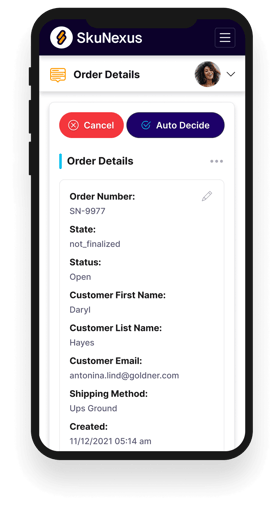
See How SkuNexus Transforms Inventory, Orders, and Fulfillment
- Say goodbye to stock issues with real time inventory tracking
- Make shipping and handling a breeze with our automated system
- Easily manage orders from all your channels in one place