
Shopify Order Management
Order management in Shopify can get complicated quickly for growing merchants. One of the trickier edge cases: when a single customer places multiple orders that you want to combine into one for fulfillment and customer experience reasons. While Shopify is robust, native order merging isn't a core feature, merchants are usually left piecing together manual processes or workarounds. Navigating this topic effectively means understanding when and why to merge orders, the downstream impacts, inherent risks, and the details that can make or break operational clarity. This guide unpacks the conceptual frameworks, common use cases, and pragmatic best practices around Shopify order merging so operational teams can deliver both efficiency and transparency.
Key Takeaways
-
Shopify order merging involves consolidating multiple orders from the same customer to streamline fulfillment and improve customer experience.
-
Since Shopify lacks native order merging, merchants must use manual processes or third-party apps, increasing the need for clear workflows.
-
Merging orders can optimize shipping costs and reduce redundant shipments when customers place orders close together.
-
Operational risks include address mismatches, payment discrepancies, and data integrity issues, making consistent documentation essential.
-
Effective customer communication and detailed audit trails are crucial to avoid confusion and support smooth post-merge operations.
-
High-volume Shopify merchants should routinely review and update their order merging strategies to maintain efficiency and accuracy.
What Order Merging Means in Shopify
Why Merchants Combine Multiple Orders for a Single Customer
Order merging, in Shopify's operational context, refers to the process of consolidating two or more orders placed by the same customer into a single record for fulfillment, shipment, or reporting purposes. The aim is usually to optimize shipping costs, streamline packaging, or accommodate last-minute customer requests. Merchants also merge to prevent duplicate shipments or to rectify workflow challenges if customers absent-mindedly place consecutive orders that could ride together in one box.
How Order Merging Relates to OMS and Fulfillment Behavior
Within a mature order management system (OMS), order merging sits at the intersection of sales ops, fulfillment, and customer experience. On Shopify, the concept is more manual than native, merging orders is less about a single button and more a coordinated workflow. Operationally, a merged order may affect fulfillment batch picking, packing efficiency, postage calculation, and customer notification sequences. In Shopify's ecosystem, it's critical for merchants to know where original orders end and newly combined details begin to avoid fulfillment errors or mixed-up notifications.
Common Scenarios Where Shopify Orders Are Merged
Multiple Orders Placed Close Together by the Same Customer
Customers sometimes place two or more orders within minutes or hours, especially during sales events or after remembering an additional item. If left unmanaged, this can result in redundant shipments, incurring higher costs, more effort, and often some head-scratching for customers expecting a single package. Merging such orders prevents unnecessary duplication in fulfillment and saves on shipping.
Shipping Cost Optimization and Fewer Parcels
Another common rationale is optimizing shipping expenditure. Combining shipments means fewer labels, consolidated packaging, and an opportunity to pass some savings to the customer or recover margin. For merchants operating on slim margins or in regions with pricey logistics, packing more items per parcel is consistently advantageous.
Adjustments After Customer Changes or Support Interactions
Merging becomes necessary if a customer reaches out to support after multiple orders, often to request a combined shipment or resolve an address error. Sometimes, support teams might notice an opportunity to combine shipments themselves. In operational terms, this scenario is the most variable: each instance can require customized handling, policy checks, and direct customer confirmations.
Conceptual Workflows for Merging Orders in Shopify
What Happens to Original Orders, Payments, and Line Items
On a conceptual level, when two Shopify orders are merged, a new order is typically created to include every unique item, while the originals are either canceled, tagged, or marked as superseded. Payments must be reconciled, often producing a single transaction record or multiple partially-refunded payments if discounts/consolidations occur. Merchants must ensure that line items faithfully reflect the sum of both orders and that no duplicate or omitted product slips through.
How Merging Impacts Inventory, Taxes, and Reporting
Inventory is a critical consideration: merging orders should net to the same item deduction count, but the change in order numbers can impact inventory movement logs and stock level reporting. Taxes can get complex, rates may differ by item or location, and aggregating orders can shift how tax is assessed or reported in analytics. Merchants should ensure that merged orders don't create discrepancies in backend sales reports or tax liability tracking.
Implications for Tracking, Notifications, and History
When orders are merged, only a single tracking number is typically generated for the outbound parcel(s), so all updates must reference this unified shipment. But, Shopify's notification system may still be tied to original orders unless updated, raising the risk of sending confusing or duplicate emails to customers. Historical visibility is also at stake: operational teams should retain a linkback or cross-reference so that audit trails and customer service interactions can accurately reflect everything that transpired.
Operational Risks and Challenges With Merged Orders
Address, Payment State, and Eligibility Mismatches
Merging orders is rarely a neat process. Issues like matching shipping addresses, payment statuses, or fulfillment eligibilities can cause significant downstream problems. For example, one order may be prepaid, another pending: or a shipping address could differ between two orders for the same customer, forcing a manual decision on which data takes precedence. Such mismatches can lead to delays or errors if not carefully managed.
Confusion Across Support, Finance, and Ops Teams
Merged orders may create headaches for teams if records are not crystal clear. Support agents risk referencing the wrong transaction during inquiries. Finance teams may have to track multiple payment records against a single shipment, and operations staff can get tripped up if order histories aren't transparent. Precise recordkeeping is essential to avoid these cross-departmental challenges.
Data Integrity Concerns in Connected Systems
Many Shopify stores use integrations with ERPs, CRMs, or 3PLs. Merging orders introduces risk if connected systems don't understand the merge or if order data syncs before being fully updated. This can cascade into shipping the same product twice or under-reporting inventory movement. Merchants must validate that data harmonizes correctly between systems to prevent silent errors.
Best Practices for Handling Merged Orders in Shopify
Clear Criteria for When Merging Is Allowed
Operational teams should define strict criteria around when orders are eligible for merging, such as identical customer, address, similar payment statuses, and compatible fulfillment timing. Having a short list of mergeable order types reduces risk and ensures each merge decision is justified, rather than ad hoc.
Customer Communication Around Combined Shipments
Transparency is crucial. Customers should be notified when their orders have been combined, preferably with a clear explanation of what's changed (tracking number, expected delivery, refunds if applicable). Proactive communication helps avoid post-purchase confusion and sets expectations for customer support.
Documentation and Audit Trails for Merge Decisions
Meticulous documentation is non-negotiable for merged orders. This means keeping notes or tags on both the original and new/merged orders, cross-referencing transaction IDs, and logging the reason for the merge. Auditability isn't only good practice, it also helps untangle operational questions weeks or months down the line, and supports clean reporting.
Limitations of Shopify’s Native Order Merging Capabilities
Reliance on Workarounds and Apps for Full Merging Behavior
As of now, Shopify does not offer a true native order merge function. Merchants depend on manual steps, such as canceling, editing, or recreating orders, or adopt specialized workflows to get a merged result. This reliance on workarounds brings trade-offs in speed, auditing, and ease of training new staff.
Constraints in Complex, High-Volume OMS Environments
For larger merchants or those with high order volume, these limitations become more acute. Manual merging quickly feels unsustainable, and consistency suffers without deep OMS enrichment. This can lead to inconsistent data structures, reporting inaccuracies, or shipping mishaps, making it vital to regularly review workflows and ensure auditability is maintained throughout every merged order process.
Next Steps and Related Guides
To operationalize order merging, every Shopify merchant should assess their current order structures, risk thresholds, and capacity for manual intervention. Teams should regularly document and review merge logic, invest in staff training for edge cases, and retain clearly linked records for support and finance reference.
For a wider strategic understanding of how order processing fits into Shopify's broader fulfillment pipeline, see the Shopify Order Management overview. Staying on top of emerging practices ensures ongoing efficiency, compliance, and customer satisfaction as the shop scales.
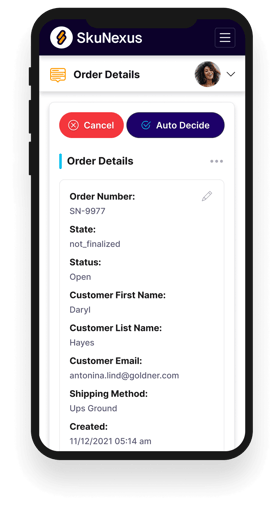
See How SkuNexus Transforms Inventory, Orders, and Fulfillment
- Say goodbye to stock issues with real time inventory tracking
- Make shipping and handling a breeze with our automated system
- Easily manage orders from all your channels in one place