
Shopify Order Management
Order exceptions in Shopify Order Management System (OMS) are an inevitable but often underestimated piece of operational reality for high-volume merchants. While most orders glide through the standard workflow, exceptions crop up as disruptive cases that demand immediate attention, a failed payment, a mismatched address, a sudden stockout. These exceptions can expose cracks across payment, inventory, and fulfillment processes, and, if mishandled, snowball into costly delays, reputation hits, and hours of manual firefighting for operations teams.
This guide unpacks how to conceptually identify, classify, and effectively manage order exceptions in Shopify OMS, looking closely at their operational impact and best practices that distinguish smooth operators from the rest. Whether you handle order routing, CX, or daily ecomm ops, these are the patterns that ensure exceptions don't jeopardize your business promises.
Key Takeaways
-
Shopify order exceptions disrupt the normal order workflow and require immediate human intervention to resolve critical issues like failed payments or address problems.
-
Effective management of order exceptions in Shopify OMS is essential for maintaining customer trust, meeting SLAs, and avoiding costly delays or inventory inaccuracies.
-
Ops teams should establish clear ownership, documented playbooks, and consistent use of tags and views to efficiently track and triage order exceptions.
-
Communication—both internal and external—should be structured and proactive to reduce confusion and accelerate exception resolution.
-
Shopify’s native tools for handling order exceptions are limited, so merchants should routinely audit processes and supplement with custom views or integrations where needed.
What Order Exceptions Mean in Shopify OMS
How Exceptions Differ From the Standard Order Lifecycle
In Shopify OMS, a typical order moves through predictable states: created, paid, fulfilled, and closed. Order exceptions break this rhythm. They aren't just "stuck" orders, they are cases where something nonstandard interrupts progression, such as a failed payment capture or a shipping address that can't be validated.
Unlike lifecycle transitions, exceptions often require human intervention, lateral routing, or special process logic to resolve. While the standard lifecycle is largely automated and rules-based, exception handling is by definition reactive. In other words: the system can't proceed without a decision, escalation, or correction happening off-script.
Why Exceptions Are Inevitable at Scale
Unchecked, merchants might hope to automate away all "bad" orders. In practice, exceptions compound with order volume. More transactions bring more opportunities for gaps: banks flag out-of-pattern payments, inventory counts drift, data sources mismatch. No OMS, Shopify included, can eliminate all exceptions, especially with integration touchpoints, incomplete address capture, or rapidly changing stock. Exception management, then, isn't a "nice-to-have". At scale, it's core infrastructure, requiring dedicated routines and ongoing attention.
Common Types of Order Exceptions in Shopify
Payment and Authorization Issues
Payment failures are classic order exceptions in Shopify. These include: failed credit card authorizations, 3D Secure declines, expired authorizations before fulfillment, or mismatched billing information that can't be cleared. Authorization holds can also time out on high-ticket orders. Operationally, these cases stall fulfillment and often require chasing payment or holding inventory that should otherwise remain salable.
Inventory or Eligibility Problems at Fulfillment Time
Item-level exceptions commonly surface when the picked inventory isn't actually available, think oversells, stale stock numbers, or eligibility mismatches (like product embargoes or compliance-check requirements). Orders may appear ready to fulfill in Shopify, only for an OMS user or fulfillment partner to discover blockers after promising the shipment. This creates downstream ripple effects, such as backorder notifications or split fulfillment workflows.
Address, Shipping, and Data Quality Problems
Invalid, incomplete, or ambiguous shipping addresses can block order progression. Issues range from missing postal codes, mismatched regions, banned address types (like PO boxes for certain couriers), or even simple typos in name fields. These exceptions often emerge only when labels are generated, requiring direct customer contact or data correction. Mistakes here mean orders sit unfulfilled, and, worse, risk failed deliveries or returns if they're missed.
System Integration or Sync Failures
Modern Shopify merchants rely on a web of integrations: ERPs, warehouse management, shipping APIs, and accounting systems. When these fail, due to sync glitches, API downtime, or schema mismatches, orders get stuck in limbo. These are some of the most opaque exceptions, often manifesting as silent failures, partial updates, or conflicting data between platforms. Without proactive detection, they risk being overlooked until discovered by frustrated customers or daily reconciliation.
How Exceptions Behave in Shopify OMS (Conceptual View)
Orders on Hold, Manual Review, and Blocked Fulfillment
When Shopify OMS encounters an exception, the affected order typically gets flagged within the order dashboard, often tagged, marked as ‘On hold', or surfaced with a review required. These states are not strictly part of the default Shopify lifecycle but are operationally constructed by teams using tags, custom statuses, or manual hold states. Blocked fulfillment is the most visible operational symptom: orders that cannot be sent to the warehouse, dropshipper, or last-mile partner without an explicit override or fix.
How Exceptions Surface in Views and Dashboards
Exceptions rarely have a single location in Shopify OMS. Teams typically create filtered views, saved searches, or custom dashboards to aggregate orders meeting specific error or exception conditions, payment pending, inventory unavailable, address invalid, manual hold, or integration failed. Certain exception signals (like failed payment) may be natively surfaced, but most tracking relies on consistent tagging or manual order notes. These views function as the operational cockpit for exception resolution triage.
Signals That Teams Use to Identify and Triage Exceptions
Ops teams rely on a mix of cues: tags such as 'manual review', 'address error', or 'payment failed': custom metafields capturing error states: and operational notes explaining why an order is on hold. Seasoned teams establish clear visual conventions, colors, labels, pinned filters, so exceptions are easy to spot in daily workflows. Sometimes operational spreadsheets or integrations are also used as backstops, especially for integration issues or complex triage across systems.
Operational Impact of Poor Exception Handling
Delays, Missed SLAs, and Customer Frustration
When exceptions are not rapidly identified and organized, orders sit unprocessed. This leads to transit delays, missed delivery windows, and frequent breaches of promised SLAs. Customers notice quickly: queries stack up, reviews suffer, and service teams are forced into apology mode. The cost of a single missed exception can rapidly multiply when it's not caught early.
Increased Manual Workload for Ops and Support
Every untracked exception demands hands-on intervention. Manually diagnosing payment issues, calling customers for address corrections, or reconciling mismatched records with ERP systems all chew through time best spent optimizing core operations. Persistent exceptions mean ops teams spend less time improving processes and more time firefighting, often with ad hoc solutions that lack repeatability.
Ripple Effects on Inventory Accuracy and Forecasting
Exceptions create distortion in inventory records: stock appears allocated, but actual fulfillment is blocked. This muddles available-to-promise numbers, causes confusion in replenishment, and downstream forecasting suffers. Over time, repeated exception mishandling can erode trust in inventory accuracy and wreak havoc on demand planning, especially for fast-moving products.
Best Practices for Managing Order Exceptions
Clear Ownership, Triage Flows, and Playbooks
Effective exception management starts with assigning clear responsibility, who owns payment exceptions, who triages address errors, and who orchestrates cross-team escalations. Best-in-class merchants document playbooks for each major exception type: a sequence of diagnostic steps, communication flows, and resolution criteria. These playbooks enable rapid onboarding and drive consistency across shift changes and seasonal peaks.
Using Tags, Views, and Notes to Track Exceptions
Systematic tracking is not optional. Consistent use of tags (e.g., 'exception, inventory', 'exception, payment'), saved filtered views for exception queues, and rich order notes creates a reliable operational posture. This approach prevents exceptions from vanishing into busy order lists and allows for tracking key metrics, such as resolution lead time and frequency by type. Many teams supplement built-in views with dedicated dashboards outside Shopify for higher complexity cases or cross-team visibility.
Structured Communication With Customers and Stakeholders
Operational maturity shows in the way teams notify customers and internal stakeholders. Instead of ad hoc outreach, establish templated but thoughtful note sequences: explain the issue candidly, set new expectations, and confirm next steps. Internally, communicate clearly with support, fulfillment, and finance about exception status, root cause, and likely time to resolution. This structured communication builds trust, reduces inquiry volume, and accelerates recoveries.
Limitations of Shopify’s Native Exception Handling
Lack of Dedicated Exception Queues and Workflows
Natively, Shopify OMS does not provide configurable exception queues. The onus is on operations leaders to administratively create filtered views, tags, or manual workarounds. In high-velocity environments, this creates real risk: exceptions can fall through the cracks, without systematic visibility or time-based tracking.
Challenges Coordinating Exceptions Across Systems
Many merchants operate Shopify alongside ERPs, 3PLs, and accounting services. Shopify's native toolkit struggles to surface cross-system exceptions, especially those triggered outside its immediate workflow. Coordination often reverts to spreadsheets, manual process audits, or point-to-point emails. This cross-system communication gap multiplies response time and increases operational drag, especially for integration or synchronization errors.
Next Steps and Related Guides
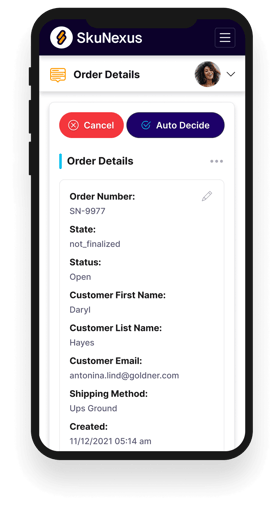
See How SkuNexus Transforms Inventory, Orders, and Fulfillment
- Say goodbye to stock issues with real time inventory tracking
- Make shipping and handling a breeze with our automated system
- Easily manage orders from all your channels in one place