
Shopify Order Management
Backorders have always been a strategic lever for merchants who want to capture demand and optimize revenue, especially when inventory is tight or supply chains are less predictable. Within Shopify's Order Management System (OMS), managing backorders takes more than flipping a setting, it means balancing customer expectations, operational timing, and real-world fulfillment risks. This guide provides a deep look at how backorders function in a Shopify OMS context, when and why to accept them, how they actually flow through the system, the challenges you'll face, and the practical best practices to reduce risk. For a complete foundation, refer also to the Shopify Order Management overview.
Key Takeaways
-
Shopify backorders allow merchants to capture sales even when products are out of stock by enabling overselling settings.
-
Clear communication about expected fulfillment timelines is essential to manage customer expectations with backorders.
-
Accepting backorders can help with cash flow and demand forecasting, but it introduces operational complexity and risk of customer dissatisfaction.
-
Develop transparent refund, substitution, and partial fulfillment policies to handle backordered products smoothly in Shopify.
-
Shopify's native OMS requires careful configuration and may need extra tools or integrations to manage complex backorder scenarios effectively.
What Backorders Mean in a Shopify OMS Context
Backorders Versus Out-of-Stock and Preorders
A backorder is an order for a product that is currently not in stock but will be fulfilled once inventory is replenished. In Shopify OMS, this contrasts directly with an out-of-stock status, where buying is typically restricted until products are restocked, and with preorders, which are often linked to future-dated product releases or launches. Backorders enable merchants to continue capturing demand even when on-hand quantity drops to zero, based on the expectation that more inventory will soon be available.
Preorders usually imply a product launch date, while backorders usually involve ongoing products where supply has temporarily lapsed. Both are conceptually distinct from simply showing a product as unavailable or hidden due to out-of-stock status. Shopify's default settings lean toward preventing orders for out-of-stock items, but with configuration, backorders can be allowed, for example, by permitting continued purchasing regardless of actual inventory position.
Why Merchants Choose to Accept Backorders
Backorders offer several operational and commercial advantages, especially for merchants dealing with fluctuating supply chains or products with unpredictable demand. Capturing backorders allows a store to:
-
Secure sales that might otherwise go to competitors,
-
Gauge real-time demand signals for inventory planning,
-
Sustain customer interest in high-demand products,
-
Smooth out revenue fluctuations during periods of constrained supply.
But, these benefits come with tradeoffs: accepting backorders increases the need for careful communication, order tracking, and exception management.
Operational Scenarios for Backorders in Shopify
Demand Spikes and Supply Constraints
Unexpected demand surges can quickly clear out inventory, think viral product mentions or flash sales. In these cases, enabling backorders in Shopify provides a way to keep converting traffic into sales instead of showing the dreaded "Sold Out" badge. Likewise, during supplier delays or disruptions, continuing to accept backorders bridges the gap between customer demand and fulfillment capacity.
Long Lead-Time or Made-to-Order Products
For some businesses, especially those selling made-to-order or customized products, backorders are a fundamental part of the operational model. Here, the store never holds finished product, orders are captured in Shopify before manufacturing even begins. Backorders so translate directly into a production queue, with lead times clearly communicated to buyers and built into customer expectations.
Managing Partial Availability and Staged Fulfillment
Another operationally important scenario arises with multi-SKU orders where only some items are in stock. While Shopify's native order logic doesn't split or partial-ship by default, many merchants still handle these cases by accepting backorders for missing items and fulfilling available ones first, either manually or using workflow extensions. Successfully managing staged fulfillment in these mixed-availability orders hinges on consistently tracking what's owed, updating customers transparently, and synchronizing backordered lines once replenishment arrives.
How Backorders Flow Through Shopify Orders (Conceptual)
Capturing Orders for Items That Are Not Currently In-Stock
When backordering is enabled (via product settings allowing overselling or similar), Shopify will let a customer add and check out products with zero or negative inventory. The order is created just like any other, logging SKUs, quantities, and customer information. This creates a financial and fulfillment obligation within the OMS, even though physical inventory is not yet available.
Promising Timing Without Firm Inventory on Hand
Since the merchant is capturing funds up front, the customer's expectation of when their order will arrive needs clear management. Shopify OMS itself does not natively track ETA dates or automatically communicate them, so the burden falls on the merchant to set timelines, update order notes, or trigger custom communication flows. Many merchants use manual workflows or custom notification templates to clarify lead times, expected ship dates, or production status for backordered lines.
Impact on Fulfillment, Inventory Feeds, and Customer Expectations
Operationally, backordered lines remain unfulfilled in Shopify OMS but appear alongside regular items in open orders. Fulfillment must be coordinated once stock is received, ensuring previously placed backorders are prioritized correctly. Inventory feeds, whether synced to POS, third-party locations, or external ERPs, must handle negative or pending quantities accurately, or risk double-tripping stock when goods arrive. The overarching challenge remains updating customer expectations throughout: a backorder left in the dark is most likely to prompt cancellations and customer service inquiries.
Risks and Challenges With Backorders
Customer Experience Risks and Communication Gaps
Accepting backorders exposes merchants to the risk of disappointing customers if expectations around timelines aren't met. Failure to proactively communicate about delays, partial fulfillment, or revised ETAs can quickly erode trust, leading to reputation damage, negative reviews, and customer churn.
Operational Complexity and Misalignment
Managing backorders introduces significant operational complexity. Inventory positions can become harder to reconcile, especially with external feeds or multiple channels. Staff must have a clear workflow for identifying, reserving, and prioritizing backordered items when replenished stock arrives. If there's misalignment between what Shopify shows, what your team knows, and what actually comes in, errors are inevitable, resulting in missed shipments, oversold items, or order backlogs.
Cash Flow Versus Service-Level Tradeoffs
Taking payment upfront for backordered goods can support cash flow, helping to fund purchase orders or production runs. But it also exposes the merchant to the risk of refund requests or chargebacks if lead times exceed customer tolerance. There's a service-level balancing act: merchants must weigh the financial benefit of selling ahead of inventory against the potential cost of cancellations, service tickets, or discounting to mitigate disappointment.
Best Practices for Managing Backorders on Shopify
Setting Clear ETAs and Communication Plans
Set explicit expectations from the outset: display expected ship windows, production lead times, or restock forecasts directly on product pages and in order confirmations. Use Shopify's notification templates or post-order follow-ups to reiterate ETAs and update customers if circumstances change. For extended delays, proactive outreach is essential, don't wait for customers to chase you.
Policies for Refunds, Alternatives, or Partial Fulfillment
Merchants should develop and document clear policies around refunds, substitutions, and partial fulfillment for backordered products. Offer customers options: wait for fulfillment, accept a substitute, or receive a prompt refund. Automate these choices where possible, but keep escalation paths open for exceptions. Having transparent, frictionless policies reduces friction for both your support team and your buyers.
Monitoring Key SKUs and Channels for Backorder Exposure
Track which products are most frequently backordered and map these against sales channels. Use this data to inform purchasing decisions, supplier negotiations, and operational planning. In Shopify OMS, monitoring backorder volumes by SKU can also highlight where communication or order workflow enhancements are needed. Regular audits help ensure you're not accumulating stale or unfulfillable backorders that could become liabilities.
Limitations of Native Backorder Support in Shopify
Configuration and Operational Gaps in Handling Backorders
Shopify's native system treats inventory strictly unless specifically configured otherwise. Allowing backorders generally requires setting products to "continue selling when out of stock," but this alone does not manage timelines, customer updates, or complex pick-list logic. Out of the box, Shopify OMS does not support backorder-specific statuses, back-in-stock notifications for already-placed orders, or batch fulfillment management for backorders versus in-stock items.
Complexity When Multiple Systems or Apps Are Involved
Many Shopify merchants rely on integrations with ERPs, 3PLs, or external inventory management tools. These can sometimes duplicate or obscure backorder status, expose timing mismatches, or cause double-allocation of inventory. Without tight integration and clearly defined business rules, systemic confusion can emerge, impacting both fulfillment performance and customer communication. As your backorder volume grows or your systems landscape becomes more complex, the need for bespoke reporting, exception handling, and operational alignment increases, outpacing what Shopify alone can deliver.
Next Steps and Related Guides
Successfully managing backorders demands both strategic intent and operational discipline. Merchants should regularly refine their backorder acceptance policies, proactively monitor performance, and invest in clear, ongoing communication with their customers. For a broader understanding of order management beyond backorders, including fulfillment, order tracking, and more, see the Shopify Order Management overview.
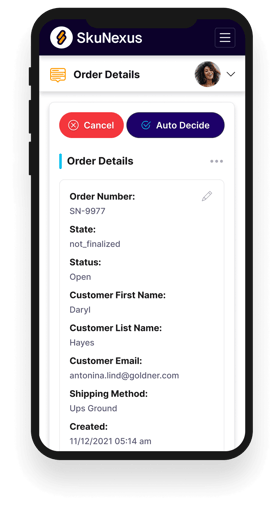
See How SkuNexus Transforms Inventory, Orders, and Fulfillment
- Say goodbye to stock issues with real time inventory tracking
- Make shipping and handling a breeze with our automated system
- Easily manage orders from all your channels in one place