
Shopify Multi-Location Inventory
The days of managing a single warehouse or hoping your garage fulfills all orders are long gone. Today's competitive merchants need to think regionally, sometimes even globally, and that means embracing the operational realities of a true multi-warehouse setup in Shopify. But how does Shopify really interpret ‘warehouses' under the hood and what are the implications for assigning stock, managing SKUs, and keeping fulfillment seamless? This guide will cut through surface-level explanations and offer a grounded view into configuring and managing multiple warehouses, right from the operational trenches.
Key Takeaways
-
Shopify multi warehouse setup hinges on configuring 'locations,' which represent any physical or virtual place your inventory is stored or managed.
-
Strategically assigning SKUs to appropriate warehouses is essential for fast fulfillment and minimizing costly stock-outs.
-
Regularly auditing inventory and continually syncing between Shopify and external warehouse management systems prevents fulfillment errors and customer complaints.
-
Shopify's native multi warehouse capabilities work well for straightforward setups, but advanced needs like dynamic order splitting or automated transfers require custom integrations.
-
As your business grows, proactively plan how to scale beyond Shopify’s native multi warehouse features to meet evolving fulfillment complexities.
What Multi-Warehouse Setup Means in Shopify
How Shopify Represents Warehouses as Locations
In Shopify, a 'warehouse' isn't just a building, it's a logical entity classified as a "location." Any physical or virtual place where stock can be held or processed fits this definition. This means a warehouse, a retail outlet (if used for eCommerce fulfillment), a pop-up, or even a 3PL partner are all represented as 'locations.' Shopify treats these as nodes in its inventory and fulfillment matrix. When stock is assigned to a location, that inventory is recognized for availability and, eventually, possible fulfillment from that location.
Understanding that locations are the foundation for any multi-warehouse strategy is critical. Unlike old-school ERP systems, Shopify's abstraction provides merchants the flexibility to conceptually model their real storage and fulfillment network, without forcing a one-size-fits-all process or tightly coupling with physical buildings alone.
Why Merchants Add Additional Warehouses
There are several operational reasons merchants choose to partition inventory across multiple warehouses. Regional fulfillment is perhaps the most common, by placing stock closer to major customer populations, merchants can cut shipping times and costs. Extra locations also support specialized scenarios: returns handling centers, overflow storage during peak periods, B2B shipment hubs, or even staging zones for new product launches.
Also, business continuity and risk mitigation play roles. Merchants diversify stock points to guard against local disruptions (like weather events) or supply chain hiccups. These choices aren't just about logistics, they're strategic levers that directly impact delivery promises and the competitive edge. Shopify's multi-location model gives merchants a straightforward way to make these moves, but the complexity lies in how these locations are organized and managed beneath the surface.
Concepts Behind Warehouse Setup
Creating and Activating New Locations (Conceptual Only)
A new warehouse, in Shopify terms, starts conceptually as the creation of a new location in the admin. But this is far more than a form to fill, in operational reality, it's a decision about how this node will function in the merchant's overall fulfillment network. Merchants must consider what role the new warehouse will play (inbound received stock, outbound order fulfillment, or specialized returns processing) and which SKUs, channels, or customer regions will connect to it.
Activating a location means integrating it with all relevant operational flows: receiving stock, syncing with back-end systems, and mapping to staff or partner responsibilities. Rarely is a new warehouse instantly ready for prime time. Merchants must account for onboarding cycles and ensure inventory accuracy before designating a location as live for outbound fulfillment.
Assigning Products to Warehouses
Assigning SKUs to warehouses, at a conceptual level, is the process of defining which physical products are stored and available from each location. In Shopify, this isn't automatic: rather, it relies on updating inventory quantities and availability for each location-SKU intersection. Some warehouses carry a full assortment: others only stock fast movers or select product lines. Seasonality, regional demand, and product size or handling needs all inform these choices.
Mistakes in skew assignment can ripple through fulfillment, orders can't be fulfilled if stock is missing from the assigned ship-from location, and oversights here underpin many common availability shortfalls in multi-location merchants.
Inbound vs Outbound Warehouse Roles
Not every warehouse is created equal, operationally, merchants will usually distinguish between inbound and outbound locations. Inbound warehouses receive, inspect, and process incoming goods from suppliers, sometimes acting as the primary point for bulk intake. Outbound warehouses focus on shipping orders to customers, whether directly or via hubs.
In practice, some locations perform both roles, while others are specialized. The key is understanding the flow of product through the network: what comes in, where it's staged, and how stock beams out to fulfill customer demand. Establishing clear roles for each location avoids confusion in stock allocation, reduces errors in fulfillment, and helps prevent the all-too-common trap of having inventory stranded where it's needed least.
Operational Realities of Multi-Warehouse Environments
SKU Coverage and Location Assignments
For multi-warehouse merchants, every SKU-location pairing represents a micro-decision: Should this SKU be stocked here? The answer hinges on sales data, shipping costs, replenishment cadences, and operational risk. In practice, broader coverage delivers fast shipping, but too many splits dilute available inventory and could lead to stock-outs. Merchants must regularly review which SKUs are assigned to which warehouses, especially during product launches, season changes, or following promotional surges.
A systematic approach, often structured as quarterly or monthly reviews, helps avoid the classic misalignment where top sellers are stranded in peripheral locations or slow movers clog up primary outbound hubs. A SKU-coverage matrix, even maintained in a spreadsheet, becomes invaluable to reconcile what's available, where.
Coordinating Stock Across Multiple Facilities
Stock coordination isn't just about the numbers, it's a constant operational challenge. When moving inventory from one warehouse to another, lead times, transit reliability, and receiving processes all come into play. Merchants develop procedures for internal transfers, but lag or miscommunication can result in missing stock, order delays, or even emergency express shipments.
Clear communication channels between locations, plus standardized transfer and receiving protocols, keep inventory flowing and fulfillment promises intact. It's also critical to have lockstep integration with any external warehouse management systems to reduce disconnects in data or workflow.
How Timing and Sync Behavior Affect Warehouse Reliability
The pace at which inventory updates flow through Shopify's ecosystem affects real-world reliability. Frequent syncs between the platform, external WMS, and actual warehouse receipts reduce the window for errors. But, latency, especially with manually updated systems, introduces risk. Backorders and oversells are usually symptoms of delayed or missed inventory updates.
Merchants focused on reliability treat timing as a core operational metric: they audit for lag between goods receipt and system updates, and invest in disciplined handoffs to minimize "ghost inventory" (stock that exists in Shopify but not the warehouse, or vice versa). The difference between a finely tuned sync process and a reactive, manual one is often measured in customer complaints and lost sales.
Common Warehouse Setup Problems
Missing or Incorrect Location Assignments
A failure to properly assign SKUs to locations is one of the leading causes of fulfillment headaches. Operationally, this can happen when new products are onboarded, warehouse layouts change, or staff overlook updating Shopify. Orders routed to locations with no physical stock, or worse, to locations that shouldn't be fulfilling, create confusion and extra labor, rerouting, cancelling, or splitting orders retroactively.
To minimize risk, merchants often carry out internal checklists for SKU location assignments, particularly after inbound shipments or system rollouts. Regular reconciliation between what Shopify lists as in stock and what's physically there helps catch creeping mismatches before they bite.
Warehouse Not Selected During Fulfillment
Another operational snag appears when a warehouse, though stocked, isn't chosen for fulfillment. This often stems from how Shopify's fulfillment logic interacts with location settings, staff permissions, or unintentional deactivation of a location. The result? Orders left hanging, stock that idles, or fulfillment teams scrambling.
Regular reviews of location readiness and careful management of location settings and priorities are essential. Merchants should treat the selection logic for fulfillment locations as living configuration, not a "set once and forget it" toggle.
Misalignment Between Shopify and External WMS
For merchants using external warehouse management systems (WMS) or ERP platforms, misalignments become sophisticated, and costly. The classic case: Shopify shows goods available, but the WMS does not, or vice versa. Causes range from API sync delays, manual overrides, or discrepancies in naming conventions and SKU mapping.
This kind of misalignment chips away at customer trust, often surfacing as oversells, cancelled orders, or fulfillment bottlenecks. Merchants operating at scale treat integration mapping as an always-on concern, revisiting their assignment and sync logic after every significant system update or business change.
Limitations of Shopify’s Multi-Warehouse Capabilities
Lack of Advanced Cross-Warehouse Logic
Shopify's native multi-warehouse feature set is robust for straightforward operations, but it was never meant to model advanced cross-warehouse logic. There's no built-in way to dynamically split fulfillment across locations, merge line items from multiple nodes on a single order, or automatically trigger inter-warehouse transfers based on threshold logic. Merchants needing these capabilities must carry out custom processes or external integrations.
This leaves a functional but sometimes rigid environment, posing a clear ceiling for Shopify-only setups, especially as a retailer's network grows more complex. Workarounds exist, but they introduce new complexity and ongoing maintenance concerns.
Challenges Scaling Beyond Shopify's Native Model
As merchants expand, limitations around the number of active locations, lack of deep routing logic, and insufficient real-time inventory event handling can all emerge. These gaps appear first in businesses scaling regionally or with hybrid B2B/B2C channels, where nuanced fulfillment rules are required.
Forward-looking merchants proactively map out when their current setup will hit friction, ensuring they have an operational plan for evolving beyond Shopify's native capabilities. Sometimes this means a staged approach, using Shopify as a hub for simple location management, while progressively integrating more specialized back-end systems for routing and orchestration.
Next Steps and Related Guides
Managing multiple warehouses in Shopify isn't a static project: it's an ongoing operational commitment. Merchants should routinely audit location assignments, inventory sync timing, and role clarity for each warehouse. The right setup will evolve as business grows, new fulfillment locations come online, or strategic needs shift.
For merchants seeking a broader understanding of Shopify's multi-location design and higher-level strategies, see the Shopify Multi-Location Inventory overview. This foundational guide gives context on how Shopify thinks about inventory across all locations and links to advanced topics merchants may need as they scale their operational complexity further.
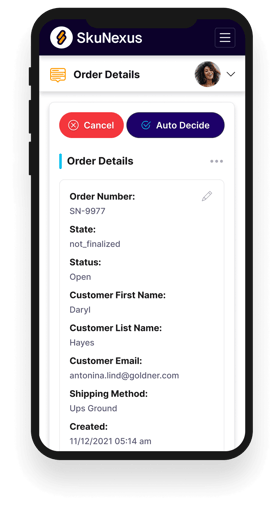
See How SkuNexus Transforms Inventory, Orders, and Fulfillment
- Say goodbye to stock issues with real time inventory tracking
- Make shipping and handling a breeze with our automated system
- Easily manage orders from all your channels in one place