Shopify Multi-Location Inventory
Distributed inventory management is no longer a luxury reserved for retail giants: it's now a prerequisite for any Shopify merchant looking to scale with confidence. Shopify's built-in multi-location inventory framework is designed to reflect the real-world complexities faced by growing merchants, allowing them to manage stock across warehouses, retail stores, and even pop-up locations from a single platform. But how does Shopify actually keep tabs on inventory at each individual location, and what operational realities arise once inventory is no longer centralized? This guide delves into the core concepts and mechanics behind Shopify multi-location inventory, setting aside detailed how-to steps and instead focusing squarely on the operational truths every scaling merchant needs to understand.
Key Takeaways
-
Shopify multi-location inventory enables merchants to manage stock across warehouses, stores, and pop-ups from a single platform.
-
Each inventory location in Shopify is tracked independently, ensuring accurate stock counts and better regional fulfillment.
-
Real-time inventory updates rely on event-driven sync, but delays can occur, especially when using third-party systems.
-
Distributed inventory helps avoid stockouts and supports localized experiences, but increases operational complexity and catalog management challenges.
-
Common issues like stock drift, incorrect location fulfillment, and conflicts with external systems require regular reconciliation and robust processes.
-
Shopify's native multi-location model scales well for moderate setups, but high SKU counts and multiple sites may demand custom tools or external integrations.
What Is Shopify Multi-Location Inventory?
How Shopify Represents Inventory Across Multiple Locations
Shopify's multi-location inventory model lets merchants assign products to one or more physical sites, be these warehouses, stores, or even dropship hubs. At its core, Shopify treats each location as a discrete stock silo. For every product (and each of its variants), Shopify records both the on-hand inventory (what's physically present at that specific site) and makes this visible in the admin. This structure supports true per-location stock, so selling out in one location does not affect the availability at others.
Inventory is tracked as a real-time count per location. The platform avoids using crude global totals, instead surfacing precise numbers for each address, allowing more granular operational decisions. Merchants can then view, and if necessary, update the on-hand quantities for each location independently, giving critical insight into the health and balance of their distributed supply chain.
Why Multi-Location Inventory Matters for Scaling Merchants
For scaling merchants, multi-location support is a major inflection point. As order volume and geographic reach increase, especially across multiple retail outlets or regional fulfillment centers, centralized inventory quickly becomes a bottleneck. With Shopify's model, businesses can merchandise product availability by region, minimize stockouts, and fulfill orders faster, directly reflecting the on-the-ground realities their team faces day to day.
More locations mean more complexity, but also more opportunity: tailored stock levels, regionally optimized assortment, and localized customer experiences. Multi-location tracking unlocks the operational agility needed to serve both online and physical customers efficiently, while making it possible to hold back safety stock, prioritize high-velocity SKUs by region, and manage returns in-place, all without losing track of the true inventory picture.
How Shopify Tracks Stock at Each Location (Conceptual Only)
Location-Level On-Hand Inventory vs Global Availability
Shopify distinguishes between on-hand inventory (the actual stock physically at a given location) and product availability on the storefront. A variant might have 15 pieces on hand at one location and zero elsewhere, yet the customer-facing availability could aggregate these or present per-location inventory, depending on channel and configuration. The system doesn't just tally a global sum: it knows exactly where each unit resides, which is vital for proper order routing, pickup/delivery options, and in-store reservations.
How Shopify Syncs Inventory Changes Across Locations
Each time an order is placed, returned, or received, Shopify updates the inventory at the associated location almost instantly. The platform relies on an event-driven sync process, where transactions and stock adjustments (like a shipment or restock) trigger location-specific updates. Shopify maintains a central inventory ledger and updates each location entry, keeping counts current as they change due to sales, returns, or manual corrections. When multiple systems are involved, such as POS or third-party WMS, Shopify acts as the source of truth but must also accept incoming location-level feeds, adding a layer of orchestration to keep all records aligned.
How Sales and Returns Affect Each Location's Stock
Sales, returns, and manual adjustments directly impact only the specific location from which that inventory is committed. For example, an online order routed to a Toronto warehouse will decrement only that location's on-hand number. Local sales at a flagship storefront affect just that store's inventory count. Even returns are processed by location, so returned goods actually move stock at the place they're put back into circulation, helping merchants keep their distributed stock in sync with reality. This granularity is crucial for merchants wanting true visibility into not just what is available overall, but where each unit is at any point in time.
Operational Realities of Managing Multiple Locations
Visibility Challenges With Distributed Inventory
As soon as stock is spread across multiple sites, inventory visibility becomes a pressing operational challenge. Shopify's admin gives a per-location breakdown, but the real-world picture is rarely this clean. Staff may check stock at a store, while another team is replenishing warehouse counts. Keeping everyone in sync across time zones, retail hours, and fulfillment shifts presents day-to-day hurdles. Blind spots tend to emerge, especially if a team is juggling inventory outside Shopify (think spreadsheet workarounds or offline reconciliation), making it easy for discrepancies to surface between reported and actual on-hand counts.
Timing Delays and Conflicts Between Systems
Real-time inventory is an aspiration, but true immediacy is elusive. Even with Shopify's rapid sync, timing delays can occur, especially if third-party systems (like a separate WMS or marketplace integration) are being used. Sometimes, stock updates overlap: one system might decrement stock following a POS sale, while another module might be updating after a B2B transfer. Brief sync lags can cause partial inventory updates or temporary mismatches, particularly during flash sales or when multiple channels are writing to the same locations. The result is a small but real window where available inventory doesn't fully match operational reality.
Variant and Catalog Complexity Across Locations
Managing a catalog with many variants multiplies complexity once multiple locations are in play. Each location can, and often does, carry a different subset of variants, meaning SKU counts and inventory breakdowns quickly balloon. Seasonal items, limited-run products, or location-exclusive SKUs all drive the need for finely tuned catalog management. Teams need tooling, and discipline, to avoid errors when updating, transferring, or launching products, as mistakes can cascade through the inventory structure, affecting what's actually available for order at each site.
Common Multi-Location Inventory Problems
Inaccurate Location Quantities and Stock Drift
No matter how tight your operational controls, distributed multi-location setups suffer from location-level inaccuracies. Stock drift, where Shopify's system count and physical reality begin to diverge, rises with every new location and added SKU. Issues often result from manual corrections, missed in-transit transfers, or products lost to shrinkage. While Shopify aims for real-time accuracy at the location level, staff processes and integration lag can introduce persistent errors that only manual stocktakes or advanced reconciliation catch.
Accidentally Selling From the Wrong Location
A subtle but costly risk in a multi-location world: inventory allocated from an unintended site. This happens when Shopify is not fully aware of operational constraints, such as stock being physically reserved for a B2B customer or set aside for a local event. Without restrictive rules, a customer in New York might see inventory reserved in Chicago as available, triggering fulfillment and potential customer service headaches. Inventory display settings and channel mapping help, but these accidents are a reality for even the most organized teams.
Conflicts Between Shopify and External Inventory Systems
Shopify may hold the primary record, but many merchants run parallel systems, from third-party WMS to accounting and marketplace feeds. Dual-entry, inconsistent data flows, or out-of-sequence system updates can drive serious friction. These conflicts may surface as phantom inventory, negative stock, or products available on one channel but not another. The more integrations in play, the higher the chance for drift between Shopify and satellite systems, requiring constant vigilance and frequent audits to catch and correct issues before they impact the customer.
Limitations of Shopify’s Native Multi-Location Model
Scaling Constraints With Many Locations or High SKU Counts
Shopify's model is robust for merchants managing a handful of locations, but the operational load grows quickly with each added point of fulfillment. Merchants with dozens, even hundreds, of sites experience significant performance overhead: admin screens slow, bulk updates take longer, and audit tasks become routine. When SKU counts rise into the thousands per location, day-to-day management shifts from straightforward to unwieldy. The platform's UI and reporting tools, while strong, weren't built for very high granularity at scale, meaning custom tools, exports, or external BI become necessary for detailed oversight.
Operational Gaps When Adding Channels or WMS Systems
Growth brings complexity, and adding channels, like marketplaces, B2B portals, or regionally specific fulfillment partners, exposes the limits of Shopify's native inventory model. Integrations with advanced WMS, multiple POS vendors, or D2C platforms require careful operational design to ensure inventory sync remains accurate and actionable. Without robust orchestration and error resolution logic, merchants risk conflicted updates, oversells, and data misalignment. These gaps don't just slow operations, they become a persistent operational tax as the business grows.
Next Steps and Related Guides
Shopify multi-location inventory readiness is a milestone, not a finish line. For a comprehensive view on inventory and fulfillment across the platform, see the Shopify Inventory & Fulfillment Operations overview.
Challenges specific to location prioritization, multi-warehouse setup, or resolving availability mismatches are explored in depth in our dedicated guides. Go deeper on:
Understanding these operational layers will set your team up to get the most from Shopify's native multi-location inventory tools, while ensuring every decision is grounded in the true realities of distributed retail.
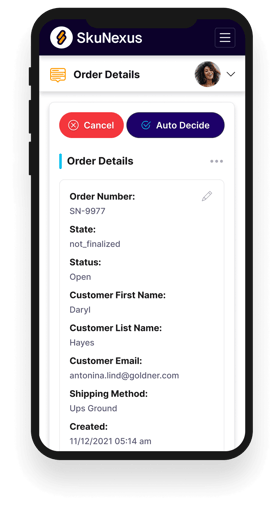
See How SkuNexus Transforms Inventory, Orders, and Fulfillment
- Say goodbye to stock issues with real time inventory tracking
- Make shipping and handling a breeze with our automated system
- Easily manage orders from all your channels in one place