
Shopify Multi-Location Inventory
For merchants running multi-location operations on Shopify, inventory 'availability' is far more than a static number. Behind every available quantity shown to customers and staff sits a logic engine, balancing on-hand stock, inbound shipments, and the constant churn of orders, edits, and returns across multiple nodes. Understanding how Shopify calculates available inventory in these scenarios isn't just technical curiosity: it's critical for anyone integrating, scaling, or troubleshooting stock visibility in complex environments. This guide explores, in operational depth, how Shopify's availability logic works when inventory is split across multiple locations, maps the core behaviors that affect availability at runtime, and surfaces both the practical challenges teams encounter and the limits of Shopify's current approach.
If you're looking for a foundational introduction to Shopify's multi-location inventory model, start with the broader Shopify Multi-Location Inventory overview. What follows here is a deep jump into the nuts-and-bolts availability rules that drive day-to-day outcomes.
Key Takeaways
-
Shopify availability logic calculates available inventory at each location as on-hand stock minus committed units, ensuring only unreserved inventory is shown as sellable.
-
Incoming inventory is visible for planning in Shopify but does not affect available inventory until stock is received and posted as on-hand.
-
Accurate and timely synchronization between Shopify and external systems is vital to prevent discrepancies and over-selling, especially in multi-location setups.
-
Operational delays, incomplete updates, or mismatches between systems can cause availability drift and undermine trust in Shopify's inventory numbers.
-
High-velocity sales and integration with external OMS or WMS solutions stress-test Shopify's availability logic, making regular audits and clear data ownership essential for reliability.
How Shopify Calculates Available Inventory (Conceptual)
What 'Available' Means in Shopify's Data Model
In Shopify's data model, 'available' inventory represents units physically present and uncommitted to existing sales or outgoing transfers, essentially, stock that can be confidently allocated to new customer orders or other operational needs. For each location, Shopify tracks a trio of tightly-linked numbers: the "on-hand" balance (all stock currently at that location), the "committed" quantity (inventory associated with unfulfilled orders or outgoing transfers), and the "available" quantity.
Conceptually, the calculation is straightforward:
Available = On-hand – Committed
But, in practice, this number is often in constant flux. Committed stock can jump due to surges in orders, drop when orders are canceled, and on-hand can increase rapidly with incoming stock receipts or decline as picks are confirmed for fulfillment. Add multiple locations to the mix, and 'available' becomes a distributed calculation, with each location's numbers rolling up to the product or variant's overall sellable availability. Notably, Shopify does not natively factor 'incoming' (i.e., purchase orders or expected receipts) into its 'available' tally, although incoming is visible in the admin for operational awareness.
How On-Hand, Committed, and Incoming Stock Interact
While 'on-hand' and 'committed' are strictly enforced in calculations, 'incoming' remains a separate informational field. When new stock is received at a location and booked into Shopify, on-hand increases, this directly boosts available. Conversely, committing inventory to an order (or transfer out) reduces available but leaves incoming untouched. Operationally, this means:
-
Only on-hand inventory, not incoming, can be allocated and sold.
-
Committed inventory includes both unfulfilled orders and outgoing transfers, updating immediately when these are created.
-
Incoming is for planning and visibility, but until stock is marked received and posted as on-hand, it doesn't participate in the availability computation.
The practical result: available inventory is always a reflection of what's physically present and not already reserved, regardless of any stock en route or expected.
Core Concepts Behind Shopify Availability Logic
How Shopify Deducts Stock During Order Placement
When a new order arrives, Shopify immediately marks requested units as 'committed' at the location(s) which will fulfill that order. This happens at the moment the order is finalized, before fulfillment or pick/pack occurs. The deduction logic is purely: reduce available at the chosen location by the order quantity, add equal units to committed, and leave on-hand unchanged (until fulfillment happens). For split orders across locations, this logic iterates by line item, updating each source location separately. The system's intent is to prevent over-selling in high-velocity or multi-location settings, but this relies fully on the data being current and the location assignment logic functioning as intended.
How Cancellations, Returns, and Edits Affect Availability
Cancellations, returns, and order edits trigger re-balancing events within Shopify's model. Canceling an order line reverses the commit: those units are subtracted from committed and immediately added back to available at the original location. Returns function differently, stock is only added back to available once the return is processed and the stock is checked-in at the relevant location. For mid-stream order edits, the logic becomes trickier: increasing qtys creates new commits (subject to available across locations), while reducing or deleting lines releases commits and increases available. Timing matters here, a delay between a customer editing their order and fulfillment operators completing returns or adjustments can leave available misleadingly high (or low), opening the door to oversells or allocation errors if not managed tightly.
Timing Behavior Between Shopify and External Systems
Availability calculations are only as good as the data feeding them. Shopify's core logic is immediate and atomic, but in real operational environments, integrations to third-party tools (WMS, ERP, or external OMS) introduce latency, batching, and synchronization lag. For example, if an external system updates on-hand via Shopify's API on a schedule, or posts fulfillment events with several minutes' delay, the source-of-truth status within Shopify can temporarily diverge from physical reality. This leads to small but operationally critical gaps: sold inventory may still show as available, or received stock isn't available for sale due to slow input. The result: while Shopify's model is real-time, the broader availability story depends on robust, well-tuned syncs, and the further data travels from actual scanning, the lower the confidence in instant accuracy.
Operational Realities of Availability Logic
How High-Velocity Sales Impact Availability
In peak periods, major drops, flash sales, or high-velocity product launches, Shopify's deduplication of available inventory is severely stress-tested. Multiple orders can be finalized simultaneously for limited stock, especially when carts are built ahead of time or checkout bots are in use. Although Shopify attempts to atomically deduct available stock when the order posts, slight delays in commit processing (especially with heavy API traffic) can result in oversells, particularly across multiple locations with uneven sync speeds. Merchants need to be aware that the 'available' figure can momentarily overstate reality until every pending cart is processed and all system updates settle.
Why Inaccurate Inventory Breaks Availability Calculations
Availability is only as trustworthy as the on-hand and committed numbers underpinning it. If inventory audits are infrequent, or on-hand figures aren't updated promptly after receipts, picks, damages, or manual adjustments, Shopify's availability logic will mislead. In multi-location environments, even small errors in a single node can cascade, leading to fulfillment failures, customer frustration, and the need for expensive manual fixes. This underscores why regular reconciliation, careful integration practices, and point-of-action updates are pivotal in keeping Shopify's logic trustworthy.
Patterns That Create Availability Drift
"Availability drift" occurs when Shopify's internal model diverges consistently from physical or external system reality. It's rarely caused by a single catastrophic error: rather, it's often a slow creep as small mismatches accumulate, missed API syncs, unposted transfers, or delayed receipts. Over time, the drift can reach a point where operators no longer trust Shopify's available numbers, resorting to manual checks and overrides. Best operational practices involve scheduled true-ups, exception reporting, and process design that closes gaps immediately, minimizing drift risk.
Common Availability Logic Problems
Incorrect 'Available' After Edits or Cancellations
The nuances of Shopify's handling of edits and cancellations are a common pain point. When order lines are canceled or quantities reduced, Shopify's logic reverses the associated commits and restores availability at the original location. But, operational lags or partial system updates (such as when an external OMS fails to mirror these changes immediately) can mean that availability figures are out-of-date, leading to inventory being incorrectly shown as sellable, or, worse, sold twice. When updates or reversals are synced out-of-sequence, the potential for confusion and errors grows.
Partial Updates or Missing Synchronization
Partial system updates, where only some inventory changes are synced between Shopify and external platforms, can drastically undermine availability accuracy. For example, if on-hand is updated without adjusting committed units, or vice versa, the resulting available becomes a phantom figure. Multi-location setups amplify this risk: missed updates can mean some nodes are over-allocated while others have unsellable surplus. Routine, bi-directional sync validation and audit trails are critical, especially in high-SKU environments where manual checks aren't feasible at scale.
Conflicts Between Shopify and External OMS/WMS
When Shopify operates alongside an external OMS or WMS, conflicting availability logic is a recurrent challenge. If both systems can allocate inventory, or if direction-of-truth rules aren't strictly enforced, it's not unusual to see simultaneous over- and under-allocations across different systems. These misalignments are especially problematic during rapid sales or change-heavy cycles: an external system may allocate stock Shopify considers already committed, or vice versa, producing fulfillment errors and negative customer experiences. Operationally, clear data ownership and strict, documented sync rules are required to reduce these conflicts.
Limitations of Shopify’s Availability Logic
Lack of Transparent Calculation Detail
Even though the apparent simplicity of 'available = on-hand – committed,' Shopify does not expose detailed, step-by-step calculation logs or granular adjustment history for each change in availability. This lack of transparency can frustrate operations teams troubleshooting discrepancies, especially when trying to pinpoint the precise cause of a drift or mismatch. Without a clear audit trail, operators may end up second-guessing both Shopify's numbers and the integrity of their own outside systems.
Challenges With Multi-System Sync and High SKU Counts
Scaling Shopify's availability logic to multi-system environments or catalogs with tens of thousands of SKUs brings unique limits. Every additional system in the sync loop introduces risk: API limits, update lag, and occasional dropped events all make real-time availability difficult to guarantee. With high SKU counts, small-frequency errors multiply, dramatically increasing the potential for hidden drift and uncatchable mismatches. Eventually, while Shopify's availability logic is sound for simple, single-system workflows, achieving near-flawless accuracy at enterprise scale requires relentless integration vigilance and process discipline.
Next Steps and Related Guides
For teams exploring broader strategies around inventory locations, fulfillment routing, or best practices for multi-location operations in Shopify, see the Shopify Multi-Location Inventory overview. Deep dives on setup, location priority, and complex issue diagnosis are available in accompanying guides linked from the overview. For those tasked with day-to-day operational accuracy, prioritizing robust integrations, validation routines, and proactive exception handling remains the central discipline, no matter how sophisticated the tech stack.
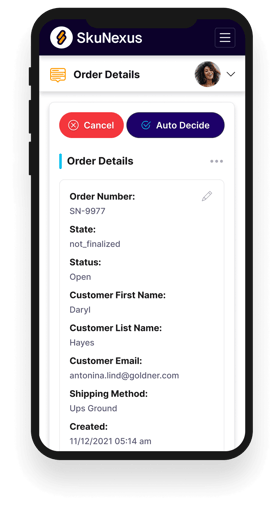
See How SkuNexus Transforms Inventory, Orders, and Fulfillment
- Say goodbye to stock issues with real time inventory tracking
- Make shipping and handling a breeze with our automated system
- Easily manage orders from all your channels in one place