
Shopify Multi-Location Inventory
Even with Shopify's robust multi-location support, inventory availability issues can wreak havoc behind the scenes. Inaccurate availability, stock showing where it isn't, or missing where it is, undermines operational stability and trust. Merchants with growing channel complexity or bespoke workflows soon discover that what looks like a simple 'Available' number may obscure tangled timing conflicts, missing syncs, and multi-system misunderstandings. This guide distills the operational essence of availability problems in Shopify's multi-location environments, focusing on how inaccuracies emerge, what real-world risks they pose, and conceptual strategies for diagnosing these elusive issues.
Key Takeaways
-
Shopify availability issues often stem from timing conflicts and missing syncs between systems, leading to inventory mismatches.
-
Inaccurate availability numbers can result in overselling, stockouts, or missed revenue across multiple locations and sales channels.
-
Shopify's multi-location inventory relies on up-to-date committed and physical stock data, but external apps and manual adjustments can disrupt accuracy.
-
Operational risks from Shopify availability issues are magnified in complex, multi-system environments where defining a single source of truth is critical.
-
Effective diagnosis of availability problems requires careful event tracing and an understanding of all data flows, particularly during peak sales and sync cycles.
What Inventory Availability Means in Shopify
How Shopify Conceptually Calculates 'Available' Inventory
In Shopify's multi-location context, 'available' inventory isn't just a raw on-hand quantity, it's the number of units ready for sale at a particular location. Shopify arrives at this by taking each location's total physical inventory, then automatically factoring out anything already committed to unfulfilled orders. Every time an order is placed, the committed amount is subtracted. Canceled fulfillment or changes in order status trigger rapid re-adjustments. The logic seems straightforward if you're working with a single system and all orders come through Shopify itself.
But as sales channels multiply and order flow grows more complex, the straightforward arithmetic grows brittle. Shopify must keep reconciled snapshots per location, making instant decisions about whether an item is salable to the public, to in-store buyers, or to external marketplaces, all at the moment a customer checks out or a staff member checks a dashboard.
Why Availability Breaks Down Across Locations
Problems appear when multiple locations, sales channels, and integrations interact. Unlike single-location merchants, multi-location users may adjust inventory in one place, expecting immediate, system-wide visibility. Delays in syncs or untracked manual adjustments create mismatches, both in what customers see and what internal teams believe is available. As each system in the stack (Shopify admin, sales app, ERP, or warehouse software) maintains its own view, slight discrepancies can cascade. Shopify's availability snapshot becomes an opinion based on its most recent inputs, but not always the actual truth on the warehouse floor.
Common Causes of Availability Problems
Timing Conflicts Between Systems
At the heart of many availability problems are timing conflicts: two systems update an inventory quantity nearly simultaneously, Shopify and a warehouse management tool, for instance. If scripts, apps, or manual entries overlap, Shopify might save a new availability value that instantly becomes outdated the moment another update posts. The lag, even just a few seconds, can mean that available inventory calculations reflect a past reality, not the current state. As sales and updates accelerate, so does the risk.
Incorrect State Changes or Missing Updates
Errors multiply when changes go missing. If an order created outside of Shopify doesn't push a committed amount back to Shopify promptly, the item can still look available in one system while being sold elsewhere. This risk is highest in environments using periodic data syncs, staged imports, or middleware that queues rather than instantly transmits updates. If those syncs are delayed, lost, or skipped, the available quantity Shopify displays can be dramatically out of sync with reality, fueling overselling or stockouts.
API or App-Driven Availability Mismatches
Shopify's open API ecosystem is a double-edged sword. Integrations driven by apps or custom connections sometimes introduce their own problems. For example, a custom inventory app might overwrite available quantities without properly reducing the committed values, or vice versa. Batch updates sent from third-party systems often conflict with real-time webhooks, leading to transient states where inventory is shown as available, or not, erroneously. This complexity grows exponentially when multiple apps with different triggers interact, each expecting to be the source of truth.
How Availability Issues Appear Operationally
Inventory Showing as Available When It Isn't
Perhaps the most visible operational problem is stock showing as available for sale on the online store, POS, or external channels, even when the physical quantity has already been depleted. Warehouse staff might pull open orders and discover out-of-stock items. Customers may place orders that can't be filled, triggering apologies and refunds, a customer service headache, and a blow to brand reputation. This issue often surfaces after a major restock, mass import, or during a promotional surge.
Unavailable Inventory Showing as In-Stock
On the flip side, items that are actually on-hand can go undetected in Shopify, left unavailable for sale even though they sit ready to ship. This is especially common when location transfers, manual reconciliations, or late-arriving inventory updates are not properly synchronized with Shopify's availability logic. Revenue is left on the table, and warehouse teams are frustrated by unexplained 'invisible' stock.
Per-Location Visibility Problems
What complicates multi-location environments is that availability issues often hide in plain sight within one location's view but not another's. An item might show as sellable in a flagship store but not in a regional warehouse, or vice versa, due to localized sync delays or channel-specific overrides. When tools, dashboards, or sales channels present incomplete or inconsistent location data, operational teams start to lose trust in the system. Multi-store merchants may only spot issues after reconciling sales figures, or when a spike in order errors points to a systemic blind spot. Without clear per-location transparency, true availability becomes an operational guessing game.
Diagnosing Availability Issues
Identifying Patterns of Incorrect Availability
Finding the cause of inventory mismatches requires more than spot-checking numbers. Operators should look for recurring issues, like specific locations always being wrong, or certain SKUs consistently affected after a sync or promotion. Logging changes, especially during peak sales or high-volume imports, can surface patterns: does availability break after big updates, after app runs, or after particular order sources post?
Understanding Which System Is the Source of Truth
A critical early step is defining which system 'owns' authoritative inventory data for each location: Shopify, an ERP, a warehouse platform, or some hybrid? Once clear, troubleshooting can focus on the data flows to and from that source. If Shopify is only a passive recipient of updates, any delay or logic error upstream will echo throughout your sales channels. If Shopify acts as the data owner, integrations must not overwrite or duplicate availability logic without reconciliation.
Evaluating Timing, Sync Behavior, and App Interference
Many errors root in event timing: two updates hitting within milliseconds, or data transfers scheduled at the wrong intervals, can cause sync races. Walking through recent inventory events in the affected locations, exporting logs or using audit trails where available, can reveal whether a specific transaction, app event, or failed transmission caused the break. Temporary disables of apps, staged re-syncs, or manual adjustments (with change tracking enabled) can help isolate the failure point. Conceptually, a layered review of each process, order creation, fulfillment, transfer in/out, app trigger, clarifies where mismatches emerge.
Limitations of Shopify’s Availability Model
Lack of Granular Per-Location Debugging Tools
Shopify's standard admin tools provide only a high-level view of inventory changes and availability shifts. While activity logs allow merchants to see some history, they rarely show enough detail or granularity to reveal subtle, timing-based conflicts, especially at the per-location level. There's no built-in audit trail that maps the complete flow of an item from inbound to available to committed to shipped across multiple locations, making root-cause analysis difficult in complex workflows.
Challenges With Multi-System Environments
Most Shopify availability issues escalate in environments where external systems push and pull updates. In these cases, Shopify may be only one of several systems manipulating or reporting the available number, and gaps in API coverage or app transparency become operational blind spots. The model assumes prompt, clean updates, but with multiple actors, that's rarely reality. Incompatibilities between API endpoints, asynchronous triggers, or old app logic introduce hidden mismatches. The end result: even careful teams can be left chasing phantom inventory errors they can't systematically audit or correct.
Next Steps and Related Guides
Operators managing multi-location Shopify setups need to approach availability management with both vigilance and skepticism. The best operational strategies focus on constraining where inventory decisions are made, minimizing concurrent changes across systems, and scrutinizing the logic behind app updates or middleware handling inventory data. When a recurring issue surfaces, meticulous event tracing, especially during sales peaks or sync cycles, often reveals the gap.
For a broader understanding of Shopify's design for multi-location inventory, and to ground your escalating troubleshooting in the platform's overall context, see the Shopify Multi-Location Inventory overview. Further guides will jump into channel-specific behaviors, advanced diagnostics, and edge-case reconciliations, equipping teams to control availability with greater confidence.
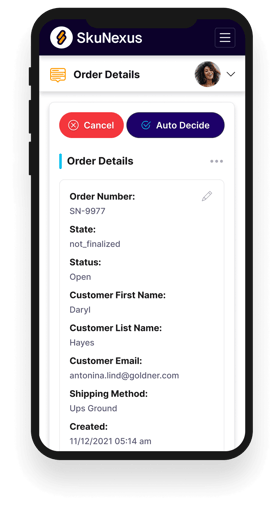
See How SkuNexus Transforms Inventory, Orders, and Fulfillment
- Say goodbye to stock issues with real time inventory tracking
- Make shipping and handling a breeze with our automated system
- Easily manage orders from all your channels in one place