
Shopify Inventory Management
Variant inventory in Shopify isn't just a technical detail, it's the operational backbone for merchants offering products with multiple options. From color and size combinations to custom attribute selections, how Shopify handles variant inventory shapes everything from stock representation to overselling risk. For operators, understanding these workflows is critical to avoiding costly missteps, especially as catalogs scale. This guide delivers a deep, pragmatic look at Shopify variant inventory, how it works, where it breaks, and what to watch for in real-world scenarios.
Key Takeaways
-
Shopify variant inventory tracks each unique product combination (variant) as an independent SKU, allowing precise stock control and reducing overselling risks.
-
Managing complex catalogs with many Shopify variant inventory SKUs increases the likelihood of data errors and requires careful auditing and standardized naming conventions.
-
Inventory adjustments, sales, and reporting in Shopify always occur at the variant level—not at the general product level—making variant setup accuracy essential.
-
Mismanaging variant options or SKUs can cause inventory mismatches, invisible stock, or fulfillment errors, especially when catalogs scale or during promotional changes.
-
Shopify’s native bulk management tools for variant inventory are limited, so merchants with high-SKU catalogs need additional processes and resources for efficient operations.
How Shopify Handles Variant Inventory
What Variant-Level Inventory Represents
In Shopify, every unique combination of product options, think size, color, style, creates a distinct variant. Each variant exists as an independent stock-keeping unit (SKU). Shopify's inventory system recognizes and maintains stock counts for each individual variant rather than just at the overall product level. So, a red, size medium shirt is a different inventory entity from a blue, size medium shirt, even if they roll up under the same parent product.
This design enables precise stock tracking for each SKU and is essential for preventing generic overselling. When a customer checks out, Shopify deducts inventory explicitly from the variant SKU tied to the purchased option combination, not the broader product. This ensures your online storefront reflects what's actually on-hand for every possible configuration, down to the last unit.
Why Variants Complicate Stock Management
The introduction of variants turns what might be a straightforward product catalog into a much more intricate puzzle. Every new option, additional colors, new sizes, fabric types, exponentially increases the number of distinct variant SKUs to manage. Operationally, this means more potential for stock discrepancies, data entry mistakes, and misaligned inventory counts.
Further, because each variant is autonomous in Shopify's system, missing or duplicating even a single variant can distort both the customer experience and internal reporting. For businesses dealing with hundreds or thousands of variants per product type, keeping the digital representation of inventory in sync with warehouse realities quickly becomes a delicate, high-stakes balancing act.
Core Concepts of Variant Inventory Logic
Inventory at the Variant vs Product Level
The product in Shopify is primarily a shell, a vessel for organizational information and marketing copy. All essential stock management happens at the variant level. You cannot adjust inventory for a product in aggregate: every transaction, adjustment, or reservation is mapped directly to an individual variant SKU and its attributes.
There's no such thing as a "product-level" inventory count in Shopify. All integrations, sales flow logic, and third-party feeds consume and update each variant's inventory individually, enabling granular tracking and reporting. This variant-first logic is foundational for robust e-commerce operations.
Option Combinations and SKU Assignment
Variants arise from the combinatorial explosion of options and attributes a product may offer. Each combination, size XL in red, size M in navy, and so on, generates a discrete variant. Shopify allows for custom SKUs to be assigned to each, or the merchant can leave the SKU field blank (not recommended for operational clarity). These SKUs become the bedrock of inventory workflow, linking every sale, return, or manual adjustment to a precise, traceable unit.
Operationally, maintaining consistent, descriptive SKUs is critical. They serve as the primary reference for staff, integrations, and analytics, and help minimize confusion during inventory audits, physical counts, and order fulfillment.
How Shopify Tracks Variant Availability
Availability in Shopify is always scoped to the variant. When stock for a specific variant reaches zero, that configuration becomes unavailable for sale unless overselling is allowed, either by removing inventory tracking for that variant or toggling the "Continue selling when out of stock" setting. Shopify's system decrements inventory in real time at the order level, allocating quantity only from the specific variant in the purchase.
Variant availability propagates to storefront logic, API calls, and platform-connected integrations, ensuring that only "in-stock" variants appear as selectable by customers. Operationally, understanding this mapping is essential: unexpected out-of-stocks almost always trace back to variant-level inventory mismatches or data flow interruptions.
Operational Realities of Managing Variant Inventory
High-SKU Catalog Complexity
As the number of variant combinations grows, so does the risk profile for your inventory. It's not uncommon for retailers to end up with several hundred or even thousands of variants across an expanded catalog. Every new variant means another point where data can go awry, incorrect SKUs, wrong option mapping, misaligned images, or even forgotten inventory updates.
Inventory audits become more labor-intensive, since each variant must be checked and reconciled individually. The operational workflow often requires bulk-editing tools, data exports, and careful spreadsheet wrangling. Even then, human error remains a leading culprit for inventory mismatches as catalogs scale.
Variant Mismatch and Human Error
It's shockingly easy to mis-map variant options or enter incorrect SKUs when setting up or modifying products. An extra space, inconsistent capitalization, or swapped attributes can silently generate duplicate variants or, worse, lose track of stock altogether. During catalog expansions or promotional updates, when multiple hands are in the system, these mistakes multiply.
Warehouse teams often struggle to align physical stock with Shopify's variant listings, especially when names or option values change post-launch. If a variant is deleted or its options are reordered, connectors and integrations can break, leading to overselling or missing inventory. Careful change control and rigorous SKU conventions are essential to keeping everything in lockstep.
Variant-Level Overselling Risks
The risk of overselling emerges most acutely at the variant level. Shopify will only prevent sales of a variant when the tracked inventory hits zero and the setting to continue selling out-of-stock variants is disabled. If inventory isn't updated frequently, or if multiple channels sell the same variant simultaneously, stockouts and overselling are real threats.
Bulk imports, slow data syncs, or staff overriding inventory counts for promotional campaigns can also result in negative stock or unfillable orders. Scaling teams must build controls to monitor rapid sales velocity at the variant level, not just at the product summary, to avoid operational headaches.
Common Variant Inventory Issues
Incorrect Variant Mapping
Mismatched variant mapping is a frequent operational pitfall. This typically happens when changing option values, like renaming "Sky Blue" to "Azure", or when adding/removing options over time. Shopify treats each unique combination as a separate database record. Altering the option structure severs the historical link, often leaving orphaned variants or out-of-sync inventory buckets. This results in invisible stock, ghost variants, or breaks in reporting.
The safest practice is to standardize option naming conventions and minimize destructive edits post-launch. When catalog changes are unavoidable, a controlled migration process that reconciles every affected SKU is critical to prevent unseen inventory loss.
Option Changes Breaking Product Data
Editing the option set for a product after go-live introduces significant risk. If size, color, or other attributes are added, removed, or reordered, Shopify regenerates the variant array. This backend process may drop or re-map variant links, sometimes erasing prior inventory assignments. Any connected integration referencing old variant IDs or option sequences can fail silently, leading to misallocated stock or sales blockage for legitimate variants.
Merchants should always test changes on a non-live product and document the impact before updating a high-velocity item. Keeping a change log of product option edits can help teams trace issues when they appear weeks or months later.
Variant Duplication Problems
Variant duplication crops up if staff accidentally recreate an existing variant by inputting the identical set of attributes. Shopify prevents exact duplicates by design, but near-duplicates (same attributes, different spellings or SKUs) will slip through. Duplicated variants fragment inventory, sales, returns, and reconciliations are split across multiple records, causing reporting inconsistencies and fulfillment errors.
Periodic catalog audits are necessary to weed out these duplicates, especially after seasonal launches or major imports. Clear training and standardized variant creation checklists are effective operational safeguards.
Limitations of Shopify’s Variant Inventory Model
Scaling Variant Catalogs
Shopify imposes variant count limits per product (currently 100 variants per product), which can constrain catalog design for businesses offering extensive option combinations. Workarounds, such as splitting into multiple products, complicate inventory management and cross-referencing. As catalogs approach these thresholds, operational complexity and maintenance workload rise sharply.
Tracking hundreds or thousands of variant SKUs also increases the likelihood of out-of-sync inventory and reporting discrepancies. Team coordination, naming discipline, and careful architectural planning become non-negotiable for large catalogs.
Lack of Native Bulk Variant Tools
Bulk editing and adjustment capabilities for variants in Shopify are limited, especially for high-SKU environments. While simple edits can be made via CSV import/export, advanced use cases, notably dynamic SKU reassignment, option restructuring, or mass attribute updates, require tedious manual intervention or custom scripting. This increases the operational burden and widens the margin for mapping mistakes.
Operators dealing with complex catalogs must allocate extra resources for variant management, and should regularly review Shopify's product roadmap for improvement in this area.
Next Steps and Related Guides
Managers and e-commerce teams looking to deepen their inventory management understanding should explore broader inventory management structures described in the Shopify Inventory Management overview. From here, map current catalog structure and audit for variant-level accuracy. Identify operational gaps by reviewing recent stock adjustment histories, focusing on variant mapping and overselling risk. Since Shopify's variant model sets the template for all other inventory behaviors, precision here strengthens accuracy across the entire inventory management workflow.
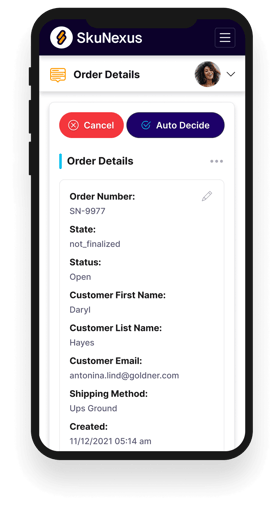
See How SkuNexus Transforms Inventory, Orders, and Fulfillment
- Say goodbye to stock issues with real time inventory tracking
- Make shipping and handling a breeze with our automated system
- Easily manage orders from all your channels in one place