Shopify Inventory Management
Effective inventory management in Shopify isn’t just about knowing counts, it’s about deeply understanding how the system’s structure, timing, and catalog complexity shape day-to-day stock accuracy. For brands scaling on Shopify, the line between staying in control and facing painful reconciliation cycles often hinges on mastering the mechanics of inventory control at the product and variant level. This sub-pillar unpacks what Shopify inventory management actually means operationally, where it cracks under pressure, and how to spot the telltale fault lines before they lead to major discrepancies. If you’re looking for workflow walkthroughs, you’ll find those in specialized guides, we’re focusing here on the strategic nuts and bolts that underpin accurate inventory in real Shopify stores.
Key Takeaways
-
Shopify inventory management relies on accurate control and real-time visibility of stock at the variant level, not just the product level.
-
Variant-level architecture is critical—mismanaged variants or duplicate SKUs are the leading causes of inventory discrepancies.
-
Order processing, returns, and manual updates all impact inventory counts, making consistent stock-update processes essential for accuracy.
-
Timely reconciliation is necessary due to potential lags and sync delays between Shopify and external systems, which can cause double-selling or drift.
-
Native Shopify inventory tools may struggle with high SKU counts or complex catalogs, requiring both best practices and lightweight monitoring.
-
Investing in regular monitoring and catalog management helps brands detect inventory issues earlier, maintaining reliable Shopify inventory management as they scale.
What Shopify Inventory Management Covers
High-Level Purpose of Inventory Management
Inventory management in Shopify serves one end: operationally reliable control and visibility of stock. It’s not about broad forecasting or supplier relationships, but about ensuring every sale, return, or cancellation accurately updates inventory records in near-real-time. For multi-SKU brands, the main goal is to eliminate confusion: inventory on hand should always reconcile with what Shopify reports as available, after accounting for committed stock.
Why Shopify Handles Inventory at the Variant Level
Shopify manages inventory at the variant rather than product level because almost all eCommerce complexity, color, size, material, even region, lives in variants. This means stock isn’t allocated generically to a product but tied granularly to exactly the item being purchased. For example, a shoe sold in multiple sizes and colors creates separate inventory records for each size/color combination. This granularity improves control but also demands precise catalog setup: a single mismatch or duplicate variant can introduce immediate discrepancies. Brands with high SKU counts quickly discover that robust variant management is the linchpin of Shopify inventory control. For deep dives on this structure, see the Variant Inventory guide.
How Shopify Tracks Inventory (Conceptual Only)
Variant Inventory Records (Summary Only)
Each variant in Shopify maintains its own inventory record, which includes data fields like ‘available’, ‘on-hand’, and ‘committed’. Only variants with explicit inventory tracking enabled will decrement or increment these counts in response to order or return actions. The system leverages unique identifiers beneath the surface, meaning operational accuracy depends on the consistent mapping between what’s in Shopify and what’s physically on the shelf or in a warehouse.
How Stock Updates During Order Lifecycle (Overview Only)
When an order is placed, Shopify immediately adjusts inventory for the specific variants sold, moving their available stock downward and marking the quantity as committed. If there’s a cancellation, return, or edit, Shopify attempts to reverse these actions, crediting units back to available stock. But these shifts aren’t always perfectly real-time, especially during high order velocity. Operationally, any lag or interruption (such as payment issues or external system sync) can create fleeting mismatches that become more visible as volume scales up.
Available vs Committed vs On-Hand (Short Explanation)
Available is what can be sold right now, what customers see as in-stock. Committed refers to units set aside for open orders that haven’t been fulfilled or canceled yet. On-hand is the total physically counted quantity, which should always equal available plus committed, but may drift if unrecorded adjustments or sync failures take place. Understanding these definitions is central to deciding when Shopify’s count is trustworthy versus when a secondary audit is warranted. More accuracy challenges are discussed in the Inventory Accuracy Issues guide.
Why Inventory Accuracy Breaks Down
Timing Gaps and Sync Delays (High-Level)
Even when Shopify and external systems are set up meticulously, real-world operations introduce timing gaps. Order spikes, high-volume flash sales, or heavy API traffic can all delay updates. These delays might last seconds or, sometimes, several minutes, creating windows where multiple platforms (Shopify, ERP, fulfillment partners) disagree on what stock is truly available. For operations, this is often the origin of double-selling or inventory drift.
Human Error in Updates (Conceptual Only)
Manual updates, whether someone corrects stock counts directly or uploads bulk CSVs, remain one of the largest sources of error. Misapplied changes, skipped variants, or misunderstanding Shopify’s variant-level architecture can all throw inventories off, especially in complex catalogs. Inaccuracies from these errors don’t always surface immediately: they may become visible only deep into a sales period or following reconciliation attempts. For corrective strategies, the Inventory Adjustments guide provides further insight.
Data Conflicts With External Systems (Conceptual Only)
Shopify rarely operates in total isolation: OMS, WMS, and accounting software are almost always in the mix at scale. These external systems often push or pull inventory data at different times based on their own triggers or sync cycles. When APIs collide or misalign, Shopify’s record can diverge from reality, sometimes duplicating inventory adjustments or missing ones altogether. The more systems in play, the higher the stakes and urgency for robust reconciliation and lightweight monitoring.
Stock Adjustments
When counts drift, adjustments are the mechanism that puts them back. A stock adjustment is any change to on-hand or available quantity that did not come from a sale: a cracked case written off, a cycle-count variance corrected, a return put back into salable stock. Shopify records each one as a discrete event with the date, the user, the variant affected, and the quantity change, which is what makes an inventory investigation possible weeks after the fact.
Two things routinely catch merchants out. An adjustment often moves units between available and unavailable rather than removing them, so an expired case still counts toward on-hand while dropping out of what customers can buy. And adjustment history thins out for bulk and older activity, so reconciliation across Shopify plus a warehouse or accounting system needs a source of truth outside the admin. The guide to Shopify inventory adjustments covers manual and system-generated adjustment types, how state transitions get logged, and the adjustment errors that quietly become drift.
Best Practices for Accurate Inventory
Clean Variant Architecture (Conceptual Only)
Avoiding ambiguity at the variant level is critical. Every variant should have a clear, unique purpose, and catalog sprawl must be managed aggressively to prevent accidental duplicate SKUs or overlapping definitions. If the catalog is messy, even perfect processes will produce unreliable results, and inventory drift will become routine. Rigorous architecture reduces mistaken updates and supports tighter control over what’s actually tracked. For more on structuring variants, see the Variant Inventory guide.
Consistent Stock-Update Processes (High-Level)
No matter the volume, having repeatable, standardized processes for updating inventory is essential. Ad hoc updates introduce variability and error. Synchronizing all stock changes, whether from sales, returns, or manual corrections, keeps Shopify’s counts aligned with physical stock. Over the long term, standard processes reduce the number of surprise inventory issues that require manual investigation or fire drills. Tactical details around inventory updates and corrections can be found in the Inventory Adjustments guide.
Lightweight Monitoring for Drift (No How-To Detail)
Ongoing monitoring to spot sudden changes or inconsistencies, in available versus on-hand, for example, helps operators catch drift before it cascades into larger reconciliation projects. This doesn’t mean building a complex reporting function: it’s about building in quick checkpoints to detect the early signs of structural or procedural misalignments. Brands that invest even minimal resources in regular drift detection will uncover problems faster than those relying entirely on periodic hand counts or after-the-fact discovery. Strategic monitoring is further discussed in the Inventory Accuracy Issues guide.
Limitations of Shopify’s Native Inventory Features
Scaling Challenges (High-Level)
Shopify’s out-of-the-box inventory tools serve most smaller and midsize brands well, to a point. As SKU counts grow and product catalogs fragment, maintaining accuracy using only Shopify’s built-in controls becomes challenging. High-volume stores, brands with frequent drops, or those experiencing rapid growth may notice increased lag, unexpected decimal drift in stock counts, or operational slowdowns as update frequency rises. At scale, managing inventory solely inside Shopify can result in issues that wouldn’t appear in smaller stores.
Complex Catalog Limitations (High-Level)
Catalogs with numerous product types, configurable bundles, or high variant counts push Shopify’s inventory system to its limits. Complex relationships, such as shared components, variant swaps, or bundled SKUs, often exceed the intended use case of Shopify’s native inventory model. This can result in misaligned counts, incomplete decrementing, or difficulty reconciling component-level stock. Operational teams must remain mindful of these structural limits when planning catalog expansions or customizations, and should reference the Low-Stock Workflows guide for additional considerations.
Next Steps and Related Guides
Shopify inventory management only starts with understanding variant-level counts and the sources of drift. For those looking to tighten operational control, dive deeper with the Shopify Inventory & Fulfillment Operations overview. When catalog cleanup, variance correction, architecture refinements, or real-world stock workflows are on the table, explore:
-
The Inventory Adjustments guide (for all correction and adjustments)
-
The Variant Inventory guide (for detailed variant logic)
-
The Inventory Accuracy Issues guide (for drift root causes and preventive checks)
-
The Low-Stock Workflows guide (for managing critical inventory thresholds)
Keep operational focus tight, leverage native controls where possible, and review these supporting guides whenever more advanced troubleshooting or restructuring is required.
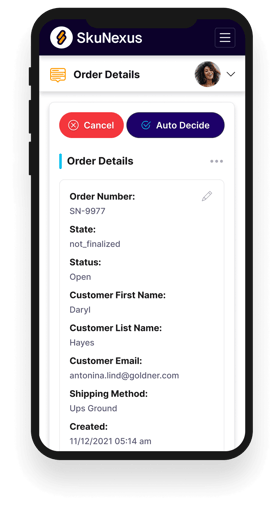
See How SkuNexus Transforms Inventory, Orders, and Fulfillment
- Say goodbye to stock issues with real time inventory tracking
- Make shipping and handling a breeze with our automated system
- Easily manage orders from all your channels in one place