
Shopify Inventory Management
Staying ahead of low stock situations is one of the make-or-break challenges for Shopify merchants. Running out of inventory at the wrong moment can mean lost sales, frustrated customers, and missed opportunities, while over-ordering just ties up cash in stagnant stock. But how does Shopify actually handle low-stock detection? What conceptual models should merchants use, and where are the real workflow pain points? This guide dives deep into the logic, timing, and operational nuances of low-stock workflows on Shopify, exposing critical considerations for any merchant serious about streamlining stock management.
Key Takeaways
-
Shopify low stock workflows require merchants to set custom reorder points and proactive alerts based on dynamic sales and lead time data.
-
Relying solely on Shopify's native inventory tracking can lead to missed stockouts or excess inventory, so additional workflow logic is essential.
-
Effective low stock management factors in accurate sell-through rates, demand fluctuations, and SKU-specific thresholds to minimize both stockouts and overstocks.
-
Automating Shopify low stock workflows and refining them to account for team roles and operational bottlenecks helps maintain availability and profitability.
-
Merchants with large catalogs or fast-moving products often need advanced integrations or custom workflows to overcome Shopify’s basic low stock features.
How Shopify Handles Low Stock Conceptually
Why Low-Stock Management Matters
Low-stock management isn't just about avoiding empty shelves. For Shopify merchants, it connects directly to sales performance, brand reputation, and operational efficiency. When a popular product dips too low on hand, even a minor delay in replenishment can trigger not just lost orders, but damage to customer trust. Merchants balancing tight capital constraints must walk a fine line, lean inventories improve profit, but toe the dangerous edge of stockouts. As the average e-commerce shopper expects immediate fulfillment, reactive inventory decisions are rarely enough.
What Shopify Tracks vs What Merchants Need
At its core, Shopify tracks basic metrics: inventory quantity per product and whether the Shopify store should permit overselling or mark items as out-of-stock. While these native signals are useful, most merchants require richer operational logic. For instance, Shopify's inventory data doesn't automatically account for lead times, reorder points, or consumption trends, variables that are essential to prevent low-stock issues. Merchants must bridge this conceptual gap by designing workflows and monitoring layers that add decision logic above Shopify's raw stock counts.
Key Concepts Behind Low-Stock Workflows
Thresholds and Alerts (Conceptual Only)
Merchants typically define custom reorder points or thresholds for each product. These are operational cues, a value below which the SKU is considered "at risk" of going out-of-stock before the next shipment arrives. Setting these triggers requires merchants to analyze sell-through rates, supplier lead times, and sales volatility. Ideally, workflows should promote proactive alerts before hitting zero stock, giving enough buffer for purchasing and delivery. But simply flagging low quantity isn't enough: the logic must consider business context, seasonal shifts, promotional periods, or known supplier delays can all warrant temporary threshold adjustments.
Lead Time and Replenishment Timing
Lead time is the elapsed period between placing a reorder and restocking inventory. Low-stock workflows hinge on anticipating this window precisely. Underestimating lead time is a prime reason for avoidable stockouts: if the alert fires only after stock is nearly depleted, there may not be enough time to receive new goods before running dry. Accurate lead time tracking should bake in supplier variance, shipping delays, and receiving lags, ensuring workflows trigger replenishment well in advance. Proactive management often requires continuous refinement as fulfillment partners, product lines, or supply chains evolve.
How Sell-Through Rates Influence Stock Levels
Sell-through rate (the speed at which inventory moves, typically measured per week or month) is a foundational input for low-stock logic. High-velocity SKUs call for more frequent and sensitive monitoring, while slow-moving items often tolerate lower reorder points without undue risk. Effective workflows use historical sales data to dynamically adjust reorder points and alert thresholds based on actual sales rhythm. Periods of abnormal activity, like flash sales or trend spikes, should also prompt temporary recalibration, preventing blind spots in standard logic.
Operational Realities of Low-Stock Management
Balancing Stockouts vs Overstocks
There's no universal formula for optimal inventory. Merchants weigh the pain of lost revenue from stockouts against the downside of tying up capital in products gathering dust. Shopify's basic inventory signals don't capture the nuances: a clearance fashion brand, for example, may accept intentional stockouts as part of its roll-over model, while an essential goods retailer faces far steeper consequences from empty bins. The real challenge lies in tuning workflows to business risk tolerances, a rigid, generic threshold can easily hurt either profitability or availability.
Seasonal and Demand-Based Fluctuations
Real-world demand is rarely steady. Holidays, events, influencer features, and even weather can drive wild spikes and dips that disrupt carefully crafted low-stock alerts. A merchant using last quarter's average sales as their sole reference may be caught off guard by a sudden surge. Advanced workflows incorporate demand forecasting, or at least use recent data windows, to keep threshold logic responsive. Operationally, this might mean temporarily raising reorder points ahead of a planned promotion, or keeping extra buffer for categories likely to spike in Q4.
How Inaccurate Inventory Breaks Low-Stock Logic
All low-stock workflows are only as trustworthy as the data they depend on. Errors in inventory counts, caused by mis-scanned receipts, shrinkage, or returns not properly processed, will trigger false positives (phantom stockouts) or worse, let a real runout slip by unnoticed. Many merchants discover too late that workflow logic failed because the underlying physical stock diverged from what Shopify reported. Regular cycle counts, disciplined receiving, and prompt handling of exceptions are essential operational disciplines to preserve the integrity of any stock detection and replenishment logic.
Common Low-Stock Workflow Issues
Alerts Triggered Too Late
If low-stock alerts only appear when there's a handful of units left, or after orders have exceeded available inventory, replenishment becomes a rush or even a lost cause. This is usually an effect of setting arbitrary thresholds that don't account for upcoming demand and real supplier lead times. Sometimes the lag comes from only reviewing stock data on a set schedule, rather than automating prompt detection. Merchants need to spot these workflow gaps early to avoid routine fire drills.
Wrong SKU-Level Thresholds
Not every SKU should have the same low-stock trigger. Yet it's common for merchants to set blanket reorder points, missing the nuances of fast-moving versus slow-moving inventory. An expensive or specialty item with infrequent sales may justify a threshold of just a few units, while a best-seller with daily turnover may need an alert at dozens or even hundreds left. Frequent review and segmentation of SKUs is necessary, and manual workflows often break down when product catalogs expand or seasonality shifts new items into higher velocity.
Reorder Timing Problems
A theoretically sound alert can still fall short if the workflow for acting on it falters. Delays can stem from procedural bottlenecks, like requiring manager approval for every purchase order, or from unclear ownership when an alert is triggered. In multi-person teams, alerts can even be missed entirely if not routed to the right person. Merchants should map not just when the signal fires, but exactly how, who, and how quickly next steps occur to keep stock flowing.
Limitations of Shopify’s Low-Stock Features
Lack of Native Automation
Shopify's out-of-the-box low-stock handling is intentionally simple. For many merchants, this means manual monitoring, basic notification banners, or email summaries rather than proactive, real-time intervention. Automated purchase order creation, dynamic threshold setting, or sophisticated forecasting generally require custom builds, introducing operational overhead and risk. Merchants scaling up often outgrow default alerting and must overlay more advanced systems or procedural discipline.
Constraints in Multi-SKU & High Velocity Environments
Merchants with deep catalogs or high-volume SKUs face compounded workflow strain. Shopify allows per-product quantity tracking, but there's no built-in support for prioritizing which low-stock events matter most, nor for rapid bulk updates when demand spikes hit across categories. At scale, visibility gaps appear: slow-moving items hog attention, while fast-sellers slip through the cracks. Large catalogs almost always demand a layered approach to detection and response, built on top of Shopify's limited signaling.
Next Steps and Related Guides
Merchants serious about mastering inventory detection should critically assess their low-stock workflows on Shopify, questioning not just how signals are triggered, but whether they align to real lead times, demand cycles, and operational bandwidth. Where native features fall short, consider process overlays or integrations that plug gaps without overcomplicating daily execution. For broader context and more comprehensive inventory strategies, review the Shopify Inventory Management overview for foundational guidance on structure, accuracy, and advanced operational models.
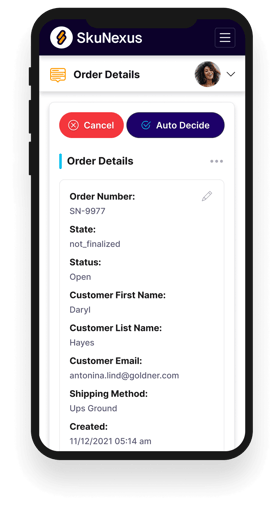
See How SkuNexus Transforms Inventory, Orders, and Fulfillment
- Say goodbye to stock issues with real time inventory tracking
- Make shipping and handling a breeze with our automated system
- Easily manage orders from all your channels in one place