
Shopify Inventory Management
Inventory adjustments in Shopify are more than routine fixes, they are the underlying mechanism that keeps your inventory records accurate amid constant, real-world change. From the moment a product leaves the shelf, is returned by a customer, or is found damaged, Shopify inventory adjustments ensure that what you see in your dashboard reflects reality, not just intention. This guide unpacks the logic, practical flows, and thorny scenarios insiders know: how quantity changes are logged, which workflows trigger them, and why getting adjustment logic right is fundamental to high-integrity inventory management.
Key Takeaways
-
Shopify inventory adjustments are essential for maintaining accurate, real-time stock levels amid operational changes.
-
Manual and system-generated adjustments handle discrepancies caused by damages, returns, reconciliations, and misallocations.
-
Every Shopify inventory adjustment is logged with user, date, SKU, and quantity, enabling transparency and auditability.
-
Accurate adjustments at the variant level prevent inventory drift and overselling, protecting fulfillment and customer satisfaction.
-
Conflicts between Shopify and external systems require a clear source of truth and tight integration rules to avoid stock mismatches.
-
Limitations in Shopify's bulk adjustment history may require merchants to use supplementary tracking for larger or audited operations.
What Inventory Adjustments Mean in Shopify
When and Why Merchants Use Adjustments
Inventory adjustments in Shopify are explicit records of every change to a product's on-hand or available count that isn't the result of standard purchases. Merchants deploy adjustments when discrepancies surface, such as during inventory counts, when fixing data entry mistakes, or in response to real-world issues like damaged units. Unlike simple sales-driven decrements, these changes are about reconciling system counts with physical realities. An adjustment can represent a one-off correction or a regular operational action, like handling expired goods or addressing shrinkage.
Adjustment events also kick in during process-driven routines. When evaluating stock levels before a major sale, cleaning up post-inventory audit variances, or accounting for items allocated to incoming returns, the adjustment tool acts as the official ledger entry to prevent false reporting and downstream fulfillment confusion. In Shopify, using adjustments with discipline separates merchants running tight operations from those scrambling after stock-outs or unhappy oversold customers.
How Shopify Records Adjustment Events
Every adjustment a merchant makes in Shopify is more than a quick tally change. The platform logs adjustment events as discrete action records, complete with date, user, the product or SKU impacted, and the exact quantity change. Whether made directly in the admin, via spreadsheet upload, or through third-party API connections, each event is entered as a persistent audit trail.
This adjustment history underpins accountability and transparency. Historical logs allow operators to trace why and when an inventory level changed, and by whom. This is vital when unraveling variances, attributing responsibility in cases of miscounts, or demonstrating compliance to auditors. Adjustment events are not only day-to-day operational tools, they represent a foundational element of trustworthy stock accuracy in Shopify.
Types of Inventory Adjustments
Manual Corrections for Fixing Stock Issues
Manual adjustments are the bread and butter for merchants dealing with the friction of real-world operations. Mistyped receiving, forgotten shrinkage, or an overlooked damaged batch, these get addressed manually day in and day out. In Shopify, such corrections can be implemented through the Inventory section by directly editing counts, importing bulk CSVs, or invoking adjustments via the API. Typically, these manual changes are categorized as either increases (found stock, reversed write-offs) or decreases (spoilage, theft, loss). This process is foundational to keeping system data aligned with physical stock, especially after periodic cycle counts or surprise audits.
System-Generated Adjustments from Orders and Returns
Shopify isn't just passively waiting for operators to catch errors: its order engine automatically triggers inventory adjustments as part of the core e-commerce cycle. When an order is placed, committed for fulfillment, canceled, or marked as returned, the platform generates corresponding adjustment records, reflecting units allocated, dispatched, or re-entered. This ensures a running, time-stamped log of every movement instigated by customer transactions, helping prevent inventory drift by tying financial and physical workflows together.
Plus, system-triggered adjustments extend to reverse logistics. If a return is received and marked as resellable, Shopify posts the returned item back into the available inventory, logging the event in the adjustment history. If not resellable, it may shift to an unavailable state for further action, such as write-off or disposal, a nuanced movement handled strictly by adjustment logic.
Understanding Available vs Unavailable States
Every inventory item in Shopify exists in a state: available (salable), unavailable (committed, reserved, damaged, expired), or sometimes an intermediary (awaiting inspection). Adjustments aren't just number changes: they also represent a transfer between these states. For example, when marking items as damaged, an adjustment will decrement available stock and increase the unavailable pool, keeping the on-hand total accurate but giving operators clarity on what can actually be sold. This transparency underpins sound inventory health metrics and ensures the risk of overselling is minimized.
How Inventory Adjustments Work Operationally
Adjusting On-Hand and Available Inventory Conceptually
Operationally, an inventory adjustment is an explicit command: change the quantity in the record to reflect the operator's intent. When a merchant initiates an adjustment in Shopify, the system expects a complete definition, SKU, direction (increase/decrease), and the new or changed quantity. The adjustment process can be single-entry (fixing a specific error) or bulk (reconciling sitewide or location-based variances), but the logic remains: ensure the digital ledger matches the physical world as closely as possible.
During a day-to-day operation, this could look like a warehouse team noting three broken units and quickly entering an adjustment to decrease available quantity. Or after discovery of unscanned product when prepping a shipment, increasing the count to reflect actuals. Clarity, and speed, are crucial, as delayed adjustments open the door to further errors and fulfillment issues.
Moving Inventory Between States
One of the understated complexities in Shopify inventory adjustments is not just changing total numbers, but moving inventory between states. For example, when a unit is deemed unsellable due to expiration but is still physically present, it must be flagged as unavailable, not simply removed from the count. Similarly, returns enter a holding state until assessed. These state movements ensure that stock represented as 'available' is always truly sellable, limiting the risk of selling expired, damaged, or missing goods.
Handling this correctly requires discipline. Operators should ensure any movement out of "available" status (for damage, loss, or investigation) is separately logged from outright removals, preserving an accurate story for what actually transpired. State transitions might also be handled in bulk at the end of stocktakes, with careful annotations in the adjustment log explaining why certain units changed availability, even if still physically present in the facility.
How Shopify Logs Adjustment Activity and History
Every adjustment, whether manual or system-generated, is recorded in Shopify's inventory activity log. These logs capture more than just the count: each event includes context such as user, time, adjustment reason if provided, and the before/after values. Over time, this adjustment timeline helps merchants reconstruct events and spot patterns.
Operators depend on these logs for reconciliation: lining up cycle count findings, untangling what was caused by operator error versus transactional movement, and identifying repeat variances. During audit season or when an investigation arises due to loss or misallocation, these activity records form the backbone of operational transparency and accountability.
Real-World Scenarios Requiring Adjustments
Damaged, Lost, or Expired Units
Physical inventory never moves in perfect lockstep with digital records. A case of bottles cracks in the storeroom: a food item quietly expires in a corner: a product vanishes, possibly misplaced, possibly stolen. In each situation, the only way to keep Shopify's figures honest is through a targeted adjustment reflecting the new, reduced sellable quantity. Promptly shifting these out of available stock not only lowers overselling risk but gives everyone, from warehouse to customer service, a clearer sense of what truly can be shipped.
Count Variances Identified During Reconciliation
Regular stock reconciliations are critical, and inevitably surfacing variances, sometimes inexplicable at first, are common. During a cycle count, a merchant might discover a shelf with two more units than recorded or suddenly realize a bin is short by five. In either case, adjustments must be entered to bring Shopify into alignment. It's not enough to passively note the discrepancy: without an adjustment, reporting, restocking, and order management all suffer downstream. Detailed notes accompanying adjustments during reconciliation ensure future issues can be traced and lessons learned.
Correcting Misallocations or Incorrect States
Not all adjustments are about loss. Sometimes, inventory has simply been misallocated between available and unavailable states. For instance, a return marked unavailable is later found to be perfectly resellable. Or a planned promotional allocation is inadvertently set as unavailable and needs to be returned to sellable stock. In these cases, adjustments move the units between statuses rather than simply increasing or decreasing the total count. This distinction preserves accurate on-hand balances while matching reality to the original operational intent.
Risks and Common Adjustment Errors
Adjustments Causing Inventory Drift
One of the most insidious risks in Shopify inventory adjustments is the gradual drift between system and reality. Every overlooked, delayed, or incorrectly entered adjustment creates an invisible gap. Over time, unrecorded shrinkage or accidental double entries will compound, causing operators to lose faith in reported figures. Merchants must treat each adjustment as a critical event, not a casual fix. The presence of inventory drift is a hallmark of businesses where adjustment discipline has slipped.
Incorrect Variant-Level Adjustments
Though adjustment logic should be precise, it's not uncommon for operators to apply corrections at the wrong product-variant granularity. Adjusting the wrong color, size, or bundle SKU can have cascading effects, leaving one variant overstocked while another is oversold. Shopify tracks adjustments at the variant (SKU) level, so misapplied changes can be particularly hard to unwind, especially if subsequent orders or returns compound the error. Only deep attention to detail and clear SKU-level documentation keep these mistakes from accumulating.
Conflicts Between Shopify and External Systems
Many merchants operate with integrations, accounting platforms, ERPs, or 3PL connections passing inventory data back and forth. Conflicts arise when the external system and Shopify try to adjust the same SKU in different ways, especially if updates are asynchronous or controls aren't in place to prevent overwriting. Double entry, latency, and API-triggered adjustments can result in stock bounce or mismatches. Merchants should sequence which system is authoritative, and ensure adjustment logic reflects this hierarchy consistently to minimize synchronization issues.
Limitations of Shopify’s Adjustment Tools
Lack of Bulk Historical Views
One operational limitation within Shopify is the absence of a comprehensive, exportable bulk history for past inventory adjustments. Merchants handling high SKU volumes or frequent corrections often find themselves piecing together adjustment activity from individual product records or limited reports, making pattern spotting and root-cause analysis challenging. For teams working on scaling or with auditing requirements, this limits the ability to perform quick, holistic dives into adjustment timelines, driving the need for separate logs or parallel tracking systems.
Misalignment When Multiple Systems Update Stock
Another pain point emerges when more than one system (such as accounting or shipping software) is empowered to post adjustments to Shopify. Without carefully defined integration rules and sequencing, it's easy for one system's update to overwrite another, or for API delays to cause inventory snapshots to lag actual operations. The lack of a unified, global-view log exacerbates this friction, occasionally leading to cycles of manual correction and operational stress. Ensuring a single source of truth, and clear operational boundaries for posting adjustments, is essential for accuracy.
Next Steps and Related Guides
For merchants seeking a broader understanding of inventory best practices, and to situate adjustments within the wider context of stock management, a comprehensive overview can be found in the Shopify Inventory Management overview. This guide builds a strong foundation for developing disciplined, resilient inventory workflows.
For deeper operational insight, merchants should regularly review their adjustment activity, enforce variant-level discipline, and periodically audit system logs to stay ahead of drift or synchronization issues. Mastery of these workflows not only limits errors, it's a competitive advantage that separates robust operations from those courting costly mistakes.
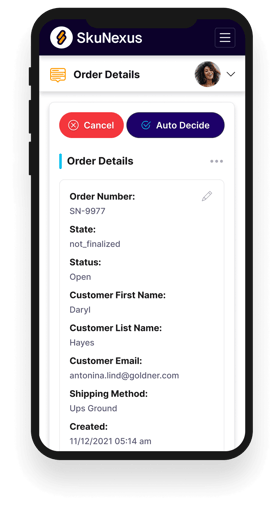
See How SkuNexus Transforms Inventory, Orders, and Fulfillment
- Say goodbye to stock issues with real time inventory tracking
- Make shipping and handling a breeze with our automated system
- Easily manage orders from all your channels in one place