
Shopify Dropshipping Operations
In the unpredictable world of Shopify dropshipping, nothing upends customer promises faster than overselling out-of-stock items or failing to surface fresh supplier availability. Supplier inventory sync is the overlooked backbone of any serious dropshipping operation, directly shaping customer experience, order routing, and, even more importantly, profit margin protection. Still, much confusion lingers about how supplier feeds power Shopify product availability, what can go wrong with stale or mismatched data, and how best to manage syncs across complex, multi-supplier catalogs.
This guide breaks down the operational realities of supplier inventory synchronization, from conceptual mapping and interval timing to the pitfalls of mismapping and buffer setup. Whether your business leans on a single distributor or you're balancing dozens of feed sources, understanding the under-the-hood mechanics of inventory sync will protect your uptime and safeguard your bottom line.
If you're looking for a broader view of operational strategy, see the Shopify Dropshipping Operations overview. Here, let's dive deep into the core mechanics and best practices unique to supplier inventory sync in dropshipping.
Key Takeaways
-
Supplier inventory sync is vital for Shopify dropshipping to ensure accurate stock updates and prevent overselling or missed sales.
-
Proper mapping of supplier SKUs to Shopify products helps avoid costly mismatches and product availability errors.
-
Feed frequency and sync intervals should be closely aligned to maintain up-to-date inventory status on your Shopify store.
-
Prioritize reliable suppliers with consistent, machine-readable inventory feeds to reduce sync risks and operational stress.
-
Regular data validation, use of buffer logic, and safeguarding manual overrides are essential best practices for successful supplier inventory sync.
-
Scaling with multiple suppliers or channels requires automated sync routines and vigilant monitoring to sustain shop reliability.
What Supplier Inventory Sync Means for Shopify Dropshipping
Why Accurate Supplier Inventory Matters
Supplier inventory sync forms the critical bridge between external reality and customer promise. In the Shopify dropshipping context, "inventory sync" means receiving timely, accurate stock updates from suppliers and reflecting that status on the Shopify storefront, automatically. Without accurate sync, stores risk selling items their suppliers no longer stock, leading to backorders, cancellations, and erosion of customer trust. Dropshipping margins are already tight: add chargebacks or negative reviews, and the cost of bad inventory data quickly outweighs any short-term revenue boost from overselling.
How Supplier Feeds Influence Shopify Stock Levels
Supplier feeds, typically spreadsheets, CSVs, or API connections, contain up-to-date stock quantities or availability statuses. Each sync cycle imports this data and maps it onto Shopify's product inventory records. The way Shopify reads and updates stock is entirely dependent on the latest supplier feed import: if the data's outdated, missing, or mismatched, product listings can show false quantities or even list as out-of-stock while suppliers actually have it in abundance. The cadence, accuracy, and completeness of these feeds influence not just which products customers see as available, but also how smooth order fulfillment, and post-sale support, will be.
Core Concepts Behind Supplier Inventory Synchronization
Importing and Mapping Supplier SKUs to Shopify Products
A foundational concept in supplier inventory sync is mapping supplier SKUs to Shopify products or variants. Suppliers often use their own unique product codes, which must be linked (mapped) to Shopify's internal product/variant IDs. Misalignment here is a recipe for disaster: if mappings are wrong, Shopify will update the wrong products, or worse, assign inventory counts incorrectly. Operational teams must maintain detailed mapping logic that accommodates new product launches, SKU retirements, and supplier SKU changes. Automated mapping routines or validation layers are usually necessary, especially when syncing hundreds or thousands of SKUs.
Understanding Feed Frequency and Sync Intervals
How often supplier inventory data is updated, not just provided, dramatically impacts inventory health. Feed frequency refers to how often the supplier supplies new data (e.g., every hour, once daily). Sync interval is how often your store imports and applies that data. If a supplier updates stock every four hours but you only sync once daily, you're lagging behind real stock positions. Conversely, syncing more often than the supplier provides meaningful updates offers little value and still risks propagating outdated data. Striking the right balance between feed frequency and sync interval is key to keeping Shopify stock levels both responsive and stable.
Handling Multiple Suppliers and Catalog Sources
Many Shopify dropshippers source from more than one supplier, with each supplier providing a differently formatted feed and their own SKU conventions. Maintaining separate, clean mappings for each, and sequencing the syncs to avoid data overwrites, presents a real operational challenge. Besides, multi-supplier scenarios raise critical questions: What happens if suppliers list conflicting quantities for identical products? How are tie-breakers handled? It's essential to carry out robust rulesets, often customized, for catalog reconciliation, preferred supplier priority, and fallbacks if a main feed is offline.
Operational Realities of Supplier Inventory Sync
Dealing With Partial or Delayed Supplier Updates
No supplier feed is perfect. Delays can occur because suppliers update their own records periodically or batch feed generation, leaving Shopify stores with incomplete or outdated views. Sometimes, feeds only report changes (delta feeds), omitting products when no inventory changes have occurred. Operations teams must build ingest logic flexible enough to detect missing or partial updates, retry failed fetches, and flag feeds that appear incomplete, ideally before customer-impacting errors occur.
Managing Discrepancies Between Supplier Feeds and Shopify
Discrepancies will happen, feeds get corrupted, supplier inventory systems have bugs, or network errors cause sync failures. When supplier-provided data doesn't match Shopify's inventory values, the risk is not just overselling but also underselling (listing products as out-of-stock when they are available). Monitoring tools that compare feed history to expected inventory changes, alert mechanisms, and escalation procedures are indispensable for mitigating the fallout from unexpected discrepancies.
Coordinating Syncs With OMS, WMS, or Marketplace Channels
Supplier inventory sync isn't happening in a vacuum: stores often use order management (OMS) or warehouse management (WMS) systems and may list on marketplaces that have their own availability requirements. Coordinating sync times and data flows among these systems prevents downstream conflicts like duplicate reservations or sales on out-of-date quantities. Timing becomes especially critical when internal reservations or order holds compete with external marketplace sales. A sync error here can ripple across channels, leading to service-level failures.
Common Supplier Sync Problems in Shopify Dropshipping
Inventory Showing as Available When the Supplier Is Out
This is arguably the classic inventory sync nightmare. If a feed is missed, delayed, or processed slowly, Shopify might advertise stock that's already committed elsewhere or no longer available. The operational impact is painful, refunds, angry emails, or even payment disputes. Mitigating this requires both technical safeguards (like minimum buffer quantities) and robust alerting for missed or suspiciously unchanged feeds.
Incorrect Mapping Leading to Wrong Products or Quantities
Mapping errors are one of the most insidious sync risks. If a supplier updates their SKU structure, or new products are added without refreshing mappings, a single sync cycle can update incorrect listings or zero out products unintentionally. Proven processes for mapping setup, validation, and automated notification of unmapped or mismapped SKUs are a must, particularly as supplier catalogs grow or change rapidly.
Overwriting Local Overrides or Pricing Rules
Some Shopify stores use manual overrides, marking critical items as always-in-stock or out-of-stock regardless of supplier feeds, or setting custom prices that shouldn't be touched by bulk imports. Poorly constructed sync routines can overwrite these local controls, erasing hard-earned strategic exceptions. Safeguarding local overrides means maintaining strict logic to exclude certain fields or products from automated syncs and logging any changes for easy post-mortem analysis.
Best Practices for Supplier Inventory Sync
Choosing Reliable Suppliers and Feed Sources
Inventory sync quality rises and falls with supplier data reliability. Prioritize suppliers that offer machine-readable, regularly updated feeds, and can guarantee data consistency. Vet feed formats up front, standardized fields and explicit SKU IDs allow more robust automation, and suppliers who can't meet these standards tend to generate ongoing operational overhead.
Validating and Auditing Supplier Data Regularly
Trust but verify, regular validation checks should be a foundational habit. This includes periodic spot-checks of live supplier sites or catalogs against their feeds, automated anomaly monitoring, and post-sync recon reports. Auditing workflows catch and correct mismatched SKUs, quantities, or unexpected feed drops before they spiral into customer-facing issues. The more frequently catalog changes and supplier updates occur, the tighter these audits should be.
Using Buffer Logic and Guardrails to Reduce Risk
Buffering, advertising fewer units than the supplier report says are available, protects against last-minute supplier sales or reporting lags. For example, if a supplier says 5 units are in stock, Shopify might show only 3. This approach shrinks overselling odds, especially during high-velocity periods or with slower-moving supplier updates. Implementing hard guardrails (fail-safes that halt sync or auto-set products out-of-stock if feeds are stale or abnormal) cushions mistakes and flags systemic sync failures before they hit live customers.
Limitations of Supplier Inventory Sync Approaches
Constraints of Simple File-Based or Manual Syncs
A surprising number of early-stage Shopify dropshippers begin with manual or file-based imports, downloading supplier spreadsheets and bulk-updating inventory in Shopify. This works for small catalogs or infrequent updates, but is highly prone to human error, slow reaction times, and inconsistent application of overrides. Miss a file import or copy the wrong SKU, and the customer sees unreliable stock. Manual approaches break down entirely as supplier numbers or update frequency increases.
Complexity When Many Suppliers and Channels Are Involved
Inventory sync becomes exponentially harder as more suppliers, data sources, or sales channels are added. Each supplier might have different feed update timings, fields, or even time zones, multiplying the risk of mismatches or bugs. Add marketplaces that also require near-real-time availability, and operational overhead skyrockets. Managing retries, conflict resolution, fallback rules, and regular audits becomes essential just to maintain basic reliability. It's crucial to recognize where DIY or spreadsheet-driven approaches stop scaling and to plan for flexible sync logic that accommodates future growth.
Next Steps and Related Guides
Mastering supplier inventory sync is just one pillar of a resilient dropshipping engine. For wider operational models, including advanced order routing, risk management, and fulfillment tactics, explore the Shopify Dropshipping Operations overview. As Shopify and supplier tech stacks keep evolving, so too must inventory sync protocols, investing in robust validation, mapping clarity, and fail-safe logic today means fewer headaches and more satisfied customers tomorrow.
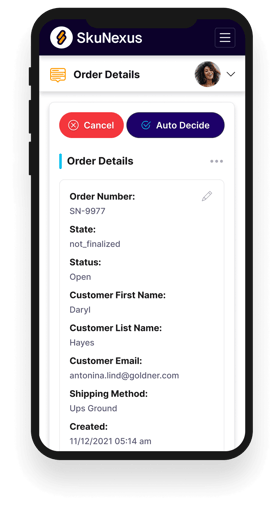
See How SkuNexus Transforms Inventory, Orders, and Fulfillment
- Say goodbye to stock issues with real time inventory tracking
- Make shipping and handling a breeze with our automated system
- Easily manage orders from all your channels in one place