
Shopify Automation & Routing
Modern Shopify merchants know that timing isn't just everything, it's the critical element that keeps fulfillment, customer service, and inventory humming in sync. As online orders flood in around the clock, automation must coordinate when, not just how, workflows run. Time-based rules make this possible, orchestrating tasks like tagging, batching, and scheduling fulfillment windows according to the real-world tempo of warehouse and carrier operations. This guide dives deep into how Shopify time-based automation actually operates, why precision timing matters, and how merchants can safeguard their workflows against the operational quirks, exceptions, and limits of Shopify's scheduling logic. For a broader view of automation strategies, visit the Shopify Automation & Routing overview.
Key Takeaways
-
Shopify time-based rules automate order processing by scheduling tasks like tagging and batch fulfillment according to real-world operational cutoffs.
-
Accurate timing in Shopify automation helps merchants meet shipping deadlines, reduce errors, and align digital workflows with warehouse and carrier schedules.
-
Time-based automation minimizes manual work, reduces staffing costs, and handles edge cases such as late-night or high-volume orders more efficiently.
-
Challenges include dealing with clock drift, unsynchronized inventory updates, and limitations in Shopify’s native scheduling flexibility, so merchants must document and monitor their rules closely.
-
Best practices for Shopify time-based rules include mapping operational rhythms, adding buffer periods for system syncs, and auditing automation triggers to ensure reliability.
What Time‑Based Rules Mean in Shopify Automation
How Timing Influences Order Handling and Fulfillment
In Shopify automation, time-based rules are scripts or sequences that trigger actions according to the clock, rather than reacting solely to real-time events, status changes, or manual input. These rules address when, specifically, processes like order batching, tagging, or fulfillment handoffs should occur. For example, a merchant might delay tagging all overnight orders until 7:00 AM, or trigger batch fulfillment at a set cutoff hour each afternoon to sync with carrier pickups.
Timing directly impacts logistics. Orders processed before a cutoff can be shipped same-day, while later ones are deferred. Automations that align with these windows act as the bridge between digital order intake and the physical world of pickers, packers, and trucks. If a rule triggers too early or too late, orders might miss the carrier, leading to extra carrying costs, missed SLAs, or frustrated customers.
Why Merchants Use Time‑Dependent Logic
Merchants adopt time-driven rules to tame volatility in e-commerce demand and synchronize Shopify's digital order flow with offline operational windows. By automating actions based on specific hours, days, or intervals, teams avoid manual interventions for batching, labeling, or re-queueing orders. This reduces staffing costs, smooths peak loads, and helps ensure that high-priority or late arrivals are treated logically.
This logic also minimizes human slip-ups when dealing with edge cases like late-night purchases, high-volume spikes before holidays, or orders placed during warehouse downtime. Time-based rules streamline handoffs, clarifying who owns the next workflow step, and when. The end result is a system that's proactive, not just reactive, and can be tuned to fit each merchant's real-world fulfillment cadence.
Core Concepts Behind Time‑Based Automation
Cutoff Times, Batch Windows, and Processing Delays
Three concepts underpin most timing logic in Shopify automation:
-
Cutoff Times: The most common, these define the last moment an order can enter today's fulfillment cycle. For instance, a 3:00 PM cutoff means all paid orders received before then will be picked, packed, and handed to the carrier before end-of-day.
-
Batch Windows: Rather than constant processing, many merchants prefer scheduled batch runs, e.g., process all unfulfilled orders every 2 hours, or at specific points during the day. This enables teams to group orders for efficiency and align boxing, labeling, and loading with labor availability.
-
Processing Delays: Sometimes, it pays to delay, orders coming in at odd hours can be intentionally held for morning review, or in the case of manual fraud checks. Time-based rules can introduce structured pauses, so nothing slips through the cracks at 2:00 AM unless intentionally permitted.
These tools give merchants granular control, allowing them to optimize labor, reduce fulfillment errors, and hit carrier departure windows predictably.
Scheduling Logic for Fulfillment or Tagging
Designing the logic behind scheduling demands a precise understanding of operational cutoffs. For fulfillment, automations often tag, route, or prioritize orders that land ahead of the warehouse's last call. Similarly, tagging rules might flag orders according to the time received: ‘After Hours Order', ‘Weekend Order', or ‘Same-Day Expedited' tags enable custom handling.
With batch processing, it's important that triggers are reliable and clearly scoped: Does the rule collect all eligible orders as of 1:00 PM sharp, or does it sweep a defined lookback window (such as "since last run")? Small misalignments can lead to missed or duplicate batches, especially if multiple schedules overlap or staff intervene manually.
Interactions Between Time‑Based Rules and Inventory Flow
While the heart of time-based rules beats to operational schedules, inventory flow should also be considered. If product availability is updated asynchronously (due to warehouse syncing, dropship updates, or purchase order receipts), automations relying solely on static schedule risk acting on outdated data. This can lead to accidental overselling, stockouts, or fulfillment delays. Smart merchants sequence their time-based automations so inventory updates precede fulfillment triggers, and build in buffer periods for expected lag, especially in multi-channel environments.
Operational Realities of Time‑Dependent Logic
Coordinating With Carrier Pickups and Warehouse Schedules
In the trenches, successful time-based automation works in lockstep with carrier pickup times and the physical pulse of the warehouse. Setting order release times just ahead of loading dock deadlines maximizes capacity and minimizes risk of last-minute scrambles. Merchants may stagger rules by carrier (e.g., one cutoff for FedEx, another for regional couriers) and sequence automation so different teams, pickers, checkers, loaders, see clear digital handoffs throughout the day.
Any deviation between rule timing and real-world van arrivals can cause late shipments or lost efficiency. Especially for multi-site merchants, local time zones and daylight savings shifts pose additional scheduling complexity.
Challenges With High‑Volume or Late‑Night Orders
Flash sales, holiday spikes, and influencer drops can flood the system unexpectedly, testing the resilience of time-dependent logic. Orders placed after hours may pile up, challenging capacity or causing staff overload at the next batch window. Without safeguards, automations may either miss these orders or inefficiently trigger in the middle of the night when no one is present.
Late-night purchases, particularly those just after daily cutoffs, are notorious for missing same-day fulfillment. Merchants must balance the promise of fast shipping against realistic pick/pack windows and labor constraints, using time-based rules to automate expectation-setting (like "ships tomorrow" tagging) as part of their playbook.
Impact on SLAs, Processing Time, and Customer Expectations
Time-based automations set the tempo for meeting published service level agreements (SLAs). If rules are too aggressive, they can create bottlenecks that bloat processing times. Too conservative, and the business pays with decreased delivery speed and customer satisfaction.
Clear communication is critical: confirmation emails, fulfillment messages, and estimated delivery dates are all downstream effects of the chosen timing logic. Misalignment generates ticket volume and damages trust. Well-designed time-based automations let merchants control promise-keeping at scale, but only with constant vigilance and adjustment to match operational and customer realities.
Common Problems With Time‑Based Rules
Rules Triggering at the Wrong Time
One of the most widespread issues is automation firing off too soon or too late. This is often due to clock drift, overlooked time zone settings, or schedule overlaps between systems (like Shopify, warehouse management, and ERP platforms). Orders may be fulfilled or batched before real inventory updates land, or after carrier cutoffs, throwing off the entire day's flow.
Frequent root causes include forgetting daylight savings adjustments, unsynchronized server clocks, or misunderstanding how Shopify processes scheduled tasks (which may run slightly off the expected minute).
Mismatches Between Scheduled Logic and Inventory Updates
Automations don't operate in a vacuum: when one system updates inventory quantities or order states later than expected, time-based triggers can act on stale or partial data. This often produces either missed shipments (due to holding when stock was actually present) or overselling (processing when stock was already depleted elsewhere). Careful sequencing, ensuring odds and ends like inventory pulls or restocks happen ahead of fulfillment steps, is essential to reduce these errors.
Complexity When Multiple Systems Use Timers
Real-world merchants commonly operate several interconnected systems: Shopify, a fulfillment service, a separate OMS, downstream carrier integrations, and more. Each platform may have its own internal clocks and scheduler logic. As a result, timing-driven rules can conflict: one system may release a batch at 1:00 PM, while another imports data at 1:05 PM, causing duplication, race conditions, or reconciliation headaches.
Resolving this requires relentless documentation and sometimes manual intervention, especially during promotions or system upgrades. Auditing triggers, and agreeing on a single source of truth for timing, can minimize these snarls.
Best Practices for Time‑Driven Automation
Aligning Rule Schedules With Operational Rhythms
The most reliable time-based automation hinges on deep knowledge of warehouse, carrier, and staffing rhythms. Merchants should start with a detailed process map of order inflow, picking, packing, handoff, and carrier cutoffs. Each rule's schedule must fit this cadence, not just the ideal, but the real tempo of daily operations, including seasonal shifts and short-term labor constraints.
Engaging cross-functional teams in the design process, operations managers, warehouse leads, customer service, ensures time-based rules are grounded in frontline realities, not best-case theory.
Buffering for Delays in Updates or System Sync
Effective time-driven logic includes sensible buffer periods. For example, building in a 10–15 minute lag after a scheduled inventory sync ensures fulfillment rules aren't triggered on partial updates or network lag. Buffers also soften the impact of exceptions, like late last-minute edits or emergency order holds, and give teams precious breathing space to react without rushing errors into customer orders.
Monitoring and Auditing Time‑Based Actions
Continuous monitoring is essential. Merchants should routinely check that automations are triggering at expected times, and audit outcomes against operational logs: Did all morning orders ship before carrier pickup? Did post‑cutoff orders get correctly routed for next-day service?
Setting up dashboards or reports to review time-triggered events, plus clear documentation on what each rule does and when, allows for rapid troubleshooting and adjustment. Where possible, review past exceptions and treat automation misfires as learning moments for fine-tuning schedules or adding new logic controls.
Limitations of Shopify’s Time‑Based Automation
Inflexible Scheduling Options
While Shopify supports basic scheduled automations, there are notable constraints for merchants with complex workflows. Native platforms often offer only hourly or daily triggers, with little granularity for custom batch intervals, timezone-specific schedules, or dynamic cutoff times based on carrier pickups.
This inflexibility forces growing merchants to either initiate manual interventions, or construct workarounds with alternative tools and scheduled jobs external to Shopify itself. Any drift between expected and actual execution times magnifies operational risk.
Lack of Native Visibility Into Time‑Triggered Outcomes
Shopify's platform doesn't provide out-of-the-box transparency into what actions have fired, when, and whether any automation failed quietly. This makes troubleshooting, compliance, and process improvement challenging, especially as order volume rises or operational complexity grows. Merchants must invest in external monitoring, detailed logging, and robust documentation to counteract this native blind spot.
Next Steps and Related Guides
For merchants keen to sharpen operational flows or troubleshoot automation quirks, it's essential to scrutinize current time-based rules and evaluate their fit against actual warehouse, carrier, and staffing constraints. Document schedules, add buffer room, and track real-world outcomes, not just theory.
For a wider exploration of automation and routing logic, including topics like event-driven triggers, exception handling, and strategy, refer to the Shopify Automation & Routing overview. Stay alert to platform updates, and revisit automation logic at least quarterly to ensure rules evolve with your business and customer expectations.
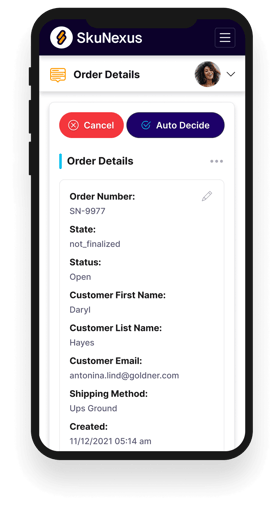
See How SkuNexus Transforms Inventory, Orders, and Fulfillment
- Say goodbye to stock issues with real time inventory tracking
- Make shipping and handling a breeze with our automated system
- Easily manage orders from all your channels in one place