
Shopify Automation & Routing
Order exceptions are the uninvited guests in any Shopify merchant's workflow, they disrupt, confuse, and often require a scramble to resolve. Traditional automation tackles routine steps, but managing exceptions at scale demands a different, more nuanced approach. This article explores how merchants can automate exception handling in Shopify using rule logic, reducing manual effort and keeping operations moving when orders go sideways. Key concepts, pitfalls, and operational realities are covered, to give operations, support, and e-commerce teams the clarity they need.
For broader context on automation logic, see the Shopify Automation & Routing overview.
Key Takeaways
-
Shopify automate exceptions allows merchants to systematically catch and route problematic orders like failed payments, flagged addresses, and inventory issues using rule logic.
-
Clear, precise triggers are key to effective exception automation in Shopify, minimizing false positives and ensuring only genuine issues are flagged for action.
-
Automated steps such as tagging orders, putting them on hold, or changing status streamline operations and keep manual intervention focused on complex or ambiguous cases.
-
Over-reliance on exception automation or poorly defined logic can cause backlogs, false alarms, and operational frustration, so regular monitoring and refinement are essential.
-
Successful Shopify exception workflows require clear ownership, thorough documentation, and awareness of cross-system sync challenges to prevent lost or duplicated error handling.
What Exception Automation Means in Shopify
How Exception Automation Differs From Standard Automation
In Shopify, standard automations are designed to handle expected, routine processes, moving orders to fulfillment, sending confirmation emails, or notifying warehouses, for example. Exception automation, by contrast, exists to catch and route the orders that don't fit the mold: failed payments, flagged addresses, out-of-stock items, or potentially fraudulent activity. The core difference lies in intent: standard automation is about seamless progression, while exception automation exists to catch what falls through the cracks, apply logic, and define escalation paths.
Where Exception Logic Fits in the Order Lifecycle
Exception automation typically hooks into the order lifecycle at key validation points: payment authorization, stock allocation, address verification, and sometimes post-shipment (returns or cancellations). For each, logic is triggered only when data doesn't meet expected standards, such as a mismatch in shipping address or inventory unexpectedly going to zero after an order comes in. Merchants leverage exception logic to intercept these errors quickly, limiting risk to revenue, customer experience, and fulfillment timelines.
Core Concepts Behind Automating Exceptions
Detecting Conditions That Trigger Automated Exceptions
Automated exception workflows start with clear, observable triggers. Typical triggers include failed credit card payments, addresses flagged by risk analysis, duplicate orders, and inventory discrepancies. These triggers must be explicitly defined, there's no room for ambiguity at this stage. The logic most often relies on real-time order events or API-based notifications in Shopify. Merchants benefit by defining these conditions tightly: too broad, and workflows capture false positives, too narrow and genuine issues slip through.
Interpreting Payment, Address, or Inventory‑Driven Issues
A major challenge is teaching automations to interpret raw incident data in context. For example, payment failure could be a customer error, or a card flagged for fraud. Address validation issues may arise from typos, but could also signal a freight-forwarding or reshipping operation. Similarly, inventory problems might simply be a sync delay, or point to overselling or phantom stock. It's crucial to evaluate exceptions based on historical patterns, past risk levels, and sometimes the customer's order history, not just isolated order-level triggers.
Using Tags, Holds, or Status Changes Automatically
Once an exception is detected, Shopify merchants typically assign order tags (like "Needs Review" or "High Risk"), place the order on hold, or change its fulfillment status automatically. These automated steps are critical, they both flag exceptions for manual follow-up and prevent orders from leaking into downstream processes before issues are resolved. For example, tagging an order with "Verify Address" can pause fulfillment, route to a support workflow, or even trigger downstream notifications. The sophistication of this automation depends on how deeply order status, notes, tags, and custom fields are integrated into the merchant's operational stack.
Operational Realities of Exception Automation
When Automated Actions Reduce Manual Work
Exception automation shines in high-volume or high-velocity environments, where there's no practical way for humans to eyeball every order. Automatically tagging orders with payment failures or putting items on hold when certain address patterns are detected means review teams can focus on actual issues, not spend time triaging non-critical orders. This prioritization not only cuts manual workload, but also accelerates resolution times, leading to fewer delays and happier customers.
Where Human Intervention Is Still Required
Even though the promise of automation, some exceptions remain too complex, ambiguous, or business-critical to rely solely on bots. For instance, customer-submitted documentation, repeated but non-obvious fraud attempts, or multi-line orders with mixed issues often need an experienced eye and discretion. Automated tools should highlight these cases for human decision, never attempt to fully resolve high-risk or ambiguous cases without oversight. The handoff between system and staff is as important as the automation step itself.
Risks of Over‑Automating Complex Exceptions
A real operational danger is excessive reliance on exception automation without sufficient safe-guards. Automated workflows that hold too many orders on vague triggers introduce delays and can overload support teams with false alarms. Merchants have seen order backlogs or even revenue loss from misconfigured logic, especially when exception definitions aren't updated as business evolves. The right level of automation is achieved when exceptions are surfaced clearly but require minimal escalations, and the team feels confident in both the logic and final outcomes.
Common Problems With Exception Automation
Exceptions Triggering Incorrectly
Misfires are common if exception logic is poorly scoped. For example, a blanket rule that flags every out-of-state order as "High Risk" could lead to hundreds of false positives. Payment gateway or address verification delays may also trigger exceptions incorrectly, causing orders to be held up unnecessarily. Careful monitoring and regular adjustment of logic is vital to avoid these operational headaches.
Conflicts Between Automated and Manual Review Processes
Exception automation works best when aligned with staff expectations and workflows, but issues arise when automated actions interfere with manual review or support processes. There are real-world cases of orders released by support being re-flagged by automation, leading to confusion and rework. Merchants should establish clear precedence: does human override win, or should automation always reassert control unless manually disabled? These rules must be explicit and well-communicated.
Lack of Cross‑System Error Visibility
Shopify rarely operates in isolation, orders may be synced to ERPs, CRMs, or WMS platforms. When an order is flagged or tagged as an exception in Shopify but that isn't mirrored across systems, teams lose sight of where issues stand. This lack of synchronized exception tagging often leads to duplicate reviews or missed escalations. Merchants must model their exception workflows not just within Shopify, but with an eye on what upstream and downstream platforms require.
Best Practices for Exception Automation
Clear Ownership Models for Automated Exceptions
Every automated exception should have an owner: whether it's a team or individual role, someone must be clearly responsible for reviewing, resolving, and closing out flagged orders. Without defined ownership, exceptions can languish unaddressed. Operationally, this means documenting who monitors which exception types and what constitutes a resolved case.
Audit Trails, Notes, and Documentation
Automated exceptions require documentation, both for troubleshooting and for continuous improvement. Shopify merchants should ensure that all automated actions, holds, tags, status changes, are logged and visible in the order timeline or related records. Adding notes, review outcomes, and owner comments provides necessary transparency for future audits or team handoffs, minimizing confusion.
Monitoring and Continuous Refinement of Exception Logic
Exception logic isn't set-and-forget, ongoing monitoring is essential. Merchants should track metrics: how many exceptions per week, average resolution times, and trends by exception type. Use these data points to spot patterns, trim false positives, and refine rules as business models evolve. Scheduled reviews, ideally monthly or quarterly, help ensure exception automation keeps pace with operational change.
Limitations of Shopify’s Exception Automation
Lack of Dedicated Exception Queues
Shopify does not natively provide dedicated exception queues or dashboards, exceptions are usually marked using tags or order statuses, but this lacks the visual structure of a true exception management console. This can make prioritization and triage more challenging, particularly for larger teams. Merchants often need to build workarounds: filtered views, custom dashboards, or internal communication protocols.
Challenges With Multi‑App or Multi‑System Exception Flows
In many Shopify setups, orders flow through multiple apps and connected platforms. Exception automation in one system may not trigger corresponding flags, holds, or notes in another, leading to breakdowns in triage and lost error data. Multi-system environments can introduce timing mismatches, or workflow loops that repeatedly flag, clear, and reflag issues. Merchants should carefully map processes and, wherever possible, use API-level integrations or middleware to keep exception states aligned.
Next Steps and Related Guides
Exception automation in Shopify is a moving target, what works today may not hold as business complexity grows or stack integrations change. Operational teams should regularly stress-test their rules, clarify staff roles, and document lessons learned. For more comprehensive coverage of automation rules, escalation models, and routing strategies, read the Shopify Automation & Routing overview.
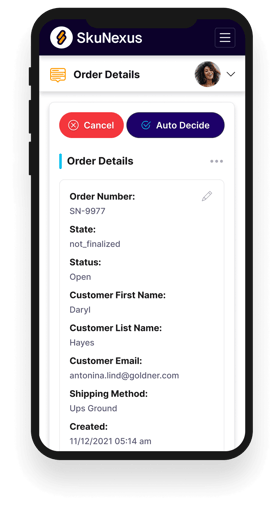
See How SkuNexus Transforms Inventory, Orders, and Fulfillment
- Say goodbye to stock issues with real time inventory tracking
- Make shipping and handling a breeze with our automated system
- Easily manage orders from all your channels in one place