
Shopify Picking & Packing
Packing stations aren't just another stop in the Shopify fulfillment journey, they're the last safeguard before an order reaches your customer. In fast-moving Shopify operations, the packing station is where precision, branding, and efficiency converge. Yet too often, these workspaces are viewed as afterthoughts, leading to bottlenecks, costly errors, and unpredictable experiences for both warehouse teams and end customers.
This guide delves deep into the operational principles and real-world tactics of designing, running, and improving Shopify packing stations. No platitudes, just practical insights for warehousing teams determined to achieve greater consistency, accuracy, and throughput. Expect clear guidance on layouts, workflows, capacity balancing, and a candid look at the limitations of Shopify's native tools when managing packing station performance. For those serious about scaling or refining their operation, every detail matters.
Key Takeaways
-
Shopify packing stations serve as the critical checkpoint for quality control, branding, and order accuracy before shipments reach customers.
-
Dedicated and well-organized packing areas in Shopify operations boost efficiency, reduce errors, and allow for easy scaling as order volumes grow.
-
Designing packing stations with ergonomics, logical layouts, and standardized workflows ensures speed, reduces staff fatigue, and minimizes packing mistakes.
-
Capacity planning and flexible station design are essential to prevent bottlenecks and to accommodate a variety of packaging needs in Shopify warehouses.
-
Native Shopify tools lack station-level visibility, making it important to supplement with warehouse management systems for data-driven improvements and accountability.
What Packing Stations Represent in a Shopify Fulfillment Setup
The Role of Packing Stations in the Pick/Pack Flow
Packing stations form the fulcrum between the picking process and the shipping handoff. In a Shopify warehouse, once products are picked from storage, they land at a designated packing area, this is where items are verified against order details, grouped, prepped, and secured for transit. At its core, the packing station is responsible for quality control: confirming SKUs, quantities, and packaging requirements, as well as enforcing branding standards (such as inserts, tissue, tape, or stickers). It's here that minor errors caught can prevent major customer issues downstream.
Effective packing areas also insulate picking speed from packing complexity. Rather than have pickers pause to stuff boxes or print shipping labels, the handoff at a defined station lets each team specialize and move faster. This separation builds reliability into the fulfillment process, reducing context-switching and mistakes.
Why Dedicated Packing Areas Improve Consistency
Having set-aside packing stations enables operational consistency. Dedicated areas mean the tools, materials, and documentation required for accurate fulfillment are always within reach, and always in the same place. Teams can quickly ramp up, processes can be standardized, errors can be investigated with clarity, and new staff can be trained without guesswork. A defined packing area is essential when scaling Shopify operations: as order volumes rise, the freedom to add or adjust stations, rather than crowding ad hoc work tables, becomes a key lever for maintaining order accuracy and throughput.
Core Concepts of Packing Station Design
Positioning Packing Stations Within the Warehouse Layout
Warehouse flow is central to Shopify fulfillment velocity. Packing stations should be positioned close to the end of pick lines, allowing for a logical and fast handoff while keeping the path uncluttered. Avoid placing packing areas in crisscross walkways or distant from either picking or shipping zones. Inefficient positioning leads to lost steps, backtracking, and a higher likelihood of mix-ups.
Ideally, the flow should be unidirectional: picked goods arrive at the packing station, are prepped and reviewed, then move directly to outbound staging for shipping. This reduces double-handling, streamlines accountability, and simplifies troubleshooting when issues arise.
Organizing Materials, Tools, and Documentation
Clutter isn't just untidy, it's expensive. Each packing station should have all essential supplies within arm's reach: appropriately sized boxes, dunnage, tape, printers, packing slips, branded materials, and reference checklists. Label clearly and store supplies in a standardized layout across stations to avoid hunting for materials during busy periods. Where possible, supply carts, vertical shelving, or shadow boards speed up restocking and keep orders flowing smoothly.
Digital documentation, manifest screens, packing workflows, exception logs, should be front and center but protected from damage. Don't underestimate the value of making common tools (box cutters, tape guns, scanners) easily accessible yet secured to prevent walk-off.
Designing for Speed, Accuracy, and Ergonomics
Fast packing isn't enough if it leads to missed inclusions or injuries. Counter heights must fit the average operator: anti-fatigue mats can reduce strain for staff on lengthy shifts. Use adjustable work surfaces for varying box sizes and tasks. Consider lighting quality, shadowy or poorly lit stations increase risk of miss-picks and incorrect packing.
Make every movement count: from picking up an item, reaching for tape, or retrieving a branded insert, these motions should be as fluid as possible. Some fast-growth Shopify brands use modular station designs to quickly adapt for holiday volumes or short-order surges. Whether large or small, a packing station that encourages efficient, repeatable motion pays off in fewer errors, happier staff, and faster order completion.
Operational Realities of Running Packing Stations
Balancing Station Capacity and Throughput
No packing station can serve unlimited orders. Capacity planning means calculating the average and peak packing volumes, then right-sizing the number of stations and their staffing. Too few stations leads to queues, too many wastes floor space and labor. It's crucial to track average packing times per order and adjust layouts or schedules to match demand, especially during flash sales or seasonal peaks.
Bottlenecks usually emerge at handoff points: when pick teams pile up completed picks, or when ready-to-pack goods outpace available packers. Cross-training staff to rotate in, using visible queue management, and building in slack for exceptions (damaged items, custom packaging orders) creates resilience.
Handling Different Order Types and Packaging Needs
Shopify operations rarely see cookie-cutter orders. Some shipments demand custom gift wrap, others have temperature-sensitive goods, multi-item kits, or oddly shaped products. Packing stations must be flexible, offering specialty materials as needed but not allowing these items to swamp or clutter prime space.
Clear job aids, checklists, or digital cues (such as order notes or packing app flags) help the packing team handle different requirements without slowing down. Frequently, shops will designate one station for complex orders, or run small satellites for oversized or hazardous products, to keep the main flow unimpeded.
Coordinating With Picking and Shipping Teams
Communication between picking, packing, and shipping teams underpins success. In well-run Shopify warehouses, daily huddles or real-time dashboards can highlight trouble spots: Are pickers feeding too quickly for packers to keep up? Are outgoing orders backing up? Some operations use color-coded totes, digital status boards, or even simple walkie-talkie check-ins to keep information flowing. The goal is clear: no surprises, minimal idle time, and a steady, predictable order pipeline from pick to ship.
Common Packing Station Problems
Cluttered or Poorly Organized Workspaces
It doesn't take much for a well-designed packing station to descend into chaos: an unreturned tape gun, stacks of wrong-sized boxes, loose paperwork, tangled charging cords. Clutter not only slows down order completion, it directly raises the risk of packing the wrong items or omitting branded materials. Regular audits, standard 5S routines, and simple accountability measures ("leave it as you found it") go a long way to counter these issues.
Bottlenecks and Idle Time at Stations
Idle time typically creeps in due to mismatched throughput between picking, packing, and shipping zones. If packers wait for orders to arrive, or if finished packages stack up because shipping can't keep pace, station value plummets. Bottlenecks signal the need for either more (or better trained) packers, clear sequencing signals between teams, or better upstream controls to prevent blockages.
Inconsistent Packing Quality and Branding
When packing stations lack standardization, customers notice. Some orders get pristine, branded packaging: others feel rushed or missing key touches. Inconsistent packing quality erodes brand reputation and drives up returns or complaints. It also muddies the data on where an error occurred, if stations lack documentation or defined processes, accountability is practically impossible. Regular audits, photo checklists, and designated training help fight this trend.
Best Practices for Effective Packing Stations
Standardizing Station Layouts and Workflows
Uniform station setups are a foundation of smooth operations. Set a baseline for every station, where each supply goes, how orders flow through, and what documentation is presented at each step. That means visual guides ("boxes go here, tape here, inserts here"), easy-to-follow digital or physical checklists, and consistent surface layouts. Not only does this raise accuracy and speed, but it also makes scaling (adding new stations or temporary packers) much more predictable.
Defining Clear Roles and Responsibilities at Each Station
Ambiguity is costly in a busy Shopify warehouse. Each packing station should operate with assigned roles, who verifies product counts, who handles branded materials, who signs off on final checks. In small setups, a single packer might handle all, but in higher-volume sites, splitting duties (such as one scans while another packs and labels) can lift speed and accountability.
Responsibility should also extend to end-of-shift routines: restocking, cleaning, and reporting on missed items or broken materials, creating a feedback loop that prevents tomorrow's problems.
Continuous Improvement Based on Metrics and Feedback
The best operations don't stand still. Track packing accuracy, order output rates, station downtime, and exception types. Encourage team input on what slows them down or could be improved, often, the staff packing boxes daily have insight automation never will. Regularly test new layouts, try pilot programs (like swapping packing order or tool arrangements), and maintain a rhythm of review. If shipment audits, returns, or customer unboxing surveys highlight recurring mistakes, adjust station design and training accordingly.
Limitations of Native Shopify Tools Around Packing Stations
Where Shopify Needs Support From WMS or Operational Tooling
Shopify's core fulfillment tools lack true station-level granularity. While users can print packing slips or mark orders fulfilled, there's little built-in capability for monitoring station throughput or staff performance, tracking packing exceptions, or logging root cause analysis for recurring issues. As packing station complexity grows, most operations eventually layer in warehouse management systems (WMS) or other operational tools that offer real-time visibility, digital checklists, and performance dashboards.
Without this augmentation, data-driven improvements at the packing station level are limited. Many brands end up improvising manual logs, whiteboard KPIs, or spreadsheet trackers just to maintain baseline standards.
Challenges in Capturing Station-Level Performance Data
Precision packing relies on actionable data: how many orders were packed per hour, error rates, dwell times, and top exception drivers. Shopify's standard reporting rarely captures this, there's little way to separate out one station's performance from another, or to track which staff handled a specific order. That leaves gaps in accountability and makes systematic improvements difficult. Operations leaders often have to reconcile order data manually, or rely on physical audits, to identify weak points in their packing process. The evolution from Shopify's native flows to more granular tooling is often prompted by the need for this missing visibility.
Next Steps and Related Guides
Strong packing stations are the backbone of scalable Shopify fulfillment, they drive quality, speed, and consistency that customers feel at unboxing. But no station exists in a vacuum: teams looking to refine these workspaces, integrate with upstream/downstream flows, or take operational visibility to the next level should refer to the broader context in the Shopify Picking & Packing Workflows overview. Designing for tomorrow's volumes requires building on the operational principles covered here, and being honest about the tooling and feedback loops required for continuous improvement.
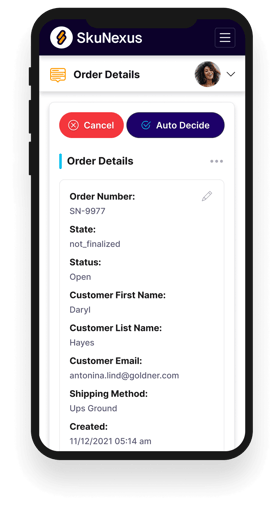
See How SkuNexus Transforms Inventory, Orders, and Fulfillment
- Say goodbye to stock issues with real time inventory tracking
- Make shipping and handling a breeze with our automated system
- Easily manage orders from all your channels in one place